Using Redis Sets
By Flavio
Tagged: Redis
Learn how to use Redis sets, which are unordered and hold each item once, with SADD, SMEMBERS, SISMEMBER, SCARD and SINTER to intersect two sets.
A Redis set is a collection of unique strings. Sets have 2 main differences with lists:
- sets are not ordered
- sets only hold an item once
That second point is what makes sets useful. You can throw values at a set without checking for duplicates first, because Redis handles that for you. Think of tags on a blog post, or the IDs of users who visited a page today. Adding the same value twice changes nothing.
Adding items
Create a set using
SADD <setkey> <value>
The same command is used to add more items to the set.
Example:
SADD names "Flavio"
SADD names "Roger"
SADD names "Tony" "Mark" "Jane"
SADD returns the number of items that were actually added. This is a handy detail: if you add a value that’s already in the set, it returns 0, so you can tell whether the value was new without a separate check.
SADD names "Flavio"
(integer) 0Reading items
Get all the items in a set using SMEMBERS <setkey>:
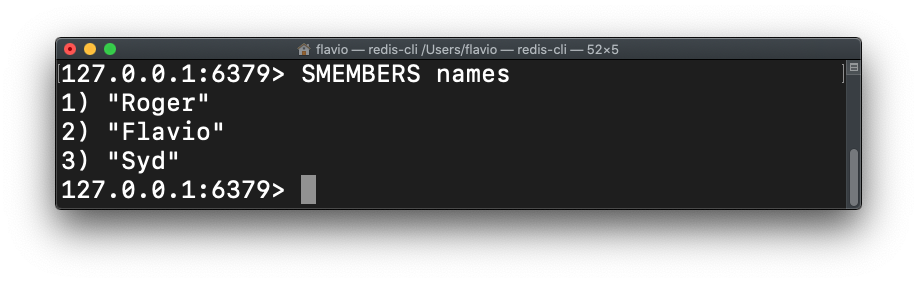
Notice the order in the screenshot doesn’t match the order we added the items in. Sets are unordered, so never rely on the order SMEMBERS returns.
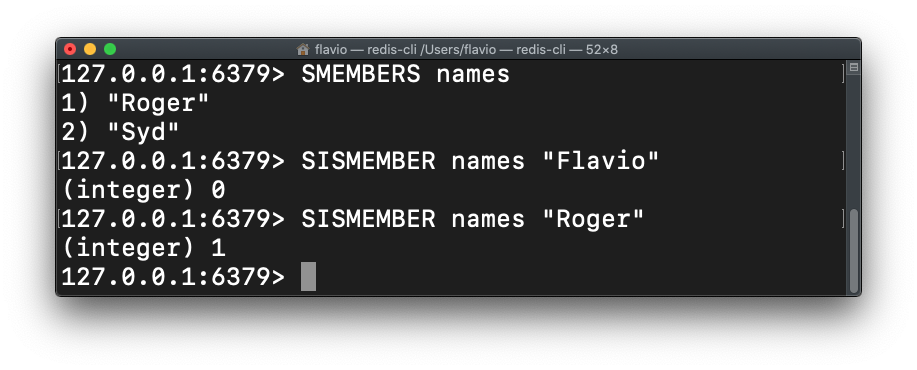
Find out if a value is in a set with SISMEMBER:
SISMEMBER names "Flavio"It returns 1 if the value is in the set, 0 if it’s not:
To know how many items are in a set, use SCARD:
SCARD namesPicking and removing items
Get (without removing) an item from the set, randomly:
SRANDMEMBER namesExtract (and remove) a random item from the set:
SPOP namesThe two commands look similar, so be careful: SRANDMEMBER just peeks, SPOP takes the item out of the set. If your set seems to lose items over time, check if some code is calling SPOP where it should call SRANDMEMBER.
You can extract multiple items at once:
SPOP names 2Remove an item from a set by value:
SREM names "Flavio"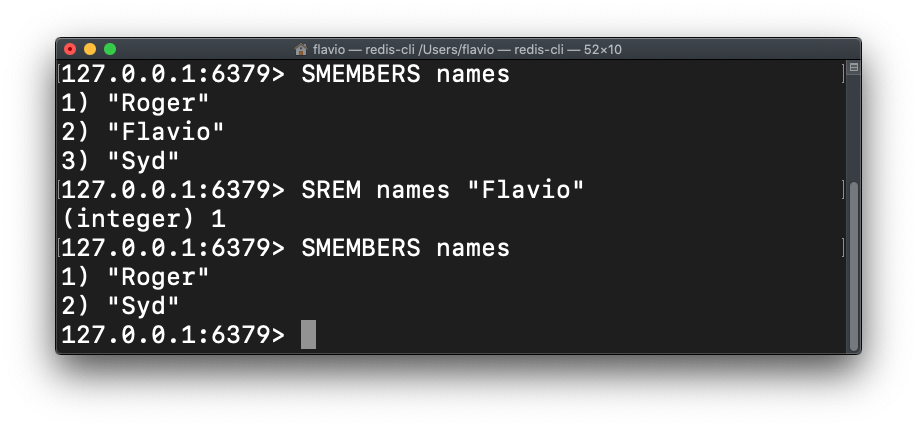
Combining sets
Get the items contained in 2 different sets at the same time with SINTER:
SINTER set1 set2For example, if one set holds the users who bought your course and another holds your newsletter subscribers, SINTER gives you the people in both groups, in a single command.
There’s also SUNION to merge sets and SDIFF to get the items in the first set but not in the others.
See all the sets commands here.
Want me to talk about your product? You can sponsor this site.