How to install Redis
By Flavio
Tagged: Redis
Learn how to install Redis on macOS with Homebrew using brew install redis, and on Linux with apt-get, then start the server listening on port 6379.
The quickest way to install Redis on macOS is Homebrew, with brew install redis. On Ubuntu Linux you use apt-get install redis-server. Let’s see both in detail.
You can also download the source from https://redis.io/download and compile it, but the package managers do the work for you.
Redis can be installed on any server. In this case we’ll install it locally for testing.
How do you install Redis on macOS?
On macOS, run:
brew install redisThen run
brew services start redisto make Redis start automatically, and re-start when the computer reboots.
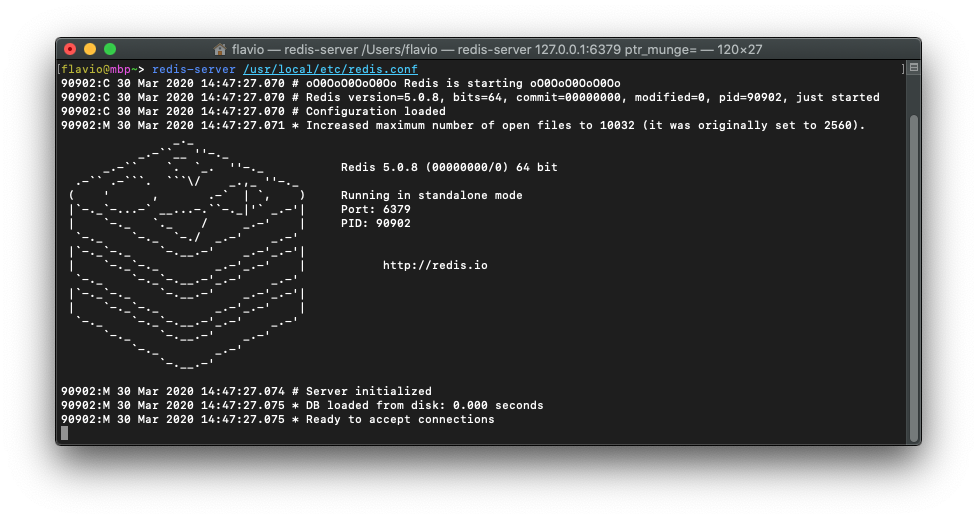
You can also start it manually using:
redis-server /usr/local/etc/redis.confThat’s the configuration file location on Intel Macs. On Apple Silicon, Homebrew installs everything under /opt/homebrew, so the file is at /opt/homebrew/etc/redis.conf instead.
How do you install Redis on Linux?
On Linux Ubuntu you’ll need to run
sudo apt-get install redis-serverand Redis will automatically be up and running.
You can check its status with:
sudo systemctl status redis-serverHow do you verify it works?
Once it’s started, Redis listens on port 6379.
The fastest check is redis-cli, the command line client that ships with Redis:
redis-cli pingIf the server is running, it answers:
PONGIf you get Could not connect to Redis at 127.0.0.1:6379: Connection refused instead, the server is not running. On macOS, run brew services start redis again. On Ubuntu, run sudo systemctl start redis-server.
From redis-cli you can also open an interactive session and try commands like SET and GET right away.
One thing to watch out for
On a local server it’s fine to keep Redis running without a password. But when Redis is exposed to the Internet, make sure you configure a password.
Open the redis.conf configuration file (the location depends on your Operating System, see above) and set the requirepass directive:
requirepass your-long-secret-passwordAlso check the bind directive. By default Redis only listens on 127.0.0.1, the local machine. Keep it that way unless you have a good reason not to. An unprotected Redis instance open to the world gets found and abused fast.
Want me to talk about your product? You can sponsor this site.