Fix Node.js imports types errors in VS Code
By Flavio Copes
How to fix VS Code complaining that Node.js types cannot be found, by installing the right @types/node major, adding it to tsconfig, and restarting the editor.
To fix this error you install the Node.js type definitions with @types/node, add them to tsconfig.json, and restart the TypeScript server in VS Code. Here’s the full story of how I got there.
Had this error (more a warning) in a project:
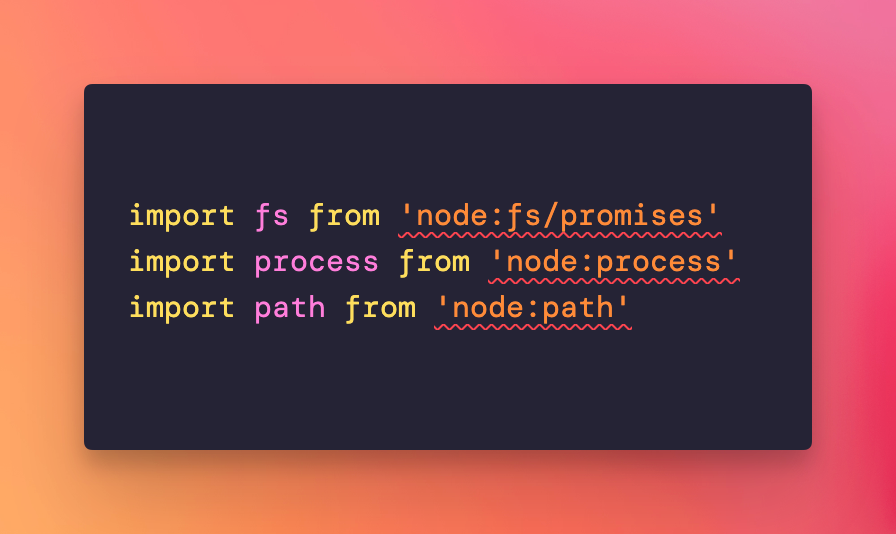
VS Code complained Node.js types could not be found.
Why does this happen?
VS Code uses the TypeScript language server for IntelliSense and error checking. TypeScript itself doesn’t know anything about Node.js built-in modules like fs, path and process. Their type definitions live in a separate package, @types/node. If your project doesn’t have it, the editor can’t resolve those imports and marks them with red underlines.
So I installed them:
npm install -D @types/nodeOne thing to know about that command. A bare npm install -D @types/node resolves the npm latest tag, and as of September 2026 that points at the 26.x line, the types for Node 26 Current. The package majors track the Node majors. If you’re on Node 24, the current LTS, pin the matching major instead:
npm install -D @types/node@24On Node 26, @types/node@26 is the right one.
Then added them to the compilerOptions in tsconfig.json:
{
  //...
  "compilerOptions": {
    "types": [
      "node"
    ]
  }
}
Be careful with the types array. When it exists, TypeScript loads only the packages you list there. If your project uses other @types packages, add them to the array too, or they’ll stop working. If you don’t need to restrict anything, you can leave types out entirely: TypeScript picks up every installed @types package by default.
That still didn’t solve it, so I dropped node_modules:
rm -rf node_modules
rm -f package-lock.json
npm cache clean --force
npm install
Finally, restarting VS Code made them disappear (not sure if reinstalling modules had any effect, first try restarting VS Code after adding the types).
The quicker restart
Why did the restart matter? The TypeScript server caches type information. After you install a new @types package, it can keep serving stale errors for a while.
You don’t need to restart the whole editor, though. Open the command palette and run TypeScript: Restart TS Server. That reloads the types without closing anything.
My advice for next time this shows up: install the @types/node major that matches your Node version, restart the TS server, and only reach for the node_modules wipe if the errors survive that. In most cases the first two steps are enough.
Want me to talk about your product? You can sponsor this site.
Related posts about node: