The Node.js Event Loop
By Flavio Copes
Understand the Node.js event loop with call stack diagrams and runnable examples showing timers, promise callbacks, and non-blocking I/O.
- Introduction
- Blocking the event loop
- The call stack
- A simple event loop explanation
- Queuing function execution
- The Message Queue
- ES6 Job Queue
Introduction
The event loop lets Node.js handle asynchronous I/O while JavaScript callbacks run on one main thread.
While a file read or network request is in progress, Node can run other code. Once the operation completes, its callback can run when the main thread is available. Node uses the operating system and, for some operations, a worker pool to do the work behind its asynchronous APIs.
Worker threads can run JavaScript in parallel, but ordinary callbacks in one Node.js thread run one at a time.
For a practice exercise, trace a program’s output in the Node.js course.
Blocking the event loop
A long calculation, an infinite loop, or a synchronous filesystem call keeps the main thread busy. Other callbacks must wait. On a server, that can delay responses to other clients.
Use asynchronous APIs for I/O during request handling. Node offers callbacks, promises, and async/await. Adding async to a function does not move a long calculation to another thread.
Browsers also have event loops, but browser tabs, clicks, DOM events and UI rendering belong to the browser environment. Web Workers have their own execution contexts. Node’s event loop handles server-side work such as timers and I/O.
The call stack
The call stack records function calls that have started and have not returned yet. It is last in, first out: the most recent call finishes before its caller continues.
The JavaScript engine manages the stack as code runs. The event loop does not search it for functions to execute. When the current synchronous work finishes, Node can run a pending callback, which creates its own calls on the stack.
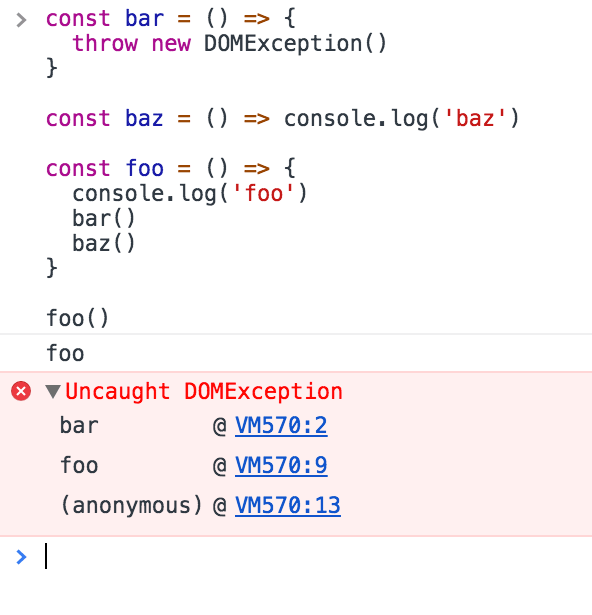
A debugger’s stack trace shows which calls led to the current function. This screenshot uses a browser debugger, but the same call-stack idea applies to Node:
A simple event loop explanation
Start with synchronous function calls:
I use
foo,barandbazas random names. Enter any kind of name to replace them.
const bar = () => console.log('bar')

const baz = () => console.log('baz')

const foo = () => {
  console.log('foo')
  bar()
  baz()
}

foo()
This code prints:
foo
bar
baz
foo() logs its name, calls bar(), then calls baz().
Here are successive snapshots of the call stack:
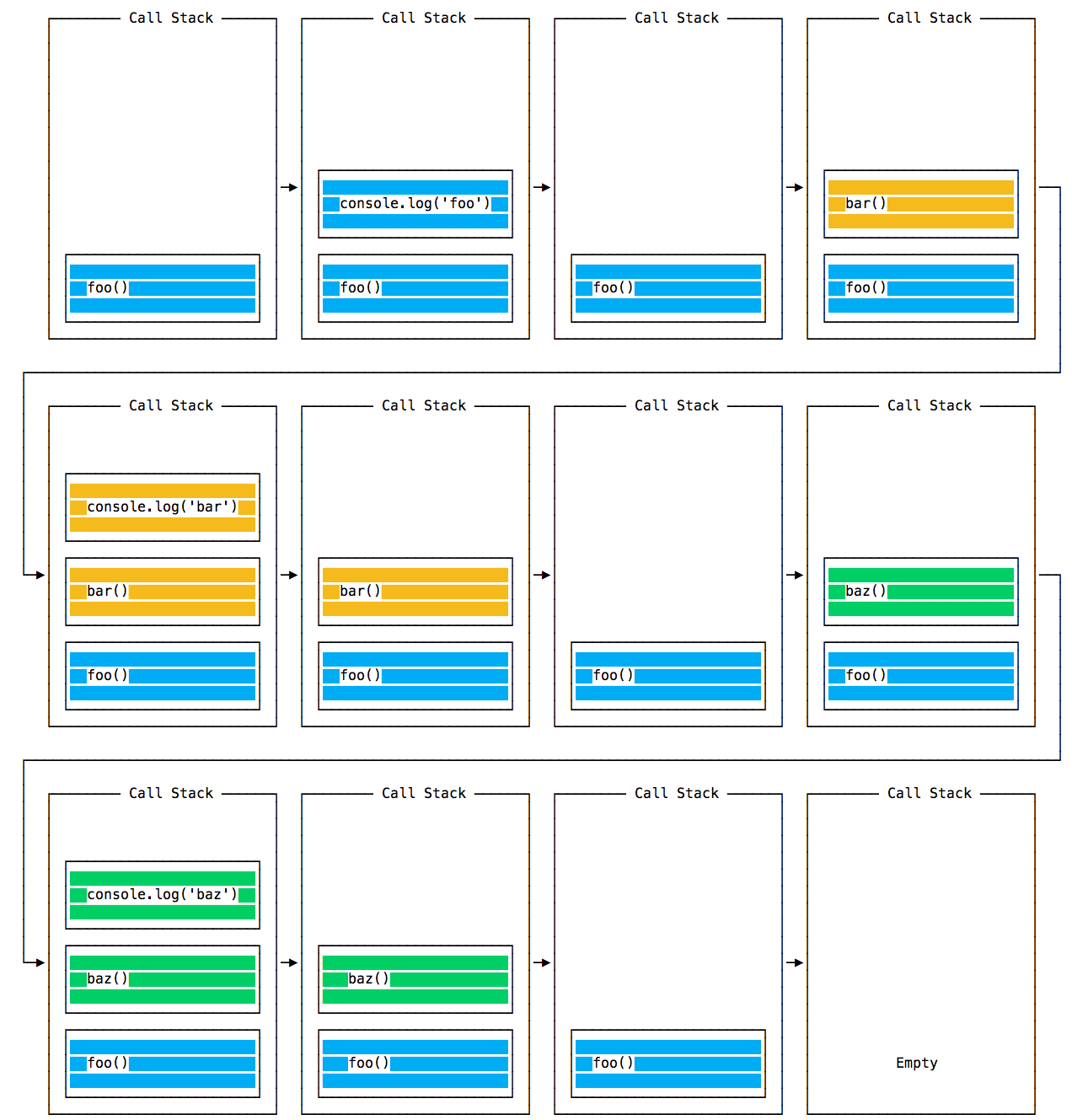
Each call runs synchronously. When bar() returns, foo() continues and calls baz(). Their execution order is:
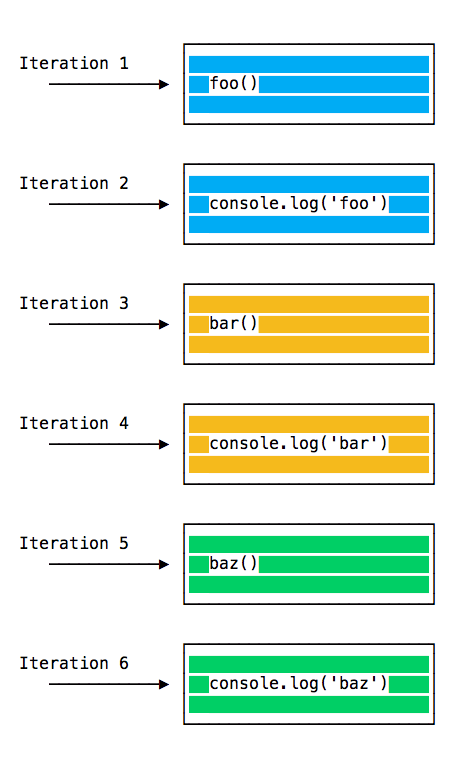
foo() returns after both calls finish, leaving the stack empty.
Queuing function execution
Now defer one call using a timer.
setTimeout(callback, 0) schedules a callback for later. It must wait for the current synchronous work to finish. It does not wait for every other asynchronous operation in the program.
Take this example:
const bar = () => console.log('bar')

const baz = () => console.log('baz')

const foo = () => {
  console.log('foo')
  setTimeout(bar, 0)
  baz()
}

foo()
The timer changes the output order:
foo
baz
bar
Inside foo(), setTimeout(bar, 0) registers a timer and returns. Then baz() runs synchronously. Node treats a zero delay as a minimum delay of 1 millisecond, and other work can delay the callback further.
The stack changes over time like this:
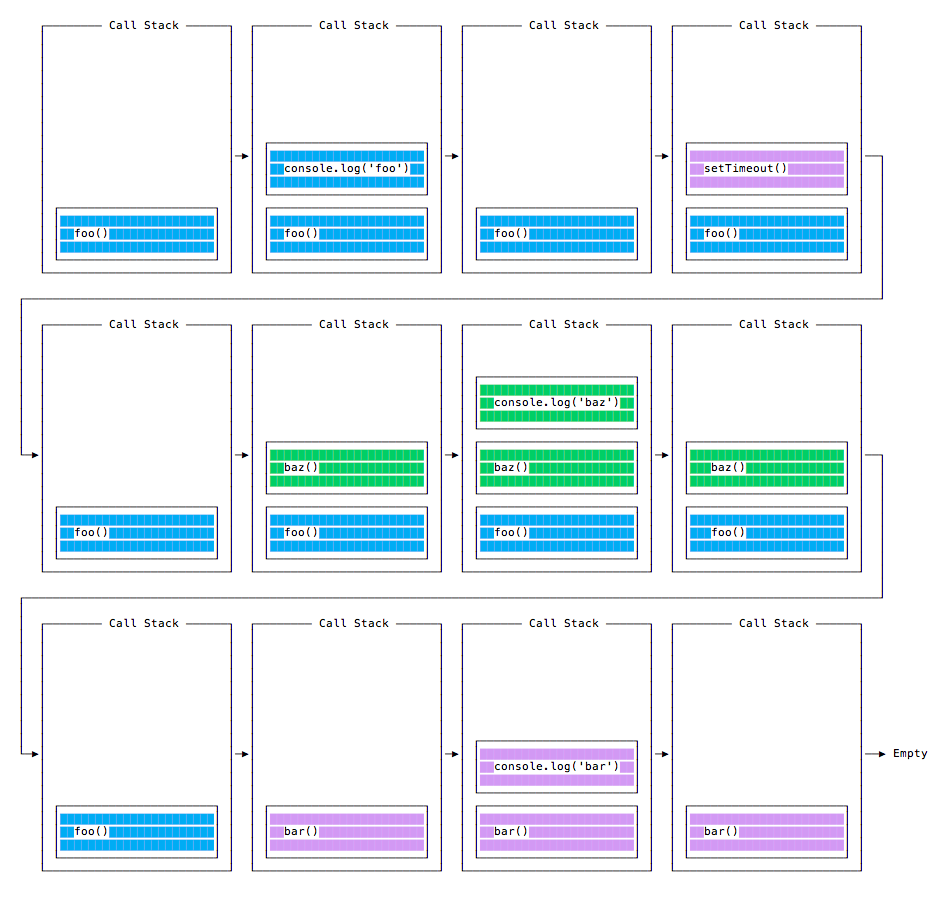
Here is the execution order for all the functions in our program:
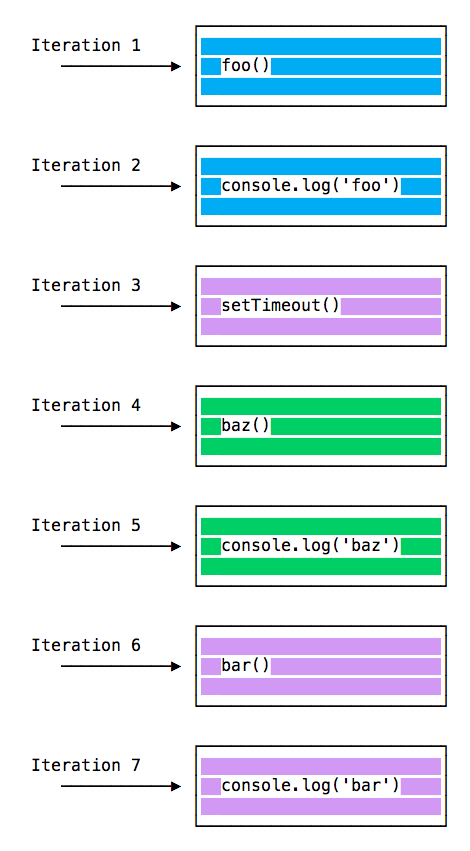
The Message Queue
You may see a single message queue in introductory event-loop diagrams. Node has several phases with queues for different kinds of callbacks.
Timer callbacks become eligible after their delay. The poll phase handles most I/O callbacks, and the check phase runs setImmediate() callbacks. Node chooses pending work according to these phases, after the current synchronous JavaScript finishes.
A timer does not need a separate JavaScript thread to count down. Node registers it and can do other work while the delay passes. Asynchronous network operations, including fetch, also allow JavaScript to continue while waiting for a response.
The Node.js event-loop guide explains the phases in detail. For the examples here, remember that registering a callback and running that callback happen at different times.
ES6 Job Queue
ECMAScript 2015 introduced Promises. A promise’s .then() handler runs as a microtask, after the current synchronous JavaScript finishes. The function passed to new Promise() runs immediately; its .then() handler runs later.
In the example below, the resolved promise queues a handler. baz() still runs first because it is synchronous. After foo() returns, the promise handler runs before the timer callback.
Try it:
const bar = () => console.log('bar')

const baz = () => console.log('baz')

const foo = () => {
  console.log('foo')
  setTimeout(bar, 0)
  new Promise((resolve, reject) =>
    resolve('should be right after baz, before bar')
  ).then(resolve => console.log(resolve))
  baz()
}

foo()
This prints:
foo
baz
should be right after baz, before bar
bar
This ordering applies to the example above. It does not mean every promise finishes before every timer: a promise waiting for a network response may settle much later.
Node also has a separate process.nextTick() queue. In a CommonJS script, next-tick callbacks run before promise microtasks after the current synchronous work. Top-level ES module evaluation has different ordering, so check the context before comparing them. The official scheduling examples cover both.
For CPU-heavy work, use the Node.js guide to avoiding blocked callbacks to decide whether to split the work or move it to a worker thread.
Want me to talk about your product? You can sponsor this site.
Related posts about node: