Updating self-hosted Plausible Analytics using AI
By Flavio
Tagged: AI
My self-hosted Plausible instance sat untouched for years on a $6 droplet. Codex upgraded Ubuntu, Docker, PostgreSQL 14 to 16, ClickHouse and Plausible v2 to v3 in ten minutes, then fixed the Nginx websocket config.
One of my favorite things to do with AI is fixing all the server “stuff” I built over the years. Stuff I set up doing the bare minimum to make it run, and then never touched again.
My self-hosted Plausible Analytics instance is the perfect example.
I run it on a $6/month DigitalOcean droplet at b.flaviocopes.com. It saves me a lot of money compared to Plausible’s hosted plan, or any other hosted analytics that isn’t Google Analytics (which I stopped using when they forced GA4 on everyone).
I installed it years ago. Never updated the server. Never updated Plausible. Now that I’d started using AI to manage servers (here’s how that started), it was time.
The check
I asked Codex, running on my Mac, to look before touching anything:
on b.flaviocopes.com I have Plausible analytics open source installed. i never updated the server or Plausible itself in years, can you check what needs to be done here? access the server using
ssh root@<IP> -i ~/.ssh/digitalocean
The report:
• Checked it. I did not change anything.

  Current state:

  - Server: Ubuntu 22.04.1, kernel 5.15.0-174, Docker 20.10.21, Compose v2.12.0
  - Plausible: plausible/analytics:v2.0.0
  - PostgreSQL: postgres:14-alpine, actual 14.6
  - ClickHouse: clickhouse/clickhouse-server:22.6-alpine, actual 22.6.9.11
  - Data: Docker volumes, about 3.7 GB
  - Disk: 14G / 25G used
  - RAM: only 957MiB, no swap, currently tight
  - OS updates: 127 apt lines listed, reboot required for kernel packages
  - Public app: https://b.flaviocopes.com returns 200
  - Local app: 127.0.0.1:8000 returns 200

  What needs to be done:

  1. Take a real backup first: ideally a DigitalOcean droplet snapshot, plus exports/backups of the
     Postgres and ClickHouse Docker volumes.
  2. Upgrade the OS packages and reboot. The server is behind on Ubuntu/Docker/security updates.
  3. Upgrade Plausible carefully, not in one blind edit. You are on v2.0.0; current latest is
     v3.2.0.
  4. Migrate from the old plausible/hosting setup to the newer plausible/community-edition compose
     layout.
  5. Upgrade ClickHouse as part of the Plausible v3 path. The v3.0.1 notes require moving to
     ClickHouse 24.12-alpine and adding CLICKHOUSE_SKIP_USER_SETUP=1.
  6. Consider resizing the droplet or adding swap before the upgrade. Plausible CE v3 recommends at
     least 2 GB RAM, and this droplet has only 1 GB.
  7. Clean up firewall rules: UFW currently allows public 2375/tcp and 2376/tcp Docker ports.
     Nothing is listening there right now, but those rules should be removed.
  8. Fix naming/config drift: Nginx config still says a.flaviocopes.com, while you are using
     b.flaviocopes.com through Cloudflare. It works, but it is confusing and should be normalized.

  Official references I checked:

  - Plausible latest release v3.2.0: https://github.com/plausible/analytics/releases
  - Plausible CE upgrade guide: https://github.com/plausible/community-edition/wiki/upgrade
  - Plausible CE v3.2.0 compose file:
    https://raw.githubusercontent.com/plausible/community-edition/v3.2.0/compose.yml

  Recommended order: snapshot, add swap or resize, OS update/reboot, then Plausible upgrade in
  staged steps with health checks after each step.
A few things stand out. Plausible had moved from the old plausible/hosting repo to a new community-edition layout since I installed it. PostgreSQL and ClickHouse both needed major version jumps. And the firewall had two public Docker API ports open for no reason. Item 7 alone was worth the exercise.
It also read the official upgrade guides before proposing a plan, and linked them. I like that.
Keeping the $6 droplet
I took a snapshot in the DigitalOcean panel, then told it:
I took a snapshot. I prefer to not resize the server and keep it $6/m if possible
Keeping the $6 droplet is reasonable if we add swap and use Plausible's low-resource ClickHouse
config. I'll avoid resizing, make the upgrade path preserve the existing Docker volumes, and keep
the public binding behind Nginx on 127.0.0.1:8000.The upgrade
From here I mostly watched. Here are the status messages, in order:
I'm going to do the low-risk server prep first: add a 2 GB swapfile, save a timestamped copy of
the current Plausible config, and close the public Docker API firewall rules. Then I'll update/
reboot the OS before touching Plausible.
Prep is done: swap is active, config is backed up, and the public Docker API firewall rules are
gone. Next is apt package update and reboot, which will cause short downtime.The package upgrade completed. It kept the existing Docker config, upgraded Docker to the new
package set, and still requires a reboot to load kernel 5.15.0-176. I'm checking the service
state once, then I'll reboot and reconnect.Reboot is clean: new kernel is active, swap is active, and Plausible v2 is responding locally
with 200 OK. I'm moving to the app upgrade now, staging the new community-edition compose files
separately so the old /opt/plausible directory remains available as a rollback reference.Then the interesting part, the database:
One important detail: the v3 compose file uses PostgreSQL 16, but the current data volume is
PostgreSQL 14. I'm going to follow Plausible's documented path: first migrate the app to
Community Edition v2.1.x, then v3, and handle the PostgreSQL major-version jump via dump/restore
instead of trying to boot PG16 on a PG14 data directory.
This is a thing I would have gotten wrong. You can’t start PostgreSQL 16 on a data directory written by PostgreSQL 14. It refuses to boot. The right way is to dump the data with the old version and restore it into a fresh volume with the new one.
I'm going to keep rollback data intact where possible. For PostgreSQL I'll restore into a new
PG16 Docker volume instead of deleting the old PG14 volume; for ClickHouse I'll make a stopped-
volume tarball before the major ClickHouse upgrade. This uses disk space, but the server has
enough room.
The app is in maintenance downtime now. The Postgres dump is running; after that I'll stop the
old stack and take the ClickHouse volume tarball before booting CE.The old stack is stopped, and the ClickHouse data volume backup is compressing. This is the
longest downtime step because it is copying analytics data before the ClickHouse major upgrade.The ClickHouse tarball completed at 2.2G, but the SSH session reset right after. I'm reconnecting
and continuing from the staged CE v2.1.5 directory.It hit a couple of snags along the way and worked around them:
docker compose exec -T is hanging in this environment even after the DB command completes. I'm
switching to plain docker exec -i, which avoids the Compose exec wrapper.
CE v2.1.5 is now started with PostgreSQL 16 and ClickHouse 24.3. I'm checking local HTTP and logs
before moving to v3.2.0.The intermediate CE v2.1.5 step is healthy and returning 200 OK. I'm moving to the final v3.2.0
step now, reusing the same PG16 and ClickHouse volumes and the same 127.0.0.1:8000 Nginx-facing
port.I want to be honest here: I had no idea what was happening.
I have close to zero Linux server skills. I could never have updated all this software by hand. Two major database upgrades, a Docker layout migration, a kernel update, on a 1 GB box, without losing years of analytics data.
It’s fun to read through, though. Like watching an expert work.
The v3.2.0 containers have started. I'm doing final verification now: local HTTP, public HTTPS,
versions, logs, memory/disk, and firewall state.
The first HTTP check hit while v3 was still finishing startup, so it returned a reset/Cloudflare
502. The logs now show the app has reached normal startup after migrations; I'm rerunning HTTP
checks.The app is healthy publicly and the tracker script returns 200. Disk is at 82% because we now
have backup tarballs plus old Docker images; I'm going to remove only unused Docker images and
apt leftovers, keeping the actual data volumes and the upgrade backup.Done in ten minutes
─ Worked for 10m 05s ─────────────────────────────────────────────────────────

• Done. The server is still on the $6 droplet.

  What changed:

  - Added 2G swapfile.
  - Updated Ubuntu 22.04 packages and rebooted into kernel 5.15.0-176-generic.
  - Removed public UFW rules for Docker TCP ports 2375/2376.
  - Migrated Plausible from plausible/analytics:v2.0.0 to
    ghcr.io/plausible/community-edition:v3.2.0.
  - Migrated PostgreSQL from 14.6 to 16.13 via dump/restore into a new Docker volume.
  - Upgraded ClickHouse from 22.6.9.11 to 24.12.6.70.
  - Kept Plausible bound to 127.0.0.1:8000 behind Nginx/Cloudflare.
  - Cleaned unused Docker images, recovering about 2.57GB.

  Current health:

  - https://b.flaviocopes.com returns HTTP/2 200
  - local http://127.0.0.1:8000 returns HTTP/1.1 200 OK
  - tracker endpoint /js/script.js returns 200
  - containers are healthy/running:
      - Plausible CE v3.2.0
      - PostgreSQL 16-alpine
      - ClickHouse 24.12-alpine

  Backup/rollback artifacts:

  - Upgrade backup dir with the PG dump and ClickHouse volume tarball.
  - Old PG14 Docker volume still exists: plausible_db-data
  - New PG16 volume is: plausible_db-data-v16
  - Active compose dir: /opt/plausible-ce-v3.2.0
  - Convenience symlink: /opt/plausible-ce-current

  Disk/RAM after cleanup:

  - Disk: 18G / 25G, 7.0G free, 72% used
  - RAM: 957MiB
  - Swap: 2.0GiB, about 411MiB used during checks

  Only one apt package remains listed as upgradable: ubuntu-advantage-tools. No reboot-required
  flag remains.
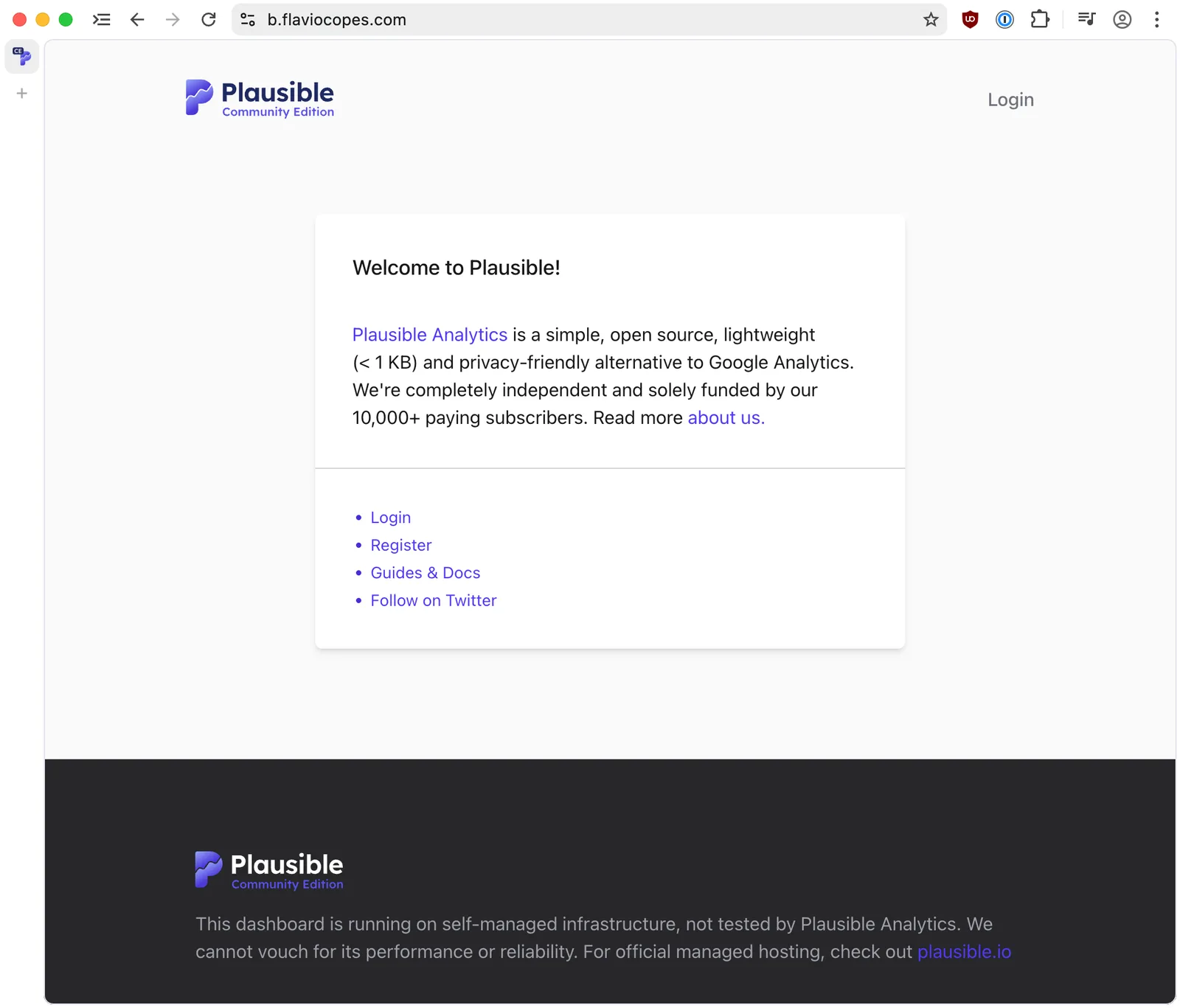
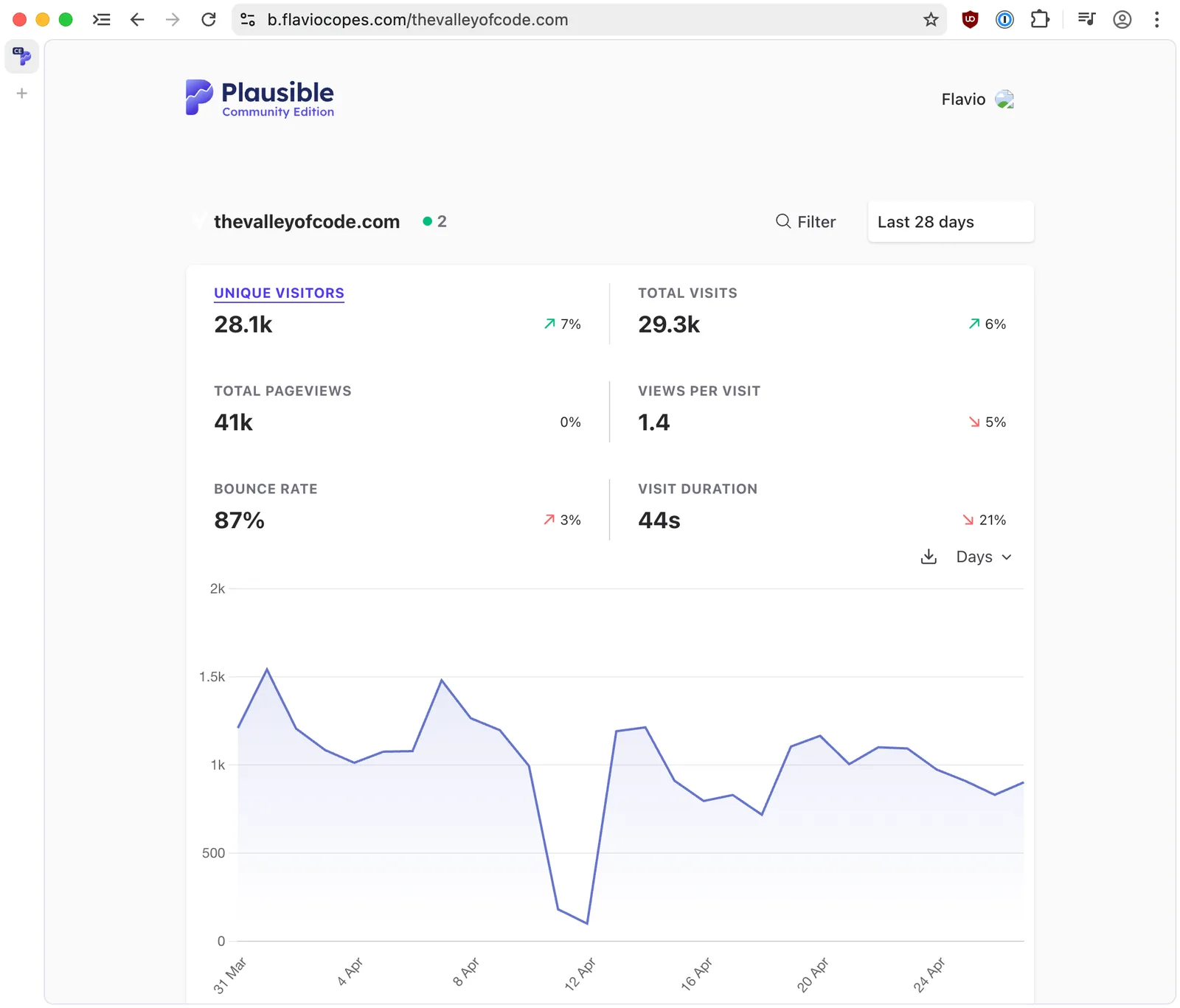
Most importantly, the dashboard works and the data is all there:
One more bug
Then I noticed something off. An empty space in the dashboard, where a chart should have been:
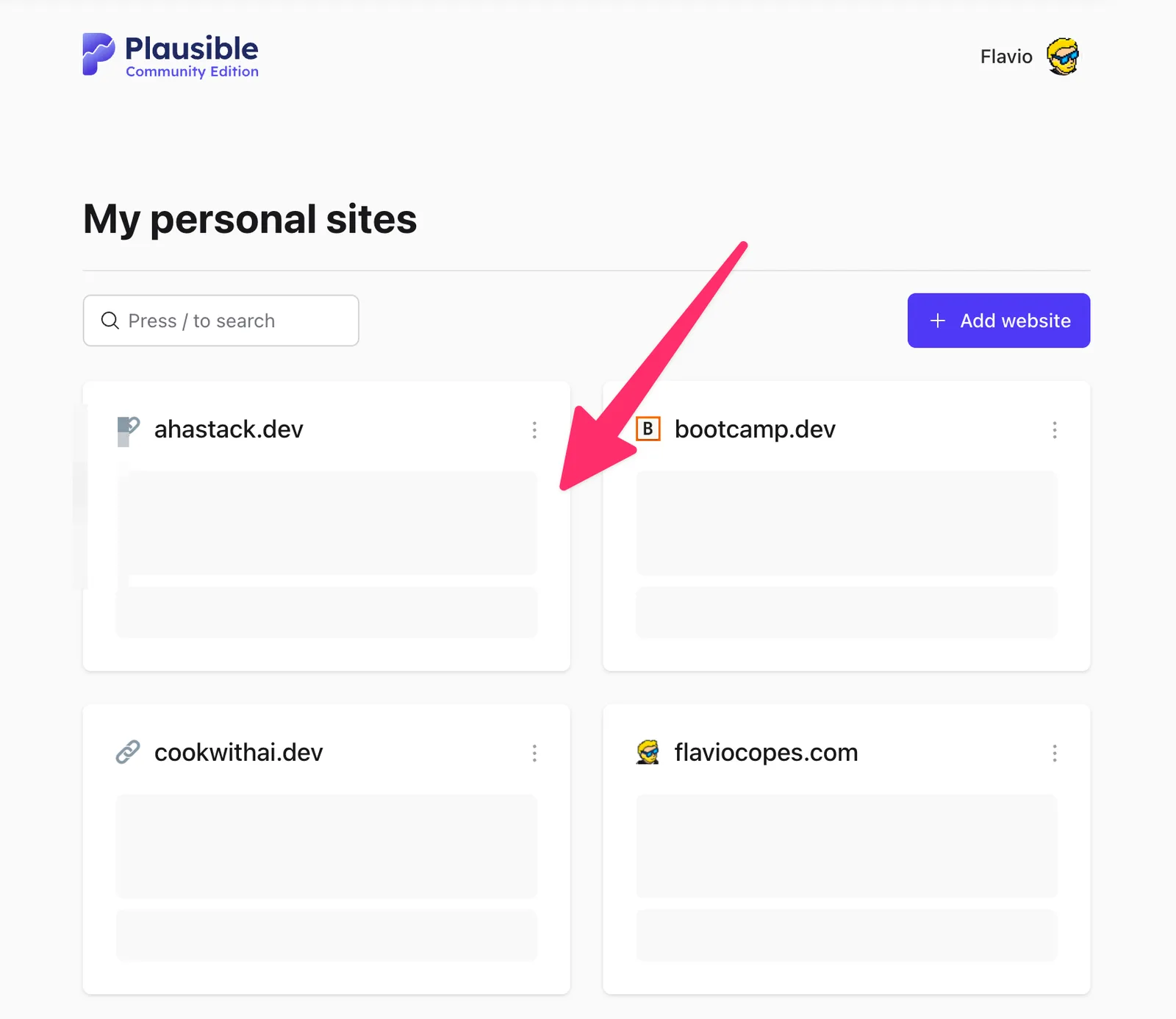
I thought some background job was still rebuilding data. I asked the agent, and it suggested looking at the browser console first. There was an error:
WebSocket connection to 'wss://b.flaviocopes.com/live/websocket?_csrf_token=...&vsn=2.0.0' failedI pasted it into Codex:
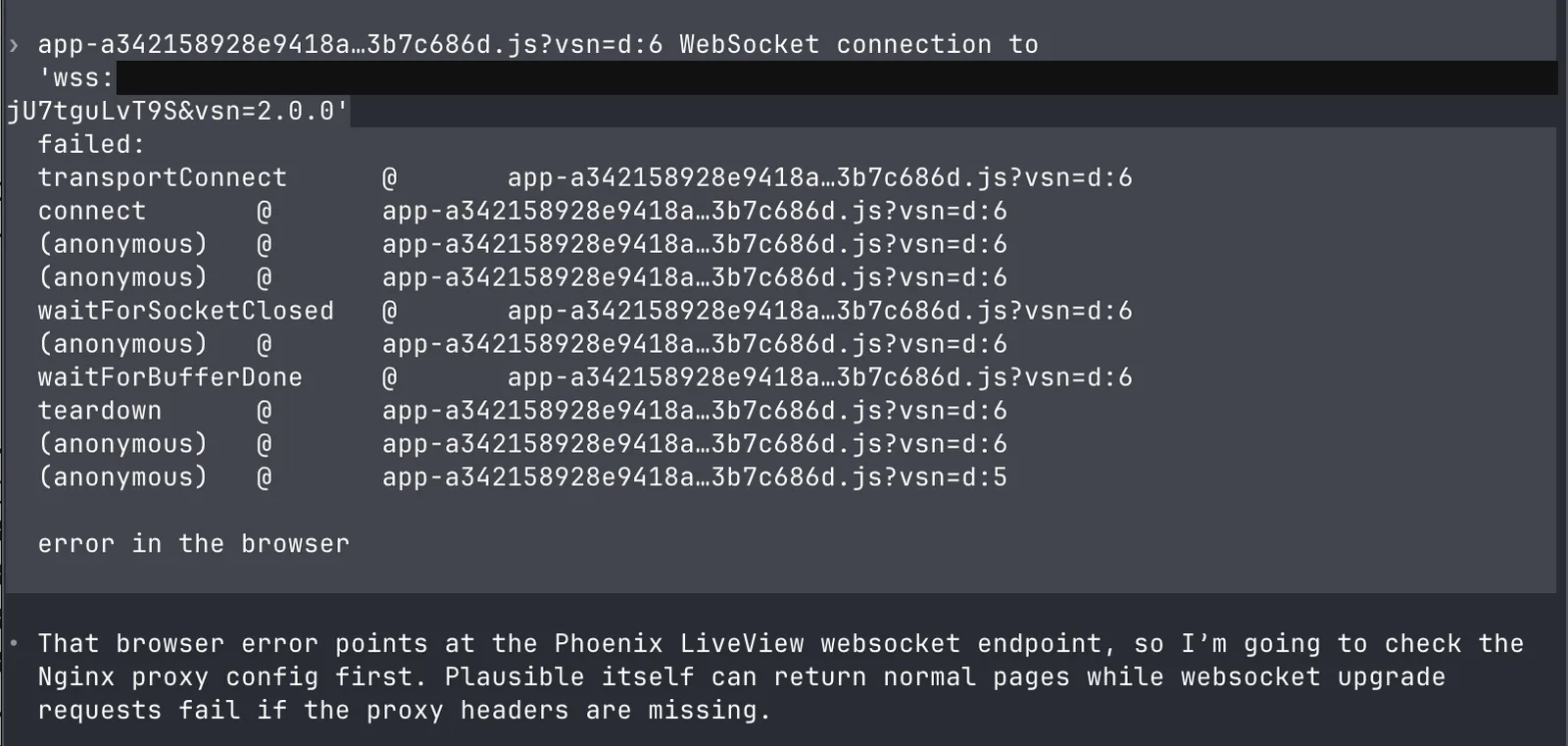
That browser error points at the Phoenix LiveView websocket endpoint, so I'm going to check the
Nginx proxy config first. Plausible itself can return normal pages while websocket upgrade
requests fail if the proxy headers are missing.
The proxy config is the issue: it only forwards normal HTTP and does not pass websocket upgrade
headers. I'm going to patch the Nginx site config and reload Nginx, then test the websocket
handshake.The logs show another concrete problem: Nginx is sometimes resolving localhost to IPv6
([::1]:8000), but Plausible is bound only to 127.0.0.1:8000. I'm switching the upstream to
127.0.0.1 so normal requests and websocket requests always hit the active listener.And the result:
Fixed.

The browser error was caused by Nginx proxying Plausible without websocket upgrade headers, and
also by proxy_pass http://localhost:8000 sometimes resolving to IPv6 ::1, while Plausible is
listening on 127.0.0.1.

I changed Nginx to:

- use b.flaviocopes.com as the server name
- proxy to http://127.0.0.1:8000
- pass websocket headers: Upgrade, Connection, Host, X-Forwarded-*

Verification now shows:

HTTP/1.1 101 Switching Protocols

for:

https://b.flaviocopes.com/live/websocket

That means the websocket upgrade is working through Cloudflare and Nginx. Refresh the Plausible
page; the console websocket error should be gone.
Two real bugs in my original Nginx config, both from years ago. Plausible v2 tolerated them. v3 uses websockets for the live parts of the dashboard, so the missing Upgrade headers finally mattered.
If you self-host anything behind Nginx, this is the block it added, more or less:
location / {
  proxy_pass http://127.0.0.1:8000;
  proxy_http_version 1.1;
  proxy_set_header Upgrade $http_upgrade;
  proxy_set_header Connection "upgrade";
  proxy_set_header Host $host;
  proxy_set_header X-Forwarded-For $proxy_add_x_forwarded_for;
  proxy_set_header X-Forwarded-Proto $scheme;
}
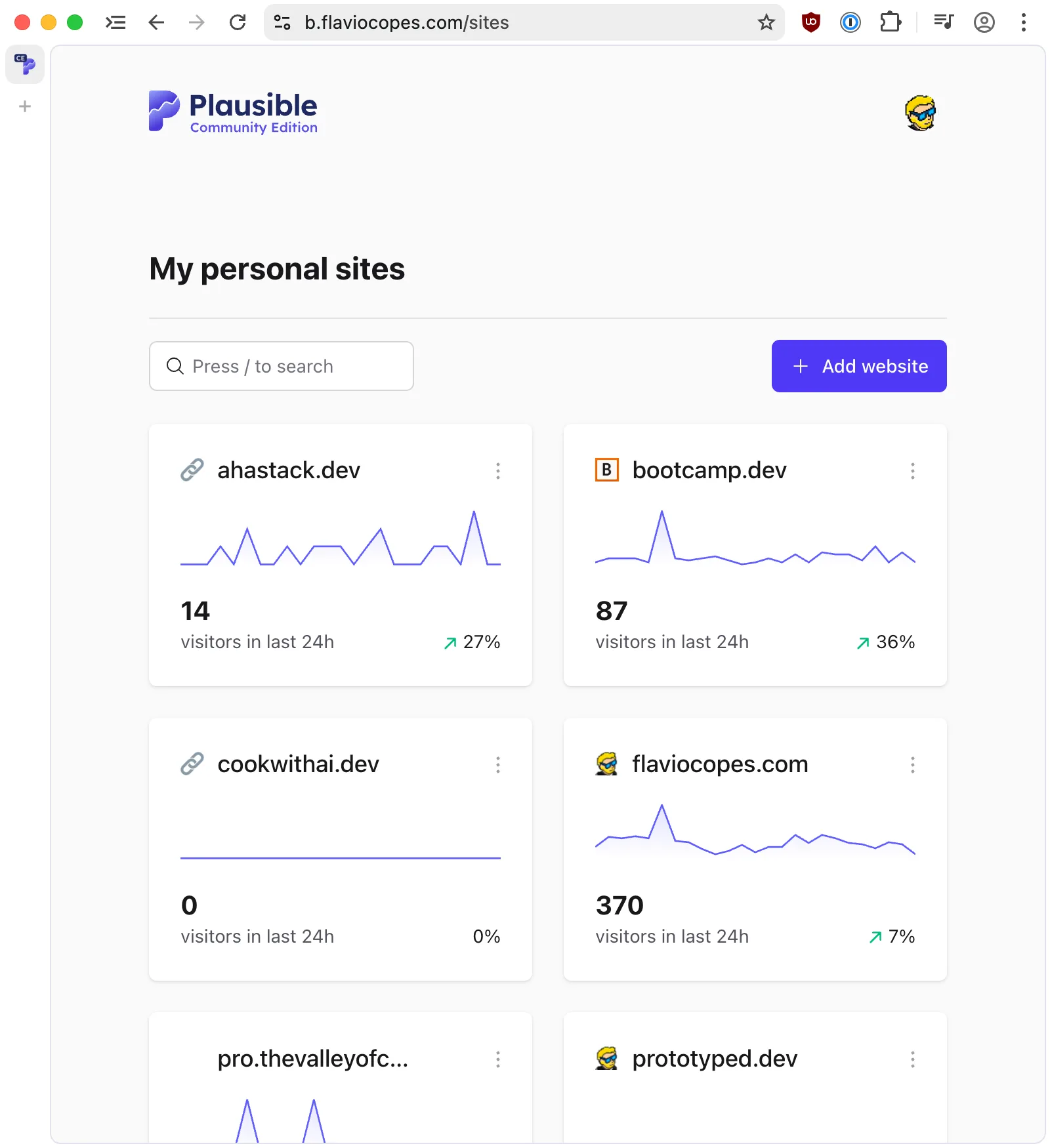
Everything works now:
Takeaways
Three things I’d repeat on any server:
- Ask for a read-only check first. “Don’t change anything, tell me what you see.”
- Take a snapshot before the agent starts. The agent will also take its own backups, but a snapshot is the one-click rollback.
- Keep the agent on your machine, not on the server. The server had 1 GB of RAM. Claude Code alone needs close to that (I learned this the hard way).
The commands used across these server posts are collected in The Linux commands I actually needed to run a server this year.
One security note. The agent landed on v3.2.0, the latest release when it checked. In May 2026 Plausible shipped v3.2.1, a security patch that removes a /storybook endpoint (CVE-2026-8467) exposed by every 3.x release before it. If you run Plausible CE 3.0.0 through 3.2.0, upgrade. Until you do, block /storybook in Nginx or whatever reverse proxy sits in front of it.
If you are installing from scratch instead of upgrading, how to self-host Plausible Analytics covers the current Community Edition setup. For a full hardening pass after standing up or migrating a box, see Securing a server using AI.
Want me to talk about your product? You can sponsor this site.
Related posts about ai: