How to use PHP Cookie-based Sessions
By Flavio
Tagged: PHP
Learn how to use cookie-based sessions in PHP with session_start, store data server-side in $_SESSION, and clear it with session_unset.
To use cookie-based sessions in PHP you call session_start() at the top of your script, then read and write data through the $_SESSION array. PHP handles the cookie part for you.
Why do we need sessions?
HTTP is stateless. Every request starts from zero, and the server has no idea if two requests come from the same visitor.
Cookies help, but storing data directly in a cookie has problems. The user can see it, the user can change it, and cookies have a small size limit.
Sessions solve this. The cookie only carries a random ID. The actual data lives on the server.
Starting a session
PHP offers us a very easy way to create a cookie-based session using session_start().
Try adding
<?php
session_start();
?>
in a PHP file, and load it in the browser.
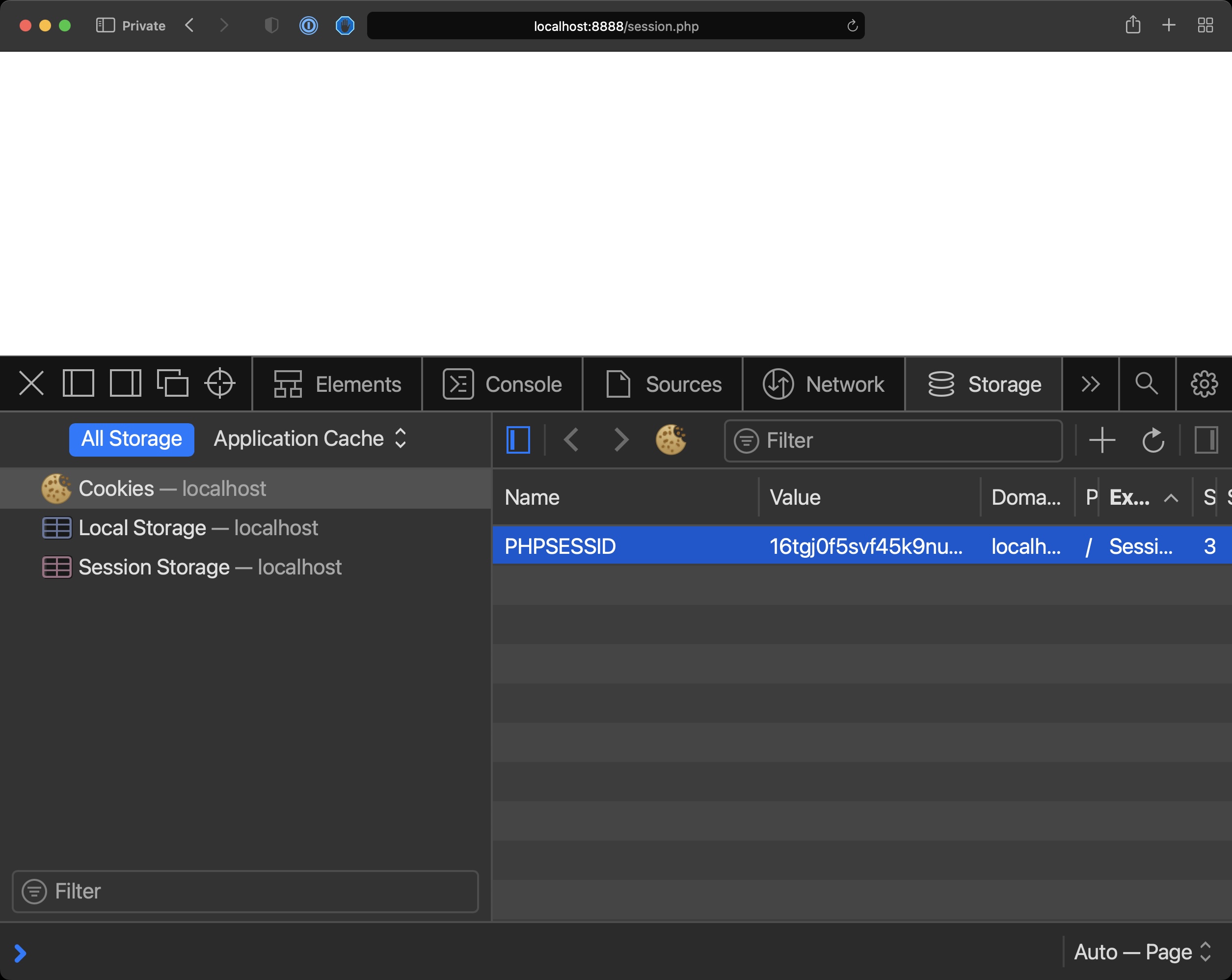
You will see a new cookie named by default PHPSESSID with a value assigned.
That’s the session ID. This will be sent for every new request and PHP will use that to identify the session.
Storing data in the session
Similarly to how we used cookies we can now use $_SESSION to store the information sent by the user, but this time it’s not stored client-side.
Only the session ID is.
The data is stored server-side by PHP.
<?php
session_start();

if (isset($_POST['name'])) {
  $_SESSION['name'] = $_POST['name'];
}
if (isset($_POST['name'])) {
  echo '<p>Hello ' . $_POST['name'];
} else {
  if (isset($_SESSION['name'])) {
    echo '<p>Hello ' . $_SESSION['name'];
  }
}
?>

<form method="POST">
  <input type="text" name="name" />
  <input type="submit" />
</form>
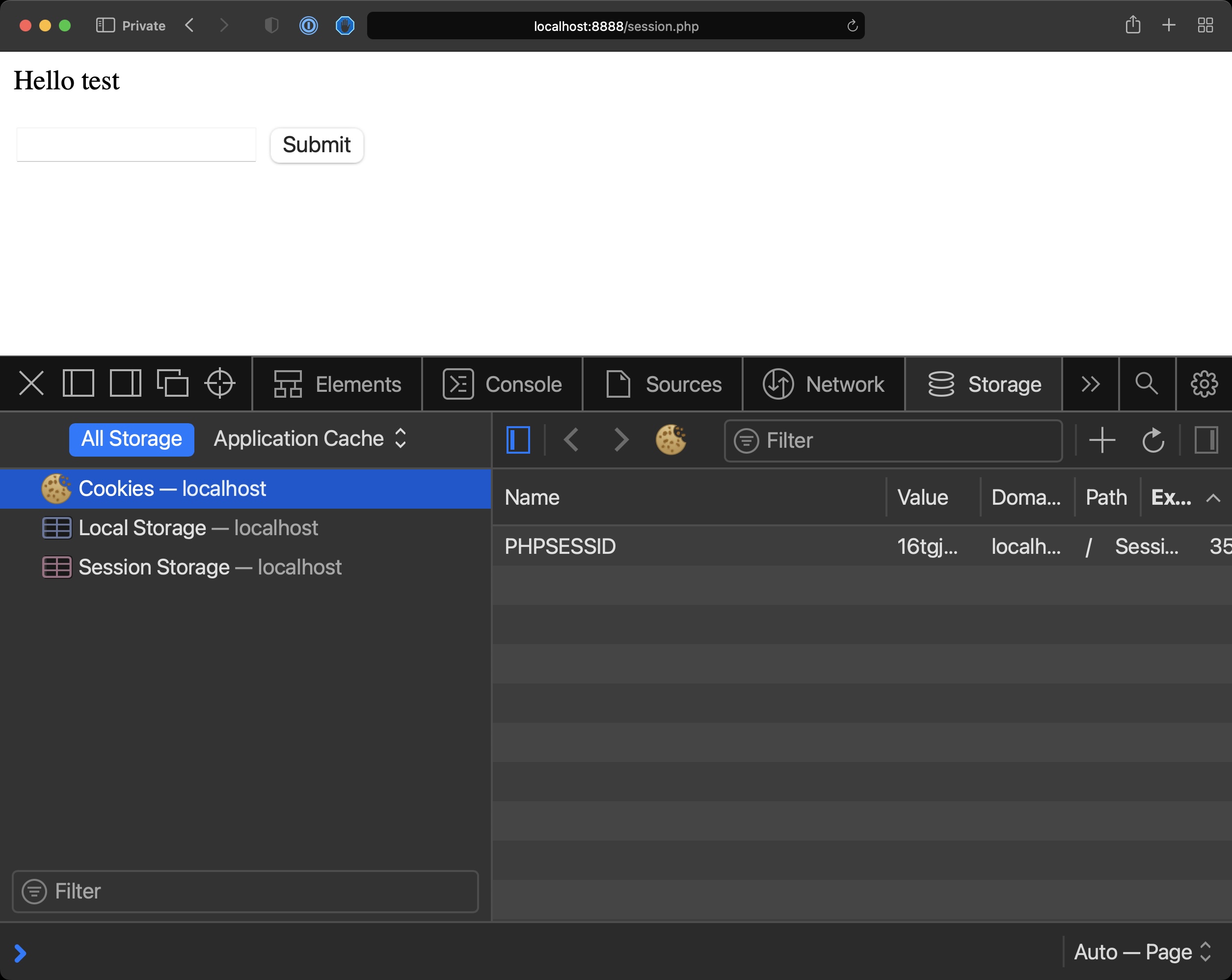
Submit the form once, then reload the page. The greeting is still there, even though no form data was sent. PHP looked up the session by its ID and found the name you stored. The form itself is the one from the PHP forms post.
This works for simple use cases, of course for intensive data you will need a database. Sessions are great for small things: the logged-in user’s ID, a flash message, a shopping cart.
Securing the session cookie
A bare session_start() is fine for a local demo. On a real site served over HTTPS, you want the session cookie marked Secure, HttpOnly and with a SameSite policy. session_start() accepts an array of options that override the session.* settings from php.ini for that call:
<?php
session_start([
  'cookie_lifetime' => 0,
  'cookie_path' => '/',
  'cookie_secure' => true,
  'cookie_httponly' => true,
  'cookie_samesite' => 'Lax',
]);
?>
cookie_secure makes the browser send the cookie only over HTTPS. cookie_httponly keeps it out of JavaScript. cookie_samesite limits when the browser sends it on cross-site requests. cookie_lifetime of 0 means the cookie lasts until the browser is closed, which is the default.
You can set the same flags with session_set_cookie_params() before calling session_start():
<?php
session_set_cookie_params([
  'lifetime' => 0,
  'path' => '/',
  'secure' => true,
  'httponly' => true,
  'samesite' => 'Lax',
]);
session_start();
?>
Leave cookie_secure off while testing over plain http://, otherwise the browser can refuse the cookie and every request starts a new session. Browsers treat localhost as a special case here, but not consistently.
Watch out for the “headers already sent” error
Be careful where you call session_start(). It sets a cookie, and cookies travel in HTTP headers. Headers must go out before any output.
If your file prints anything first, even a single blank line before the <?php tag, you get a warning like “session_start(): Session cannot be started after headers have already been sent”.
The fix: make session_start() the very first thing in the file, before any HTML or whitespace.
Clearing the session
To clear the session data you can call session_unset(), or assign an empty array to $_SESSION. Both empty the session but keep it alive, and the browser keeps sending the same session cookie.
For a logout you want more than that: empty the data, expire the cookie, and destroy the session on the server. This is the example you find in the PHP docs for session_destroy():
<?php
session_start();

$_SESSION = [];

if (ini_get('session.use_cookies')) {
  $params = session_get_cookie_params();
  setcookie(session_name(), '', [
    'expires' => time() - 42000,
    'path' => $params['path'],
    'domain' => $params['domain'],
    'secure' => $params['secure'],
    'httponly' => $params['httponly'],
    'samesite' => $params['samesite'] ?? 'Lax',
  ]);
}

session_destroy();
The setcookie() call needs the same path, domain and flags PHP used when it created the cookie, otherwise the browser treats it as a different cookie and keeps the old one. That’s why we read them back with session_get_cookie_params() instead of calling a bare setcookie(session_name(), '').
This is the block you wire up to a logout button.
Want me to talk about your product? You can sponsor this site.