How to use HTTP Headers in PHP
By Flavio
Tagged: PHP
Learn how to set HTTP response headers in PHP with the header function, from status codes and Content-Type to forcing a 301 redirect with a Location header.
PHP lets us set the HTTP headers of a response through the header() function.
HTTP Headers are metadata that travels with the response, before the body. The browser uses them to know the status of the request, the type of content it’s receiving, whether to cache it, whether to redirect somewhere else, and a lot more.
Setting the response status
We can say the page generates a 500 Internal Server Error:
<?php
header('HTTP/1.1 500 Internal Server Error');
?>
Now you should see the status if you access the page with the Browser Developer Tools open:
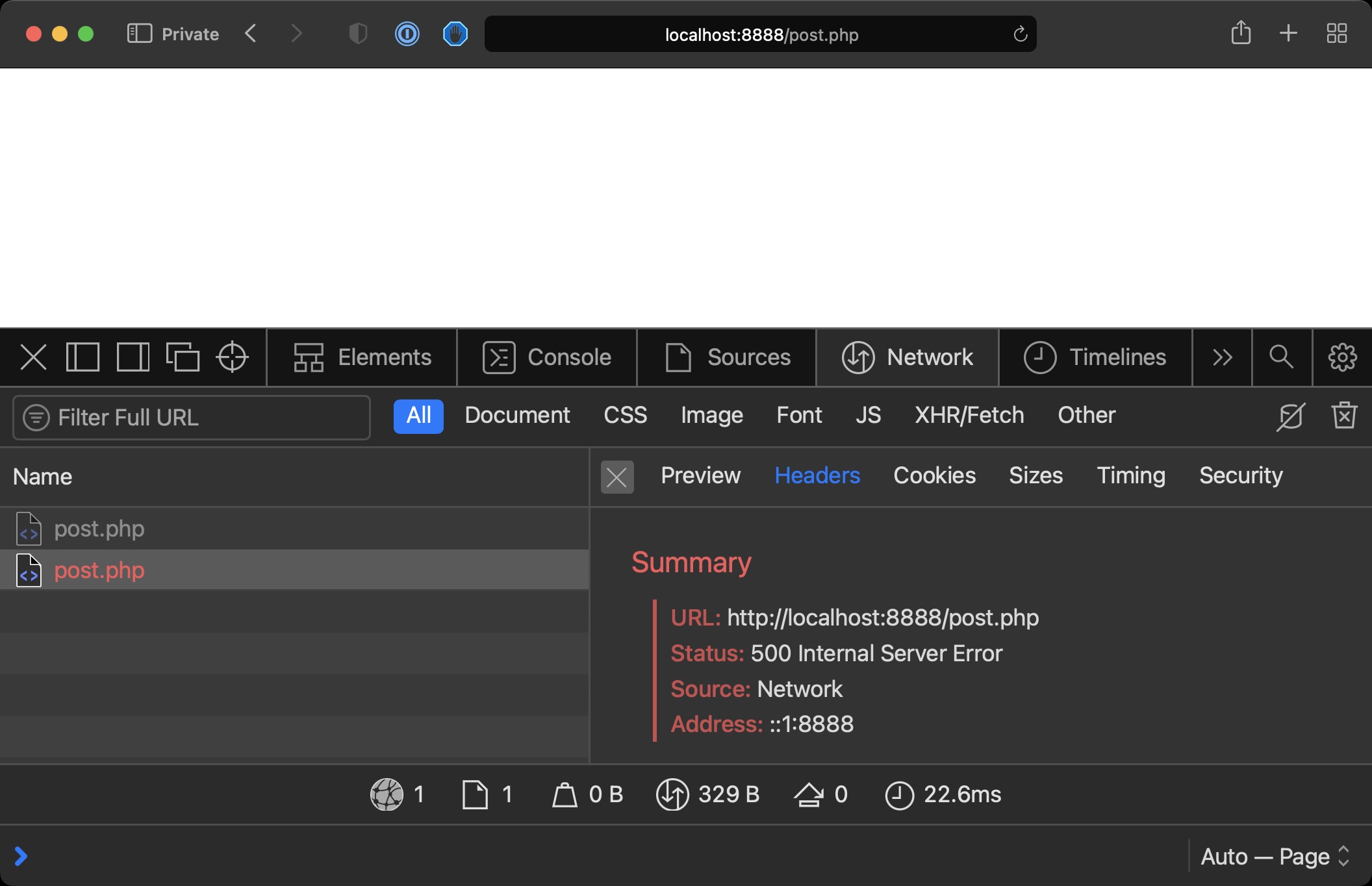
There’s also a dedicated function for status codes, http_response_code(), which spares you from writing the protocol string:
http_response_code(500);Setting the content type
We can set the Content-Type of a response. This matters when you’re not returning HTML. If your PHP script outputs JSON, tell the browser:
header('Content-Type: application/json');
echo json_encode(['name' => 'Flavio']);
Without it, PHP defaults to text/html, and whatever consumes your endpoint might not parse the body as JSON.
Redirecting to another URL
We can force a 301 redirect by combining a status header and a Location header:
header('HTTP/1.1 301 Moved Permanently');
header('Location: https://flaviocopes.com');
exit;
Notice the exit after the redirect. header() doesn’t stop the script. Everything after it keeps running, so without exit the rest of the page executes anyway. That’s wasted work at best, and a security problem at worst, if that code assumed the visitor never reaches it.
We can also use headers to say to the browser “cache this page”, “don’t cache this page”, and a lot more.
The classic pitfall: headers already sent
Headers must go out before the response body. Once PHP sends any output, even a single space, the headers are gone and header() fails with the famous warning:
Warning: Cannot modify header information - headers already sentThe usual culprits are an echo before the header() call, HTML above the opening <?php tag, or a stray blank line before <?php in an included file.
The fix is to move all header() calls before any output. If you can’t find the output, the warning itself tells you the file and line where output started, so read it carefully.
Want me to talk about your product? You can sponsor this site.