I built Blueprint, a Mac app that shows how my apps are built
By Flavio Copes
Blueprint is my free, open source Mac app that draws how your apps are built, their workflows and the data they store, from maps your coding agents write.
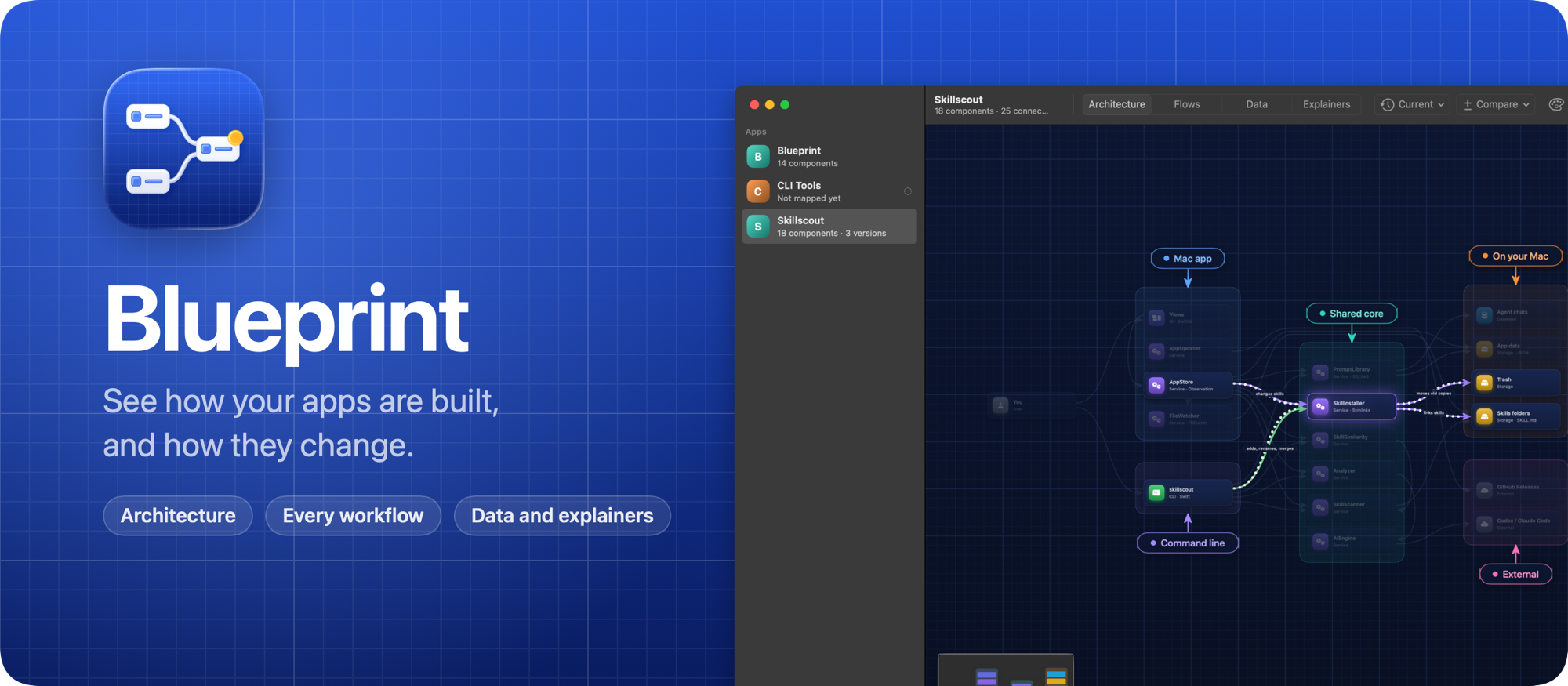
Coding agents write most of the code in my apps now. I ship a lot faster, but it gets hard to keep in my head how each app is put together: which parts talk to each other, what happens when someone clicks a button, and what ends up in the database.
So I built Blueprint, a free and open source Mac app that draws it for me. My agents map each app with a small command, and Blueprint draws its components, every workflow that goes through it, and the data it stores. When the code moves on, it tells me which parts changed, and it shows what changed between any two versions.
Here it is in a minute:
The architecture
Every app is a set of components in groups: a screen, a module, a worker, a database, a third-party service. Each group is a box, and the connections say who calls, reads or writes what.
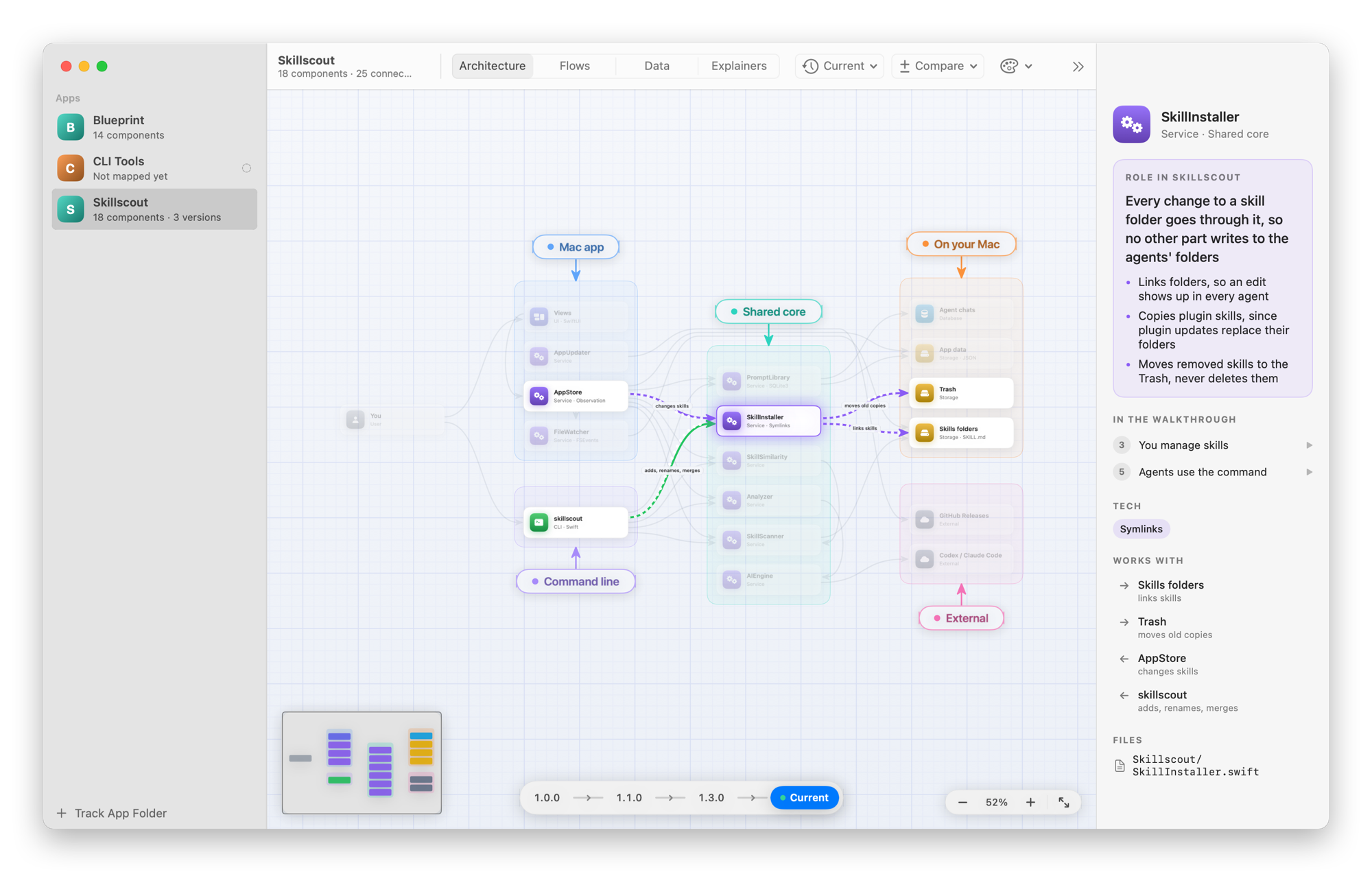
A diagram alone doesn’t explain much, so the words get as much space as the boxes. When you open an app, the inspector says what it does in a sentence or two, then how it works in a few short steps. Click a step, or Take the Tour, and the canvas zooms to the components involved while data flows between them.
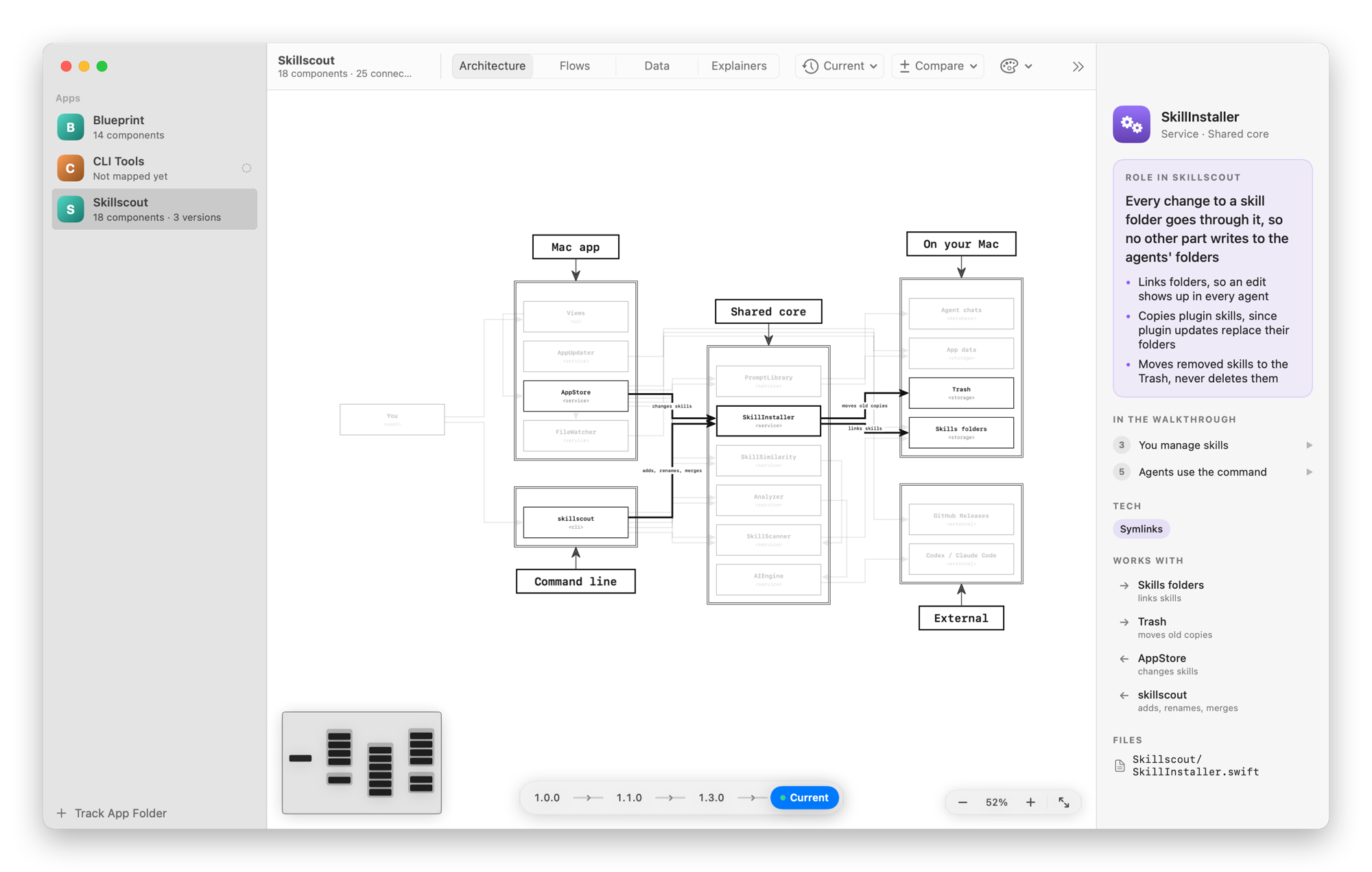
Click a component and you get its role in the app in large type, a few points that make it precise, its tech, its files and what it works with. In the screenshot it’s the part of Skillscout that every change to a skill folder goes through.
Every workflow
The Flows tab draws the workflows of the app as flowcharts: steps from top to bottom, one column for each actor, and decisions that branch.
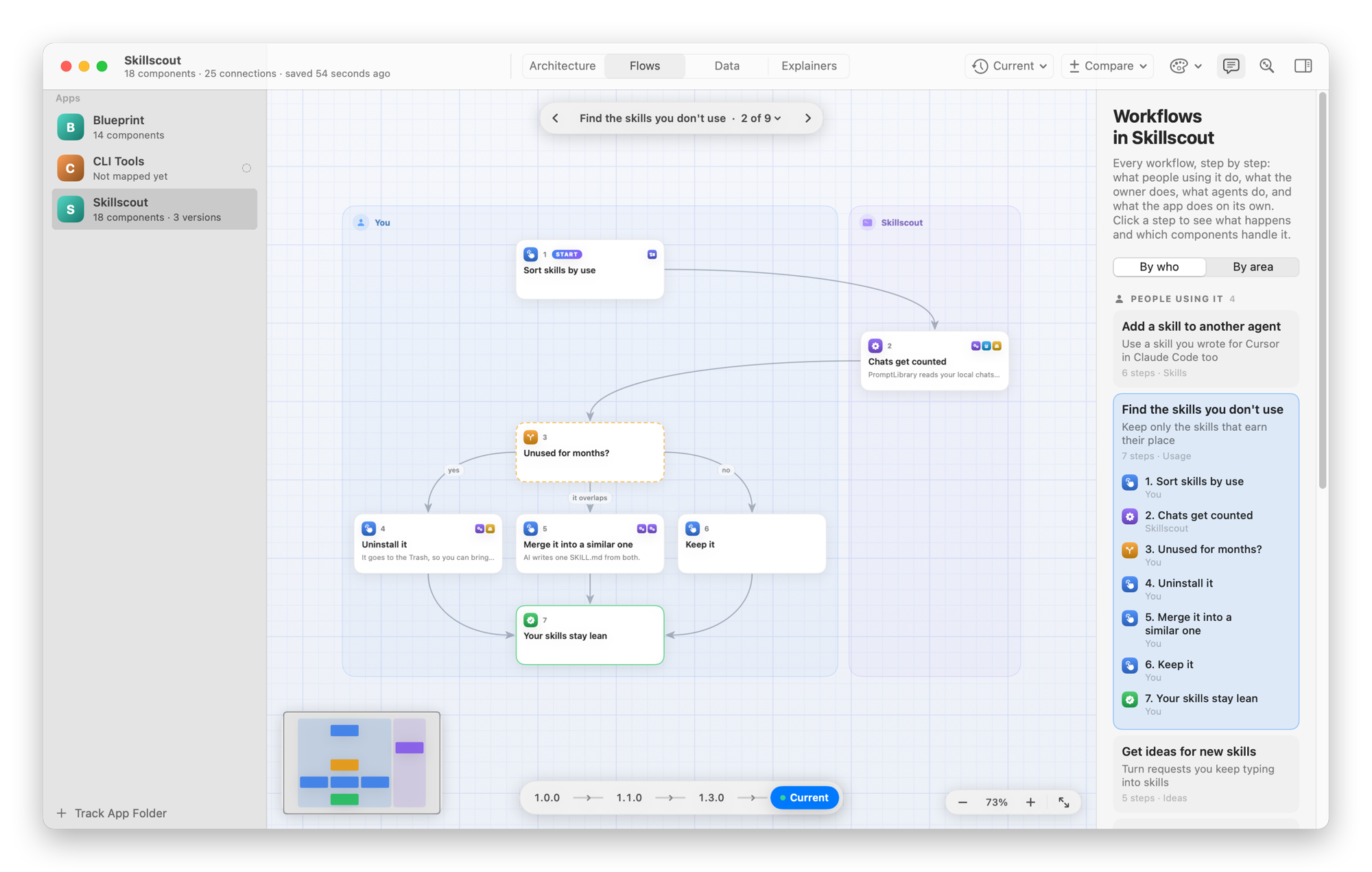
Each flow says whose it is: people using the app, its owner, an agent working through its CLI, or the app on its own. It also says which area of the app it belongs to, and the inspector groups the flows either way. Click a step to see what happens there and which components handle it.
The data it stores
The Data tab draws what the app keeps: database tables, collections, JSON files and settings. Each store is a box and each table is a card with a row per field. Keys are marked, and a line runs from every field that points to another table.
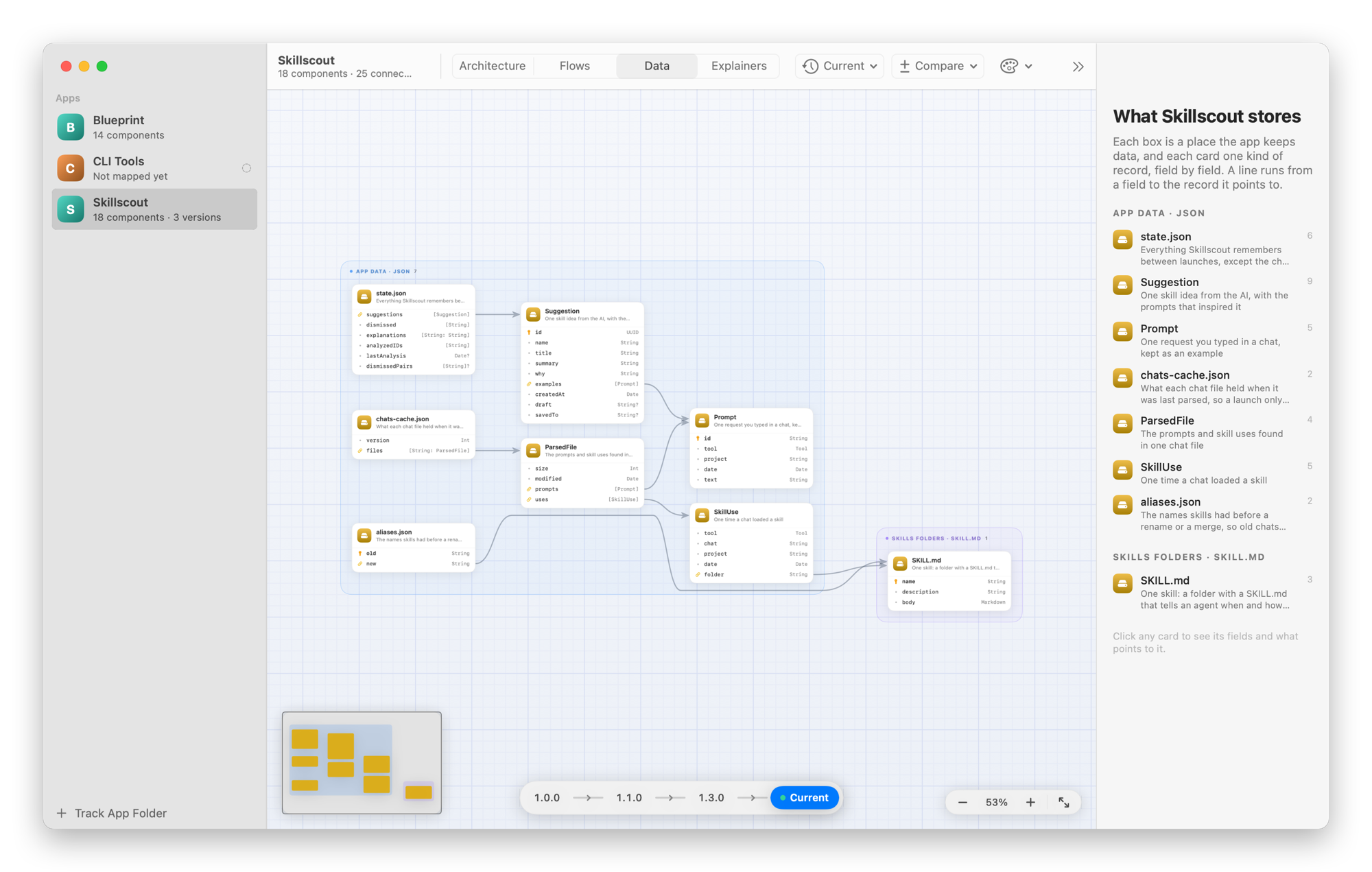
Agents can read the same schema as JSON before they change the code:
blueprint show --data --jsonExplainers
Explainers are short videos about how one part of an app works, like “How skill use is counted” in Skillscout.
The agent writes the scenes: a title, a sentence or two, and which components, flow steps or tables each scene shows. Blueprint plays them on the real diagrams, with the camera gliding to each part, a caption, and sound effects for what happens on screen. Agents never render a video file, so the explainers of every app look the same.
What changed
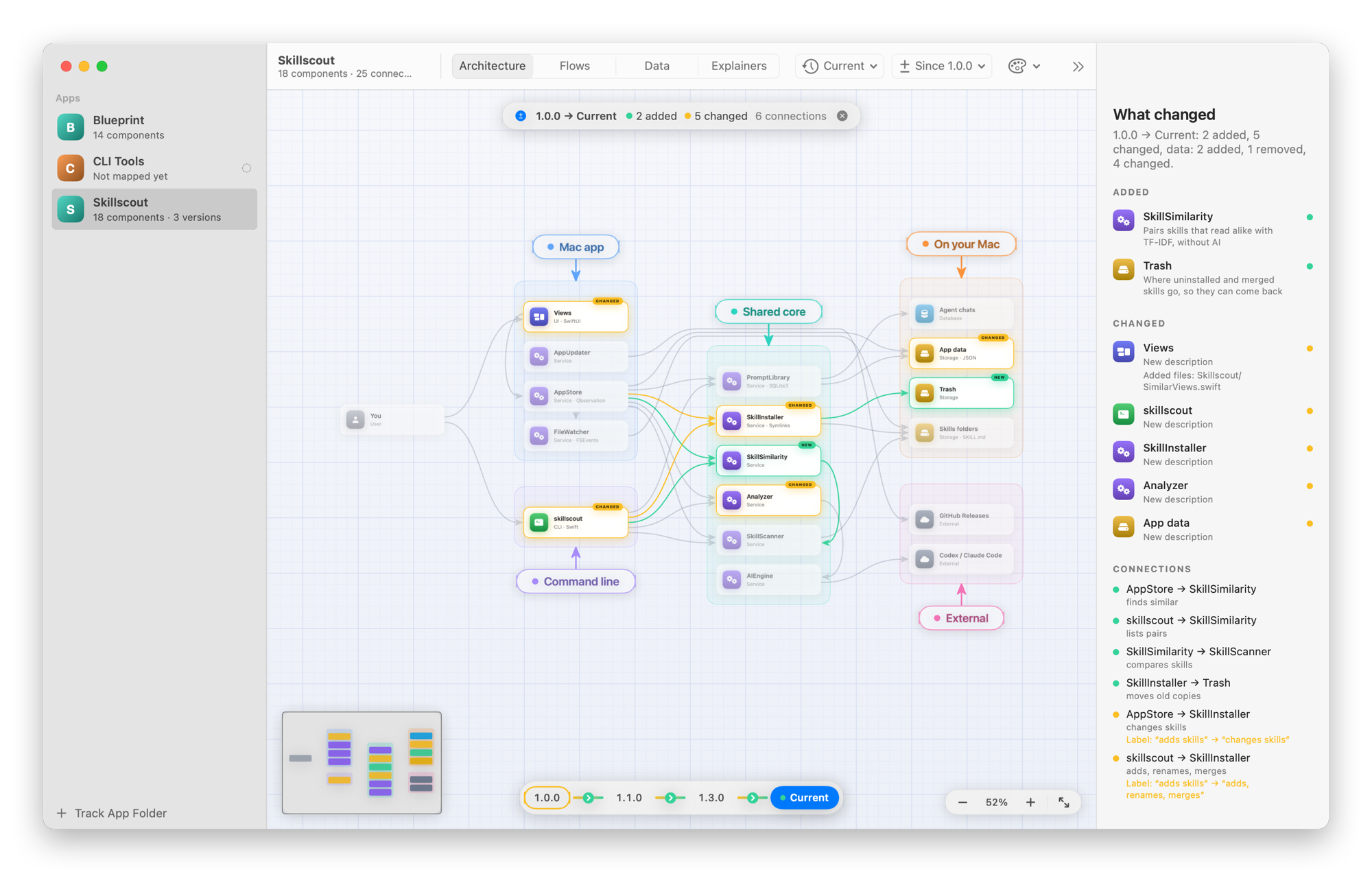
When an agent saves a map, Blueprint records a hash of every file in the app’s folder. From then on it knows which files changed, committed or not, and it marks the components they belong to. In the sidebar, each app shows how many of its files changed.
When I ship a release, the agent saves the map as that version. The timeline compares any two versions: new components in green, changed ones in amber, removed ones in red. In the Data tab, you see how the schema changed, field by field.
Agents do the mapping
I don’t draw anything in Blueprint, and it doesn’t read the code to guess the architecture. Agents write the map, and Blueprint draws it.
They do it with the blueprint command that comes with the app. blueprint guide explains how to map an app, blueprint set saves the map as JSON, and blueprint status says what changed in the code since the last save.
The welcome screen walks you through the setup. You install the command, install the agent skill for Claude Code, Cursor and Codex, and drop an app folder on the window. Then you paste this in your coding agent, in that app:
Add this app to Blueprint and map it, including its past releases. Run `blueprint guide` and follow it.When the agent saves the map, the diagram shows up. The welcome screen also has a short snippet for the app’s AGENTS.md, so every agent that works on it reads the map first and updates it after a change.
Flows, data and explainers came after the first maps, so my apps didn’t have them. blueprint list shows what each app is missing, and blueprint list --missing data lists only the apps without their data. I asked my agents to fill in what was missing, and they went through every app I track.
Themes
The palette button restyles every diagram without moving anything. Blueprint is the default, Terminal is green on black, Minimal has hairlines and no grid, and ASCII looks like a diagram drawn in Monodraw.
Get it
The code is on GitHub at flaviocopes/blueprint, MIT licensed.
Download the zip from the latest release, unzip it, and drag Blueprint to your Applications folder. It runs on macOS 15 Sequoia or later, on Apple silicon and Intel Macs. It’s signed with my Apple Developer ID and notarized by Apple, so it opens like any other app you download.
Blueprint only reads your app folders, with read-only git commands, and never writes to them. Your maps stay in ~/Library/Application Support/Blueprint.
After that, Blueprint updates itself. It checks GitHub once a day, and Install and Relaunch puts the new version in place. The README has the setup steps and every command.
Want me to talk about your product? You can sponsor this site.
Related posts about news: