I built Skillscout, a Mac app for the skills your coding agents load
By Flavio Copes
Skillscout is my free, open source Mac app that finds every agent skill on your Mac, shows which of 8 coding agents load each one, and counts how often you use them.
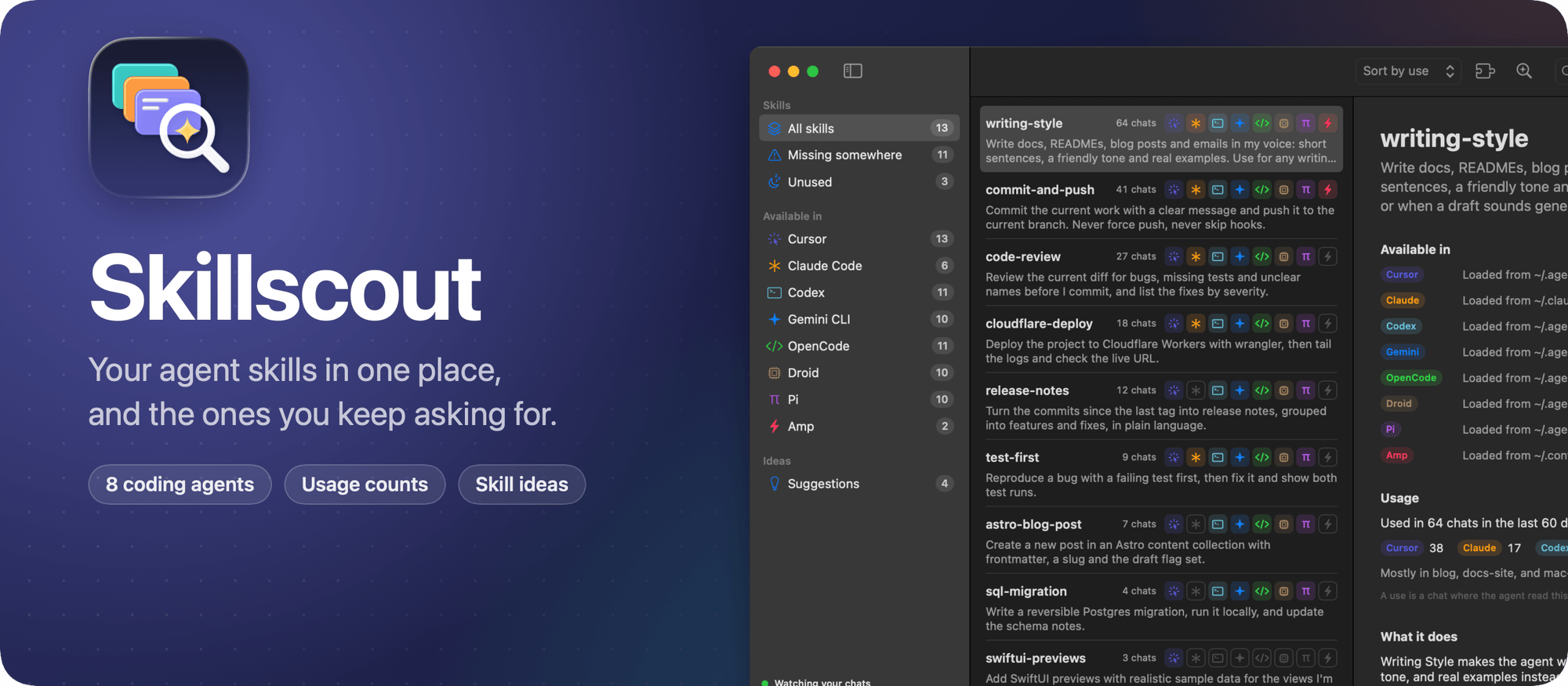
I built Skillscout, a macOS app for the skills your coding agents load. It’s free and open source, like Soundscape and NoteRepo.
A skill is a folder with a SKILL.md file that teaches an agent one task. Each agent reads skills from its own folders, and some also read the folders of the others. So a skill you wrote for Claude Code loads in Cursor, but not in Codex. Skillscout shows you all of it in one window.
Here’s the app in one minute:
Skillscout knows 8 agents: Cursor, Claude Code, Codex, Gemini CLI, OpenCode, Droid, Pi and Amp. It finds the skills in all their folders and groups the copies of a skill under one name.
It also knows which folders each agent reads. Six of them share ~/.agents/skills, Cursor and OpenCode also load ~/.claude/skills, and Claude Code and Amp only read their own folder. So every skill gets a row of icons with the agents that load it.
Missing somewhere lists the skills that at least one of your agents can’t see. Click Add to, and Skillscout links the skill folder into that agent’s skills folder. Every agent then loads the same SKILL.md, so when you edit it, they all get the change.
When you’re done with a skill, click Uninstall this skill, or right-click it in the list. Skillscout moves every copy to the Trash, links included, so you can put it back from there. Remove takes a skill out of one folder only, which undoes an Add to. Either way, it tells you first which agents will stop loading the skill.
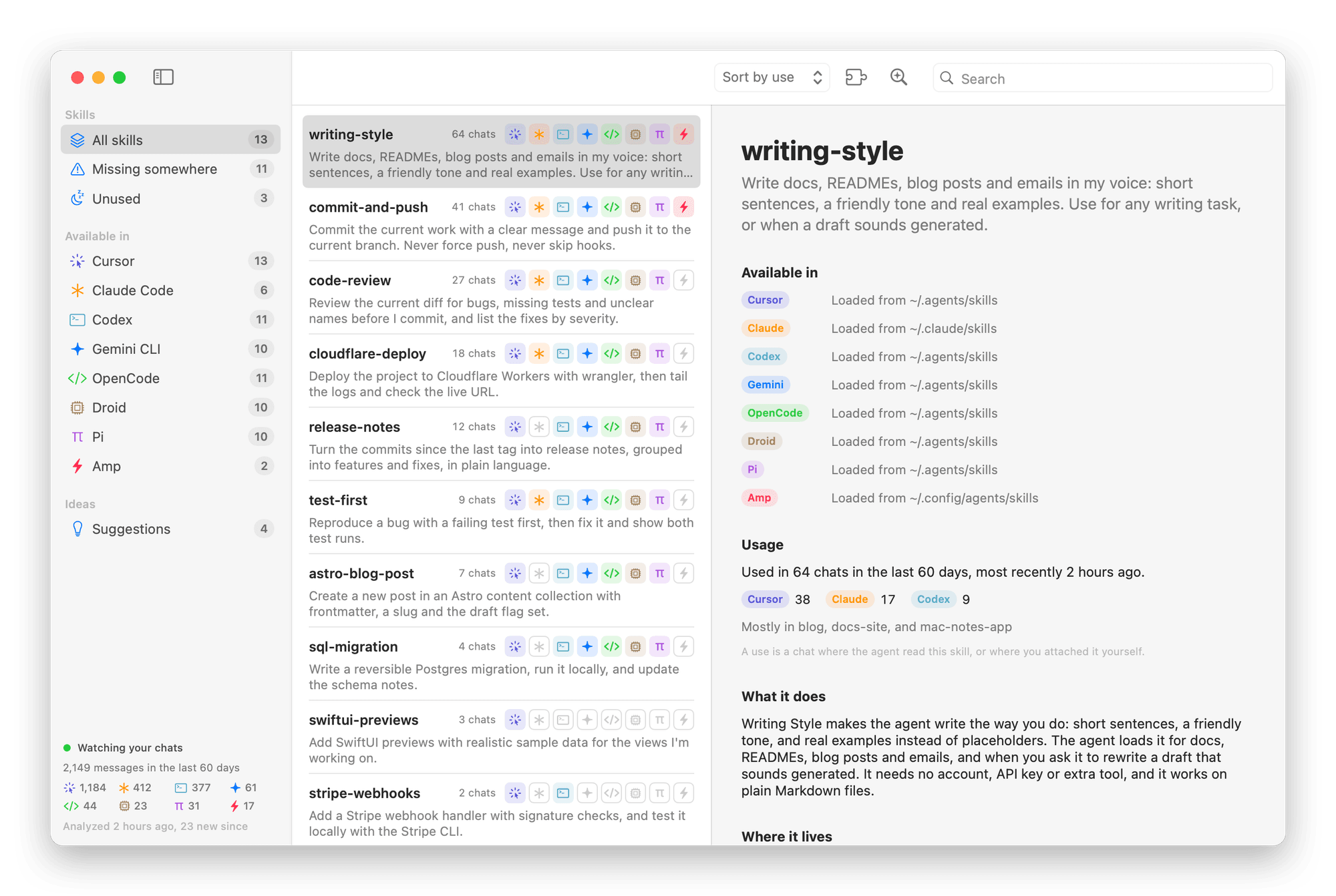
Then it reads your chats. Every agent keeps its history on your Mac, in JSONL or JSON files, or in a SQLite database for OpenCode. Skillscout counts a use when an agent opens a skill’s SKILL.md, or when you attach the skill yourself. For each skill you see how many chats used it, from which agents and projects, and when you last used it. Unused lists the skills no chat touched in the last 60 days.
Those chats also hold the requests you type again and again. Find repeated tasks sends your recent messages to the Claude Code or Codex CLI you’re logged in to, and asks which ones a skill could handle. Pick an idea, click Draft the skill with AI, and you get a SKILL.md to edit and save for all your agents at once.
The same data is in your terminal, with the skillscout command that ships inside the app:
skillscout list --missingAdd --json to use it from scripts. The command can add and uninstall skills too, with skillscout add and skillscout uninstall.
Skillscout reads your skills and chats on your Mac, and there are no accounts. Your chats leave your Mac only when you use the AI features, through your own Codex or Claude Code account.
Under the hood it’s a SwiftUI app with no dependencies. A file watcher keeps the list and the counts current while you work.
Get it
The code is on GitHub at flaviocopes/skillscout, MIT licensed.
Download the zip from the latest release, unzip it, and drag Skillscout to your Applications folder. It runs on macOS 15 Sequoia or later, on Apple silicon and Intel Macs.
The app isn’t signed with an Apple Developer ID or notarized. The first time you open it, macOS says it “could not verify Skillscout is free of malware”. Click Done, go to System Settings → Privacy & Security, scroll down to Skillscout, and click Open Anyway.
You can also remove the quarantine flag in Terminal, then open the app again:
xattr -dr com.apple.quarantine /Applications/Skillscout.appThe README explains what to do on a work laptop.
After that, Skillscout updates itself. It checks GitHub once a day, and Install and Relaunch puts the new version in place.
Want me to talk about your product? You can sponsor this site.
Related posts about news: