Vite Tutorial
By Flavio Copes
Understand what Vite is and why it is fast: instead of bundling, it ships native ES modules to browsers, with scaffolding, a dev server with HMR, and builds.
I’ve been using Vite lately as “the new create-react-app”.
What is Vite?
It can be confusing because there are a lot of tools that are doing the same thing but differently like Parcel, esbuild, Rolldown, webpack, Turbopack (look, I’m trying to get the capitalization right)… and I tend to think they more or less do the same thing even though they’re not.
But when people started using Vite for a lot of stuff, and I kept reading about it on Twitter, then I got curious.
I tried it, and I like it.
Vite brands itself as a “next generation frontend tool”. The current major is Vite 8, and it needs Node.js 20.19 or newer (or 22.12 or newer on the 22 line).
It’s basically like a module bundler, like Webpack or Turbopack, but interestingly it does not behave like a bundler in development. Instead of creating a bundle of JavaScript that you send to the browser, typically a single big JavaScript file that then the browser processes, Vite uses the native browser’s ES modules support and ships modules directly to the browser.
So instead of seeing a single big JavaScript file, if you inspect the website in the DevTools you’ll see all your application files being shipped to the browser.
I think this is the #1 reason for its speed, a radical change in how build tools behave.
Here’s a summary of what Vite gives you:
- a scaffolding tool for many popular libraries and frameworks, like React
- a development server with hot module replacement (HMR)
- a build tool to create the production version of your code
Under the hood, Vite 8 uses Rolldown, a bundler written in Rust. Older versions of Vite used Rollup for production builds and esbuild for dependency pre-bundling. Rolldown now does both jobs, and its companion Oxc handles the JavaScript and TypeScript transforms, so esbuild is no longer part of Vite.
In development your application code is compiled into individual ES Modules and shipped to the browser as they are. We’re used to using bundlers to create the final version of our code, but the dev server does not do that. Bundling only happens when you run vite build.
Instead it “sends each module directly to the browser. This means the browser does the hard work of handling dependencies between modules.” as I found on the Turbopack comparison page.
I find Vite very user friendly, and I think it’s been a good move for its adoption.
My favorite use case for it is initializing a new JavaScript or React app. It also has built-in integration for Svelte, SvelteKit and others.
You can initialize a new project using Vite with this command:
npm create vite@latestThis runs the create-vite package (version 9 as of September 2026, which sets the project up with Vite 8). It starts a new interactive prompt:
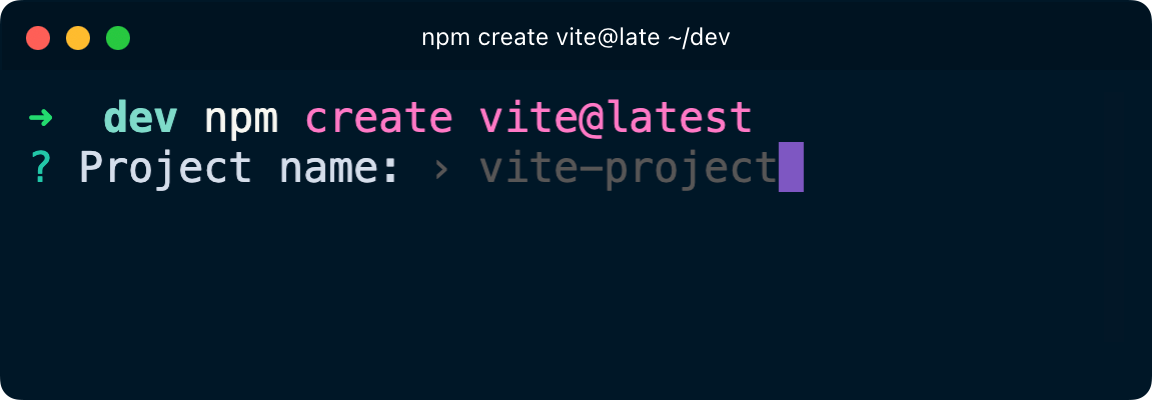
Give the project a name, that will be used for its folder name.
If you write a name that’s not a valid folder / package name (e.g. it contains spaces) it will prompt for a valid folder / package name.
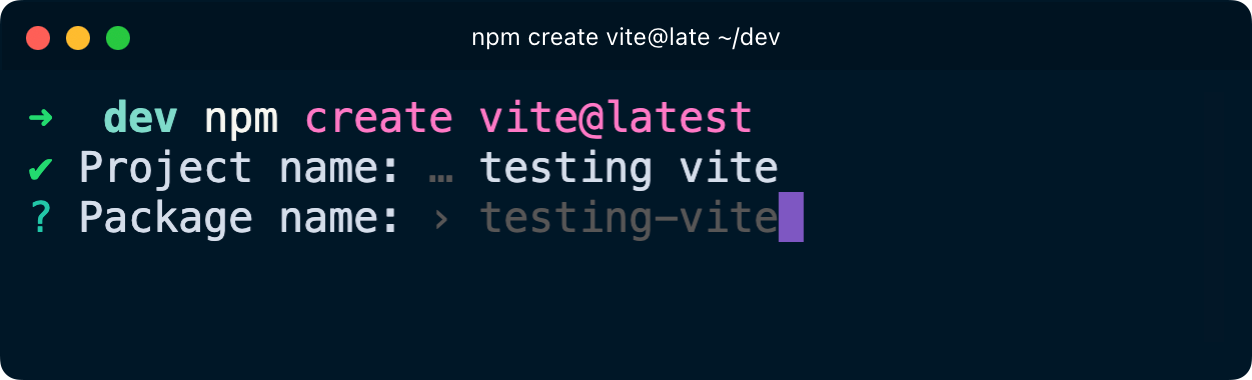
Then you get to choose a framework:
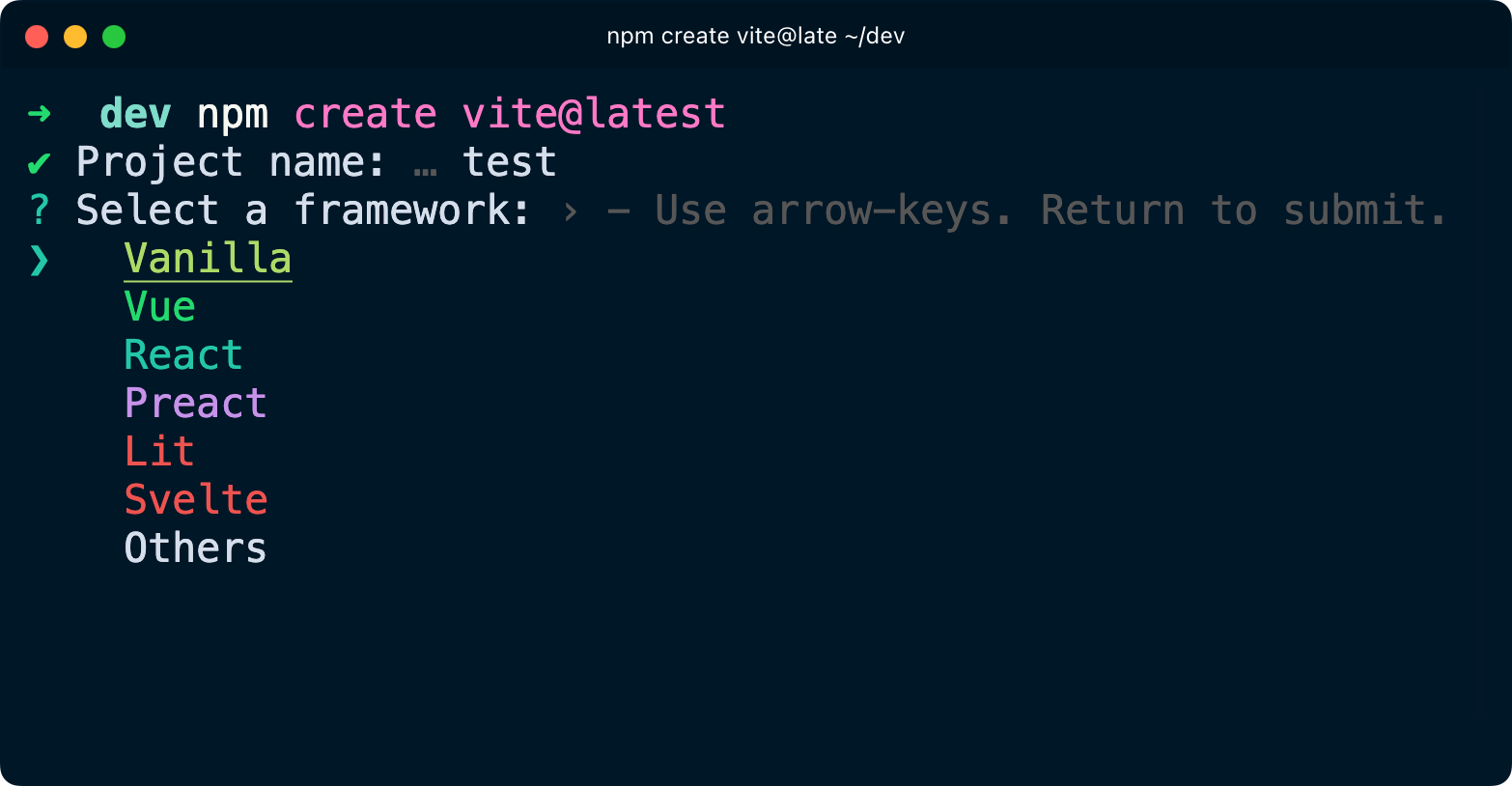
Now depending on what you choose, from now on you’ll have different options. The screenshots below are from an older release, so the prompt looks a bit different today, but the options are the same. Vanilla asks JavaScript or TypeScript:
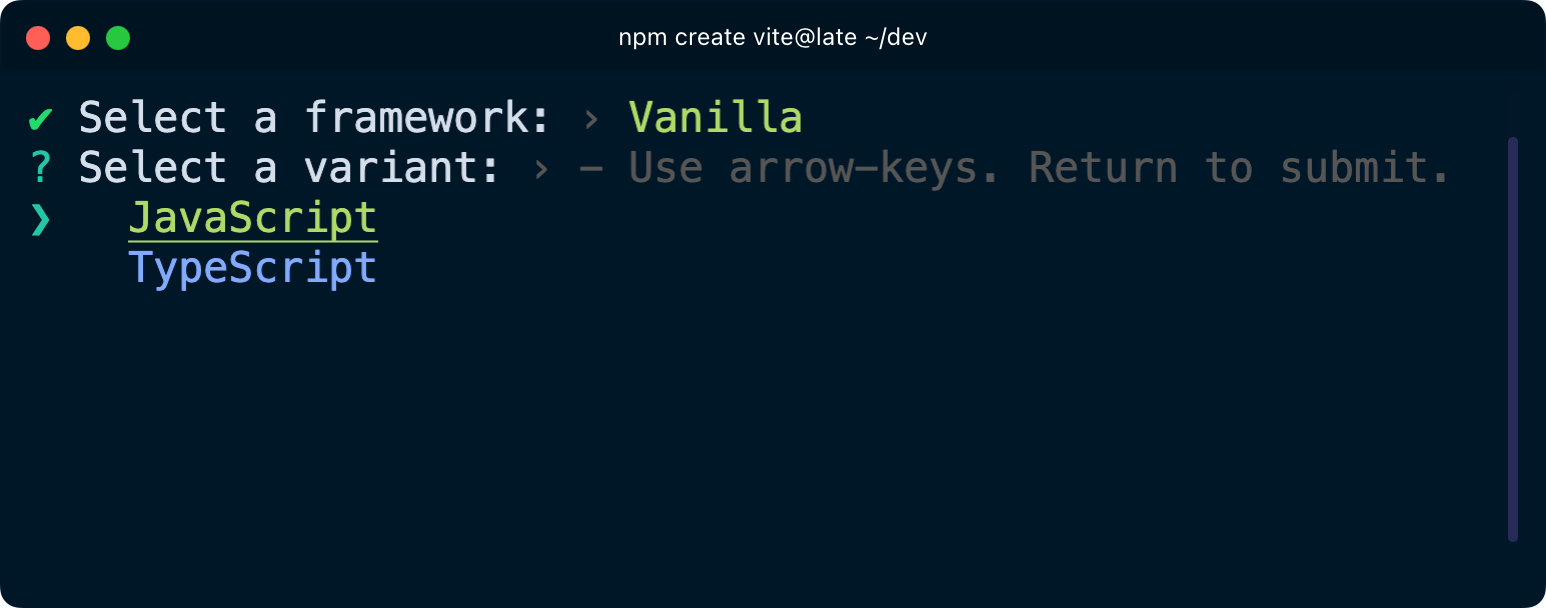
For React you pick JavaScript, TypeScript, or one of the two “+ React Compiler” variants (plus a few links to external starters like React Router and TanStack Router), and then which linter to use, Oxlint or ESLint.
Svelte offers JavaScript, TypeScript, or a link to the SvelteKit starter:
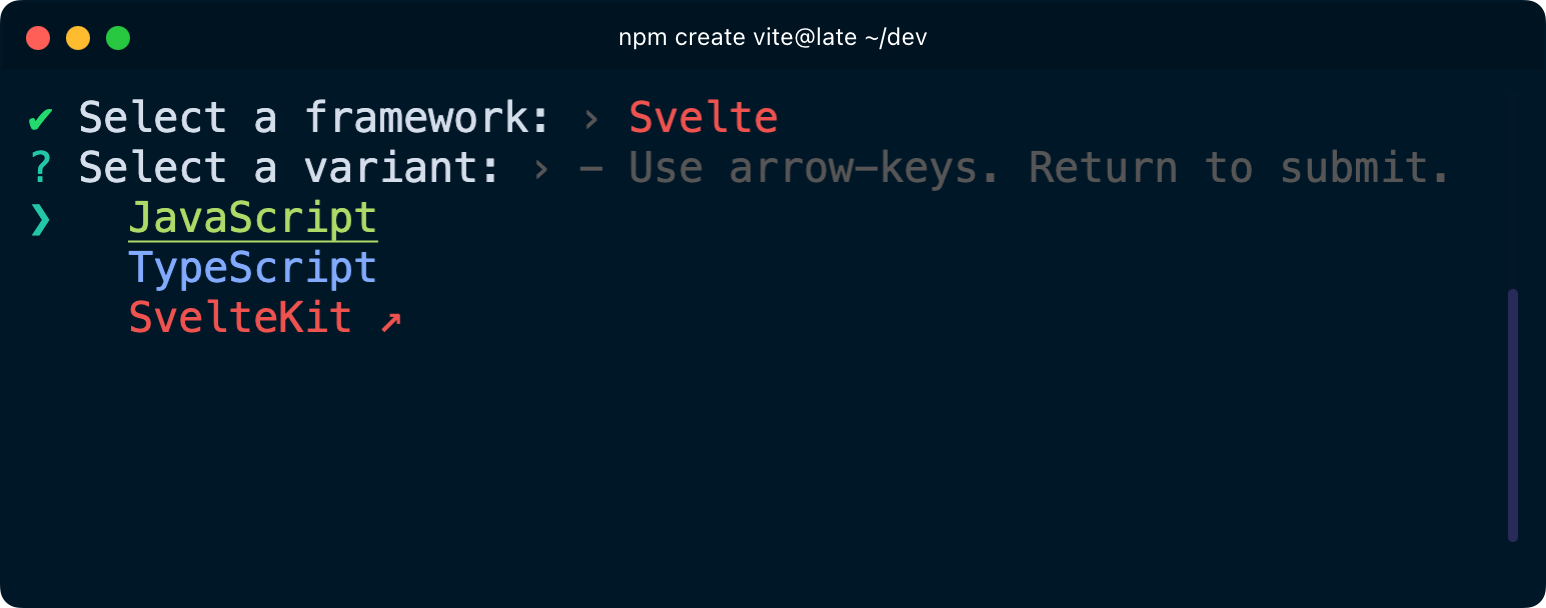
For example I want to create a basic vanilla JavaScript project:
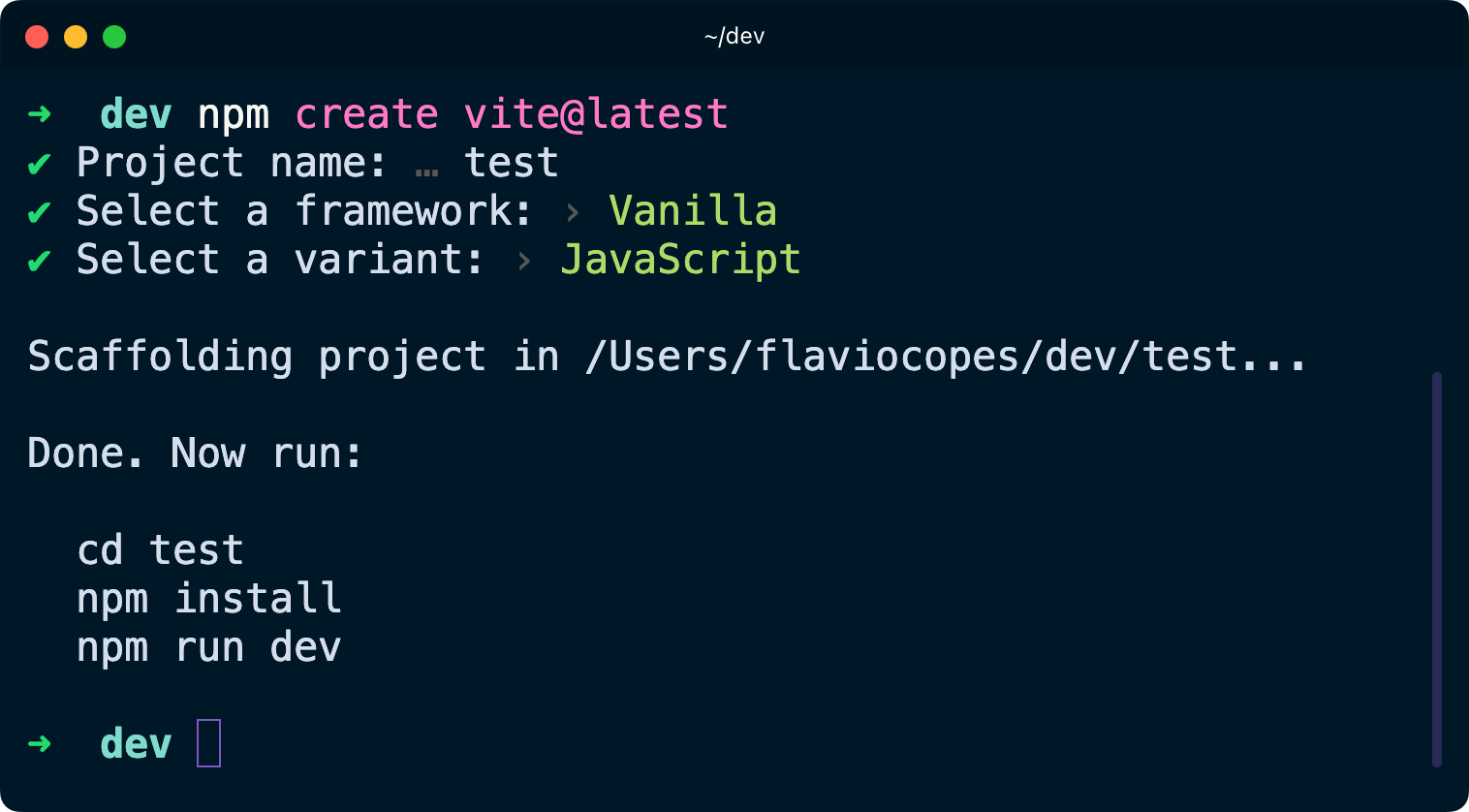
Vite creates a small project: index.html and package.json at the root, a public folder, and a src folder with main.js, counter.js, style.css and an assets folder for the logos.
package.json is now configured to use Vite to run the project. But see, we don’t have a node_modules folder.
In the terminal, go into the folder and run npm install
Next you can run npm run dev and Vite is running:
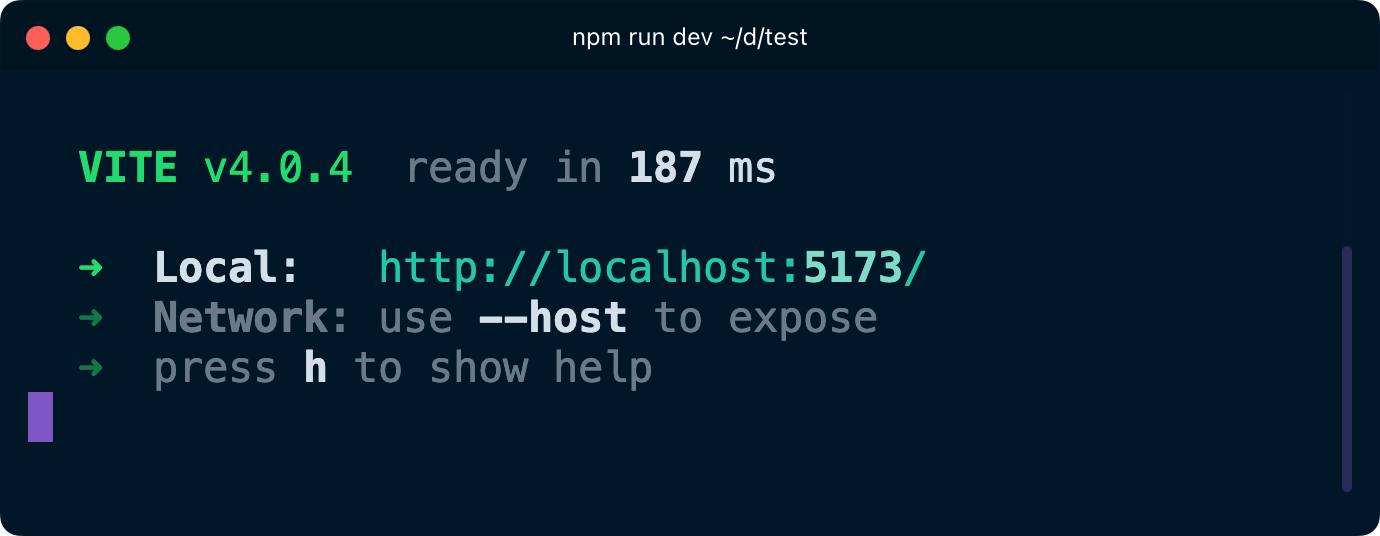
Open that URL in the browser and you get the starter page, with a counter button you can click.
This is a quick way to spin up a Web Server that is already configured to use ES modules. Open index.html and you’ll see it loads src/main.js with a <script type="module"> tag.
Same if you choose React, Vite initializes a simple React example app with modern standards.
Want me to talk about your product? You can sponsor this site.
Related posts about tools: