SwiftUI: exploring views and modifiers
By Flavio Copes
Learn how views and modifiers work in SwiftUI, how a modifier like font() returns a brand new view, and why the order you apply modifiers matters.
In the introduction to SwiftUI post I mentioned views.
SwiftUI is all about views.
Remember the Hello World app?
import SwiftUI

struct ContentView: View {
    var body: some View {
        Text("Hello World")
    }
}
ContentView is the main view. Its job is to define which views compose our app.
In here, we have a single view, Text.
If you run this in Xcode, this is what the app will look like:
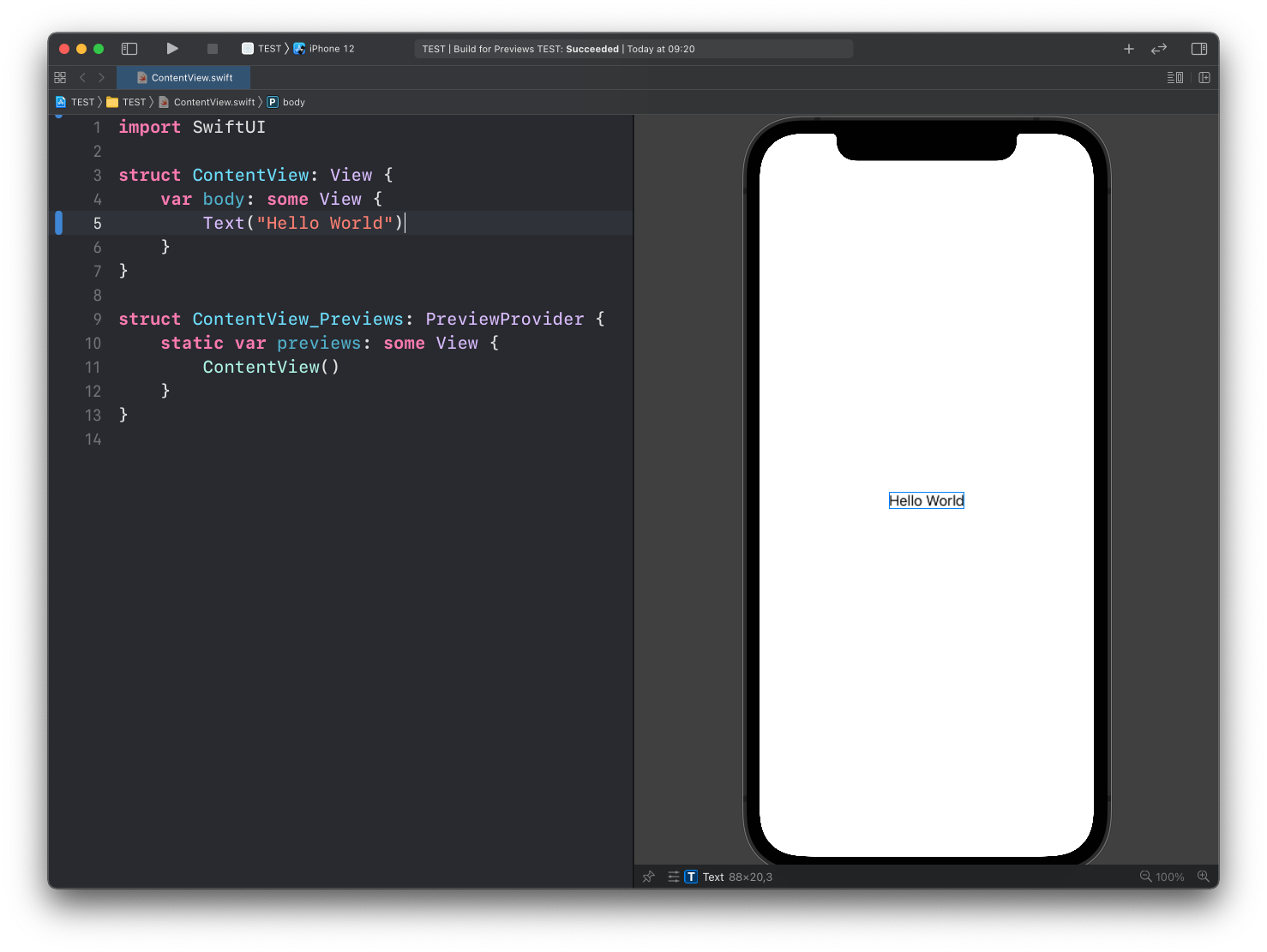
Notice the additional code after the
ContentViewstruct: this is how we tell Xcode what to display in the preview panel on the right. It’s not part of the app, but it’s used in development.
A view can have modifiers.
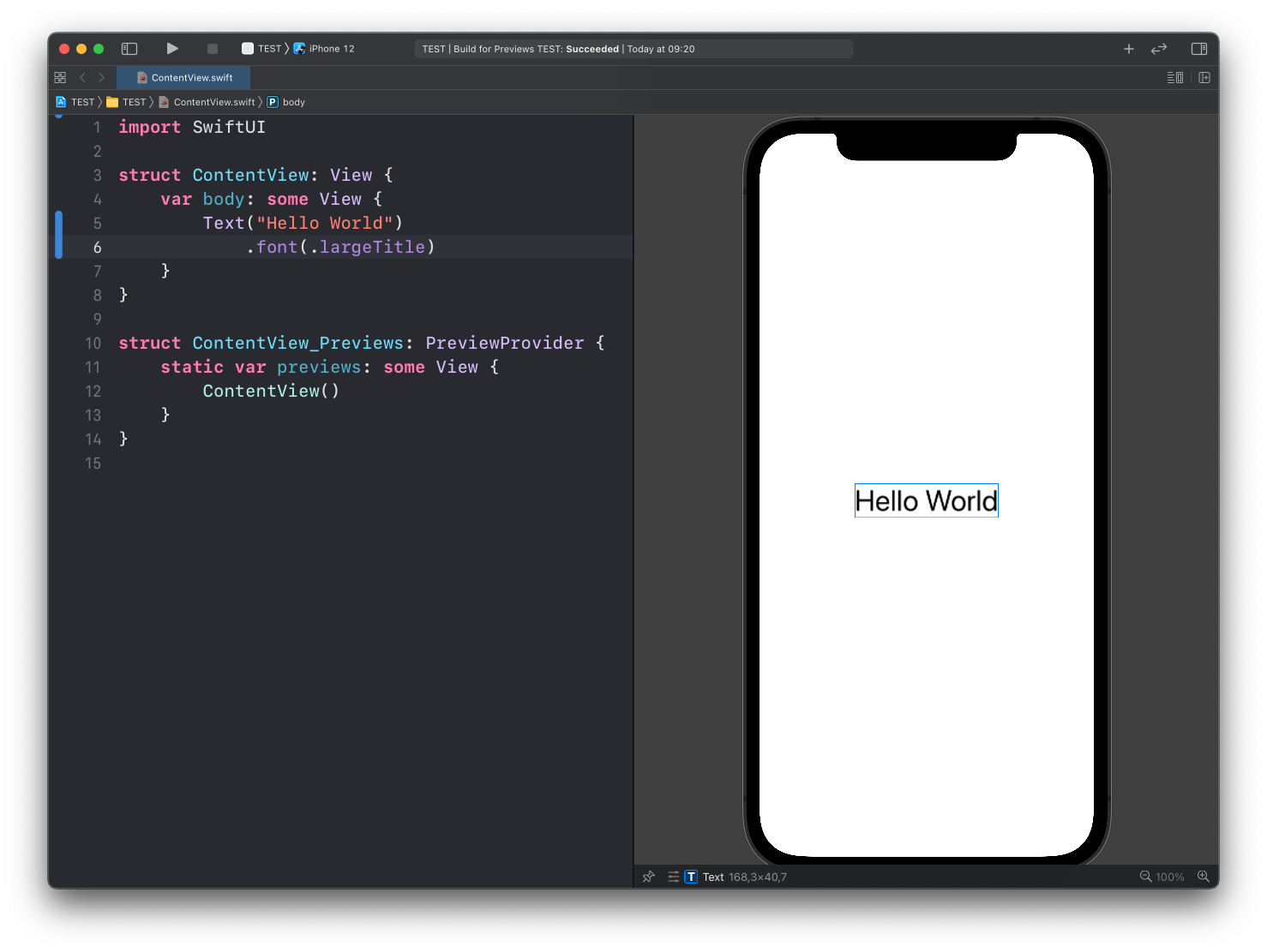
Here’s an example of a modifier of the Text view, font():
struct ContentView: View {
    var body: some View {
        Text("Hello World")
            .font(.largeTitle)
    }
}
This modifier takes the Text view we created and makes the font larger:
Different views can have different modifiers.
We’ve just seen the Text view so far, and that view has a number of modifiers you can use, including:
font()sets the default font for text in the viewbackground()sets the view backgroundforegroundStyle()sets the color (or another style, like a gradient) of the foreground elements displayed by the view. The olderforegroundColor()still compiles, but Apple deprecated it in iOS 17padding()pads the view along all edges
… and many more. In the case of Text you can check all the modifiers you can use in this page: https://developer.apple.com/documentation/swiftui/text-view-modifiers.
You’ll use modifiers on every kind of view, not just Text. The stacks and buttons posts have more examples.
It’s important to note that the modifier does not modify the existing view. It actually takes an existing view and creates a new view.
Why is this important? Because this fact causes the order of modifiers to matter.
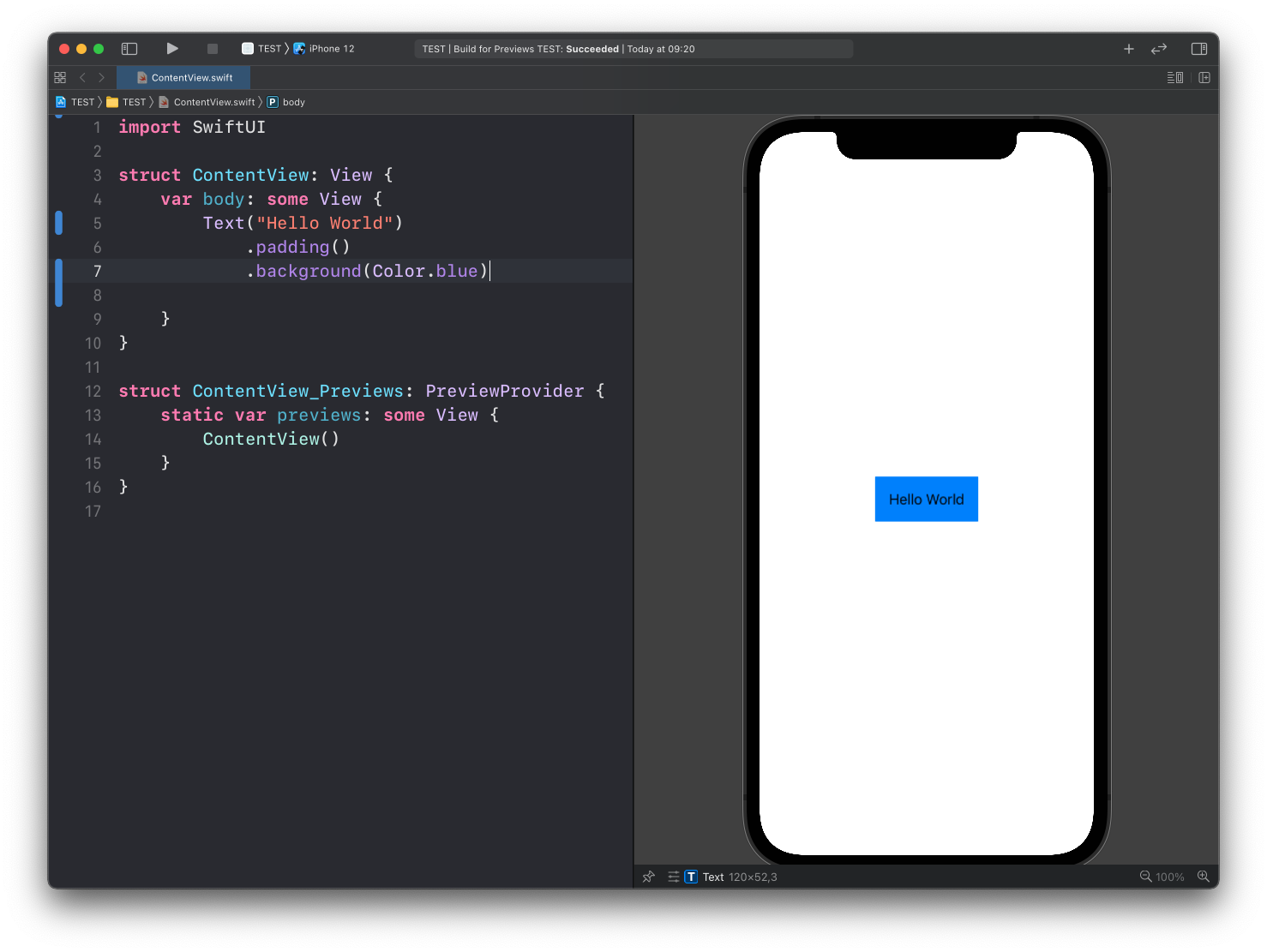
Suppose you want to set the background of the Text view, and then add some padding to it.
Text("Hello World")
    .padding()
    .background(Color.blue)
Here’s the result:
but if you invert the 2 modifiers, you get this result:
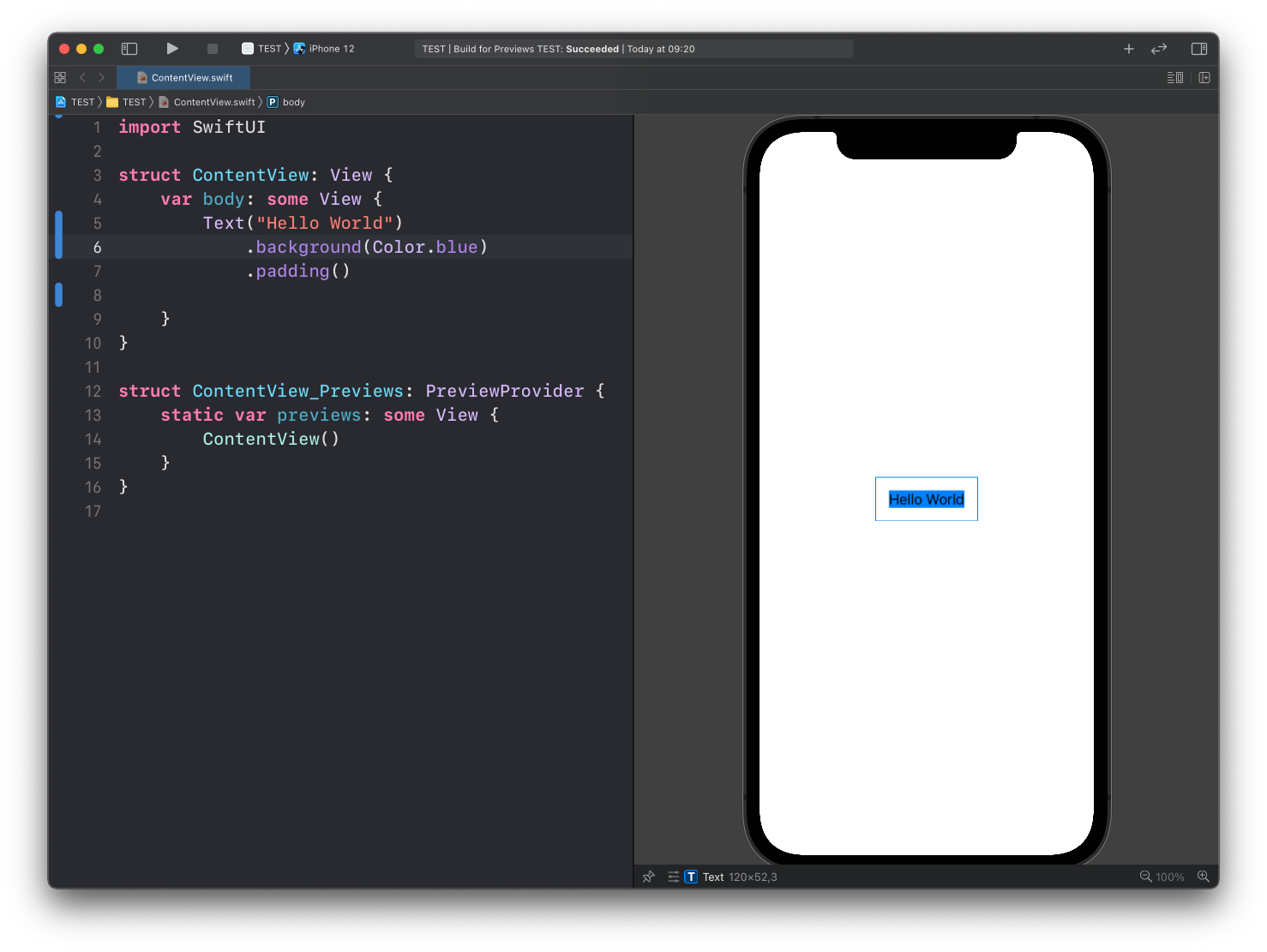
This is the consequence of modifiers returning a new view once they are applied, and not modifying the existing view.
Want me to talk about your product? You can sponsor this site.
Related posts about swift: