I launched CLI Tools
By Flavio Copes
CLI Tools is a free, open source macOS app that catalogs every command-line tool you installed with Homebrew, npm, and Cargo, with examples, shell history, and a JSON CLI for coding agents.
I launched CLI Tools, a small macOS app that keeps one catalog of every command-line tool installed on your Mac.
Here’s the app in 30 seconds:
I install a lot of tools. Some with Homebrew, some with npm, some with Cargo, plus scripts I dropped into ~/.local/bin months ago and never thought about again.
After a while I lose track. I know I installed something for that one job, but I can’t remember its name, let alone how to call it.
That’s what CLI Tools is for. It catalogs everything you have installed. Its sibling Skillscout does the same for the agent skills your coding agents load, and Soundscape is another free Mac app of mine. If you want the short list I actually reach for, I wrote The CLI tools I use every day.
What it finds
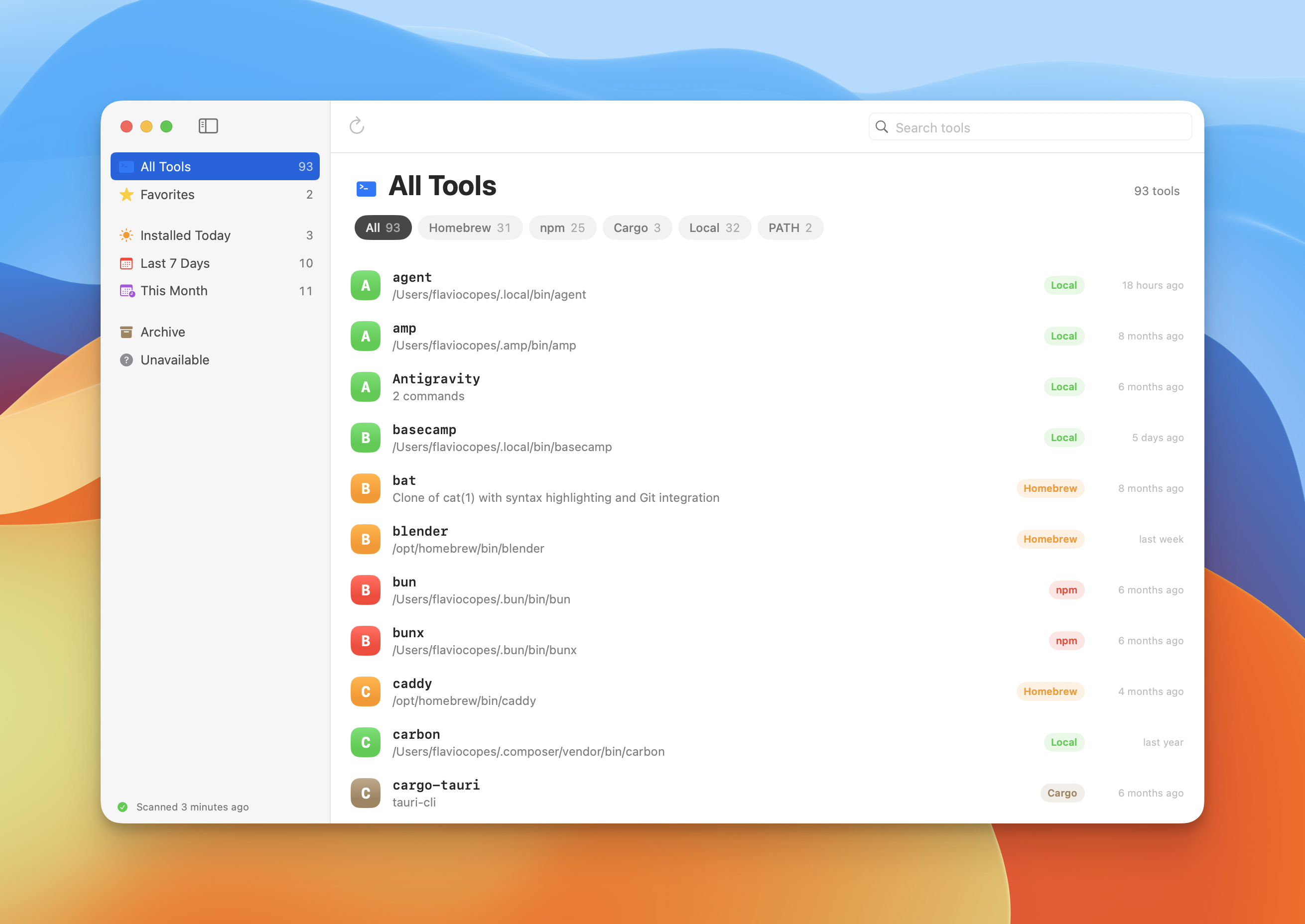
The app scans the packages you explicitly installed with Homebrew, npm, and Cargo. It also looks in trusted user directories like ~/.local/bin, ~/.bun/bin, and ~/.deno/bin.
Package commands stay grouped, so an npm package that ships five helper executables shows up as one entry, not five.
Each tool gets a row with its source, its path, and when you installed it. From the sidebar you can filter to what you installed today, in the last 7 days, or this month. You can mark favorites, and archive the tools you no longer care about.
Examples and your own history
Select a tool and the detail pane shows its version and its help output. For Homebrew packages you also get the description and the homepage.
Then come the ready-made examples. When the tool has a tldr page, the app downloads it. It also pulls the examples section out of the tool’s own --help output. Every example has a copy button.
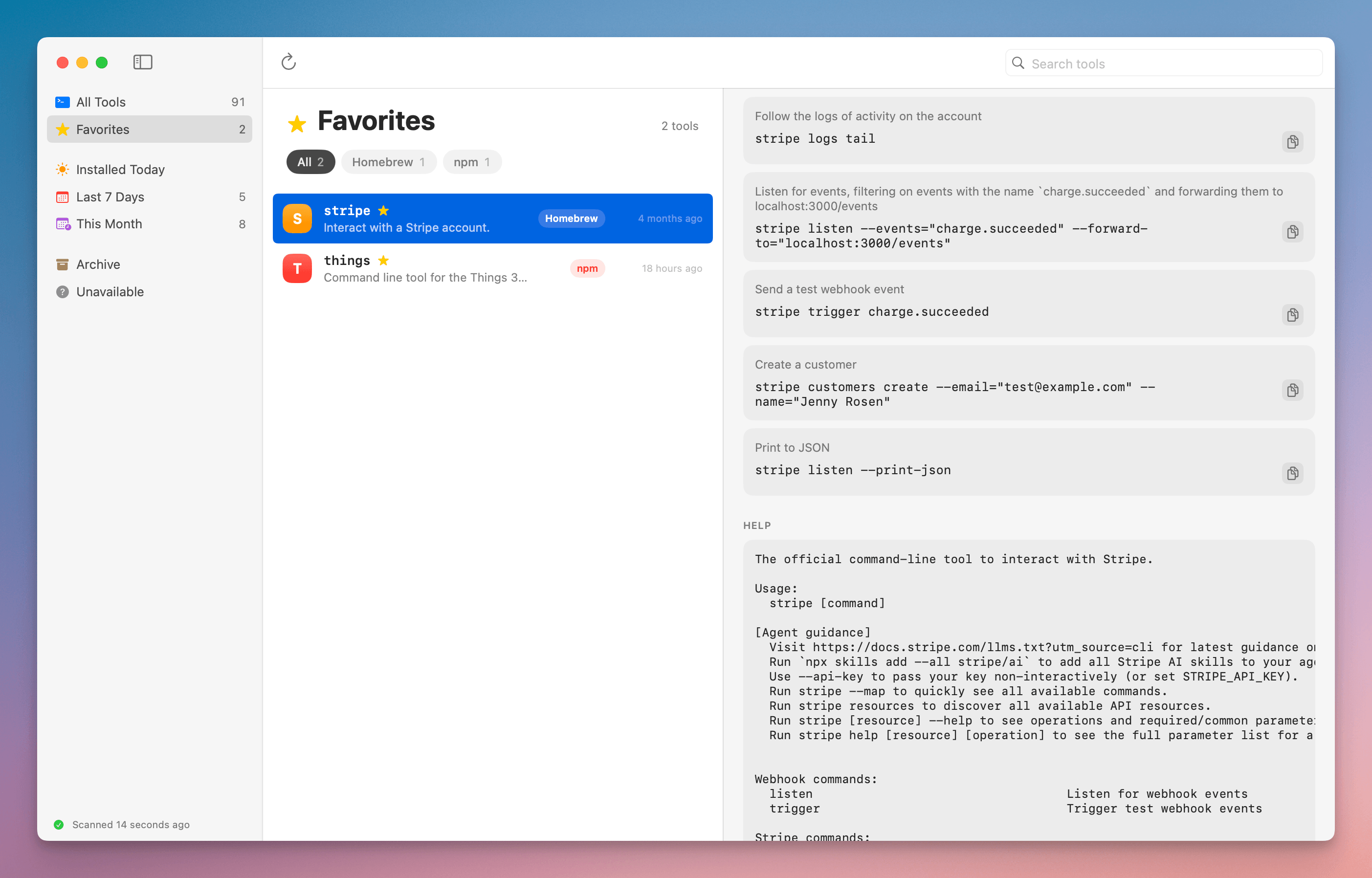
Below that is your own history. The app reads your shell history (zsh, bash, and fish) and groups the commands that ran that tool, with how many times you ran each one and when you last ran it.
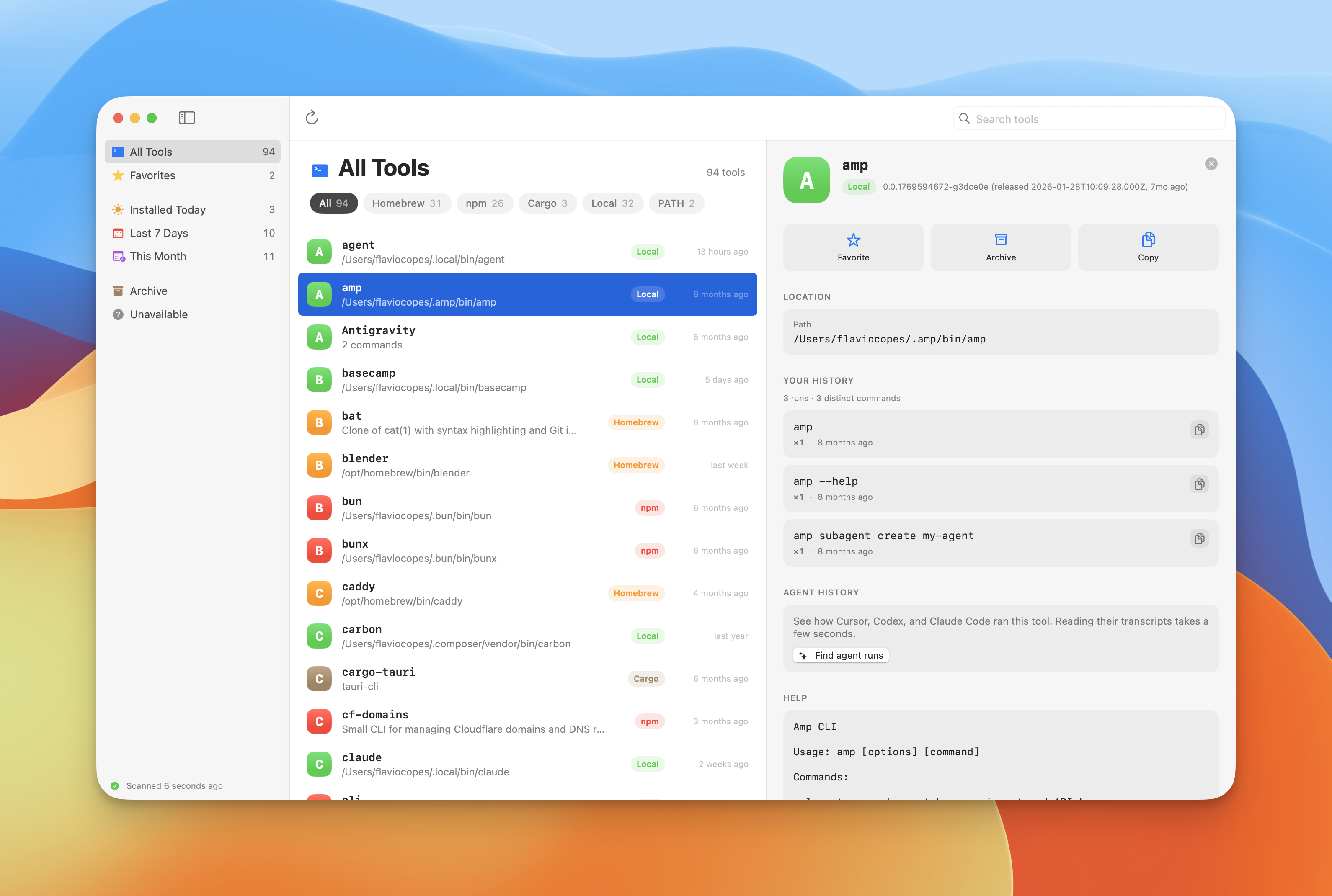
This is the part I wanted most. The command I already typed once is usually the best example of how I use a tool.
Nothing from your history is written to the catalog. The app reads the history files and keeps the result in memory.
The CLI
There is also a companion CLI that reads the same catalog:
clitools scan
clitools list --json
clitools inspect gh
clitools history gh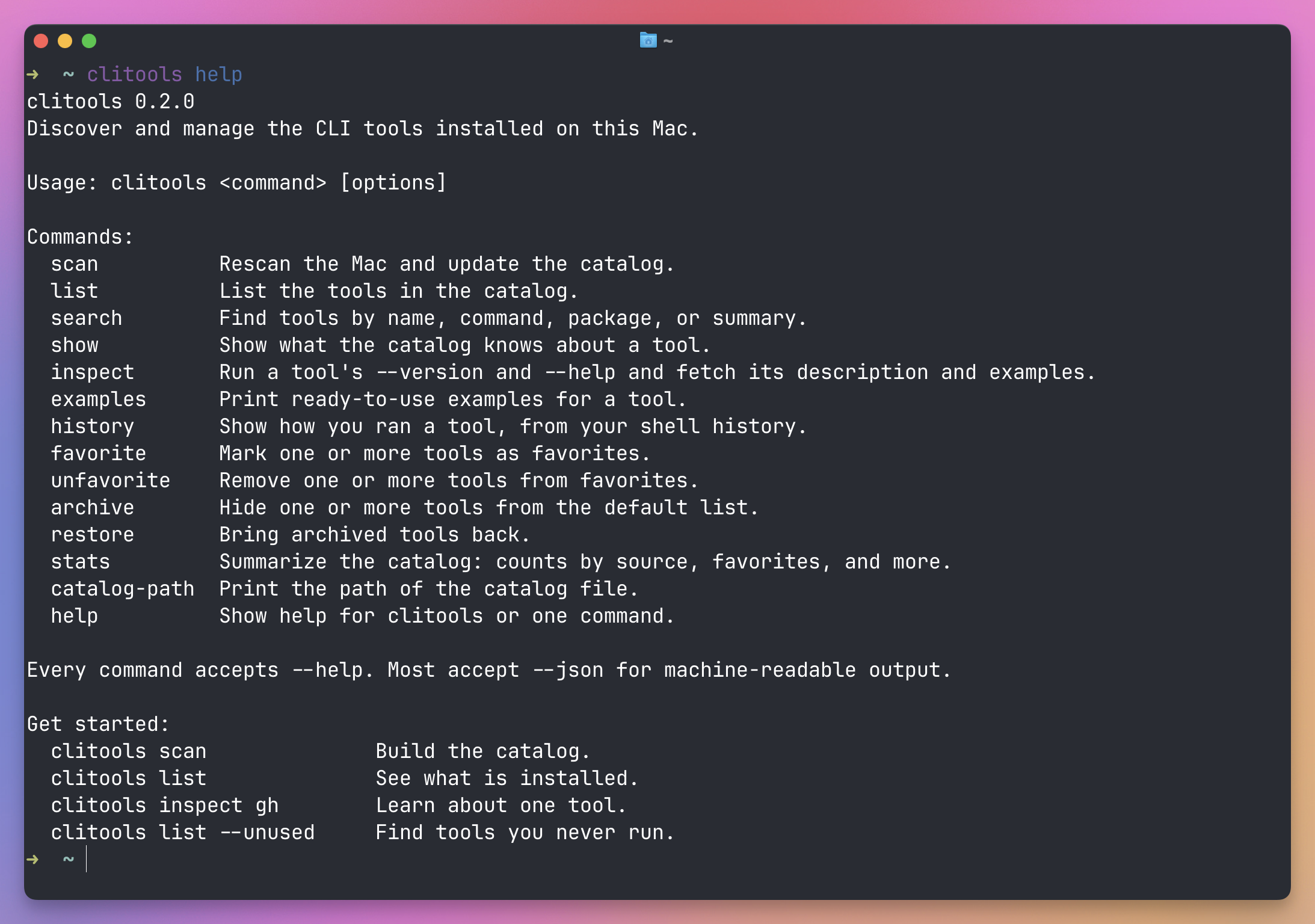
The CLI exists for the JSON output. A coding agent working on my machine can ask which tools are installed and how to call them, instead of guessing or installing something I already have.
The app and the CLI share one file:
~/Library/Application Support/CliTools/catalog.jsonBuild it
CLI Tools is free and open source, MIT licensed.
It’s a Swift package, so you build it from source. You need macOS 14 or later and Xcode 26 or a Swift 6.2 toolchain:
git clone https://github.com/flaviocopes/cli-tools.git
cd cli-tools
./Scripts/build-app.sh
open "dist/CLI Tools.app"
Or run the development build with swift run CliToolsApp.
The repository has an AGENTS.md with the build commands, the project layout, and the rules to follow. If you want to change something, hand that file to your coding agent.
Everything is in the repository.
Want me to talk about your product? You can sponsor this site.
Related posts about news: