How to use OpenCode Browse
By Flavio
Tagged: AI
OpenCode Browse lets a coding agent use your real Chrome through an MCP server and an extension. I installed it, paired it, and tested handoffs, lent tabs and the limits.
OpenCode Browse lets a coding agent use the browser you already have open, with your tabs, your logins and your extensions.
It’s made of two parts. A Chromium extension sits in your browser, and a small program called browse runs an MCP server that your agent talks to. It works with OpenCode, Claude Code, Codex, Cursor and any other MCP client, and with Chrome, Edge, Brave, Arc, Helium, Vivaldi, Opera and Chromium.
Anomaly, the company behind OpenCode, announced it on November 7, 2026. The code is on GitHub under the MIT license.
This post covers browse 0.1.1. I installed it in a clean Chrome inside the macOS virtual machine I use to test Mac apps, so no account of mine was signed in. Every command and its output below comes from that run.
What is OpenCode Browse?
Most browser tools for agents start a new browser. Playwright MCP launches one with its own profile, and you sign in again inside it.
Browse goes the other way. The agent opens tabs in your everyday browser, in the background, and it’s signed in wherever you are. When a page needs something only you can do, like a password or a 2FA code, the agent hands the tab to you and waits.
| Tool | Browser the agent drives | Your logins |
|---|---|---|
| OpenCode Browse | The one you use, through an extension | Yes, all of them |
| Playwright MCP | A browser it launches, with its own profile | No, you sign in again |
Playwright MCP with --extension | Tabs you pick in Chrome or Edge | Yes, in those tabs |
Chrome DevTools MCP with --isolated | A clean Chrome it launches | No |
How a call reaches a tab
The agent starts browse mcp, a small proxy that speaks MCP over stdio. It forwards each call to the relay, a local server on 127.0.0.1:19988 that starts on demand and exits when nothing uses it.
The extension keeps a WebSocket open to the relay. It runs the relay’s commands in a tab through chrome.debugger, which is the Chrome DevTools Protocol made available to extensions.
Since 0.1.0 the CLI, the relay and the MCP server are one Rust binary of a few megabytes. There’s no Node.js and no Playwright underneath.
Add the extension
Open the extension’s page on the Chrome Web Store and click Add to Chrome. In the store it’s called browse.
Read the dialog before you confirm.
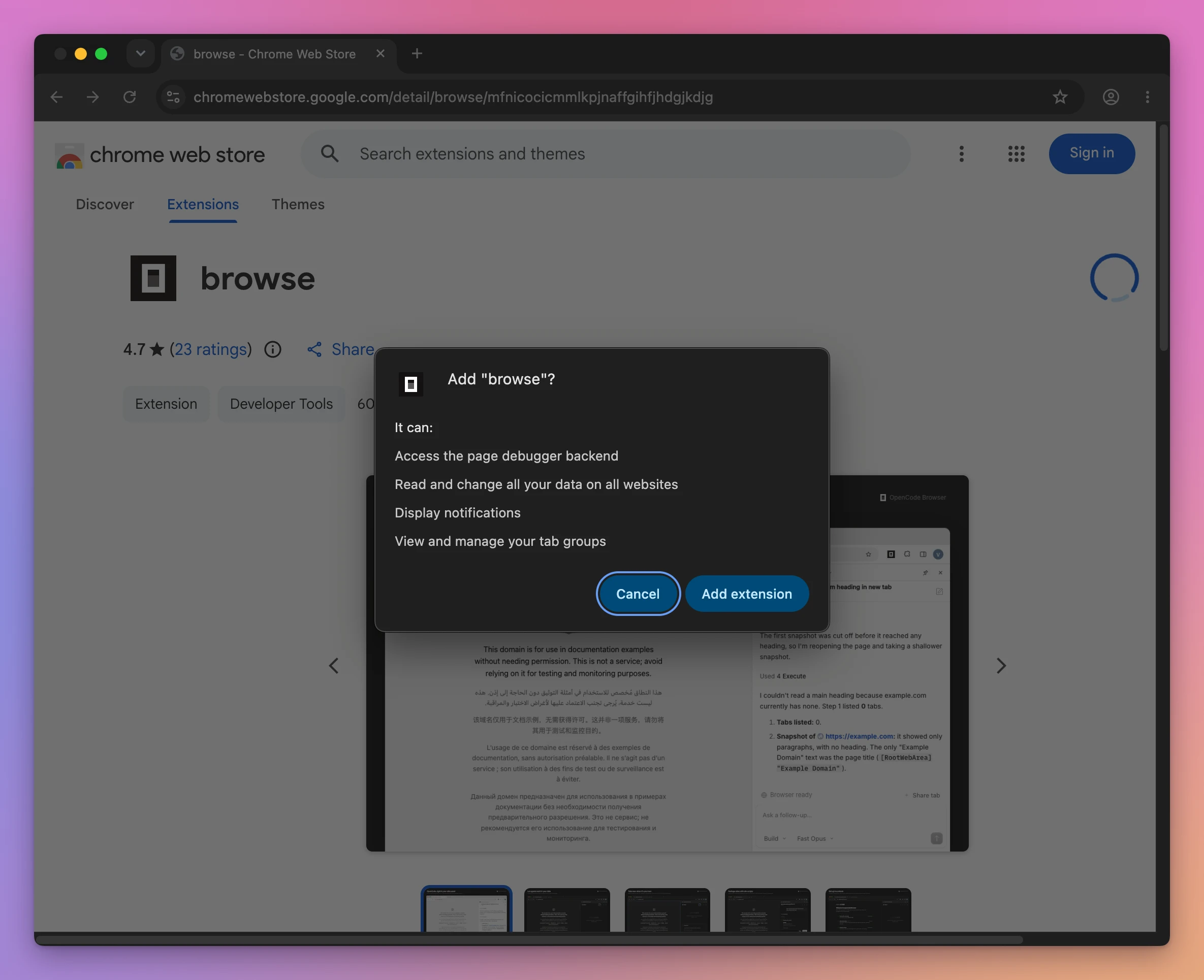
The debugger and “all your data on all websites” are the two that matter. An agent needs both to click and type on any page, and they’re also why I started in a browser with nothing signed in.
After you add it, the extension opens a Connect your agent page that waits for the CLI.
Install the CLI
One command downloads the binary and sets everything up:
curl -fsSL https://opencode.ai/browse/install | bashThe script reads a release manifest, downloads the build for your computer into ~/.local/bin/browse, and checks its SHA-256 before installing it. Then it runs browse install, which adds the MCP server to your agents and pairs the extension.
In a terminal, browse install shows a picker with the agents it found. I named mine instead, with -a:
browse install -a opencode claude✓ browse 0.1.1 installed (~/.local/bin/browse). It updates itself from the stable channel.
✓ Added ~/.local/bin to your PATH (~/.zshrc). Open a new terminal to use `browse` there.
✓ Added browse to OpenCode (~/.config/opencode/opencode.json)
✓ Added browse to Claude Code (~/.claude.json)This is what it wrote to ~/.claude.json:
{
  "mcpServers": {
    "browse": {
      "type": "stdio",
      "command": "/Users/admin/.local/bin/browse",
      "args": [
        "mcp"
      ]
    }
  }
}
For a client that isn’t in its list, browse install --agent none prints this entry so you can add it by hand.
Pair the browser
There’s no account to sign in to. Each browser pairs with the CLI once and gets a key of its own.
When browse install runs on the same computer as the browser, it opens the setup page with a one-time code in the link, and the pairing happens by itself. I ran it over SSH, where it can’t open a browser, so the setup page asked me for a code.
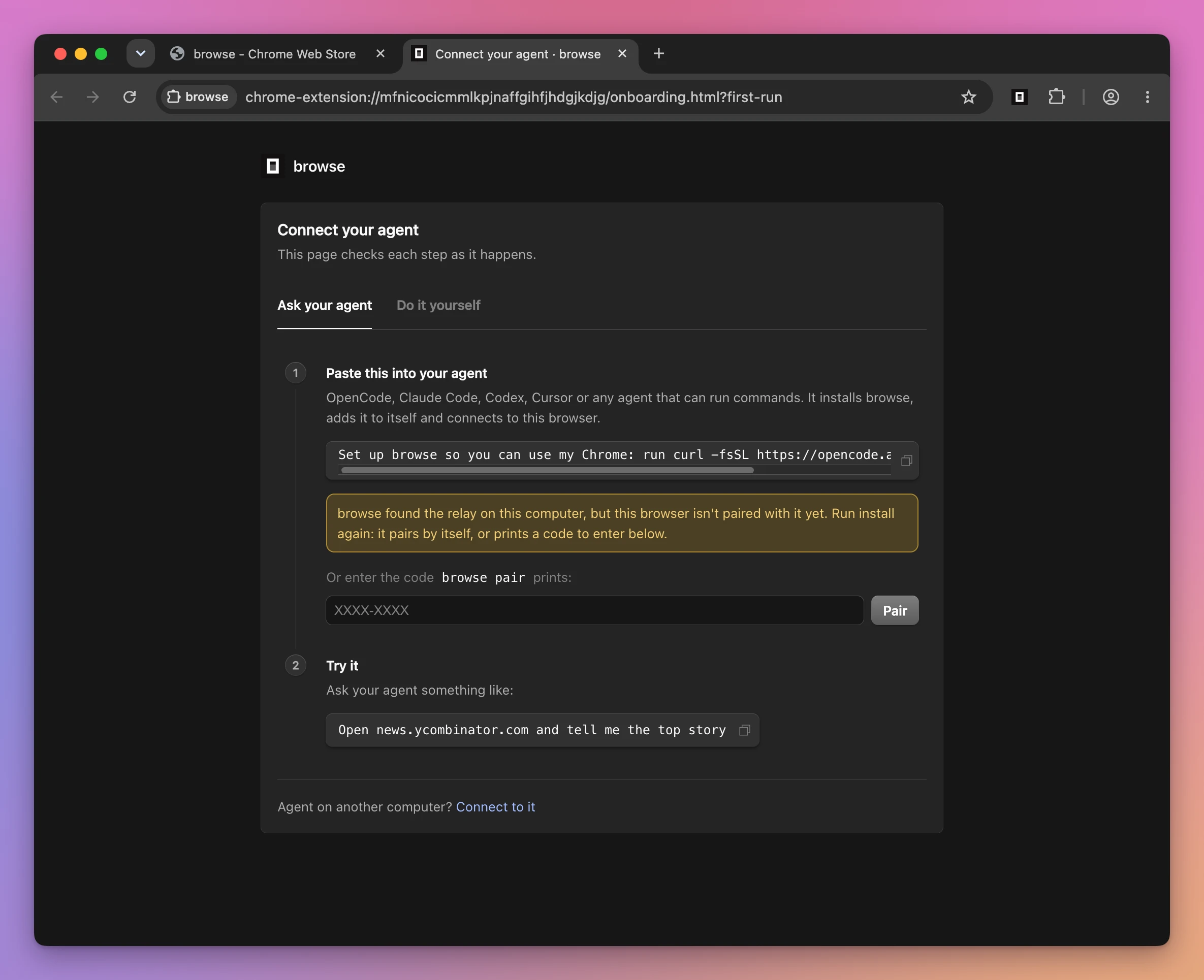
browse pair prints one:
browse pairPairing code: F61D-R4X5
Open the Extensions menu → browse → Options, expand advanced (or click Pair with a code), enter F61D-R4X5 as the pairing code, then click Connect. It works once, within 10 minutes.
Waiting up to 100s for that browser. Later, `browse pair --list` shows paired browsers.
✓ Paired Chrome on Manageds-Virtual-Machine.I typed the code in the page and clicked Pair. The last line appeared in the terminal a moment later.
browse status tells you where things stand, and what to do when something is missing. These are the lines that matter:
Setup:     installed
Version:   0.1.1 (/Users/admin/.local/bin/browse)
Agents:    OpenCode (~/.config/opencode/opencode.json), Claude Code (~/.claude.json)
Updates:   automatic (stable channel)

Relay:     running at http://127.0.0.1:19988
Extension: connected
Browser:   Chrome on Manageds-Virtual-Machine (chrome-manageds-virtual-machine), default
Tabs:      0 (`browse status --json` or `browse tabs` for details)
browse pair --list shows the paired browsers, and browse pair --revoke <browser> removes one.
Open your first page
Every tool the agent gets is also a CLI command, so you can try Browse without an agent. navigate opens a page in a new background tab and prints the tab’s id:
browse navigate https://news.ycombinator.com{
"url": "https://news.ycombinator.com/",
"navigated": true,
"from": "about:blank",
"title": "Hacker News",
"status": 200,
"tab": 1568870402
}The tab id is the handle. Every other command takes it.
In the browser, nothing moved. The tab opened in the background, inside a collapsed tab group called Agents, and I stayed on the page I was looking at.
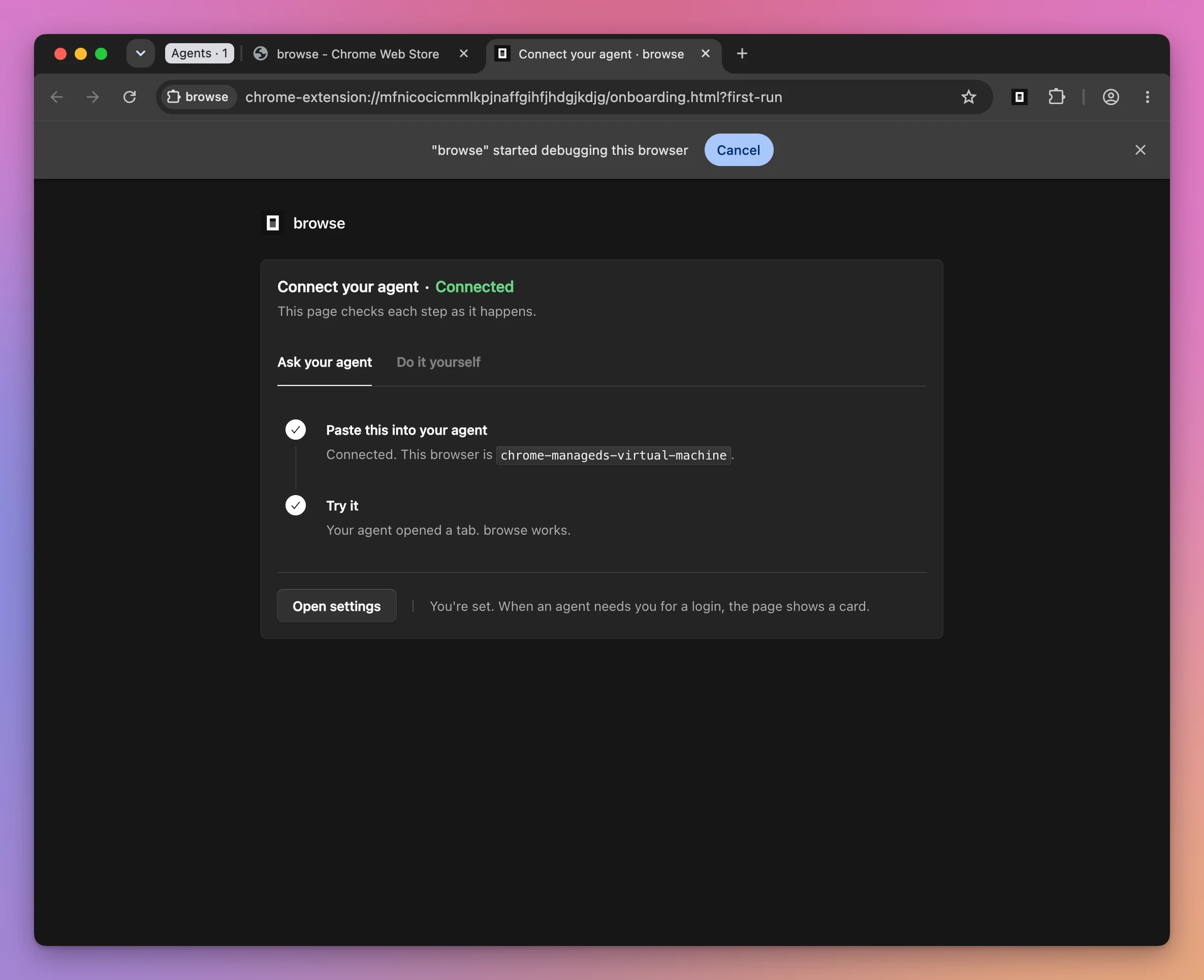
Notice the bar that says “browse” started debugging this browser. Chrome shows it while the extension is attached, and its Cancel button disconnects Browse from every tab.
snapshot is how an agent reads a page. It returns a compact outline where every link and control has a ref:
browse snapshot --tab 1568870402- link "Hacker News" [ref=e2]
- link "new" [ref=e3]
- link "past" [ref=e4]
- link "login" [ref=e10]
- link "Carnegie Mellon is putting computer science courses on YouTube for free" [ref=e12]
- link "cmu.edu" [ref=e13]
- link "181 comments" [ref=e17]That’s part of it. The whole front page came back as 3,472 characters. The agent passes a ref to click, fill and the other tools, like browse click e12 --tab 1568870402.
browse tools lists all of them, and browse <tool> --help shows a tool’s options.
Use it from Claude Code
Restart your agent after browse install, so it loads the new MCP server. Then ask for something in the browser. I used the prompt the setup page suggests:
Open news.ycombinator.com and tell me the top storyClaude Code gets three tools in place of navigate and snapshot: execute, status and tabs. execute runs JavaScript with a Playwright-style page, so the whole task fits in one call. This is the code Claude wrote:
await page.goto("https://news.ycombinator.com");
const r = await page.evaluate(() => {
  const row = document.querySelector("tr.athing");
  const a = row.querySelector(".titleline > a");
  const sub = row.nextElementSibling;
  return { title: a.textContent, url: a.href, site: row.querySelector(".sitestr")?.textContent, meta: sub.innerText.trim() };
});
await page.close();
return r;
And this is what came back:
{"meta":"1312 points by pcompeau 11 hours ago | hide | 181 comments","site":"cmu.edu","title":"Carnegie Mellon is putting computer science courses on YouTube for free","url":"https://www.cs.cmu.edu/learn/"}The answer took 7.7 seconds, and Claude closed the tab when it was done.
The script runs in a JavaScript engine inside the relay, with no Node, no network and no file access outside a few temp folders.
Use it from OpenCode
I gave OpenCode 2 the same prompt, and it never touched the browser. Hacker News is a public page, so it used its built-in webfetch tool and answered from that.
Say that you want the browser:
Open news.ycombinator.com in my browser and tell me the top story. Leave the tab open.OpenCode gets the plain tools, and it combines them in Code Mode. These are the two calls it made:
await tools.browse.tabs({action:'list'}); const page = await tools.browse.tabs({action:'new',id:'hacker-news',url:'https://news.ycombinator.com'}); return page;return await tools.browse.snapshot({tab:'hacker-news',maxItems:15});Notice the id. An agent can name a tab, and hacker-news then works wherever a tab id is expected. Asking for that tab again returns the same one without reloading it.
The relay decides which set of tools to offer from the client’s name. I connected to the MCP server with different client names and counted:
| OpenCode | Claude Code, Codex, Cursor | |
|---|---|---|
| Tools offered | 26 | 3 |
| Tool names | navigate, snapshot, click, fill, screenshot, network and 20 more | execute, status, tabs |
| Size of the tool definitions | 41,415 bytes | 7,495 bytes |
| Calls for the Hacker News task | 2, after it searched for the tools | 1 |
| Time for the Hacker News task | 27 seconds, with GPT-6.1 Sol | 7.7 seconds |
The two runs used different models, so the times compare the whole setup, not only the tool style. OPENCODE_BROWSER_TOOLS=plain|execute|all on the relay overrides the choice.
Hand a tab to yourself
A handoff is how the agent asks for you. It shows a card on the page with a message, and waits until you click Continue.
I opened GitHub’s login page as an agent tab and asked for a handoff from the CLI, the same call an agent makes:
browse handoff "Sign in to GitHub, then click Continue." 1568870410The Agents group opened by itself so I could find the tab, and the toolbar badge changed to WAIT.
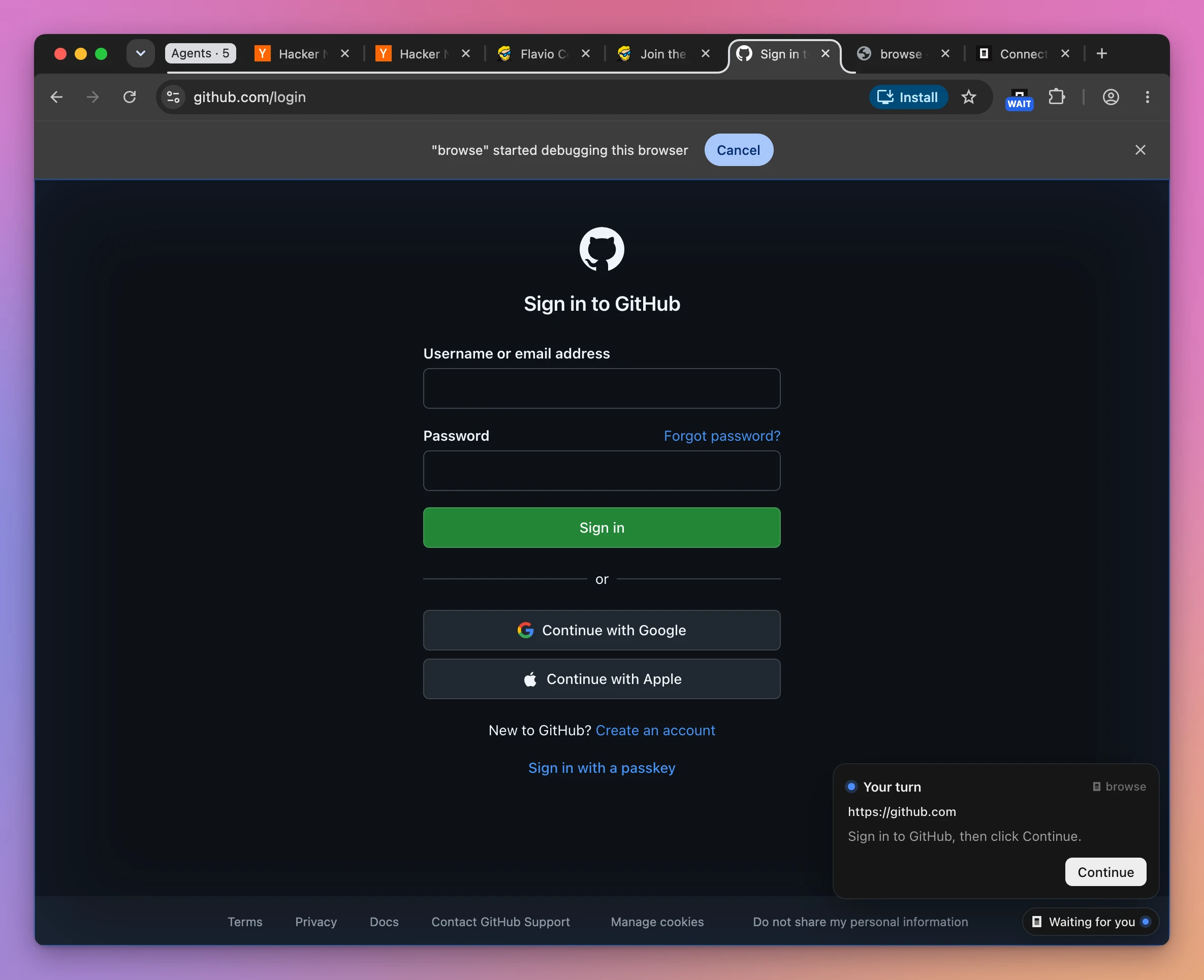
I had no GitHub account in that browser, so I clicked Continue without signing in. The command returned this:
{"outcome":"continued","tab":1568870410}Browse doesn’t check what you did. continued only means you clicked, so the agent has to read the page again to know if it’s signed in. The other outcomes are timeout (after 10 minutes by default), closed and cancelled.
Clicking the toolbar button continues too. I tried it on a second handoff and got the same result.
Only a real click finishes a handoff, so a page can’t fake one. When Browse meets a captcha or a Cloudflare check it tells the agent to hand that to you as well. It never solves them.
Lend the agent a tab
An agent can only use the tabs it opened. To give it one of yours, click the Browse button in the toolbar while you’re on that tab. The badge shows ON.
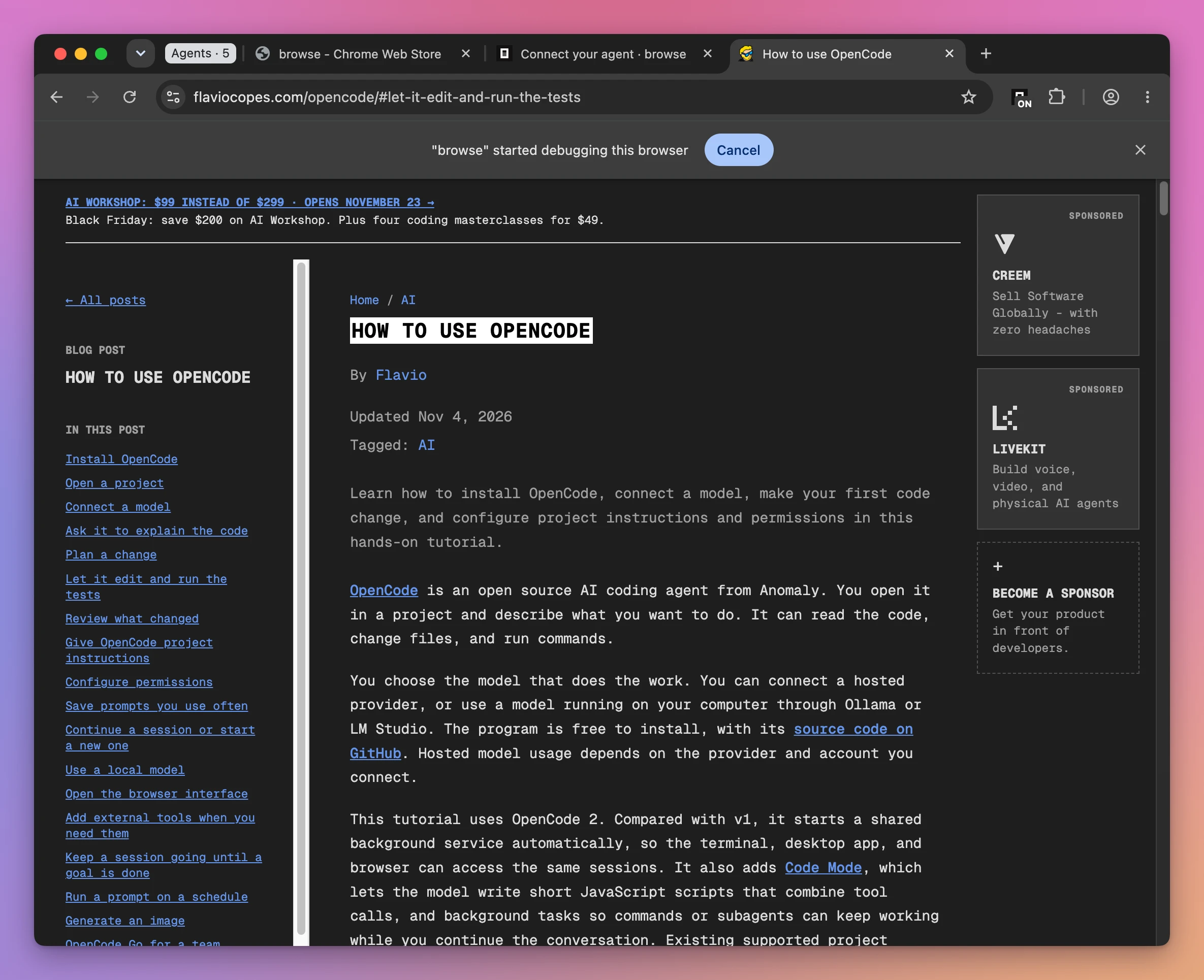
The tab stays where it is, outside the Agents group. In browse tabs it’s the one with "lent": true:
{"tab":1568870411,"url":"https://flaviocopes.com/opencode/#let-it-edit-and-run-the-tests","title":"How to use OpenCode","lent":true,"lastUsed":"2026-11-17T07:53:27.502Z","busy":false,"browser":"chrome-manageds-virtual-machine"}I asked Claude Code about it:
I lent you a tab in my browser. Which page is it, and how many code blocks does it have? Don't open any other tab.It listed the tabs, picked the lent one, and ran this in it:
return await page.evaluate(() => ({url: location.href, title: document.title, pre: document.querySelectorAll('pre').length, preCode: document.querySelectorAll('pre code').length, inlineCode: document.querySelectorAll('code:not(pre code)').length}))It answered that the tab was my OpenCode tutorial, scrolled to the “Let it edit and run the tests” section, with 28 code blocks.
Click the button again to take the tab back. The next call to it fails with a message the agent can act on:
Tab 1568870411 is gone (the user took it back with the browse toolbar button). Open another with navigate (without tab), or list the tabs you can use with tabs.Chrome’s own pages can’t be lent, and that includes the Web Store.
Limit what a tab can do
A tab can be opened with options that stick to it. Two of them are limits, and I tried both.
allowedOrigins keeps a tab on the sites you name:
browse navigate --json '{"url":"https://flaviocopes.com","group":"blog","allowedOrigins":["flaviocopes.com"]}'Then I tried to leave:
browse navigate https://news.ycombinator.com --tab 1568870408browse blocked Page.navigate: tab 1568870408 has a domain allowlist and news.ycombinator.com is not in the allowed origins (flaviocopes.com). Ask the user before going elsewhere: a wider allowlist means opening a new tab with it (navigate with allowedOrigins).readOnly lets the agent look at a tab without touching it:
browse navigate --json '{"url":"https://flaviocopes.com/access/","group":"blog","readOnly":true}'browse click --json '{"tab":1568870409,"ref":"e3"}'browse blocked Input.dispatchMouseEvent: this tab is read-only. Read-only tabs can take snapshots and screenshots, read page information and subscribe to events. Open a tab without readOnly to interact with pages.The README calls these guardrails, not a data boundary, and it’s precise about the gaps. I checked each one:
| What I tried | Tab | Result |
|---|---|---|
| Navigate to another site | allowedOrigins | Blocked |
fetch() another site from the page, with eval | allowedOrigins | Went through |
| Click a button | readOnly | Blocked |
| Fill the email field | readOnly | Blocked |
| Navigate to another page | readOnly | Blocked |
Set the email field’s value with eval | readOnly | Went through |
Open chrome://settings | Any | Refused |
Open file:///etc/hosts | Any | Refused |
So allowedOrigins stops the tab from going somewhere else, but JavaScript in the page can still make requests anywhere. And readOnly blocks input, but eval still runs code in the page, which can change it.
Use them to keep an agent from wandering. For a page you don’t want an agent to read, don’t open it in a browser that has Browse.
Capture network traffic
network records a tab’s requests, which helps when you’re debugging an API call. It hides credentials before the agent sees them.
I started a capture and loaded a URL with a made-up key in it:
browse network 1568870414 start
browse navigate "https://httpbin.org/get?api_key=sk-test-12345&name=flavio" --tab 1568870414
browse network 1568870414 stop
This is the request as the capture returned it:
"request": {
  "method": "GET",
  "url": "https://httpbin.org/get?api_key=[redacted]&name=flavio",
The key was also replaced in the :path header and in the referer of the next request. Browse redacts by name and shape: auth headers, cookie values, fields with names like api_key, and anything that looks like a token.
Be careful with what it doesn’t cover. A secret under an ordinary name can come through, and eval results, console messages, page text and screenshots are returned as they are.
Settings
The extension’s settings page has the options you’ll want to look at once.
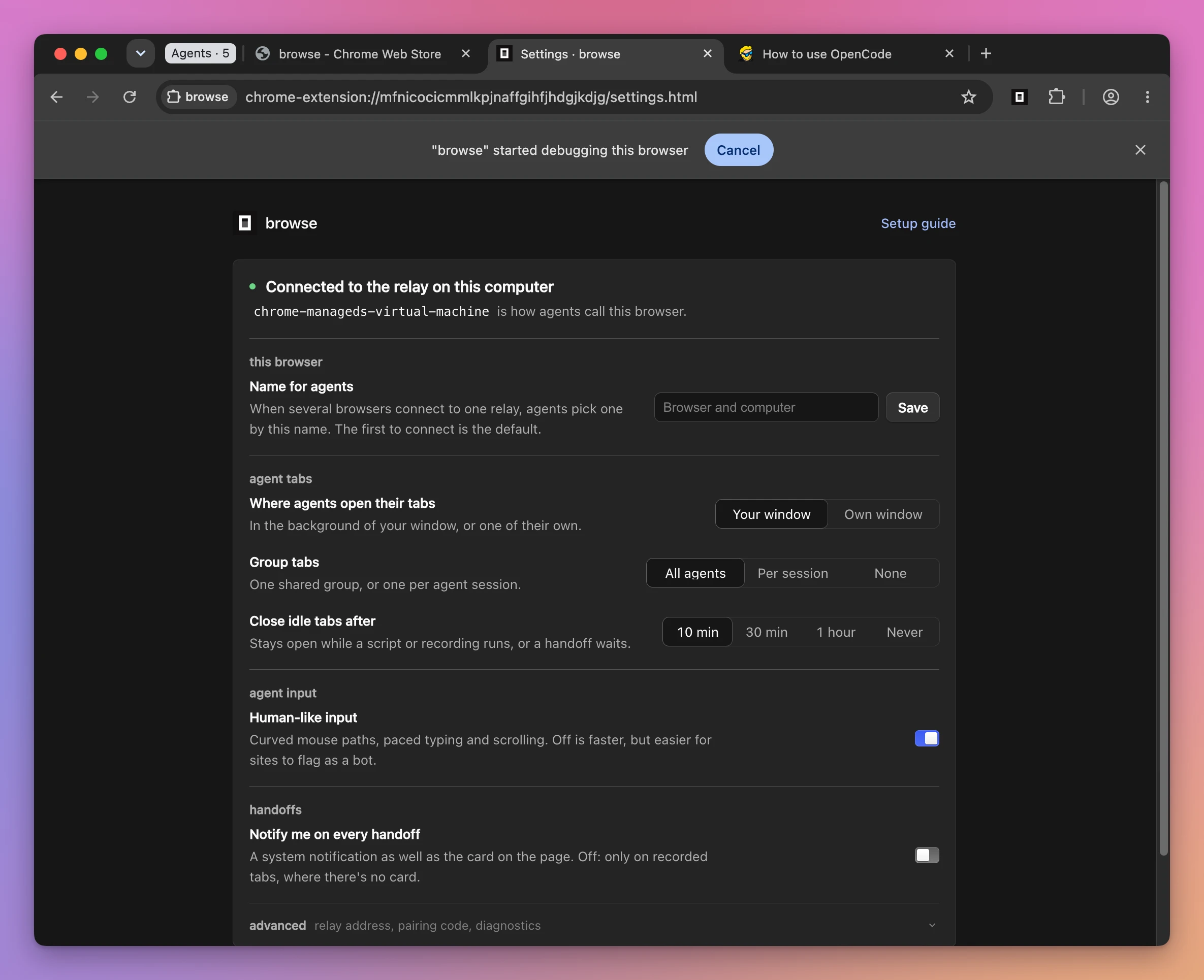
- Where agents open their tabs: in your window, or in a window of their own.
- Group tabs: one shared group, one per session, or none.
- Close idle tabs after: 10 minutes by default. A tab the agent named, like
hacker-newsabove, isn’t closed as idle. - Human-like input: curved mouse paths and paced typing. Off is faster, and easier for a site to flag as a bot.
- Notify me on every handoff: a system notification as well as the card.
An agent can read and change these with the settings tool when you ask it to. The security switches, like allowing file: URLs, are environment variables on the relay, and an agent can’t change those.
Remove it
browse uninstall removes the MCP entry from every agent it was added to, stops the relay and deletes its files. Then remove the extension from the browser.
How I would use it
I would not add it to my main browser profile yet. Everything I’m signed in to is there, and what an agent reads on a web page can try to steer it. That’s the same reason I keep a short list of things I never let an agent do alone.
I would give it a second Chrome profile, signed in to the few sites an agent needs. Dashboards with no API are the first candidates: a payment provider’s order page, an app’s review status, an analytics page behind a login.
For those I would lend tabs or open them with allowedOrigins, and let the handoff ask me for the password. Agents logging in without seeing passwords explains why that last part matters.
It’s a poor fit for testing a web app you’re building. A clean browser that Playwright launches gives you the same result every time, and that’s what you want in a test. And for a public page the agent doesn’t need a browser at all, as OpenCode showed when it answered with webfetch.
Want me to talk about your product? You can sponsor this site.
Related posts about ai: