Linux commands: printenv
By Flavio Copes
Learn how the Linux printenv command prints all of your environment variables, or just one like PATH when you pass its name as an argument.
A quick guide to the printenv command, used to print the values of environment variables
In any shell there are a good number of environment variables, set either by the system, or by your own shell scripts and configuration. They are how a process receives its settings: where your home folder is, where to look for programs, which editor to launch. Every command you run inherits them.
You can print them all to the terminal using the printenv command. The output will be something like this:
HOME=/Users/flavio
LOGNAME=flavio
PATH=/usr/local/bin:/usr/bin:/bin:/usr/sbin:/sbin:/Library/Apple/usr/bin
PWD=/Users/flavio
SHELL=/usr/local/bin/fish
with a few more lines, usually.
You can append a variable name as a parameter, to only show that variable value:
printenv PATH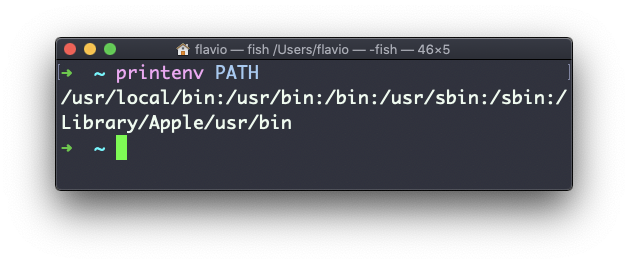
If the variable does not exist, printenv prints nothing and exits with a non-zero status. You can check that with echo $?, which shows the exit status of the last command:
printenv NOPE
echo $?
# 1
That makes it usable in scripts as a test for whether a variable is set.
Shell variables are not environment variables
Here is the trap that catches everyone once. A variable you assign in the shell is not automatically part of the environment:
MYVAR=test
printenv MYVAR
# nothing printed
MYVAR is a shell variable. Your current shell knows it, and echo "$MYVAR" shows it, but child processes — including printenv itself — never receive it. To promote it to an environment variable, use export:
export MYVAR=test
printenv MYVAR
# test
So when a program “can’t see” a variable you are sure you set, check with printenv first. If it’s missing there, the missing piece is the export.
The printenv command works on Linux, macOS, WSL, and anywhere you have a UNIX environment
Want me to talk about your product? You can sponsor this site.