How to build a terminal app people can SSH into
By Flavio
Tagged: CLI
Build an app people can ssh into, like the superlogical.jobs board: how SSH apps work, the Go and Node.js stacks behind them, hosting, and more sites to try.
Open a terminal and type this:
ssh superlogical.jobs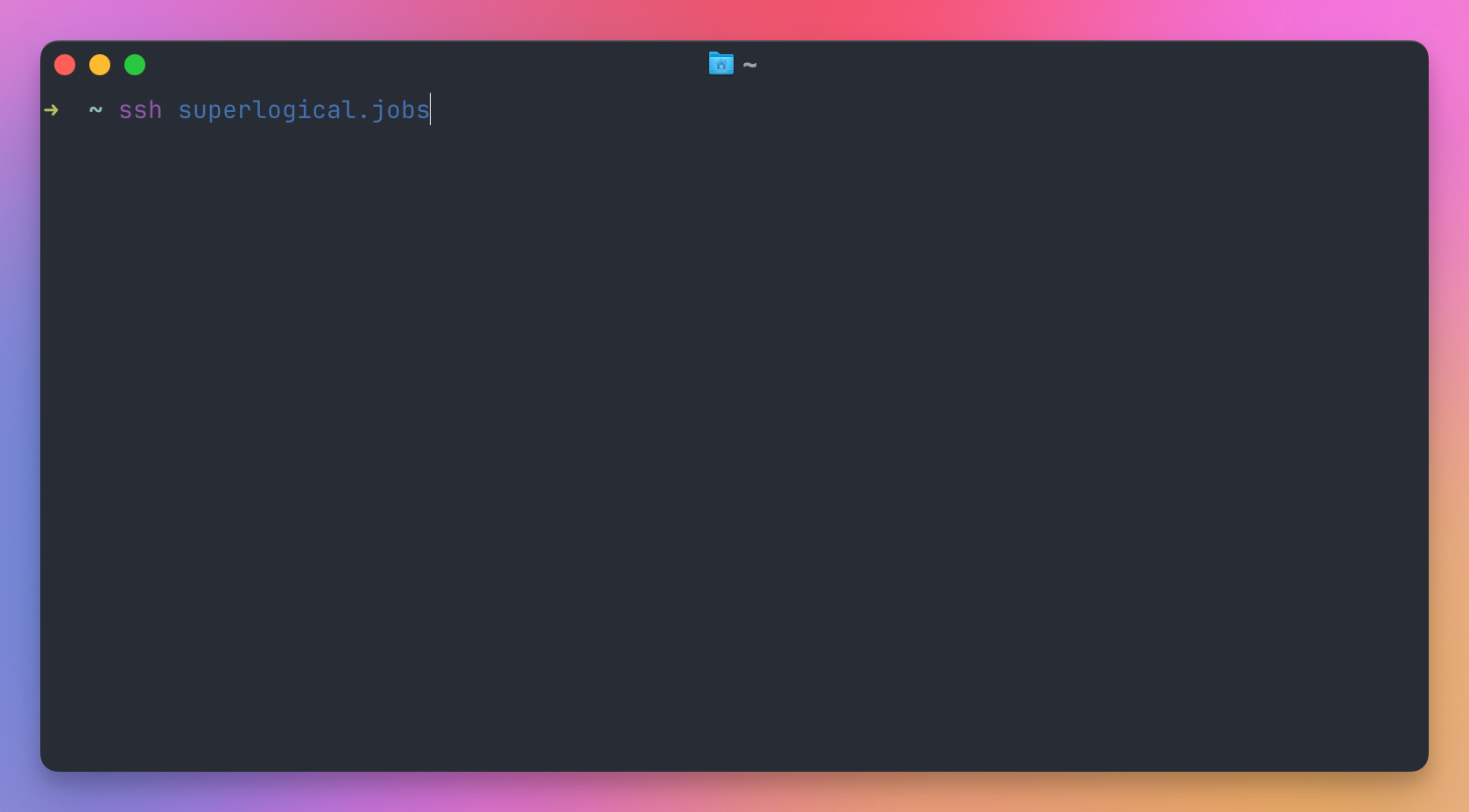
You get the usual question about the host key. Say yes, and instead of a shell you get a job board. It’s a bordered window with three dots in the corner, a title and a list of open roles. Arrow keys or j and k move the cursor. Enter opens a role, and the description scrolls inside the box. q quits.
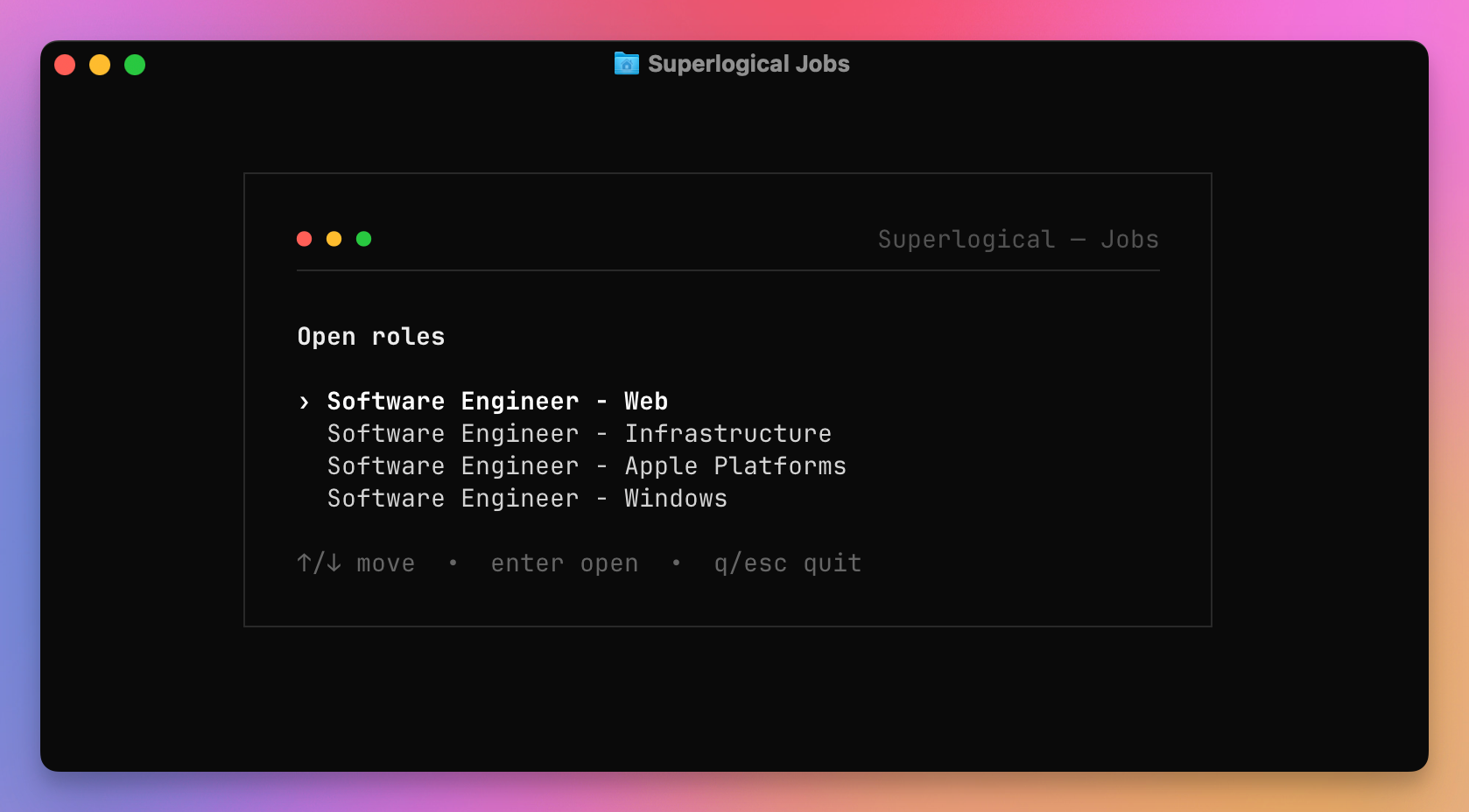
That’s the hiring page of Superlogical, the company Mitchell Hashimoto (Ghostty, HashiCorp) started in July 2026 with Jack Pearkes, Alasdair Monk and Hector Simpson. They are building a terminal multiplexer, so the jobs live in the terminal.
I stumbled on it by accident. I was reading the Superlogical website, I clicked “We’re hiring” in the footer expecting a jobs page, and all I got was that one command. There is no jobs page in the browser. I connected, browsed the roles, and got curious. How do you build something like this? What is it built with?
This post is what I found out. We look at why someone would do this, we read the tech stack off the wire, and then we build our own board from scratch in Go, with a Node.js version too. At the end there is a list of other things you can ssh into.
Why put something behind ssh?
The obvious reason is that it’s fun. But there are practical ones too.
Start with the client. Every Mac, almost every Linux distribution and every Windows 10 or later machine ships an ssh command, so there is nothing to install and nothing to download.
Then think about who gets there. Whoever reaches the job board is comfortable in a terminal, and for a company that sells a terminal tool that is the first screening question, answered before anyone reads a job description. It also keeps out the scrapers and the auto-apply tools, because those speak HTTP. Nobody has an SSH crawler in their pipeline, at least for now.
Identity comes for free. Your SSH client offers your public key when it connects, and the server can turn that key into a fingerprint and use it as your account. There is no signup form and nothing to remember. terminal.shop knows who is buying coffee this way.
There are no certificates either. SSH encrypts everything and authenticates the server with its host key, so there is no TLS certificate to issue, renew, or debug.
And people talk about it. The Hacker News thread about Superlogical had a whole sub-thread about the jobs board. A normal careers page gets zero comments.
There are real downsides, and I’ll come back to them, because a job board is one of the few things where they don’t matter much. You give up links, search engines, analytics, screen readers, phones, and anyone on a slow connection. A TUI redraws the screen on every key press, and on a high latency link that feels awful. Someone in that same thread complained about exactly this.
How an SSH app works
SSH is a protocol, like HTTP. We are used to one server implementation, OpenSSH, and to one thing happening after login, a shell. The protocol requires neither.
When you run ssh superlogical.jobs, this happens:
- Your client opens a TCP connection to port 22.
- Both sides send a version string. The client says something like
SSH-2.0-OpenSSH_9.9. The server answers with its own. - They negotiate ciphers and exchange keys. The server signs the exchange with its host key, and your client checks it against
~/.ssh/known_hosts. That’s the yes/no prompt on the first visit. - Your client authenticates. It offers your public keys one by one, and if the server accepts one, it proves it owns the private key with a signature. If you have no key, other methods can be used, or none at all.
- Your client opens a session channel and asks for a pseudo terminal, passing your
TERMvalue and the window size in columns and rows. Then it sends ashellrequest.
Here are the same steps as a diagram:
On a normal server, step 5 ends with sshd starting /bin/zsh for you. In an SSH app, the server is our own program, and the shell request runs our code instead. Our program writes to the channel, the bytes show up in your terminal. You press a key, the bytes travel back. When you resize the window, the client sends a window-change request and we redraw.
From the client’s point of view nothing is unusual. It’s an SSH connection to a machine that happens to draw a job board instead of a prompt. If you want the connection details in more depth, I wrote about them in SSH for developers, and the free SSH course goes through keys, agents and known_hosts one lesson at a time.
What superlogical.jobs is built with
Superlogical hasn’t published the code of the board, as far as I can find. But the protocol tells us a lot. Step 2 above, the version string, is sent in plain text before any encryption. You can read it with nc, which macOS ships:
nc superlogical.jobs 22SSH-2.0-GoThat’s the default version string of Go’s SSH library, golang.org/x/crypto/ssh. Press Ctrl+C to close nc, then run the same command against terminal.shop, git.charm.sh, sshtron.zachlatta.com or pico.sh. Same answer. The board is a Go program.
The second clue is what the program sends when the screen opens. Before drawing anything, it asks the terminal whether it supports synchronized output and grapheme clustering, configures the keyboard protocol, switches to the alternate screen, hides the cursor, and turns on bracketed paste, focus and mouse reporting. That startup sequence, byte for byte, is what Bubble Tea version 2 does. Bubble Tea is Charm’s terminal UI framework for Go, and my own test app sends the same bytes.
So the stack is Go and Bubble Tea, and with those two the SSH part is almost certainly Wish, Charm’s library for serving Bubble Tea apps over SSH. Some smaller details fit too. TERM=dumb ssh superlogical.jobs gives you a monochrome version of the board, which is Bubble Tea picking the color profile from the TERM your client sends. And the undocumented h, j, k, l keys are the kind of thing you add in a Bubble Tea Update function in one line.
The network also tells us where it runs. superlogical.jobs resolves to an address owned by Fly.io, and it is not the address of superlogical.com. We’ll see why that matters when we deploy.
This is the same stack terminal.shop used in 2024 to sell coffee over SSH, and their code is open source. You find the same pieces behind Charm’s own git server, the SSH résumés people build, and pico.sh. Go plus Wish plus Bubble Tea is the default stack for this kind of thing, so let’s use it.
The Charm stack in one minute
Four libraries, all from Charm:
- Wish is the SSH server. It’s built on Charm’s fork of
gliderlabs/ssh, which wrapsgolang.org/x/crypto/ssh. It handles the handshake and gives you middlewares, like an HTTP framework does. - Bubble Tea is the UI framework. It follows the Elm architecture: a model holds the state,
Updatehandles events and returns a new model,Viewrenders the model to a string. If you know React, think state, event handlers and render. - Lip Gloss styles strings: colors, bold, borders, padding.
- Bubbles has ready-made components like lists, text inputs and viewports. We won’t need it here.
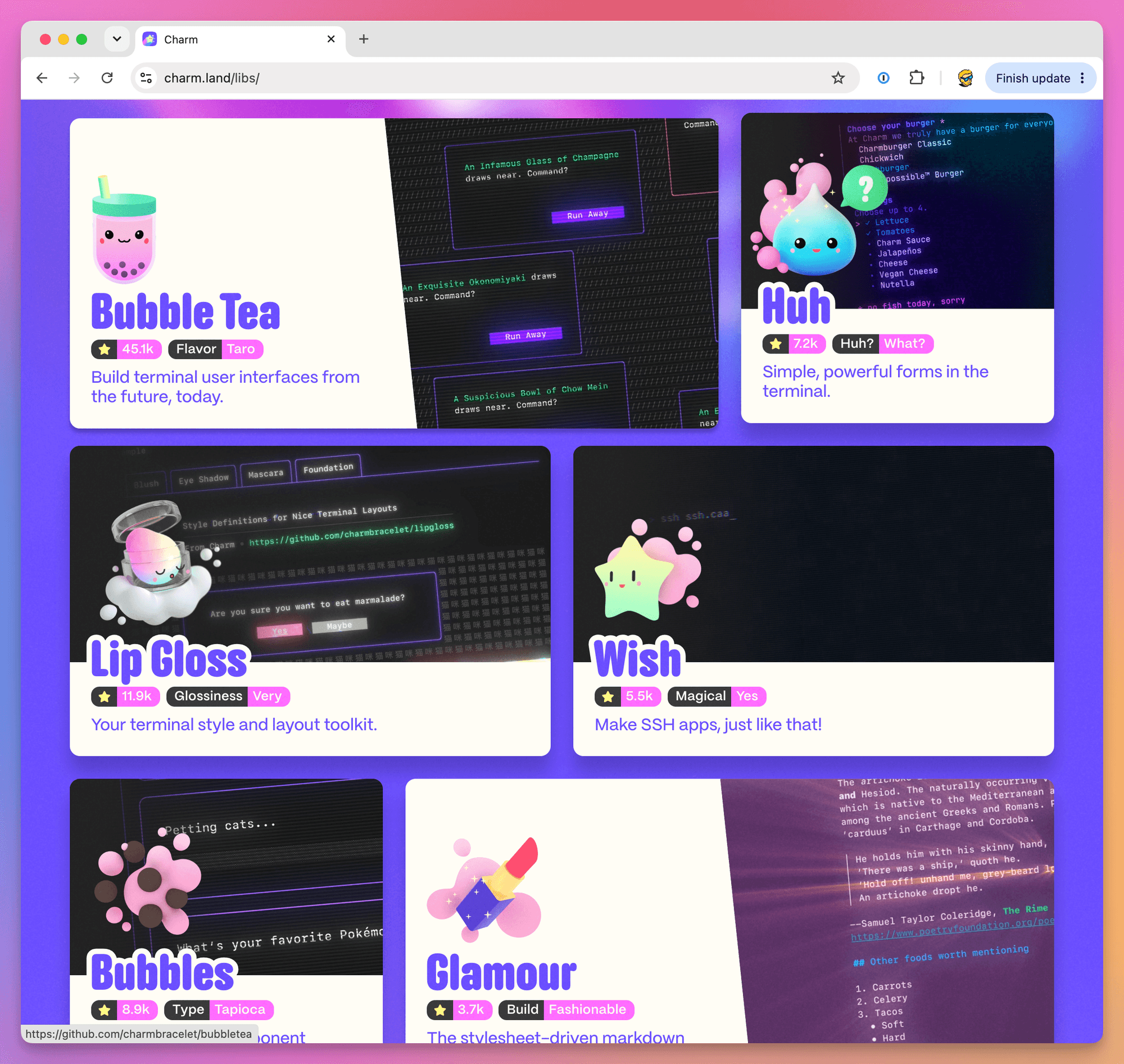
Since version 2, the import paths moved from github.com/charmbracelet/... to charm.land/.... Bubble Tea 2 also changed a few things, like View() returning a tea.View instead of a string. Most examples you find online are still version 1, so if something doesn’t compile, that’s probably why. This post uses version 2.
Step 1: the smallest SSH app
We need Go 1.26 or newer. On macOS:
brew install goOn Omarchy:
omarchy pkg add goCreate a project and add Wish:
mkdir sshjobs && cd sshjobs
go mod init sshjobs
go get charm.land/wish/v2@latest charm.land/ssh@latest
Now the whole server. It accepts a connection, prints one line, and closes it. Save it as main.go:
package main

import (
	"log"

	"charm.land/ssh"
	"charm.land/wish/v2"
)

func main() {
	s, err := wish.NewServer(
		wish.WithAddress("localhost:23234"),
		wish.WithHostKeyPath(".ssh/host_ed25519"),
		wish.WithMiddleware(hello),
	)
	if err != nil {
		log.Fatal(err)
	}

	log.Println("listening on localhost:23234")
	log.Fatal(s.ListenAndServe())
}

func hello(next ssh.Handler) ssh.Handler {
	return func(s ssh.Session) {
		wish.Println(s, "Hello "+s.User()+", this is not a shell.")
		next(s)
	}
}
wish.NewServer builds the server. WithHostKeyPath points at the host key, and if the file doesn’t exist Wish generates an ed25519 key there on the first run. That key is the server’s identity, the one your client stores in known_hosts. Keep it.
hello is a middleware. A Wish middleware takes the next handler and returns a handler, exactly like Express or Hono. Ours writes a line to the session and calls the next one. s.User() is the username the client sent, which is your local username unless you write ssh someone@host.
Run it:
go run .In another terminal, connect:
ssh -p 23234 localhostThe authenticity of host '[localhost]:23234 ([::1]:23234)' can't be established.
ED25519 key fingerprint is SHA256:...
Are you sure you want to continue connecting (yes/no/[fingerprint])? yes
Hello flavio, this is not a shell.
Connection to localhost closed.We just wrote an SSH server in 30 lines, and we never touched sshd. Try nc localhost 23234 too. It answers SSH-2.0-Go, same as superlogical.jobs.
While developing you will regenerate host keys and ssh will complain that the key changed. Add this to ~/.ssh/config so localhost never gets stored:
Host localhost
    UserKnownHostsFile /dev/null
StrictHostKeyChecking noStep 2: the job board
Now the real thing. We’ll build a board for Fogliame, a small (and invented) developer tools company with three open roles. It has a list, a detail view and keyboard navigation, the same shape as the Superlogical board.
Add Bubble Tea and Lip Gloss:
go get charm.land/bubbletea/v2@latest charm.land/lipgloss/v2@latestThe UI lives in its own file. A Bubble Tea program is a type that implements three methods. Init runs once at startup and can return a command. Update receives a message (a key press, a resize) and returns the updated model. View turns the model into what’s on screen. Save this as board.go:
package main

import (
	"strings"

	tea "charm.land/bubbletea/v2"
	"charm.land/lipgloss/v2"
)

type job struct {
	title    string
	team     string
	location string
	body     string
}

var jobs = []job{
	{
		title:    "Go engineer, session server",
		team:     "Infrastructure",
		location: "Remote, Europe",
		body: `You will own the server that keeps terminal sessions alive
when the client goes away. Go, Linux, a lot of file descriptors.

We care about latency more than features.`,
	},
	{
		title:    "Terminal rendering engineer",
		team:     "Client",
		location: "Remote",
		body: `You will work on the part that draws cells on screen: scrollback,
selection, resize, Unicode width. Experience with a terminal emulator
codebase is a big plus.`,
	},
	{
		title:    "Product designer",
		team:     "Design",
		location: "Remote",
		body: `Developer tools, keyboard-first interfaces, a lot of monospace.
You will design for the terminal, the web and macOS at the same time.`,
	},
}

var (
	titleStyle  = lipgloss.NewStyle().Bold(true).Foreground(lipgloss.Color("212"))
	cursorStyle = lipgloss.NewStyle().Foreground(lipgloss.Color("212"))
	metaStyle   = lipgloss.NewStyle().Foreground(lipgloss.Color("245"))
	helpStyle   = lipgloss.NewStyle().Foreground(lipgloss.Color("241"))
)

type board struct {
	cursor int
	open   bool
	width  int
	height int
}

func (b board) Init() tea.Cmd {
	return nil
}

func (b board) Update(msg tea.Msg) (tea.Model, tea.Cmd) {
	switch msg := msg.(type) {
	case tea.WindowSizeMsg:
		b.width = msg.Width
		b.height = msg.Height
	case tea.KeyPressMsg:
		switch msg.String() {
		case "q", "ctrl+c":
			return b, tea.Quit
		case "up", "k":
			if !b.open && b.cursor > 0 {
				b.cursor--
			}
		case "down", "j":
			if !b.open && b.cursor < len(jobs)-1 {
				b.cursor++
			}
		case "enter", "right", "l":
			b.open = true
		case "esc", "left", "h":
			b.open = false
		}
	}
	return b, nil
}

func (b board) View() tea.View {
	var s strings.Builder
	s.WriteString(titleStyle.Render("Fogliame is hiring") + "\n\n")

	if b.open {
		j := jobs[b.cursor]
		s.WriteString(titleStyle.Render(j.title) + "\n")
		s.WriteString(metaStyle.Render(j.team+" · "+j.location) + "\n\n")
		s.WriteString(j.body + "\n\n")
		s.WriteString(helpStyle.Render("esc back · q quit"))
	} else {
		for i, j := range jobs {
			cursor := "  "
			if i == b.cursor {
				cursor = cursorStyle.Render("> ")
			}
			s.WriteString(cursor + j.title + "\n")
			s.WriteString("  " + metaStyle.Render(j.team+" · "+j.location) + "\n\n")
		}
		s.WriteString(helpStyle.Render("↑/↓ move · enter open · q quit"))
	}

	v := tea.NewView(s.String())
	v.AltScreen = true
	return v
}
The model is tiny: which job the cursor is on, whether a job is open, and the window size. Update moves the cursor on j/k or the arrows, opens on Enter, closes on Esc, quits on q. There are the Superlogical h j k l keys, one line each.
View builds a string. Lip Gloss styles wrap parts of it in the right escape codes. v.AltScreen = true puts the terminal in the alternate screen, the full-screen mode editors use, so when you quit your previous scrollback comes back untouched.
Now main.go swaps the hello middleware for the Bubble Tea one:
package main

import (
	"log"

	tea "charm.land/bubbletea/v2"
	"charm.land/ssh"
	"charm.land/wish/v2"
	"charm.land/wish/v2/activeterm"
	"charm.land/wish/v2/bubbletea"
)

func main() {
	s, err := wish.NewServer(
		wish.WithAddress("localhost:23234"),
		wish.WithHostKeyPath(".ssh/host_ed25519"),
		wish.WithMiddleware(
			bubbletea.Middleware(teaHandler),
			activeterm.Middleware(),
		),
	)
	if err != nil {
		log.Fatal(err)
	}

	log.Println("listening on localhost:23234")
	log.Fatal(s.ListenAndServe())
}

func teaHandler(s ssh.Session) (tea.Model, []tea.ProgramOption) {
	pty, _, _ := s.Pty()
	return board{width: pty.Window.Width, height: pty.Window.Height}, nil
}
bubbletea.Middleware calls teaHandler once per connection. We return a fresh model, and Wish creates a Bubble Tea program for that session, wired to the session’s input and output. Every visitor gets their own program. The middleware also forwards resize events as tea.WindowSizeMsg, and it passes the visitor’s TERM along so colors get downgraded on terminals that can’t show them.
activeterm.Middleware() rejects sessions without a terminal. Without it, ssh -p 23234 localhost ls would start the TUI on a connection that can’t display it. Middlewares in Wish run from the last one to the first, so activeterm checks first and only then bubbletea runs.
Run go run . again and connect:
Fogliame is hiring

> Go engineer, session server
  Infrastructure · Remote, Europe

  Terminal rendering engineer
  Client · Remote

  Product designer
  Design · Remote

↑/↓ move · enter open · q quit
Press j, then Enter, then Esc, then q. A job board, over SSH, in about 150 lines.
Step 3: know who is connecting
Right now the server accepts everyone and knows nothing about them. Wish, when you configure no authentication, tells the SSH library that no client auth is needed. The client never even offers a key.
For a job board we want the opposite. If a visitor has an SSH key, we want to see it, because the key is a stable identity we can attach an application to. If a visitor has no key, we still want to let them in and read the roles.
Two options on the server do that:
wish.WithPublicKeyAuth(func(ssh.Context, ssh.PublicKey) bool {
	return true
}),
wish.WithKeyboardInteractiveAuth(func(ssh.Context, gossh.KeyboardInteractiveChallenge) bool {
	return true
}),
The public key handler returns true for any key. Everyone with a key gets in, and now the handshake includes their key. The keyboard-interactive handler also returns true without asking anything, so a client with no keys gets in too, with zero prompts. This is exactly what terminal.shop does.
Inside the session, s.PublicKey() returns the key that was used, or nil for the keyless visitor. We turn it into the same SHA256:... fingerprint ssh-keygen -l prints:
func teaHandler(s ssh.Session) (tea.Model, []tea.ProgramOption) {
	visitor := "anonymous"
	if key := s.PublicKey(); key != nil {
		visitor = gossh.FingerprintSHA256(key)
	}

	pty, _, _ := s.Pty()
	return board{
		visitor: visitor,
		width:   pty.Window.Width,
		height:  pty.Window.Height,
	}, nil
}
gossh is golang.org/x/crypto/ssh, the library underneath. The complete main.go is in the next step, together with the production options. First let’s use the identity in the board.
We add an a key on the detail view. Pressing it appends a line with the time, the fingerprint and the role to a file. In a real board you would write to a database, or send an email to the hiring manager. The mechanism is the same. Here is the complete board.go:
package main

import (
	"fmt"
	"os"
	"strings"
	"time"

	tea "charm.land/bubbletea/v2"
	"charm.land/lipgloss/v2"
)

type job struct {
	title    string
	team     string
	location string
	body     string
}

var jobs = []job{
	{
		title:    "Go engineer, session server",
		team:     "Infrastructure",
		location: "Remote, Europe",
		body: `You will own the server that keeps terminal sessions alive
when the client goes away. Go, Linux, a lot of file descriptors.

We care about latency more than features.`,
	},
	{
		title:    "Terminal rendering engineer",
		team:     "Client",
		location: "Remote",
		body: `You will work on the part that draws cells on screen: scrollback,
selection, resize, Unicode width. Experience with a terminal emulator
codebase is a big plus.`,
	},
	{
		title:    "Product designer",
		team:     "Design",
		location: "Remote",
		body: `Developer tools, keyboard-first interfaces, a lot of monospace.
You will design for the terminal, the web and macOS at the same time.`,
	},
}

var (
	titleStyle  = lipgloss.NewStyle().Bold(true).Foreground(lipgloss.Color("212"))
	cursorStyle = lipgloss.NewStyle().Foreground(lipgloss.Color("212"))
	metaStyle   = lipgloss.NewStyle().Foreground(lipgloss.Color("245"))
	helpStyle   = lipgloss.NewStyle().Foreground(lipgloss.Color("241"))
	okStyle     = lipgloss.NewStyle().Foreground(lipgloss.Color("42"))
)

type board struct {
	cursor  int
	open    bool
	applied bool
	visitor string
	width   int
	height  int
}

type appliedMsg struct{ err error }

func apply(visitor string, j job) tea.Cmd {
	return func() tea.Msg {
		f, err := os.OpenFile("applications.log", os.O_APPEND|os.O_CREATE|os.O_WRONLY, 0o600)
		if err != nil {
			return appliedMsg{err}
		}
		defer f.Close()
		line := fmt.Sprintf("%s\t%s\t%s\n", time.Now().Format(time.RFC3339), visitor, j.title)
		_, err = f.WriteString(line)
		return appliedMsg{err}
	}
}

func (b board) Init() tea.Cmd {
	return nil
}

func (b board) Update(msg tea.Msg) (tea.Model, tea.Cmd) {
	switch msg := msg.(type) {
	case tea.WindowSizeMsg:
		b.width = msg.Width
		b.height = msg.Height
	case appliedMsg:
		b.applied = msg.err == nil
	case tea.KeyPressMsg:
		switch msg.String() {
		case "q", "ctrl+c":
			return b, tea.Quit
		case "up", "k":
			if !b.open && b.cursor > 0 {
				b.cursor--
			}
		case "down", "j":
			if !b.open && b.cursor < len(jobs)-1 {
				b.cursor++
			}
		case "enter", "right", "l":
			b.open = true
		case "esc", "left", "h":
			b.open = false
			b.applied = false
		case "a":
			if b.open && b.visitor != "anonymous" {
				return b, apply(b.visitor, jobs[b.cursor])
			}
		}
	}
	return b, nil
}

func (b board) View() tea.View {
	var s strings.Builder
	s.WriteString(titleStyle.Render("Fogliame is hiring") + "\n\n")

	if b.open {
		j := jobs[b.cursor]
		s.WriteString(titleStyle.Render(j.title) + "\n")
		s.WriteString(metaStyle.Render(j.team+" · "+j.location) + "\n\n")
		s.WriteString(j.body + "\n\n")
		switch {
		case b.applied:
			s.WriteString(okStyle.Render("Saved. We know your key, we will be in touch.") + "\n\n")
		case b.visitor == "anonymous":
			s.WriteString(metaStyle.Render("Connect with an SSH key to apply from here.") + "\n\n")
		default:
			s.WriteString(helpStyle.Render("a apply · "))
		}
		s.WriteString(helpStyle.Render("esc back · q quit"))
	} else {
		for i, j := range jobs {
			cursor := "  "
			if i == b.cursor {
				cursor = cursorStyle.Render("> ")
			}
			s.WriteString(cursor + j.title + "\n")
			s.WriteString("  " + metaStyle.Render(j.team+" · "+j.location) + "\n\n")
		}
		s.WriteString(helpStyle.Render("↑/↓ move · enter open · q quit"))
	}

	s.WriteString("\n\n" + metaStyle.Render("you: "+b.visitor))

	v := tea.NewView(s.String())
	v.AltScreen = true
	return v
}
apply returns a tea.Cmd. A command is a function that does some work, usually I/O, and returns a message. Bubble Tea runs it in a goroutine and feeds the resulting appliedMsg back into Update, so the file write never blocks the UI. That’s the pattern for anything slow: a database call, an HTTP request.
Connect again, open a role, press a:
Terminal rendering engineer
Client · Remote

You will work on the part that draws cells on screen: scrollback,
selection, resize, Unicode width. Experience with a terminal emulator
codebase is a big plus.

Saved. We know your key, we will be in touch.

esc back · q quit

you: SHA256:J1R9owdUempMoZ6CTOk/jSpOh9WDEQqv2QOWLkO1Mds
And applications.log on the server now has:
2026-09-21T11:17:53+02:00 SHA256:J1R9owdUempMoZ6CTOk/jSpOh9WDEQqv2QOWLkO1Mds Terminal rendering engineerNow connect without offering a key:
ssh -p 23234 -o PubkeyAuthentication=no localhostThe footer says you: anonymous and the apply key is gone.
Two things to know about keys
That -o PubkeyAuthentication=no flag matters for visitors too. Your SSH client offers all your keys to any server you connect to, including a job board you are just curious about. And if you use GitHub over SSH, GitHub publishes your public keys at https://github.com/<username>.keys. A server that collects fingerprints can match yours against GitHub users and know who visited. Superlogical could do this, and so could Fogliame. If that bothers you, connect with public key authentication off, or with a throwaway key.
The other thing is on our side. Always take the key from s.PublicKey() after the handshake, never from something you saved inside the auth callback. The SSH protocol lets a client ask “would you accept this key?” for several keys before proving it owns any of them. In December 2024 a bug in this exact area, CVE-2024-45337, let servers that trusted the callback log people in as the owner of a key they didn’t control. Wish and the Go library were fixed, and the session’s PublicKey() only returns the key that authenticated. Keep golang.org/x/crypto updated and you’re fine.
Step 4: survive the internet
A public SSH port gets scanned within minutes. Bots will try passwords and open connections by the thousand, and some real visitors will leave the board open and walk away for the weekend. Wish has middlewares for the common problems. Here is the complete, final main.go:
package main

import (
	"context"
	"errors"
	"log"
	"os"
	"os/signal"
	"syscall"
	"time"

	tea "charm.land/bubbletea/v2"
	"charm.land/ssh"
	"charm.land/wish/v2"
	"charm.land/wish/v2/activeterm"
	"charm.land/wish/v2/bubbletea"
	"charm.land/wish/v2/logging"
	"charm.land/wish/v2/ratelimiter"
	gossh "golang.org/x/crypto/ssh"
	"golang.org/x/time/rate"
)

func main() {
	addr := os.Getenv("SSH_ADDR")
	if addr == "" {
		addr = "localhost:23234"
	}

	s, err := wish.NewServer(
		wish.WithAddress(addr),
		wish.WithHostKeyPath(".ssh/host_ed25519"),
		wish.WithPublicKeyAuth(func(ssh.Context, ssh.PublicKey) bool {
			return true
		}),
		wish.WithKeyboardInteractiveAuth(func(ssh.Context, gossh.KeyboardInteractiveChallenge) bool {
			return true
		}),
		wish.WithIdleTimeout(10*time.Minute),
		wish.WithMaxTimeout(1*time.Hour),
		wish.WithMiddleware(
			bubbletea.Middleware(teaHandler),
			activeterm.Middleware(),
			ratelimiter.Middleware(ratelimiter.NewRateLimiter(rate.Every(time.Second), 5, 1000)),
			logging.Middleware(),
		),
	)
	if err != nil {
		log.Fatal(err)
	}

	done := make(chan os.Signal, 1)
	signal.Notify(done, os.Interrupt, syscall.SIGTERM)

	go func() {
		log.Println("listening on", addr)
		if err := s.ListenAndServe(); err != nil && !errors.Is(err, ssh.ErrServerClosed) {
			log.Fatal(err)
		}
	}()

	<-done
	ctx, cancel := context.WithTimeout(context.Background(), 30*time.Second)
	defer cancel()
	if err := s.Shutdown(ctx); err != nil {
		log.Fatal(err)
	}
}

func teaHandler(s ssh.Session) (tea.Model, []tea.ProgramOption) {
	visitor := "anonymous"
	if key := s.PublicKey(); key != nil {
		visitor = gossh.FingerprintSHA256(key)
	}

	pty, _, _ := s.Pty()
	return board{
		visitor: visitor,
		width:   pty.Window.Width,
		height:  pty.Window.Height,
	}, nil
}
The rate limiter brings two more modules with it, golang.org/x/time and an LRU cache. Let Go sort out go.mod and go.sum:
go mod tidyWhat changed, from the top:
The address comes from an environment variable, so the same binary listens on localhost:23234 on your laptop and on 0.0.0.0:22 on the server.
WithIdleTimeout closes a session after ten minutes without input. WithMaxTimeout closes any session after an hour, no matter what. Without these, a visitor who leaves the board open for a week holds a goroutine and a file descriptor for a week.
ratelimiter allows each IP address one new connection per second with a burst of five, and remembers up to a thousand addresses. The sixth connection in a second gets rate limit exceeded, please try again later and is closed before the UI even starts.
logging prints one line per connection with the address, whether a key was used, the command, the terminal and window size, and one line per disconnect with the duration:
INFO  flavio connect 127.0.0.1:57465 true [] xterm-256color 80 24 SSH-2.0-OpenSSH_9.9
INFO  127.0.0.1:57465 disconnect 4.913239s
And the bottom half handles shutdown. On SIGTERM (which is what systemd sends) we stop accepting connections and give the open sessions thirty seconds to finish.
Step 5: deploy
Build a Linux binary. Go cross-compiles, so this works from a Mac:
CGO_ENABLED=0 GOOS=linux GOARCH=amd64 go build -o sshjobs .You get one file with no runtime to install. Copy it to a server with scp and it runs.
Deploying is where SSH apps differ most from web apps, because there is no Host header. A web server on one IP can serve a hundred domains because the browser says which one it wants. An SSH client says nothing. It connects to an IP and a port, and whatever answers, answers. So ssh superlogical.jobs on port 22 needs an IP where port 22 belongs to the board, and nothing else. That’s why the jobs domain has its own address, separate from the website.
You have three ways to get there.
A VPS with its own IP. This is the simplest option. Rent a small box at DigitalOcean or Hetzner (the cheapest ones are plenty, this program uses a few megabytes of memory), and give it a domain like jobs.fogliame.example. If you don’t have a DigitalOcean account, sign up with my referral link and you get $200 in credit for 60 days. This is an affiliate link: if you sign up through it and then spend $25, I get $25 in DigitalOcean credit. The catch is that the box already runs sshd on port 22, and you still need it to administer the machine. Move sshd to another port first, keep a session open while you do it, and only then start the app on 22. The free SSH course has a lesson on changing sshd config safely, including the Ubuntu detail that since 22.10 the port also lives in a systemd socket unit. My own SSH for developers post covers the config file itself. If your provider offers a second IP or a floating IP, you can skip the whole dance and bind the app to that address instead.
Fly.io with a dedicated IPv4. This is what Superlogical does, judging by the address. Fly’s free shared IPv4 addresses route by domain name, which only works for HTTP and TLS. Raw TCP like SSH needs a dedicated IPv4, which Fly bills monthly. Then you declare a service with your app’s internal port and an external port 22, with no connection handlers, and Fly passes the TCP connection straight through. The host key must live on a volume, or every deploy generates a new one and every visitor gets the “REMOTE HOST IDENTIFICATION HAS CHANGED” warning.
A non-standard port. ssh -p 2222 jobs.fogliame.example works everywhere, needs no dedicated IP and no sshd changes. The catch is that people have to type the port. For a personal project that’s a fine trade.
Whatever you pick, run the binary as a service, as its own user, so a crash restarts it and a bug can’t touch the rest of the machine. Wish’s README has a systemd unit, and this is the same one with the two lines that let a normal user bind port 22:
[Unit]
Description=Fogliame jobs board
After=network.target

[Service]
Type=simple
User=sshjobs
Group=sshjobs
WorkingDirectory=/home/sshjobs
Environment=SSH_ADDR=0.0.0.0:22
ExecStart=/home/sshjobs/sshjobs
AmbientCapabilities=CAP_NET_BIND_SERVICE
Restart=on-failure

[Install]
WantedBy=multi-user.target
Ports below 1024 need root or the CAP_NET_BIND_SERVICE capability. The AmbientCapabilities line grants only that one, so the process still can’t read other users’ files or install anything. Create the user, copy the binary, and start it:
sudo useradd --system --user-group --create-home sshjobs
sudo cp sshjobs /home/sshjobs/
sudo chown sshjobs:sshjobs /home/sshjobs/sshjobs
sudo systemctl daemon-reload
sudo systemctl enable --now sshjobs
The host key is generated in /home/sshjobs/.ssh/host_ed25519 on the first start. Back it up. If you ever rebuild the server, restore it before starting the app, or the host key stops matching what every visitor has in known_hosts, and they all get a warning.
The same thing in Node.js
You don’t need Go for this. The SSH protocol is the SSH protocol, and Node.js has ssh2, a complete client and server implementation. For the UI, Ink renders React components to a terminal. This stack runs in production too: r-that.com, one of the SSH portfolios in the list at the end, answers nc with SSH-2.0-ssh2js1.17.0, the ssh2 banner.
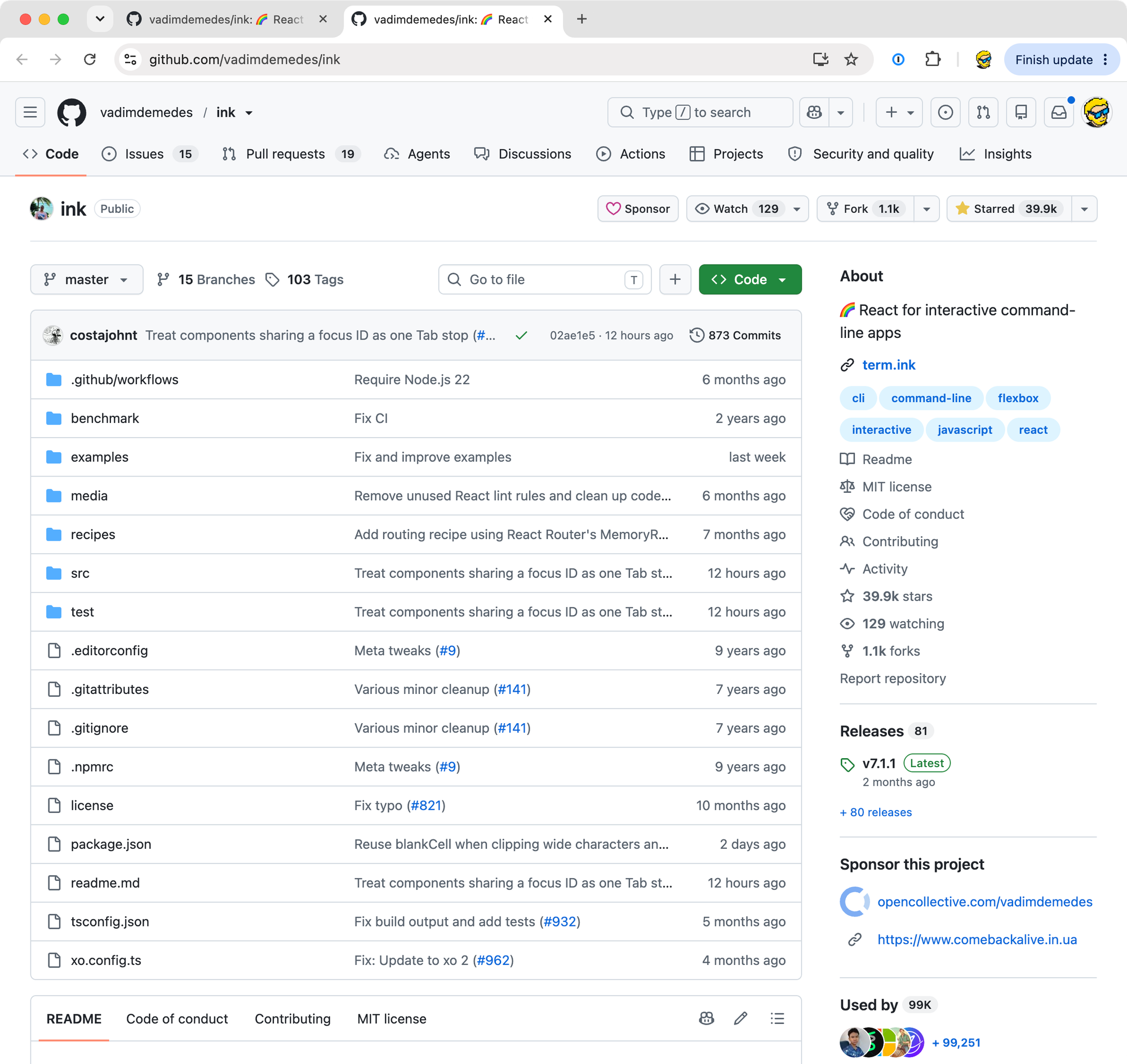
Ink is the mainstream choice for terminal UIs in JavaScript. It sits at version 7, with about 40,000 stars on GitHub and 23 million downloads a month, and it uses Yoga for Flexbox layout, so <Box> and <Text> take the CSS-like props you already know.
Set up a project:
mkdir sshjobs-node && cd sshjobs-node
npm init -y
npm pkg set type=module
npm i ssh2@1 ink@7 react@19 tsx
ssh-keygen -t ed25519 -N '' -f host_ed25519
ssh2 doesn’t generate a host key for you, so we make one with ssh-keygen. tsx runs the TypeScript file with JSX directly, no build step.
Here is the complete server.tsx:
import { readFileSync } from 'node:fs'
import { createHash } from 'node:crypto'
import ssh2 from 'ssh2'
import React, { useState } from 'react'
import { render, Box, Text, useInput, useApp } from 'ink'

const jobs = [
  {
    title: 'Go engineer, session server',
    team: 'Infrastructure',
    location: 'Remote, Europe',
    body: 'You will own the server that keeps terminal sessions alive when the client goes away.',
  },
  {
    title: 'Terminal rendering engineer',
    team: 'Client',
    location: 'Remote',
    body: 'Scrollback, selection, resize, Unicode width. You draw the cells.',
  },
  {
    title: 'Product designer',
    team: 'Design',
    location: 'Remote',
    body: 'Keyboard-first interfaces for the terminal, the web and macOS.',
  },
]

function Board({ visitor }: { visitor: string }) {
  const [cursor, setCursor] = useState(0)
  const [open, setOpen] = useState(false)
  const { exit } = useApp()

  useInput((input, key) => {
    if (input === 'q') exit()
    if (!open && (key.downArrow || input === 'j')) setCursor((c) => Math.min(c + 1, jobs.length - 1))
    if (!open && (key.upArrow || input === 'k')) setCursor((c) => Math.max(c - 1, 0))
    if (key.return) setOpen(true)
    if (key.escape) setOpen(false)
  })

  const job = jobs[cursor]

  return (
    <Box flexDirection="column" padding={1}>
      <Text bold color="magenta">Fogliame is hiring</Text>
      <Text> </Text>
      {open ? (
        <>
          <Text bold>{job.title}</Text>
          <Text dimColor>{job.team} · {job.location}</Text>
          <Text> </Text>
          <Text>{job.body}</Text>
          <Text> </Text>
          <Text dimColor>esc back · q quit</Text>
        </>
      ) : (
        <>
          {jobs.map((j, i) => (
            <Box key={j.title} flexDirection="column" marginBottom={1}>
              <Text>
                <Text color="magenta">{i === cursor ? '> ' : '  '}</Text>
                {j.title}
              </Text>
              <Text dimColor>  {j.team} · {j.location}</Text>
            </Box>
          ))}
          <Text dimColor>↑/↓ move · enter open · q quit</Text>
        </>
      )}
      <Text> </Text>
      <Text dimColor>you: {visitor}</Text>
    </Box>
  )
}

function fingerprint(key: Buffer) {
  const hash = createHash('sha256').update(key).digest('base64').replace(/=+$/, '')
  return 'SHA256:' + hash
}

const { Server, utils } = ssh2

const server = new Server({ hostKeys: [readFileSync('host_ed25519')] }, (client) => {
  let visitor = 'anonymous'

  client.on('authentication', (ctx) => {
    if (ctx.method === 'publickey') {
      if (ctx.signature) {
        const key = utils.parseKey(ctx.key.data)
        if (key instanceof Error || key.verify(ctx.blob, ctx.signature, ctx.hashAlgo) !== true) {
          return ctx.reject()
        }
        visitor = fingerprint(ctx.key.data)
      }
      return ctx.accept()
    }
    if (ctx.method === 'keyboard-interactive') return ctx.accept()
    ctx.reject(['publickey', 'keyboard-interactive'])
  })

  client.on('ready', () => {
    client.on('session', (accept) => {
      const session = accept()
      let size = { cols: 80, rows: 24 }
      let stream: any

      session.on('pty', (accept, _reject, info) => {
        size = { cols: info.cols, rows: info.rows }
        accept?.()
      })

      session.on('window-change', (accept, _reject, info) => {
        size = { cols: info.cols, rows: info.rows }
        if (stream) {
          stream.columns = info.cols
          stream.rows = info.rows
          stream.emit('resize')
        }
        accept?.()
      })

      session.on('shell', (accept) => {
        stream = accept()
        // Make the SSH channel look like a terminal to Ink.
        stream.isTTY = true
        stream.columns = size.cols
        stream.rows = size.rows
        stream.setRawMode = () => {}
        stream.ref = () => {}
        stream.unref = () => {}

        const app = render(<Board visitor={visitor} />, {
          stdout: stream,
          stdin: stream,
          patchConsole: false,
        })

        app.waitUntilExit().then(() => {
          stream.exit(0)
          stream.end()
        })
      })
    })
  })
})

server.listen(23235, 'localhost', () => {
  console.log('listening on localhost:23235')
})
The Board component is the Bubble Tea model written as React. useState holds the cursor and the open flag, useInput is the Update function, and the JSX is the View.
The server half is where ssh2 shows you the protocol that Wish hides. The authentication event fires for every attempt. For publickey it fires twice: once without a signature, when the client asks if the key is acceptable, and once with one, when the client proves ownership. We only record the fingerprint in the second case, after key.verify passes. That’s the CVE-2024-45337 lesson from Step 3, applied by hand. keyboard-interactive is accepted with no questions, and anything else is rejected with the list of methods we support, so the client knows what to try next.
After ready, the client opens a session and sends the pty request with the window size, then shell. We accept shell, which gives us the channel stream, and hand it to Ink as both stdout and stdin. Ink expects a real terminal, so we fake the few properties it reads: isTTY, columns, rows, and no-op versions of setRawMode, ref and unref. On window-change we update the size and emit resize, which is what Ink listens for.
Run it and connect:
npx tsx server.tsx
ssh -p 23235 localhost
Same board, same fingerprint in the footer, and nc localhost 23235 now answers SSH-2.0-ssh2js1.17.0.
Ink and ssh2 don’t know about each other, so this is a bit more glue than the Go version. If you write TypeScript all day, it’s still less work than learning a new language for a side project.
Other stacks
Rust has russh, and a few SSH apps out there identify themselves with it. Python has asyncssh for the server side and Textual for the UI, though the two don’t ship an integration, so you’d write glue like the Node one above.
And there is the old way, which needs no library at all. Create a Linux user whose login shell is your program, or set ForceCommand for it in sshd_config, and let OpenSSH do everything. ssh guest@yourhost runs your program with a real pty attached. That’s how BBSes work over SSH. The downside is that OpenSSH gives your program a real user account and a real shell environment, so a bug in your program is a shell on your server. The library approach never has a shell to give away, which is why Wish’s README points out you can uninstall openssh-server and the app keeps working.
Other things you can ssh into
Superlogical didn’t invent this. Here is what I found and checked on September 21, 2026. Servers like these come and go, so some may be gone by the time you read this.
ssh terminal.shop
The coffee shop that started the current wave, in 2024. It sells whole bean coffee, your SSH key is your account, and you check out in the terminal. It runs on Go, Wish and Bubble Tea, the code is public, and a good part of it was built live on stream by ThePrimeagen and TJ DeVries.
ssh git.charm.sh
Charm’s own git server, Soft Serve, with a TUI to browse repositories and files. This is the demo Wish’s README points you to.
ssh sshtron.zachlatta.com
Multiplayer light cycles, from 2016, by Zach Latta and Max Wofford of Hack Club. Move with WASD or Vim keys, and don’t use the arrows. Written in Go, years before Wish existed.
ssh ssh.chat
A chat room. This is ssh-chat by Andrey Petrov, one of the oldest projects in this space, also in Go, and its version string even says so: SSH-2.0-Go ssh-chat.
rsync to pgs.sh
pico.sh is a set of services where SSH is the interface and there is no TUI at all. rsync -rv ./public/ pgs.sh:/mysite/ turns a folder into a static site with TLS. scp a Markdown file to prose.sh and it’s a blog post. ssh -R dev:80:localhost:8000 tuns.sh puts your local dev server on the internet. All of it is built with Wish.
ssh tavrn.sh
A terminal tavern with a chat, a radio and games. This one answers with an OpenSSH banner, so it probably uses the old way, a custom login shell behind the real sshd.
ssh sshmoi.com, ssh r-that.com
Developers put their résumé or portfolio behind SSH as a calling card. The first one is Go and Charm. The second is Node.js and ssh2, the stack from the previous section.
nc towel.blinkenlights.nl 23
Before SSH apps there were telnet apps. towel.blinkenlights.nl streams Simon Jansen’s Star Wars ASCIImation, a project from 1997, one frame at a time, and nc mapscii.me 23 gives you a zoomable map of the world drawn with Braille characters. macOS doesn’t ship telnet anymore, so use nc as above or brew install telnet, and press Ctrl+C to leave.
How I would use this
I haven’t put anything behind SSH yet. Here is where I would, and where I wouldn’t.
The free courses on this site are around 2,000 lessons, all Markdown files in a folder. Charm has Glamour, a Markdown renderer for the terminal. A board like the one we built, with the course list on one screen and a scrolling lesson on the other, is a weekend of work on top of what’s in this post. ssh courses.flaviocopes.com, pick the Linux course, read it where you are already working. I like that, and it fits the people who take those courses.
I would not do it for the blog. Readers come here from Google, and search engines don’t speak SSH. There are no analytics, no links to click, no way to share a lesson with a URL. The browser tools run in the browser on purpose, and anything with a checkout stays on the web too, because payment providers live there.
That is also what Superlogical did. The website is a normal website. Only the one page whose visitors are all terminal people went behind ssh. Pick the page where every visitor already has a terminal open, and build that one.
Want me to talk about your product? You can sponsor this site.
Related posts about cli: