How to use window.prompt()
By Flavio Copes
Learn how to use the browser window.prompt() API to get input from the user, including a default value, and how it returns null when they click Cancel.
prompt() shows a dialog with a text field, and returns what the user typed as a string.
This API dates back to the dawn of the Web, and is supported by every browser.
It’s very simple and I think it might come handy especially while prototyping an app, so you can just call a prompt() and be done with it, without setting up a form.
How prompt() works
You call prompt() passing a string that represents the question we ask to the user:
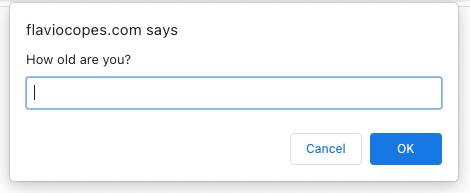
prompt('How old are you?')This is how it looks in Chrome:
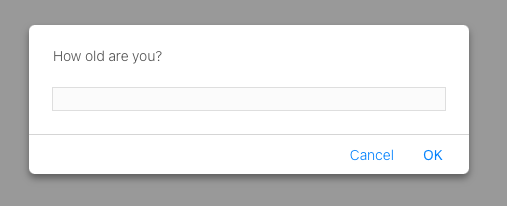
This is in Safari:
This is in Firefox:
As you can see, it’s different but the concept is the same. Each browser renders the dialog with its own style, and you can’t change how it looks with CSS.
You should call
window.prompt(), but sincewindowis implicit,prompt()works
The browser blocks the script execution until the user enters something and clicks any of the OK or Cancel button. You can’t escape from that without clicking a button.
This blocking behavior is why you shouldn’t use prompt() in production apps. Nothing else runs while the dialog is open. For real user input, use a form.
Getting the value
The value entered is then returned from this function, so we can assign it to a variable:
const age = prompt('How old are you?')You can pass a second parameter that’s the default value prefilled in the prompt:
const age = prompt('How old are you?', 18)If the user enters nothing and clicks OK, an empty string will be returned.
If the user clicks the Cancel button, the prompt() function call returns null.
The value is always a string
Here’s the pitfall that catches everyone: whatever the user types comes back as a string, even if it looks like a number.
const age = prompt('How old are you?')
age + 1 //'351' if the user typed 35
The + operator concatenates strings, so you get '351' instead of 36.
The fix is to convert the value before doing math:
const age = Number(prompt('How old are you?'))
age + 1 //36
Be careful with null, though. If the user clicks Cancel, Number(null) returns 0, so check for null first when the difference matters.
Want me to talk about your product? You can sponsor this site.
Related posts about js: