How to replace white space inside a string in JavaScript
By Flavio Copes
Learn how to remove or replace all the whitespace inside a string in JavaScript with a regular expression, using the whitespace metacharacter and the g flag.
To replace all the white space inside a string in JavaScript, call replace() with the regular expression /\s/g. It matches every whitespace character, and you decide what to put in its place.
Replacing all the white space inside a string is a very common need.
For example I last used this inside an API endpoint that received an image. I used the original image name to store it, but if it contained a space it was breaking my functionality (or other special chars, but let’s focus on spaces).
So I researched the best way to do what I wanted. Turns out, a regular expression was what I needed!
Here it is, in full:
const name = 'Hi my name is Flavio'
name.replace(/\s/g, '') //HimynameisFlavio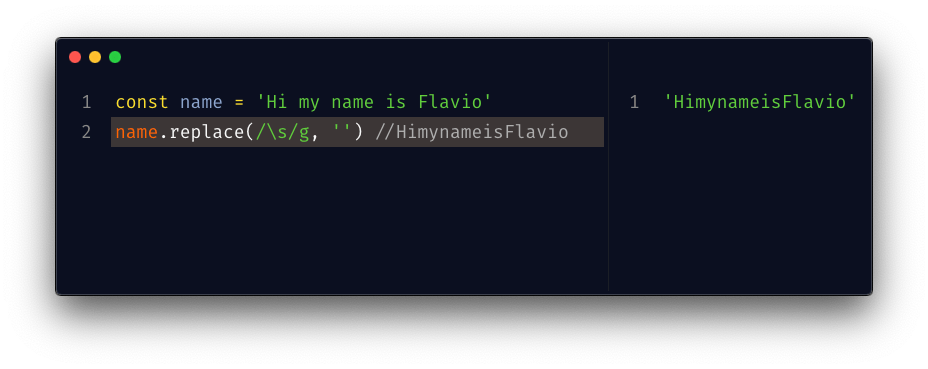
The \s meta character in JavaScript regular expressions matches any whitespace character: spaces, tabs, newlines and Unicode spaces. And the g flag tells JavaScript to replace it multiple times. If you miss it, it will only replace the first occurrence of the white space:
'Hi my name is Flavio'.replace(/\s/, '') //Himy name is FlavioThat’s the pitfall to remember with replace(). If your result only lost the first space, the missing g flag is why.
Replacing with something else
You don’t have to replace with an empty string. For my file name problem, a dash worked better, because the name stays readable:
const fileName = 'photo of my desk.png'
fileName.replace(/\s/g, '-') //photo-of-my-desk.png
Watch out for consecutive spaces though. Each one gets its own replacement:
'photo of my desk.png'.replace(/\s/g, '-') //photo--of--my-desk.pngAdd a + to the pattern to match one or more whitespace characters in a row, and collapse each run into a single dash:
'photo of my desk.png'.replace(/\s+/g, '-') //photo-of-my-desk.pngIf you only care about whitespace at the start and end of the string, you don’t need a regular expression at all. trim() does it:
' hello world '.trim() //'hello world'When to use replaceAll instead
replace(/\s/g, ...) is the right tool when you match a class of characters like \s. That needs a regular expression.
If you are replacing a literal substring (a plain space, a dash, a fixed word), use replaceAll(). The intent is obvious, and you don’t need a regex:
const fileName = 'photo of my desk.png'
fileName.replaceAll(' ', '-') //photo-of-my-desk.png
replaceAll() also accepts a regular expression, but it must have the g flag or it throws an error. Use the string form for fixed text, and replace() with a regex for patterns.
Strings are immutable
Remember that the name value does not change. replace() returns a new string, it never touches the original. So you need to assign the result to a new variable, if needed:
const name = 'Hi my name is Flavio'
const nameCleaned = name.replace(/\s/g, '')
If you need to clean pasted text without writing the regular expression, use my text cleaner. To split the result into words, see how to cut a string into words.
Want me to talk about your product? You can sponsor this site.
Related posts about js: