ZCode review: Z.ai's GLM-5.3 coding agent on a real project
By Flavio
Updated
Tagged: AI
I tried ZCode with GLM-5.3 on a real project. Here's how the coding agent works, what it costs, its permission modes, automations, API, and limits.
ZCode is Z.ai’s desktop coding agent.
I installed it on my Mac and pointed it at this site’s repository. I wanted to see how it handled a real project, not a small demo.
The first result was good. GLM-5.3 found useful improvements in a codebase with more than 1,700 posts, and the app felt fast with a clear workflow.
What is ZCode?
ZCode is available for macOS, Windows, and Linux.
Z.ai calls it an Agentic Development Environment, or ADE. Unlike a VS Code fork, it has no traditional code editor.
You give the agent a task. It plans the work, edits files, runs commands, uses the browser, and checks the result.
task
  -> plan
  -> edit files, run commands, use the browser
  -> verify the result
  -> review
The task keeps everything together: your goal, changed files, terminal output, browser context, and Git state.
You can also run tasks in parallel, schedule recurring work, and control ZCode from your phone.
Z.ai and GLM-5.3
Z.ai is the international name of Zhipu AI. The Beijing AI lab grew out of research at Tsinghua University.
It builds the GLM family of models. Unlike OpenAI and Anthropic, Z.ai also publishes model weights you can download and host.
ZCode is its official harness for GLM-5.3. The app is built around the model, and the model is tuned for this kind of agentic work.
Z.ai sells API access and the GLM Coding Plan. The same subscription works in more than 20 coding agents, including Claude Code.
What is different about GLM-5.3?
GLM-5.3 launched on August 14, 2026.
It uses the same base model as GLM-5.2. Z.ai did not run another pre-training phase. The improvements came from post-training on longer engineering tasks.
The practical limits are:
- 1M token context window
- 128K maximum output
- three reasoning levels:
low,high, andmax
Reasoning is always active. You can reduce it, but you cannot disable it. Higher effort also uses more of your plan quota.
How was the model trained?
Z.ai trained GLM-5.3 inside task environments.
The model receives a goal, some tools, and an outcome it can verify. It writes code, runs it, and learns from whether the task passed.
Some environments represent several days of engineering work. A task might ask the model to find a bottleneck, fix it, run an experiment, and prove the improvement.
Creating enough realistic environments by hand would take too long. Z.ai uses research agents to collect work patterns and turn them into runnable tasks. Another agent checks that each task can be solved.
The verifiers do not see the reference solution. This makes it harder for the model to pass by copying the expected shape.
This training explains why GLM-5.3 works well inside ZCode. It is built to keep going through long tasks without asking you to split every step.
How good is GLM-5.3?
Z.ai reports a 50% improvement over GLM-5.2 on its internal coding benchmark.
I do not put much weight on one company benchmark. The public results show a similar improvement:
| Benchmark | GLM-5.2 | GLM-5.3 |
|---|---|---|
| Terminal Bench 3.0 | 4.6 | 28.3 |
| DeepSWE v1.1 | 46.2 | 66.9 |
| Agents’ Last Exam | 23.8 | 28.5 |
| CyberGym | 77.2% | 84.5% |
Z.ai says GLM-5.3 leads open models on Terminal Bench 3.0 and Agents’ Last Exam.
The comparison with closed models is less dramatic.
On Z.ai’s Code Bench, GLM-5.3 scores 31.4% at high effort. It produces about 50,000 output tokens per task. Claude Opus 4.8 scores 29.5% with about 120,000 tokens.
GLM-5.3 reaches 34.5% at max effort. Claude Fable 5 stays ahead at 39.5%.
The model does not lead the available coding models, but it gets close while using fewer tokens and costing much less.
Why security matters for this model
GLM-5.3 became unusually good at finding security problems during training.
It scores 84.5% on CyberGym. Z.ai says this is the best result on that benchmark so far. Its exploitation scores also more than doubled over GLM-5.2, although closed models still lead.
Z.ai then worked with security teams on real projects. The model found 2,436 vulnerabilities across 269 projects. That included 1,097 medium-to-high severity issues.
Some bugs had been in those codebases for decades. Z.ai tracks the reports in a public Security Disclosure Ledger.
This capability delayed the public weights. GLM-5.3 went through another two weeks of risk review before release.
Open weights and licensing
You can download the GLM-5.3 weights from Hugging Face. Z.ai published them on August 28, 2026.
GLM-5.2 used the MIT license. GLM-5.3 uses a custom license.
You can still use, modify, distribute, sell, deploy, and fine-tune the model. The extra condition applies to model-hosting companies earning more than $10 billion per year. They need a Z.ai security review.
The extra condition does not affect most developers, but open weights no longer means MIT licensed. Read the license before building a product around the model.
What is GLM-5.3-Flash?
Z.ai released GLM-5.3-Flash two days before the main weights. Flash uses the MIT license.
It is the first natively multimodal GLM-5 model. It can inspect images and screenshots.
Flash has 320 billion total parameters, with 18 billion active for each token. Its mixture-of-experts design keeps inference cheaper.
It also combines sparse and linear attention. This lowers the cost of processing long contexts.
Flash costs about one tenth as much as GLM-5.3. Inside the Coding Plan, it gives you three times the usable quota.
ZCode uses it for visual work. The agent can open a page, inspect the result, and check its own changes.
Privacy before installation
ZCode sends your prompts and relevant code to Z.ai when you use the Coding Plan.
Z.ai is a Chinese company. Your company may have rules about sending proprietary code or client data to its infrastructure.
For public projects and personal experiments, I am comfortable trying it. I would check the policy before using it for private client work.
You can avoid the hosted service by running the open weights yourself. In practice, that needs serious hardware. We will come back to this later.
Install ZCode
Download the app from zcode.z.ai.
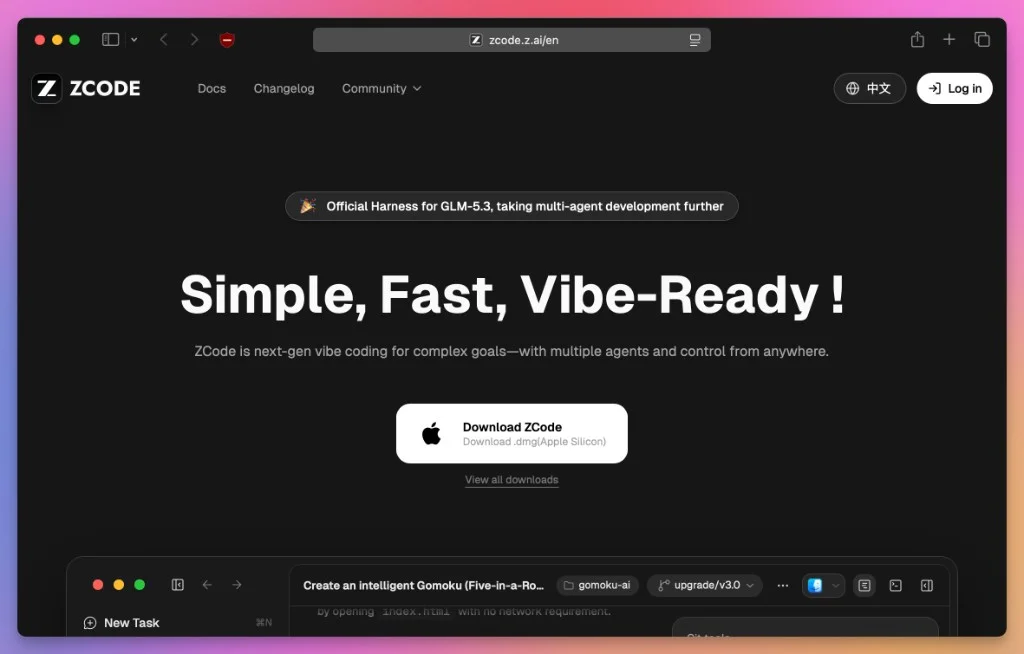
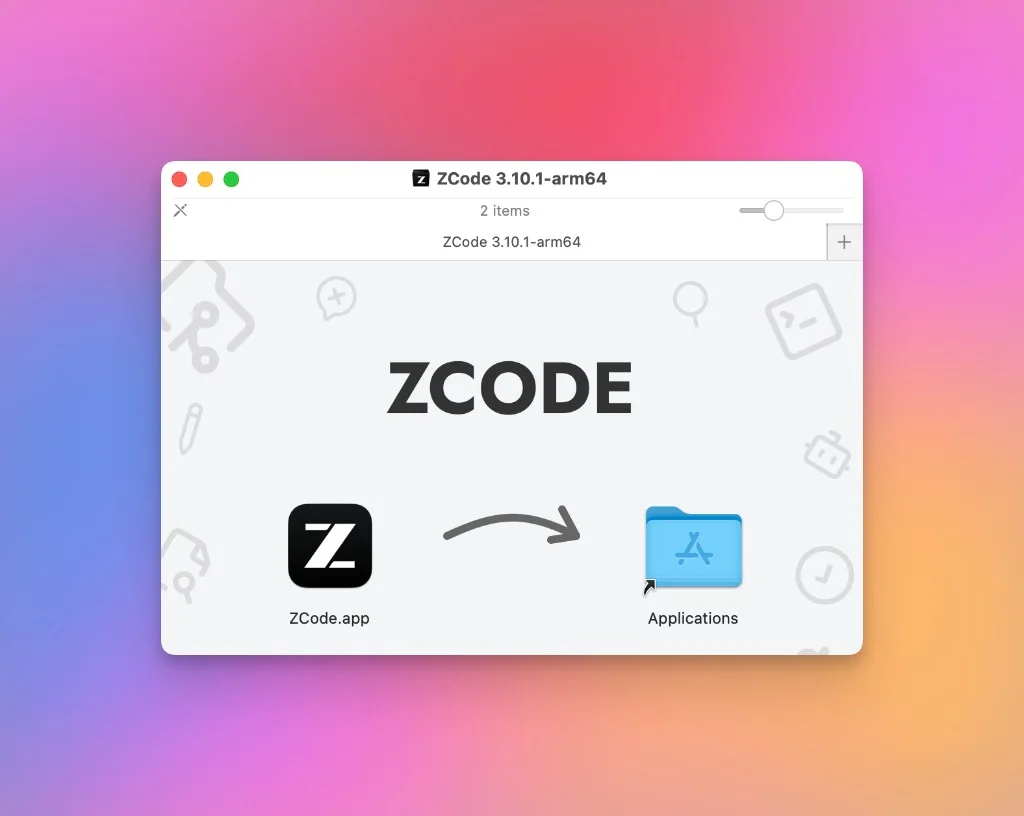
On an Apple Silicon Mac, you get a .dmg file. Open it and drag ZCode into Applications.
Windows installers are available. Linux builds are currently in beta.
Connect your account
ZCode asks you to connect an account on first launch.
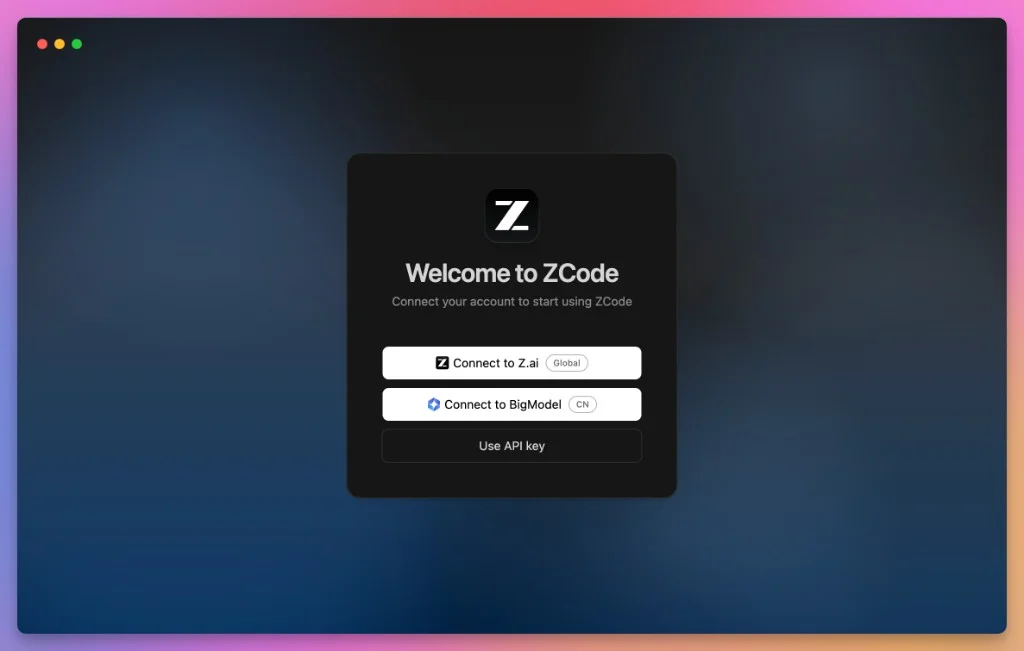
You can connect to:
- Z.ai, the global service
- BigModel, the Chinese mainland service
- your own API key
For most people outside China, choose Z.ai.
New users currently get a five-day trial. It includes daily quotas for GLM-5.3 and GLM-5-Turbo.
After the trial, you need a GLM Coding Plan:
- Lite costs $18 per month
- Pro costs $80 per month and includes six times the usage
- Max costs $168 per month and includes 14 times the usage
All three plans were 30% off when I checked them.
Usage works through points. Calls during off-peak hours and weekends cost half as many points.
The main ZCode window
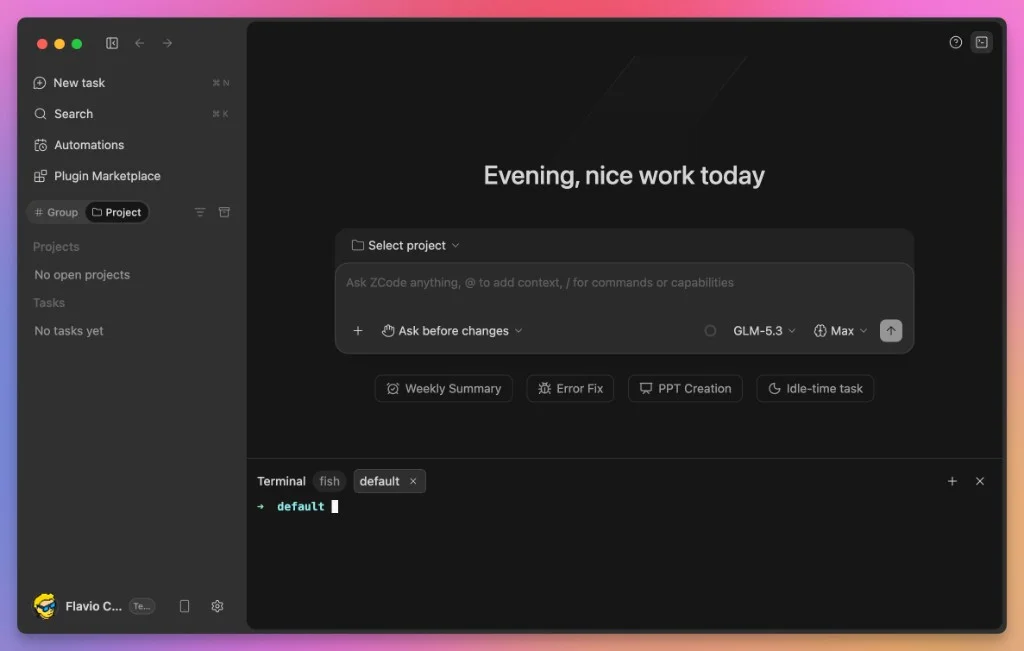
After connecting, you land here:
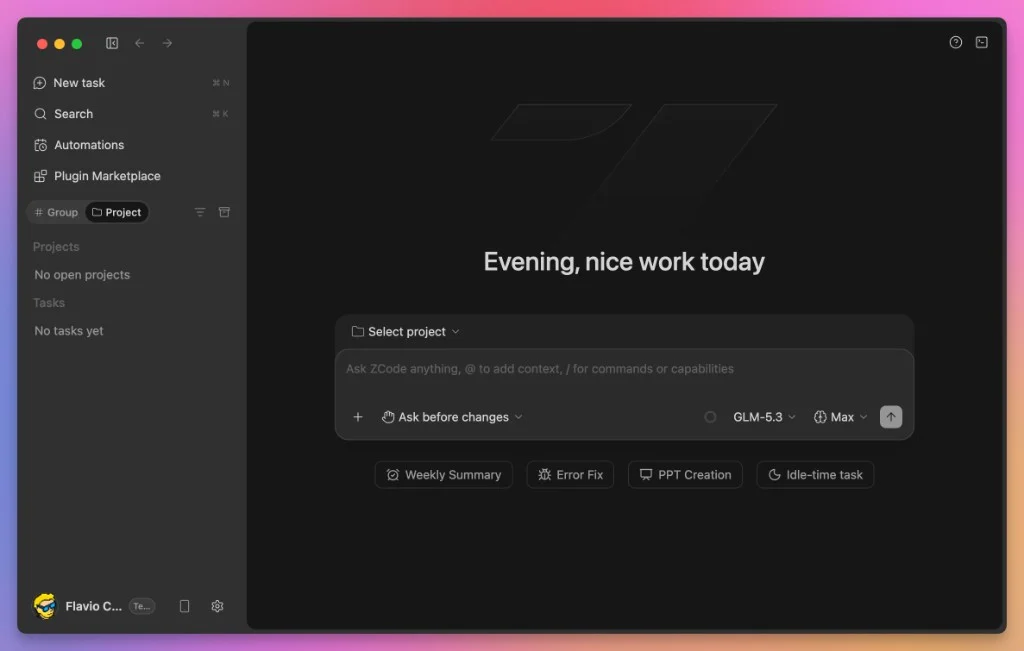
The sidebar contains your projects and tasks. It also gives you access to search, automations, and the Plugin Marketplace.
The center of the app is one prompt box. Use @ to add context and / to run commands.
ZCode also includes a terminal. Click the terminal icon in the top-right corner to open it.
Choose a model
The model selector sits below the prompt box.
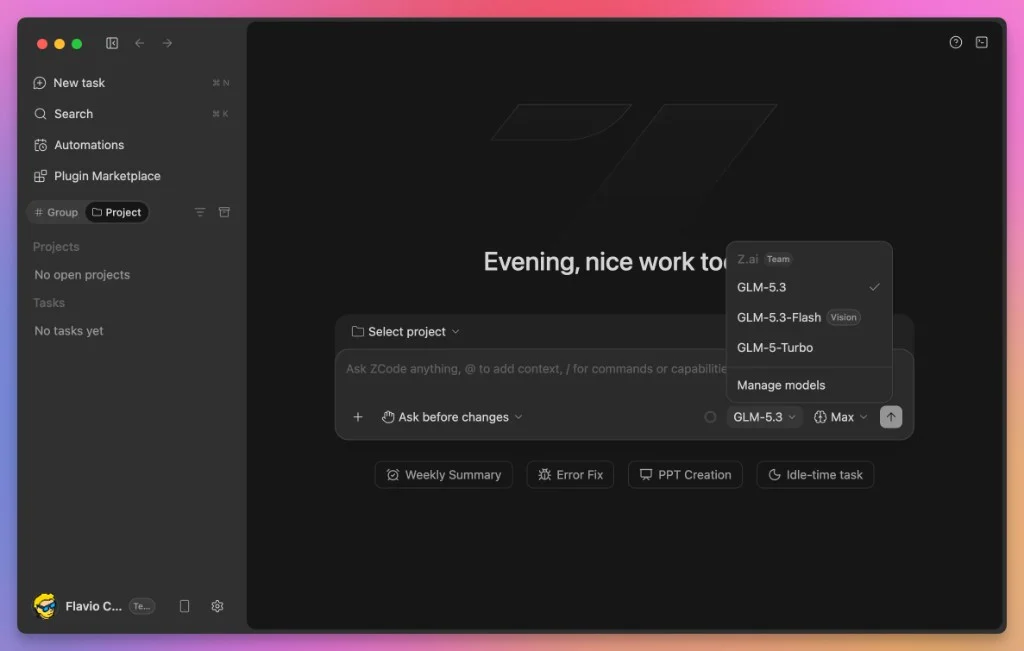
You can choose:
- GLM-5.3 for bigger coding tasks
- GLM-5.3-Flash for faster work and visual tasks
- GLM-5-Turbo for quick questions
GLM-5.3 also asks you to choose a reasoning effort.
I use Max for architecture, debugging, and work across several files. Low is enough for renames, small edits, and questions.
If you are unsure, start low. You can run the task again with more effort. Spending a large part of your quota on a small edit is harder to undo.
Choose a permission mode
I would check the permission mode before starting a task.
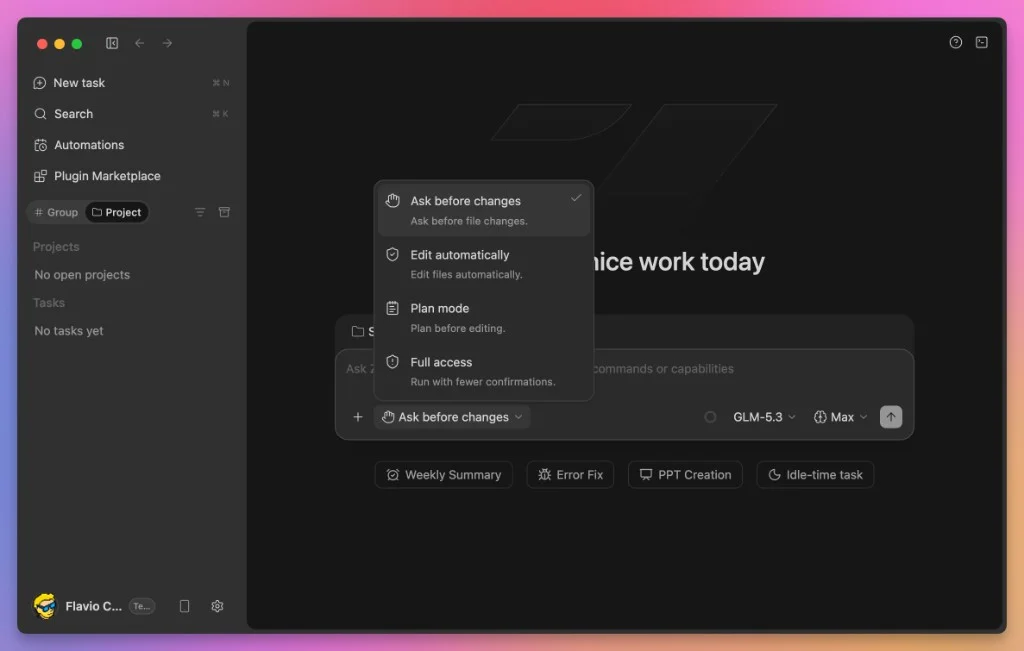
ZCode has four permission modes:
- Ask before changes asks before editing a file
- Edit automatically changes files without asking
- Plan mode shows a plan before editing
- Full access removes more confirmations
Start with Ask before changes. You will approve more actions, but you will see what the agent wants to do.
When you trust it on that project, switch to Edit automatically.
Use Plan mode for large changes. Reading a plan takes a minute. Finding the wrong assumption inside a large diff takes much longer.
I would keep Full access for disposable projects. Always use Git, regardless of the mode. My free Git course covers the basics if you need them.
Run a real task
I selected the flaviocopes.com repository and gave ZCode this task:
see the last published post and analyze if we can improve it,
suggest up to 4 things I could do to make it better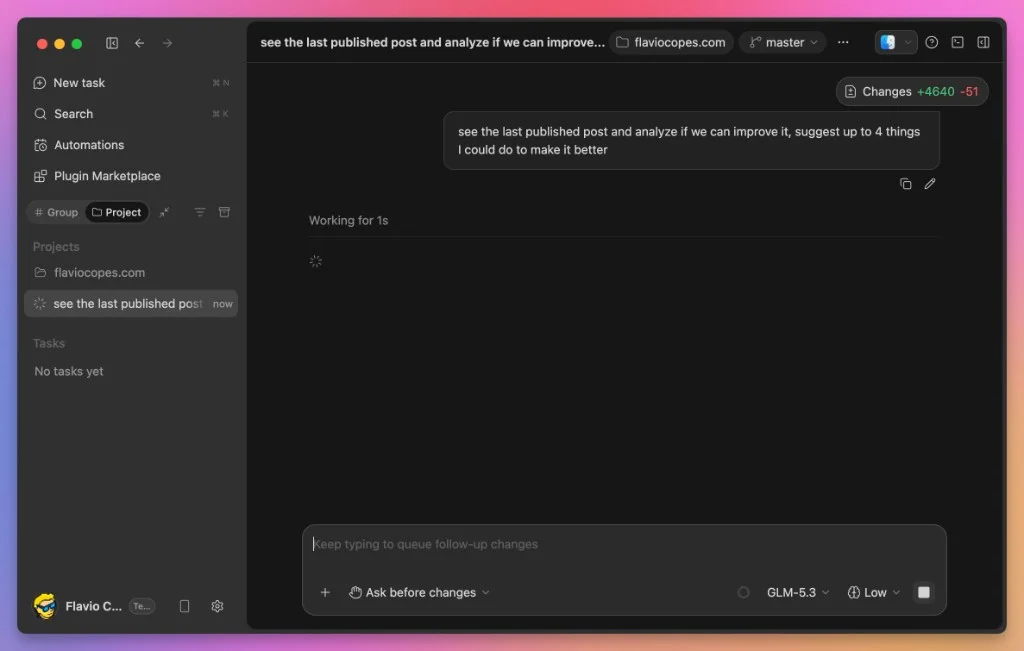
The agent started reading the repository. I was using Ask before changes, so it stopped before running a shell command.
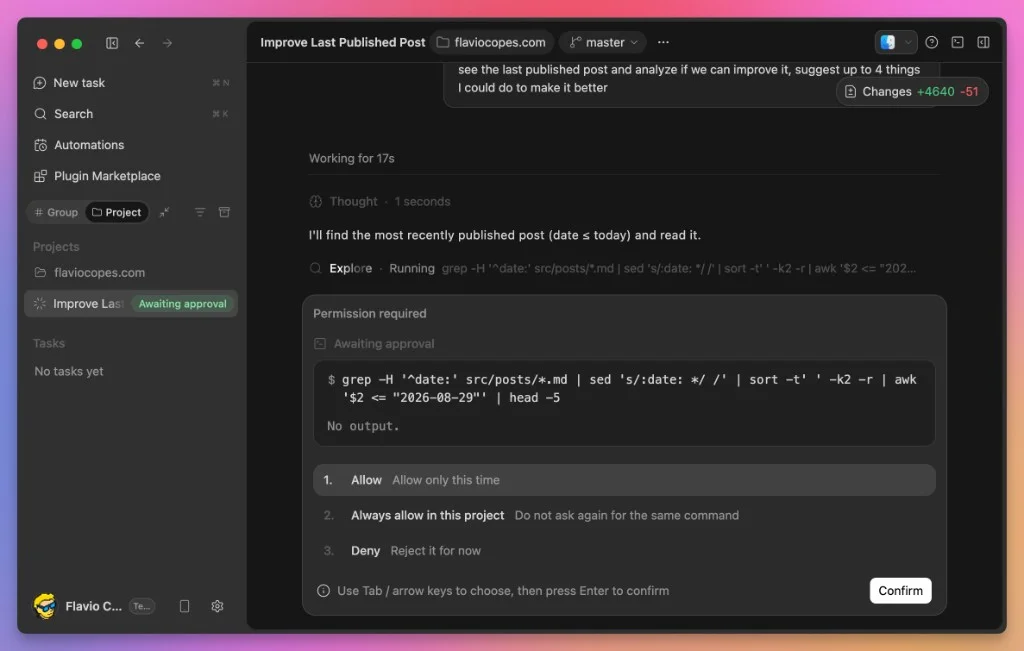
I could allow the command once, allow that pattern for the project, or deny it. This lets you grant access gradually instead of approving everything upfront.
I approved the command. ZCode found the latest post, read it, and compared it with the rest of the site.
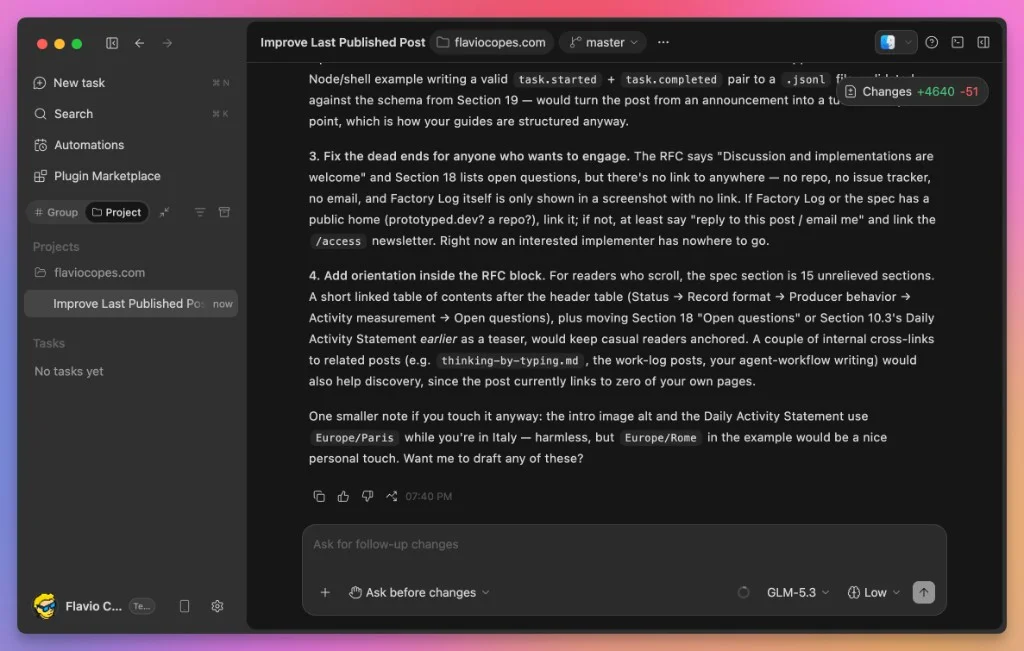
It found dead-end links, a long section without a table of contents, and a timezone inconsistency.
That was useful work from the first task.
The prompt also helped. I gave it one goal and a clear limit. With coding agents, I try to:
- keep one goal per task
- point to evidence with
@ - say how the agent can verify the result
Use Goals for longer work
A normal task is a conversation. A Goal keeps working toward an outcome.
ZCode loops through planning, execution, and verification. It updates its plan while it works instead of stopping at the first answer, which is where GLM-5.3’s long-task training should help.
I would still give Goals an outcome you can check. “Make the test suite pass” works. “Make the app better” does not.
Add plugins
The Plugin Marketplace adds new capabilities.
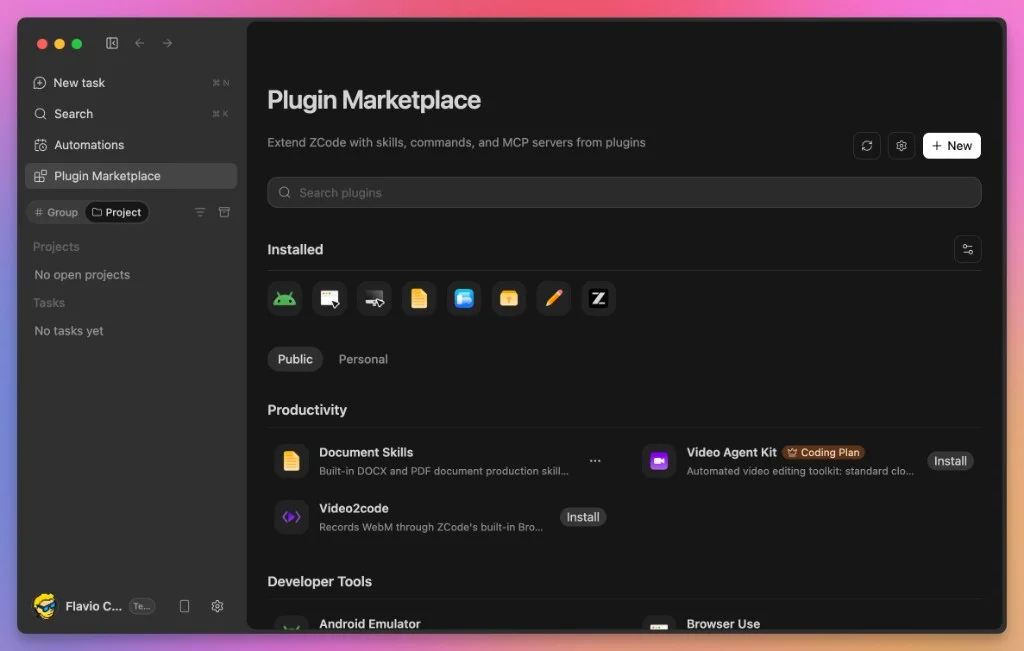
Plugins can bundle skills, commands, and MCP servers. The current catalog includes browser automation, Android emulation, video tools, and document production for DOCX and PDF.
If MCP is new to you, read What is MCP, the Model Context Protocol.
Schedule automations
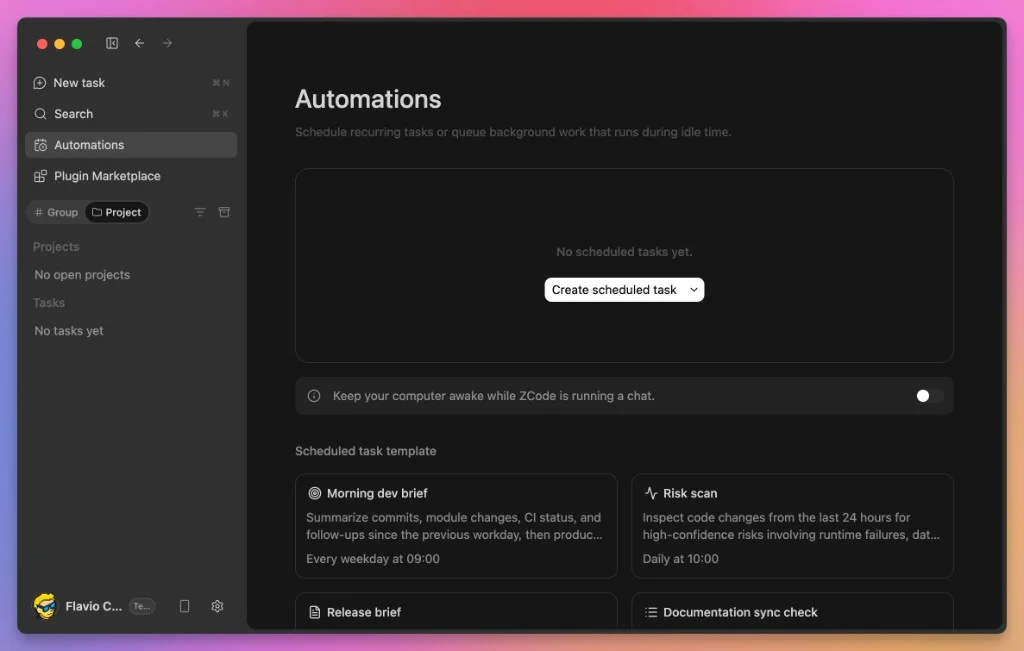
You can schedule recurring tasks or queue work for later.
The included templates cover a morning development brief and a daily risk scan. There is also a release brief and a documentation sync check.
Off-peak calls use half the usual points. Z.ai is also rolling out idle-time tasks for subscribers. These run when capacity is available and do not use plan quota.
I would use automations for work that does not need an immediate result:
- check recently changed pages for broken links
- scan the week’s changes for security problems
- prepare a Friday summary of the work
The security scan is the first one I would try. Vulnerability discovery is one of GLM-5.3’s strongest areas.
Control ZCode from your phone
ZCode offers Remote and Bot Channel.
Remote mirrors the desktop app on your phone after you scan a code.
Bot Channel connects ZCode to WeChat, Feishu, or Telegram. You can check a task, start another one, change projects, switch models, and select a run mode from chat.
The session still runs on your desktop. Your code stays on that machine.
I like this idea because long agent tasks often stop to ask one question. I would rather answer from my phone than find the task blocked two hours later. For Codex, Cursor, Grok Bot, and SSH workflows, see How to work with coding agents from your phone.
Is there a ZCode CLI?
Yes. On September 20, 2026, Z.ai published ZCode’s source code on GitHub under the Apache 2.0 license, and the repository includes a command line version.
It’s one zcode command. With no arguments it opens a terminal UI. With --web it serves the same agent as a local web app:
zcode
zcode --web
Both run on your machine without the desktop app. The ZCode website only offers the desktop download, though, so you build the CLI from the repository with Node.js and pnpm, following the README.
There’s also zcode-app-cli, a community package that gives you a zcode command with npm install -g zcode-app-cli@latest. Z.ai doesn’t make it. It wraps the agent from a ZCode desktop release in its own terminal interface.
Be careful with one default in the official CLI. When you run a task without the interface, with --prompt, it uses the yolo permission mode unless you pass --mode, so normal tool calls run without asking.
If you want a terminal agent on the GLM Coding Plan without building anything, Claude Code is the simplest route.
Use the Coding Plan with Claude Code
You are not locked into ZCode. Z.ai documents the Coding Plan for more than 20 tools.
The fastest way to configure Claude Code is Z.ai’s helper:
npx @z_ai/coding-helperYou can also edit ~/.claude/settings.json yourself:
{
  "env": {
    "ANTHROPIC_AUTH_TOKEN": "your-coding-plan-api-key",
    "ANTHROPIC_BASE_URL": "https://api.z.ai/api/anthropic",
    "ANTHROPIC_DEFAULT_OPUS_MODEL": "glm-5.3",
    "ANTHROPIC_DEFAULT_SONNET_MODEL": "glm-5.3",
    "ANTHROPIC_DEFAULT_HAIKU_MODEL": "glm-5.3-flash",
    "CLAUDE_CODE_AUTO_COMPACT_WINDOW": "1000000",
    "API_TIMEOUT_MS": "3000000"
  }
}
The three model settings route Claude Code to GLM. The compact window allows it to use more of the 1M context before summarizing.
The long timeout prevents a high-effort request from ending too soon.
Use the exact endpoint shown above. A wrong base URL can produce 1113 Insufficient Balance, even when the subscription is active.
Run claude, then open /status. Check that the base URL and model are correct.
Call GLM-5.3 from Node.js
The Z.ai API is compatible with the OpenAI API.
Here is a direct request using fetch():
const response = await fetch('https://api.z.ai/api/paas/v4/chat/completions', {
  method: 'POST',
  headers: {
    'Content-Type': 'application/json',
    Authorization: `Bearer ${process.env.ZAI_API_KEY}`,
  },
  body: JSON.stringify({
    model: 'glm-5.3',
    messages: [
      { role: 'user', content: 'Review this function for security issues: ...' },
    ],
    reasoning_effort: 'high',
  }),
})

const data = await response.json()
console.log(data.choices[0].message.content)
reasoning_effort accepts low, high, or max. It defaults to max.
Thinking cannot be disabled. Older code may send thinking.type: "disabled". Change it to enabled and use reasoning_effort: "low", or the request fails.
The API also supports streaming, function calls, structured output, and context caching.
Can you run GLM-5.3 yourself?
Yes, but not on a normal laptop.
Z.ai provides instructions for vLLM and SGLang on the Hugging Face page. GLM-5.3 needs a multi-GPU server.
Self-hosting makes sense when a company needs full control over its data and has the infrastructure to run the model.
For the rest of us, public weights still matter. Another provider can host the model, and Z.ai cannot remove it after release.
How does ZCode compare?
Claude Code runs in the terminal. ZCode gives you a desktop app, automations, and phone control.
Claude Code has a more mature ecosystem and supports custom subagents, which ZCode currently does not. You can use both with the same Coding Plan.
Unlike Cursor-style tools, ZCode leaves out the code editor. It fits people who want the agent to write while they review. I wrote about that shift in What changes when you stop opening the code editor?.
Agent managers coordinate several agents across projects. ZCode runs parallel tasks, Goals, and automations, but only for its own agent. My deep dive into bb shows what a broader agent manager looks like.
Where ZCode falls short
GLM-5.3 is competitive with closed models, but it does not lead them.
ZCode is also young. Releases move quickly, and some rough edges are expected.
The missing custom subagents matter to me. I use specialized agents to split larger work into parallel tasks.
Privacy can also rule it out for proprietary code. Self-hosting solves that problem, but only for teams with enough infrastructure.
This makes ZCode a useful second tool today, not an obvious replacement for my main setup.
How I would use ZCode
I ran ZCode on this site’s repository using GLM-5.3 at Low effort. It handled the task well.
I would keep the Lite plan for a second opinion. A different model can find a path that my usual coding agent missed, and $18 per month is reasonable for that.
I would also use automations for regular reviews. Broken links, recent security problems, and weekly summaries do not need me watching the task.
GLM-5.3 is also a practical way to follow open coding models. Using one on real work tells me more than another benchmark table.
I would not use ZCode for client work until I checked the data rules for that project. I would also avoid moving a critical workflow to it while the app is this new.
If coding agents are new to you, my free AI Fundamentals course explains agent loops, tools, permissions, and safe ways to use them.
Want me to talk about your product? You can sponsor this site.
Related posts about ai: