Set custom cookie in the header and then redirect in Astro
By Flavio Copes
Learn how to set a cookie and redirect in Astro when Astro.redirect drops the Set-Cookie header, by returning a manual 302 Response with both headers set.
To set a cookie and redirect in Astro, return a manual Response with a 302 status, a Location header, and your Set-Cookie header. If you append the cookie header and then call Astro.redirect(), the cookie gets dropped.
Here’s the situation I was in. I had the need to set a cookie and then redirect, in a server-rendered Astro page (this whole technique only applies to SSR routes, a prerendered page can’t set cookies at request time).
For some reason (using a library that wanted me to set a cookie string directly) I couldn’t use the Astro.cookies.set() API, which just works and you don’t need to worry about any of this.
The library was PocketBase, and its auth store exports the full cookie string. So I set the cookie using a response header with Astro.response.headers.append():
Astro.response.headers
  .append('Set-Cookie',
    pb.authStore.exportToCookie())
Using return Astro.redirect('/') right after this didn’t work because the cookie was not attached to the redirect. The browser followed the redirect, but the auth cookie never arrived, so the user landed on the dashboard logged out.
The fix: build the Response yourself
I used this instead:
return new Response(null, {
  status: 302,
  headers: {
    Location: '/dashboard',
    'Set-Cookie': pb.authStore.exportToCookie(),
  },
})
This is exactly what Astro.redirect() does internally:
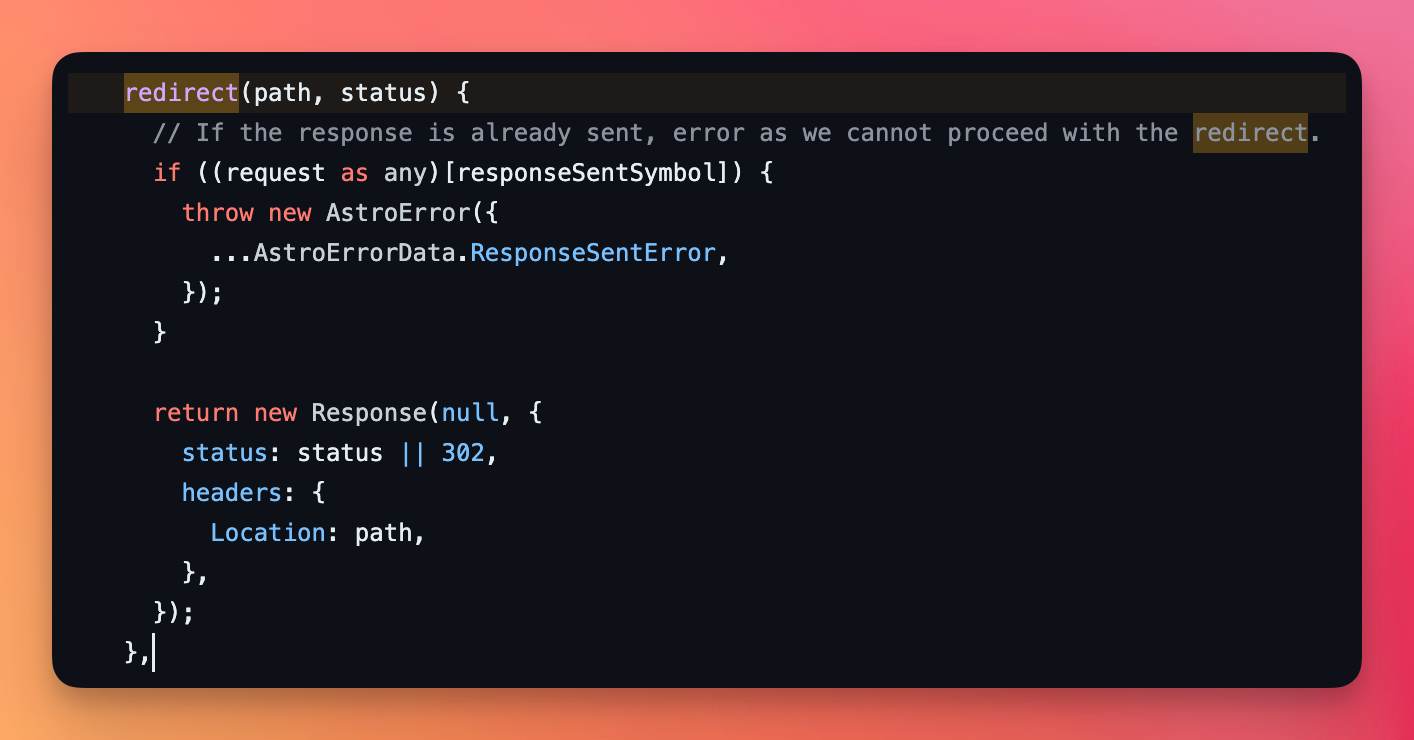
…except we set the Set-Cookie header too.
That’s the key insight: Astro.redirect() builds a brand new Response with just the status and the Location header. Your appended header lives on a different response object, the one that never gets sent. Building the Response yourself puts both headers on the same object.
The Safari pitfall
One thing bit me on localhost. Safari doesn’t accept secure cookies over plain HTTP on local, so the cookie silently never got stored.
The fix is to set the secure option based on the environment:
return new Response(null, {
  status: 302,
  headers: {
    Location: '/dashboard',
    'Set-Cookie': pb.authStore.exportToCookie({
      secure: import.meta.env.DEV ? false : true
    }),
  },
})
In development the cookie is sent without the secure flag, so Safari stores it. In production, where you serve over HTTPS, the flag stays on.
If you need to set more than one cookie, a plain object can only hold one Set-Cookie key. Create a Headers object and call append() once per cookie, then pass it as the headers value.
Want me to talk about your product? You can sponsor this site.
Related posts about astro: