One keyboard shortcut to paste and send a repeated prompt on macOS
By Flavio
Tagged: Mac
Bind a single macOS keyboard shortcut to paste canned text and press Return only in one app, then restore your clipboard, with Raycast or alternate Mac tools.
Many Mac desktop apps let you customize shortcuts for menus and navigation, yet give you no way to bind a single key chord to “insert this exact message and hit Return.” That is especially common in Electron apps like Discord, Slack, Claude Desktop, and coding agent clients.
Text expansion tools solve half the problem. You type a trigger, wait for it to expand, and then press Return yourself.
If you want one keyboard shortcut (such as ⌃⌥E) to insert a repeated prompt or canned reply and submit it in a single press, you can wire up a tiny shell script with a Raycast Script Command (or several alternate Mac tools covered below). The script checks which app is in front, backs up your clipboard, pastes the text, presses Return, and restores your previous clipboard.
How the single-keypress trick works
Global hotkeys come with one obvious risk: pressing ⌃⌥E while focused on the wrong window would paste text and hit Return wherever your cursor happens to be. In a terminal or a chat app, an accidental Return can run a command or send a half-written reply.
The script prevents misfires by checking the frontmost app’s bundle ID before touching the clipboard or sending keystrokes.
Find the target app’s bundle ID
Checking the frontmost app by bundle ID is safer than checking its display name. App names change across releases (for example, T3 Code (Beta) becoming T3 Code), while the bundle ID stays the same.
Ask macOS for any installed app’s bundle ID with osascript (see how to find the bundle ID of a Mac app for two other methods):
osascript -e 'id of app "Discord"'com.hnc.DiscordHere are a few bundle IDs from apps installed on my Mac so you can see the pattern:
| App | Bundle ID |
|---|---|
| TextEdit | com.apple.TextEdit |
| Discord | com.hnc.Discord |
| Claude Desktop | com.anthropic.claudefordesktop |
| T3 Code | com.t3tools.t3code |
Create the Raycast Script Command
Create a folder for your scripts, such as ~/raycast-scripts, and save this file as ~/raycast-scripts/paste-and-send.sh. Replace TARGET_BUNDLE and MESSAGE with the app and text you want.
#!/bin/bash

# Required parameters:
# @raycast.schemaVersion 1
# @raycast.title Paste and Send Text
# @raycast.mode silent

# Optional parameters:
# @raycast.packageName Keyboard Automation
# @raycast.icon ⌨️

TARGET_BUNDLE="com.anthropic.claudefordesktop"
MESSAGE="Anything else should I do here?"

FRONT_BUNDLE=$(osascript -e 'tell application "System Events" to get bundle identifier of first application process whose frontmost is true')

if [ "$FRONT_BUNDLE" != "$TARGET_BUNDLE" ]; then
  exit 0
fi

TMP_CLIP=$(mktemp)
trap 'rm -f "$TMP_CLIP"' EXIT
pbpaste > "$TMP_CLIP"

printf '%s' "$MESSAGE" | pbcopy

osascript <<'APPLESCRIPT'
delay 0.15
tell application "System Events"
  keystroke "v" using command down
  delay 0.08
  key code 36
end tell
APPLESCRIPT

sleep 0.15
pbcopy < "$TMP_CLIP"
Make the script executable so Raycast loads it:
chmod +x ~/raycast-scripts/paste-and-send.shSeveral small choices in this script keep it reliable in daily use:
@raycast.mode silentruns the script in the background without opening a Raycast output window. Because nothing prints tostdout, Raycast does not show a HUD toast either.- Only
System Eventsis scripted. The script never callstell application "..."on the target app, so macOS does not show per-app Automation prompts. You only grant Accessibility permission to Raycast once under System Settings → Privacy & Security → Accessibility. pbpaste > "$TMP_CLIP"saves your clipboard to a temporary file instead of a shell variable. UsingOLD_CLIP=$(pbpaste)strips trailing newlines from whatever you had copied.printf '%s'copiesMESSAGEwith no trailing newline.echoadds a newline that can insert a blank line inside chat composers.- Paste (
⌘V) instead ofkeystroke "$MESSAGE". Typing character by character through AppleScript is slower, breaks on accents and non-US keyboard layouts, and collides with modifier keys you have not released yet. key code 36presses Return on every keyboard layout.
If you want to go deeper into shell scripts and macOS automation tools like osascript, pbcopy, and pbpaste, check out the free Automate macOS and Shell Scripting and Automation courses.
Why the short delays matter
The three small pauses (0.15, 0.08, and 0.15 seconds) fix two real timing bugs.
The first delay 0.15 gives your fingers time to lift off Control and Option after pressing ⌃⌥E. If System Events sends ⌘V while Option is still held down, macOS delivers ⌥⌘V instead of a normal paste.
The final sleep 0.15 avoids a clipboard race condition. ⌘V posts a key event to the frontmost app’s queue and returns immediately, so the target app reads the pasteboard a few milliseconds later. If the script restores your previous clipboard right away, the app can read the restored text instead of MESSAGE.
I measured this on macOS 15.7.7 against TextEdit across five trials per delay, starting each run with OLD_CLIPBOARD on the clipboard:
| Restore delay | Pasted the message | Pasted OLD_CLIPBOARD | Restored clipboard cleanly |
|---|---|---|---|
0s | 4 / 5 | 1 / 5 | 5 / 5 |
0.05s | 5 / 5 | 0 / 5 | 5 / 5 |
0.15s | 5 / 5 | 0 / 5 | 5 / 5 |
With 0s, the very first trial pasted OLD_CLIPBOARD instead of the new message. Keeping 0.15s leaves plenty of margin for heavier Electron apps as well.
In the same test run, the wrong-app guard exited in 71 ms without touching the clipboard, and the full paste, Return, and restore cycle finished in 489 ms.
Bind the hotkey in Raycast
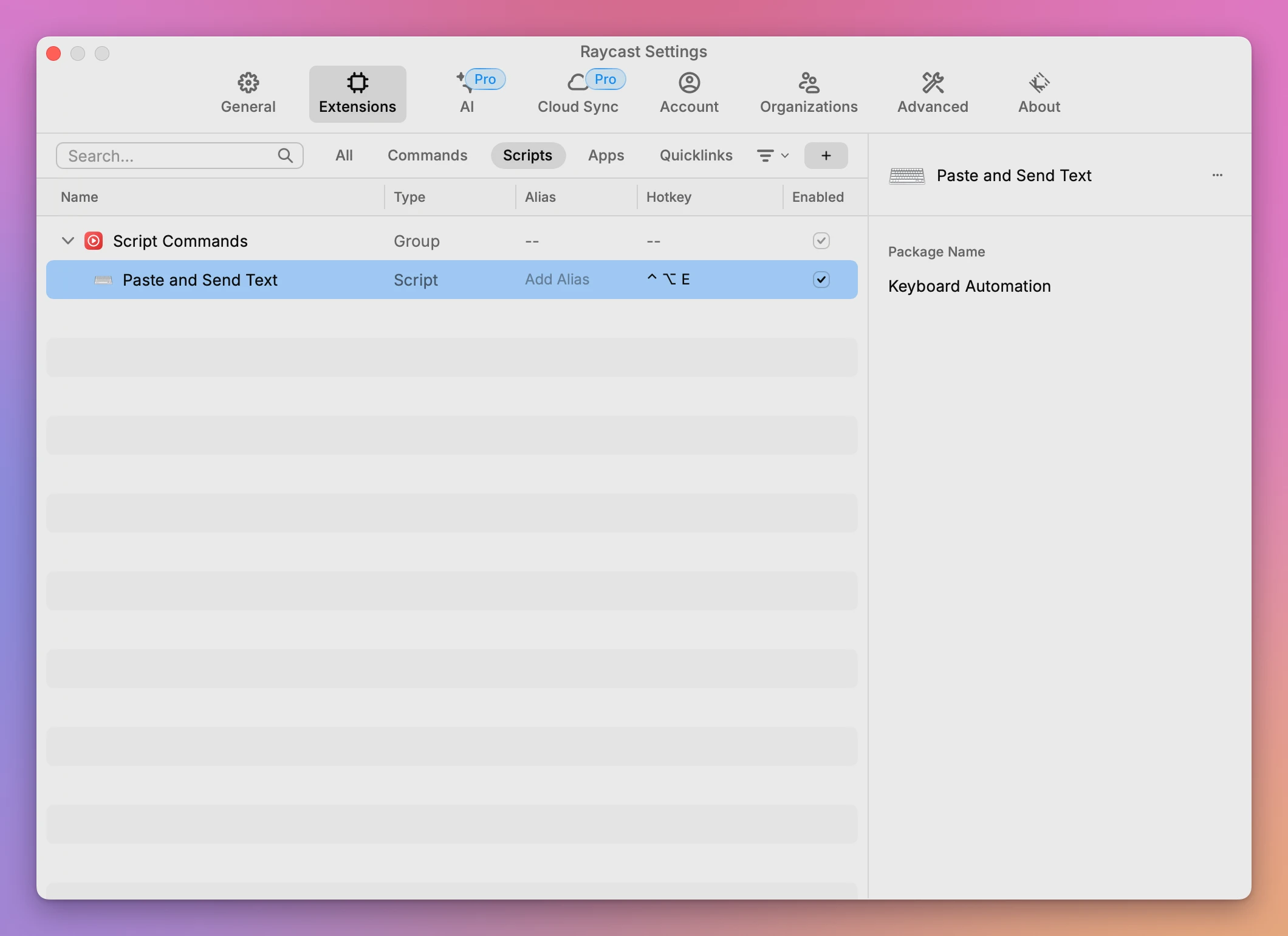
Open Raycast Settings → Extensions, click +, choose Add Script Directory, and pick ~/raycast-scripts.
Filter by Scripts, expand Script Commands, and click Record Hotkey on Paste and Send Text. Press a chord that does not clash with your target app’s shortcuts, like ⌃⌥E.
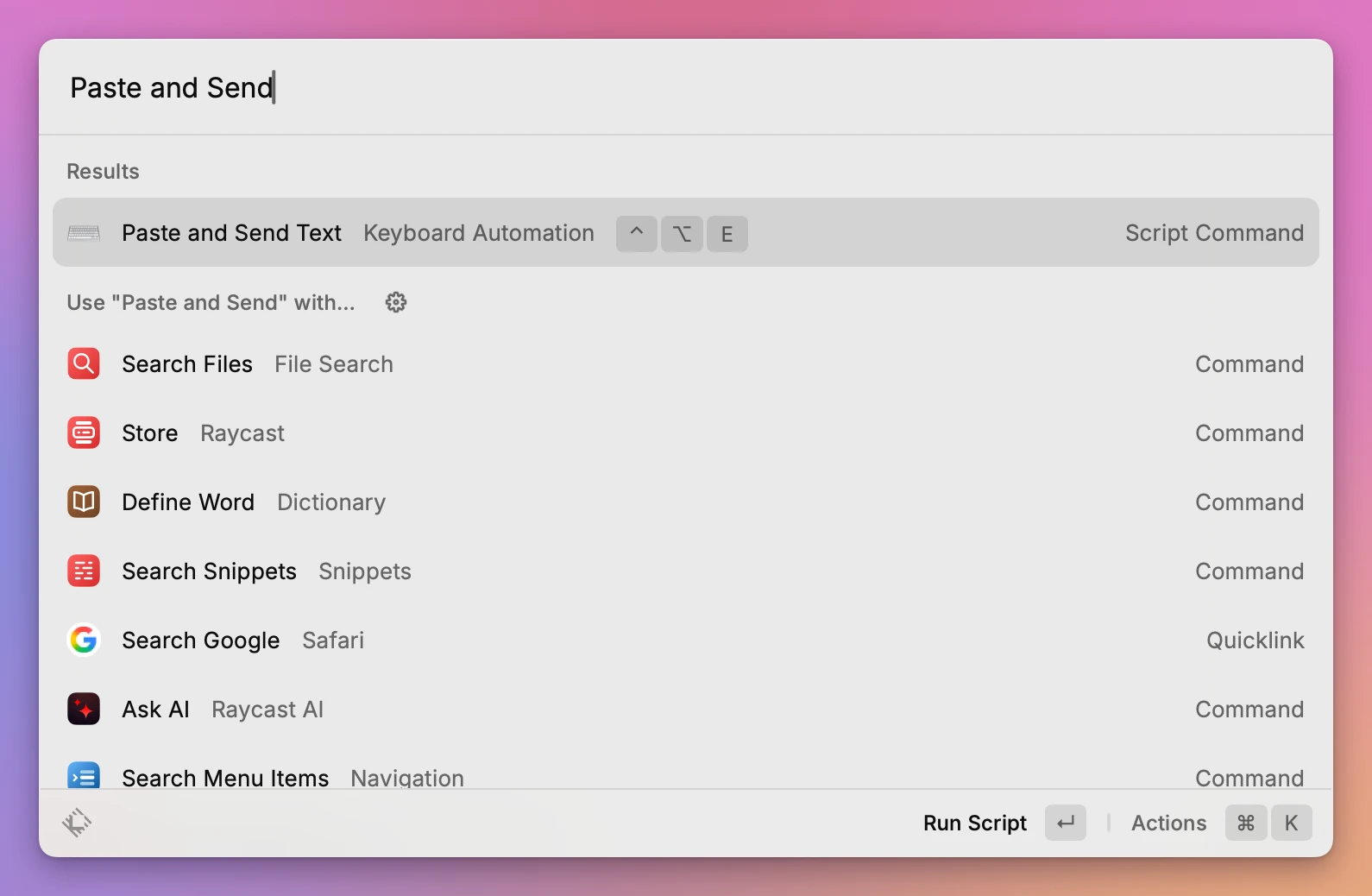
The script also appears in Raycast’s launcher with its shortcut badge, so you can trigger it by name or check its binding anytime.
A concrete use case: wrapping up threads in T3 Code
The reason I looked into this trick was T3 Code. At the end of almost every coding agent thread, I want to ask "Anything else should I do here?" to catch uncommitted changes, skipped checks, or loose ends.
T3 Code’s keybindings.json has dozens of bindings for panels, threads, and composer actions, yet none that inserts arbitrary text and submits it. Dropping com.t3tools.t3code into TARGET_BUNDLE and binding ⌃⌥E turns that wrap-up question into a single keypress that stays silent everywhere outside T3 Code.
In practice, I ended up going one step further for T3 Code itself and creating a native /else skill in ~/.agents/skills/else/SKILL.md, because I wanted the agent to run a fixed wrap-up checklist (git state, pending verification, manual steps, and follow-up reminders) rather than just answer a plain sentence. Still, the Raycast Script Command approach works in every other app that has no skill system: Claude Desktop, Discord, Slack, Linear comments, or a browser tab.
One tip if you use this shortcut to send a slash command like /else or /status: apps with a slash autocomplete popup consume the first Return to select the menu item. Add a second delay 0.08 and a second key code 36 so the script selects the command and then submits it.
Two caveats to keep in mind
First, pbpaste only reads plain text (public.utf8-plain-text). If your clipboard holds a screenshot or a copied file when you press ⌃⌥E, pbpaste returns nothing, and pbcopy < "$TMP_CLIP" clears that image. For plain text like URLs, logs, and code snippets, the restore works cleanly. If you regularly keep images on your clipboard, either skip the restore lines and rely on Raycast’s Clipboard History, or use Hammerspoon or Keyboard Maestro below, which preserve every pasteboard data type.
Second, this shortcut simulates typing into whichever text field currently has focus inside the target app. If focus is on a sidebar or search box instead of the message composer, the text lands there.
Alternate ways to do the same thing on macOS
Raycast is handy if you already use it, yet it is far from the only way to build an app-scoped paste-and-send shortcut on a Mac.
| Tool | Price | App scoping | Preserves image clipboard | Sends Return automatically | Extra setup |
|---|---|---|---|---|---|
| Raycast Script Command | Free | Manual bundle ID check in script | No (pbpaste is text-only) | Yes | Raycast + Accessibility |
| macOS Shortcuts Quick Action | Built-in | Manual bundle ID check in script | No (pbpaste is text-only) | Yes | Shortcuts + Accessibility |
| Hammerspoon | Free, open source | frontmostApplication():bundleID() | Yes (readAllData / writeAllData) | Yes | Lua config + Accessibility |
| Keyboard Maestro | Paid | Native per-app macro groups | Yes (built-in) | Yes | GUI macro + Accessibility |
| BetterTouchTool | Paid | Native per-app sidebar groups | Yes (built-in) | Yes | GUI action + Accessibility |
| Karabiner-Elements | Free, open source | frontmost_application_if rule | Depends on shell script | Yes | JSON rule + Accessibility |
| Raycast Snippets / Espanso | Free | Global or per-app (Espanso) | Yes | No (you press Return) | Text expander |
macOS Shortcuts (no third-party app)
Apple’s built-in Shortcuts app runs the exact same shell script without the @raycast.* comment headers:
- Create a new shortcut and add a Run Shell Script action.
- Paste everything from
TARGET_BUNDLE=topbcopy < "$TMP_CLIP". - Open the right-hand Shortcut Details panel, enable Use as Quick Action and Services Menu, then click Add Keyboard Shortcut and record
⌃⌥E. - Grant Accessibility permission to Shortcuts in System Settings → Privacy & Security → Accessibility.
The main catch is that Quick Action shortcuts go through macOS Services, which can feel slower on cold start and behave inconsistently in apps that do not expose a standard Services menu.
Hammerspoon (free, open source, full clipboard restore)
If you prefer a single lightweight daemon written in Lua, Hammerspoon replaces the bash script, osascript, and pbcopy in one file (~/.hammerspoon/init.lua). Its hs.pasteboard.readAllData() and hs.pasteboard.writeAllData() helpers save and restore every pasteboard UTI, including screenshots and rich text:
local targetBundle = 'com.t3tools.t3code'
local message = 'Anything else should I do here?'

hs.hotkey.bind({ 'ctrl', 'alt' }, 'e', function()
  local app = hs.application.frontmostApplication()
  if not app or app:bundleID() ~= targetBundle then return end

  local previous = hs.pasteboard.readAllData()
  hs.pasteboard.setContents(message)

  hs.timer.doAfter(0.15, function()
    hs.eventtap.keyStroke({ 'cmd' }, 'v', 0)
    hs.timer.doAfter(0.08, function()
      hs.eventtap.keyStroke({}, 'return', 0)
      hs.timer.doAfter(0.15, function()
        if previous then hs.pasteboard.writeAllData(previous) end
      end)
    end)
  end)
end)
Because everything runs inside Hammerspoon’s own process with no shell subprocesses, it triggers fast and keeps non-text clipboard items intact.
Keyboard Maestro and BetterTouchTool
If you already pay for Keyboard Maestro or BetterTouchTool, you do not need any scripting at all.
In Keyboard Maestro, create a Macro Group restricted to the target app, add a hot key trigger (⌃⌥E), add an Insert Text by Pasting action (which restores your clipboard automatically), and follow it with Type the Return Keystroke. Because the group itself is app-scoped, ⌃⌥E stays free in every other app on your Mac.
BetterTouchTool works the same way: pick the target app in the left sidebar, add a keyboard shortcut trigger, and chain Insert / Type / Paste Custom Text with a Return key action.
Karabiner-Elements
If you already remap keys with Karabiner-Elements, a complex modification rule can match frontmost_application_if on bundle_identifiers (such as ^com\.t3tools\.t3code$) and trigger the shell script through shell_command. That is useful when you want to bind the action to a Hyper key or a single unused function key rather than a three-key chord.
Text expanders when you do not need automatic Return
When pressing Return yourself is fine, skip synthetic keystrokes altogether. Raycast Snippets and Espanso both expand short triggers like ;else reliably inside Electron composers (where macOS built-in Text Replacements often fail), leave your clipboard alone, and never risk submitting a message before you glance at it.
Want me to talk about your product? You can sponsor this site.
Related posts about mac: