How to find the bundle ID of a Mac app
By Flavio Copes
Learn how to find the bundle ID of a Mac app, the reverse-domain string like com.apple.finder, by running osascript with the id of app AppleScript command.
The quickest way to find the bundle ID of a Mac app is to run osascript -e 'id of app "AppName"' in the terminal, replacing AppName with the name of the app.
I was running a script and I had the need to find the bundle ID of one app I had installed.
The bundle ID is the string that looks like a domain, but written in the opposite way.
Like com.apple.finder or com.microsoft.VSCode.
macOS uses it as the unique identifier of an app. You need it when scripting apps, when changing hidden preferences with defaults, or when opening a specific app with open -b.
Using osascript
Here’s the script you can use:
osascript -e 'id of app "Finder"'com.apple.finder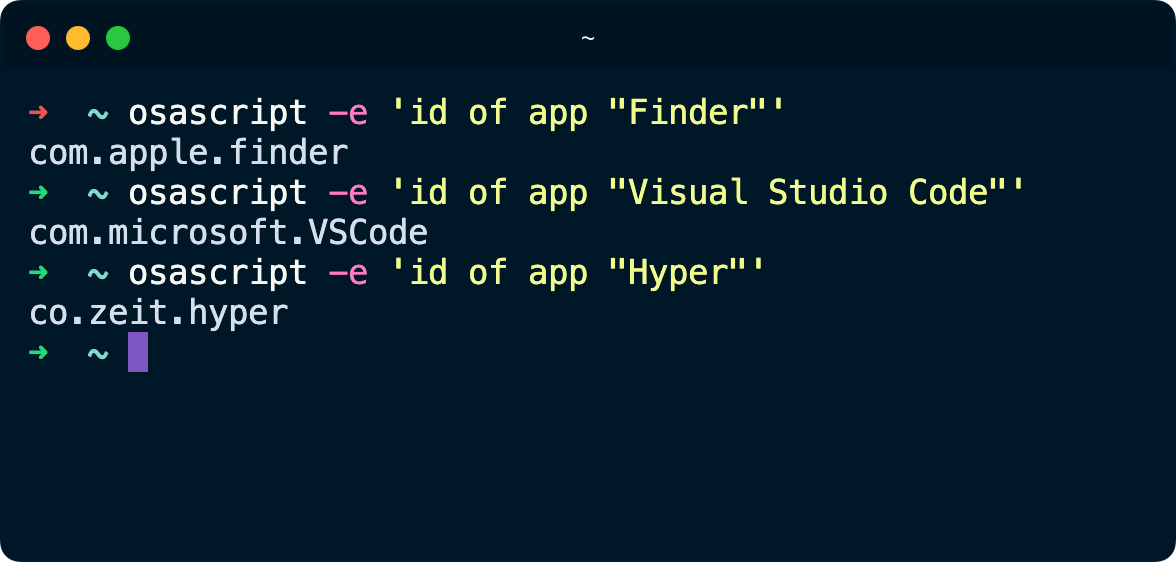
osascript is a tool that runs AppleScript. That AppleScript code, id of app "Finder", asks the Mac for the bundle ID of the app with the name we passed to it.
The name must match how the app is called in your Applications folder. If you type a name macOS can’t find, a dialog pops up asking “Where is …?” and waits for you to locate the app manually. Press Cancel, check the exact name in /Applications, and run the command again.
Two alternatives
If you prefer not to go through AppleScript, mdls reads the same information from the Spotlight metadata of the app:
mdls -name kMDItemCFBundleIdentifier /Applications/Visual\ Studio\ Code.appkMDItemCFBundleIdentifier = "com.microsoft.VSCode"You can also read it straight from the app’s Info.plist file, where the bundle ID is actually stored:
defaults read /Applications/Visual\ Studio\ Code.app/Contents/Info CFBundleIdentifiercom.microsoft.VSCodeAll three commands return the same value. I find osascript the handiest because it takes the app name instead of the full path.
What can you do with it?
Once you have the bundle ID, you can for example launch the app without knowing where it lives on disk:
open -b com.microsoft.VSCodeThat’s the reason I needed it: scripts that reference apps by bundle ID keep working even if the app moves or gets renamed.
Want me to talk about your product? You can sponsor this site.
Related posts about mac: