How to connect to a Raspberry Pi using a Mac
By Flavio Copes
Learn how to connect to a Raspberry Pi from a Mac over VNC or Raspberry Pi Connect: enable remote desktop on Raspberry Pi OS, then open the desktop from your Mac.
I recently got a Raspberry Pi for testing, and to build some projects ideas I have.
I installed Raspbian, the Linux distribution based on Debian and made for the Raspberry Pi. Today it’s called Raspberry Pi OS.
Then I attached the Raspberry Pi to the TV, using the HDMI cable, and I attached an USB mouse and USB keyboard to install the OS and get all “wired up”.
I then set up the VNC Server on the Pi to be able to connect to it from the Mac. I didn’t really want to keep it attached to the TV all the time.
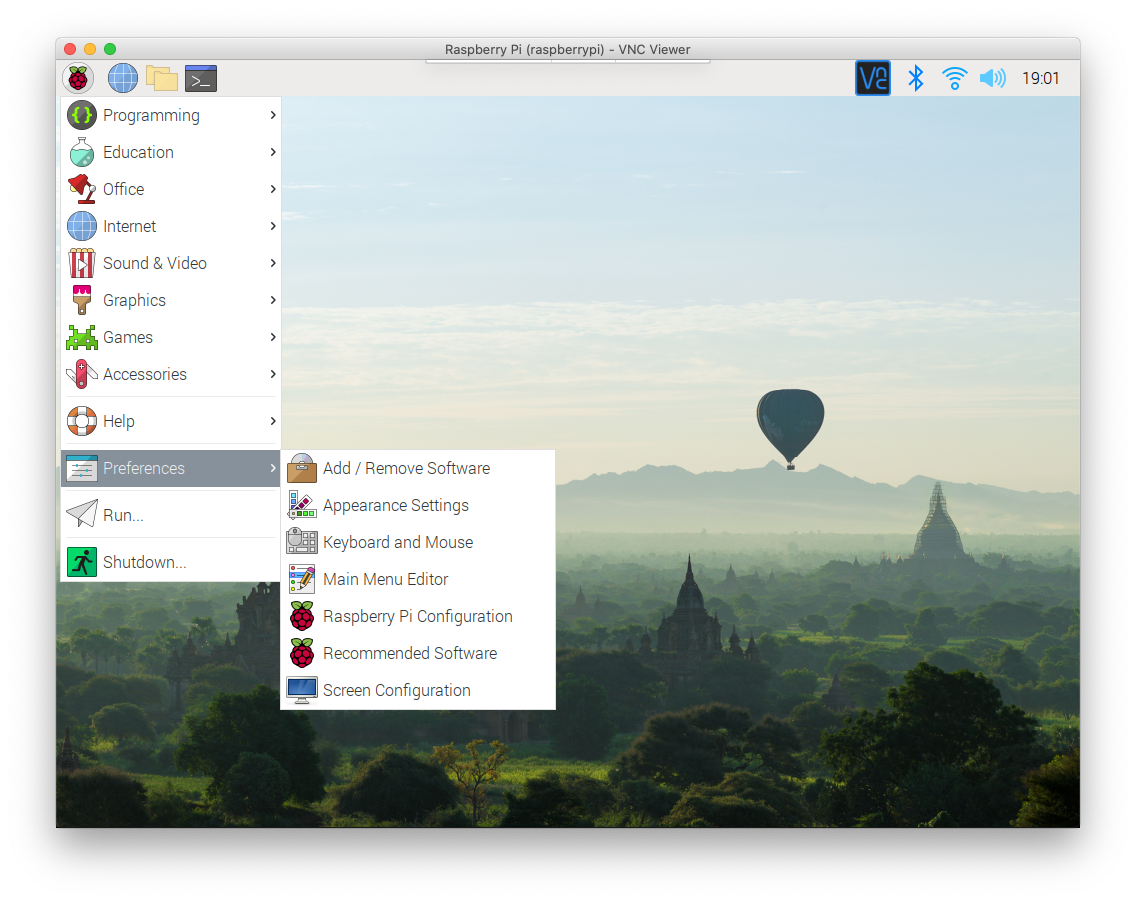
So I clicked the menu, went to Preferences -> Raspberry Pi Configuration. On current Raspberry Pi OS (Trixie) that app is called Control Centre. It lives in the same Preferences menu and has the same Interfaces tab, so the steps below still apply:
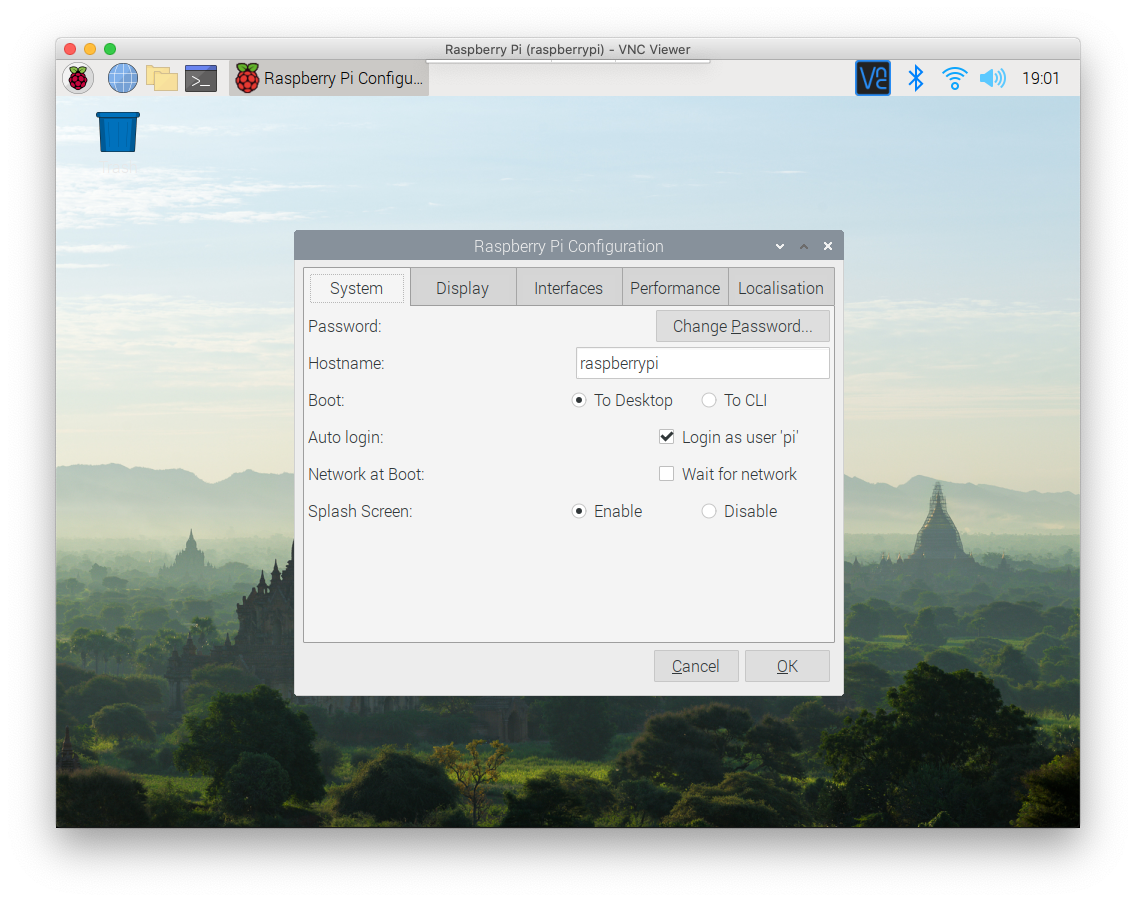
Then I pressed the Interfaces tab:
and I enabled the VNC option:
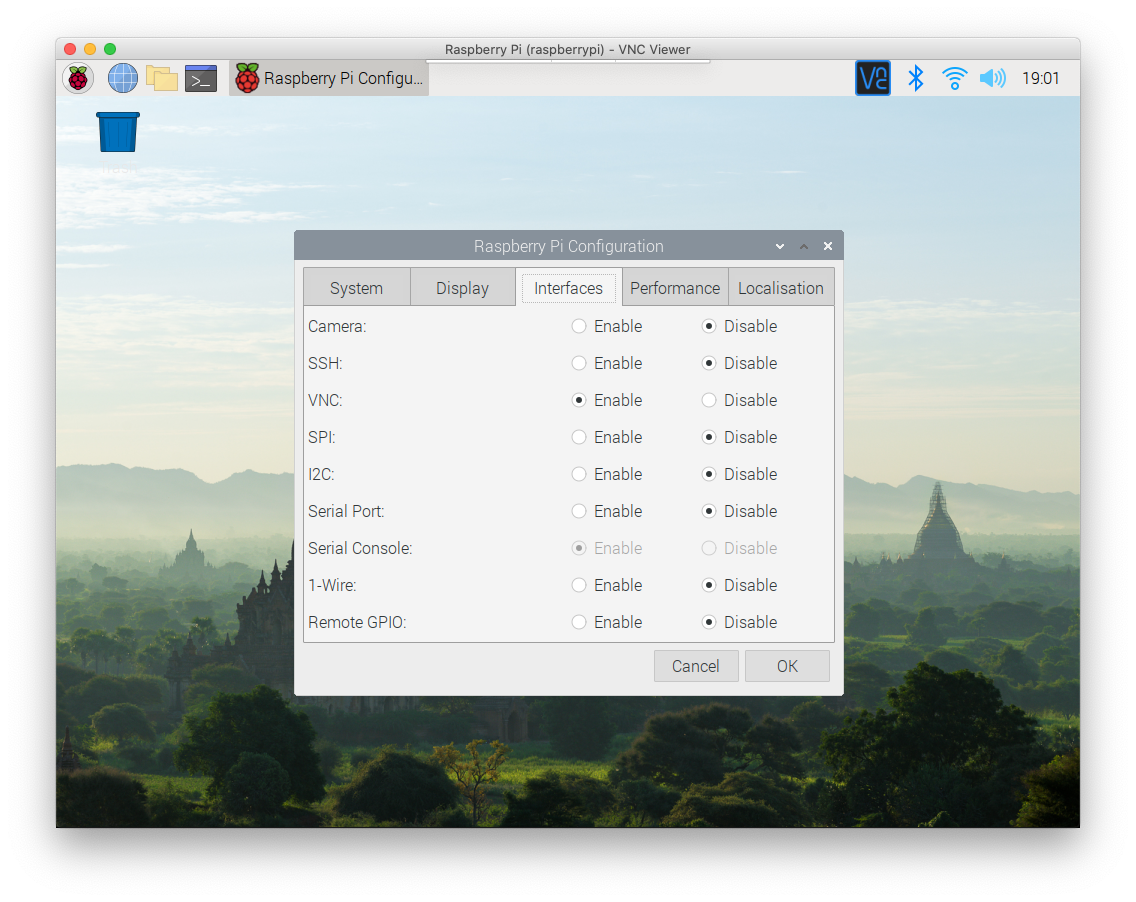
After doing so, I pressed OK and the “VNC” icon appeared in the toolbar.
In the screenshots above it’s already there, but it’s because I made them after I enabled VNC.
Back then Raspbian shipped the RealVNC server, and clicking that icon showed me the VNC Server panel with the IP address of the Pi.
Raspberry Pi OS Bookworm and later ship a different VNC server, wayvnc, and there is no panel to click. To find the IP address, hover the network icon in the top right corner, or open a terminal on the Pi and run hostname -I.
Using the Mac I downloaded the VNC Viewer from https://www.realvnc.com/download/viewer/ and I entered the IP address of the Pi. For wayvnc, the Raspberry Pi docs recommend TigerVNC as the client.
I entered the username (pi) and the password of that username, and I was ready to go, with a nice window showing me the content of the Pi desktop!
pi was the default user at the time. Since 2022 Raspberry Pi OS has no default user: Raspberry Pi Imager or the first boot wizard asks you to create one, so log in with that account.
The only problem I had was sound. That’s not supported with VNC, so I connected my stereo to the Pi audio jack, to hear if it had something to say.
Raspberry Pi Connect
If you don’t want to hunt for the local IP address, or you need the Pi from outside your home network, there is Raspberry Pi Connect. It’s a screen sharing and remote shell service from Raspberry Pi, free for personal use, and you use it from a browser. It needs Raspberry Pi OS Bookworm or later. You turn it on from the Pi, sign in with a Raspberry Pi ID, and the desktop opens in a browser tab on any other device, without exposing VNC to the internet.
Screen sharing needs the Wayland desktop, which Bookworm and later use by default. On Raspberry Pi OS Lite you only get the remote shell.
On the local network plain VNC does the job. Connect is for when you are away from home.
If you are still choosing hardware, I compared Arduino and the Pi in Arduino vs Raspberry Pi.
Want me to talk about your product? You can sponsor this site.
Related posts about computers: