Fix 'prisma/client did not initialize yet' on Vercel
By Flavio Copes
Fix the @prisma/client did not initialize yet error when deploying to Vercel by adding a postinstall script that runs prisma generate in your package.json.
The fix for the @prisma/client did not initialize yet error on Vercel is adding a postinstall script to your package.json that runs prisma generate. Here’s the full story.
I built an app with Next.js and Prisma, and when I tried to deploy it on Vercel I got this deployment error:
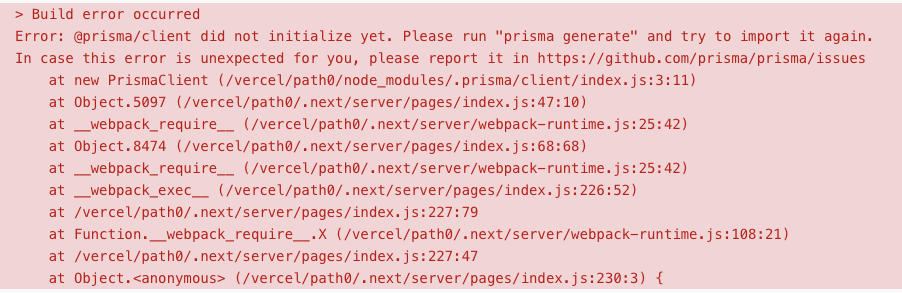
Error: @prisma/client did not initialize yet. Please run "prisma generate" and try to import it again.The database was already initialized from my local dev install, and I just had to use it. Everything worked on my machine. Only the Vercel build failed.
The fix still applies on Prisma 7, but the mechanics changed. @prisma/client no longer runs prisma generate when it installs, and the client is generated into a folder you pick with the output field in the generator block, not into node_modules. If the host skips prisma generate, the import of the generated client fails. The Prisma docs suggest the same postinstall script for that.
Why does this happen on Vercel?
@prisma/client is not a normal package. The actual client code, typed from your schema, is generated when prisma generate runs. Up to Prisma 6, installing the package triggered that generation through its own install hook.
The problem: Vercel caches your dependencies between builds to speed things up. When a later deployment reuses the cache, the packages aren’t reinstalled, the hook never fires, and the generated client is missing or stale.
That’s why the error message tells you to run prisma generate. It needs to run on every build, and the caching skips it.
The fix
What did I do to solve?
I installed prisma as a dev dependency:
npm i -D prisma@7This matters because the prisma CLI is what runs the generation, and it must be available during the build on Vercel. Pin the major: a bare npm i -D prisma today installs the 8.0 release candidate, because that is where npm’s latest tag points.
Then I added
"postinstall": "prisma generate"to the scripts in package.json:
{
  "scripts": {
    "dev": "next dev",
    "build": "next build",
    "start": "next start",
    "postinstall": "prisma generate"
  },
  "dependencies": {
    //...
  },
  "devDependencies": {
    //...
    "prisma": "^7.10.0"

  }
}
That solved the problem. The postinstall script runs after every install on Vercel, cached or not, so the client is always regenerated from the current schema.
On Prisma 7 you still run prisma generate the same way. Keep prisma on the 7.x line for production apps until Prisma 8 ships a stable release.
You can hit the same error locally
This error is not exclusive to Vercel. You’ll see it after cloning a project and running the app before generating the client, or when the generated client doesn’t match a schema you just changed.
The fix in that case is one command:
npx prisma generateWith the postinstall script in place, a plain npm install takes care of it too.
Want me to talk about your product? You can sponsor this site.
Related posts about database: