How to switch database using PostgreSQL
By Flavio Copes
Switch the active database in the psql tool with the connect command or its c shortcut, and verify the new connection before running queries.
Inside psql, you always have one active database, where you are “into”. By default it’s the one you connect to in the first place. When you run:
psql postgresyou’ll connect to the postgres database.
There is no USE database statement like in MySQL. To switch database, use the \connect command, or \c:
\connect notes_appYou are now connected to database "notes_app" as user "flavio".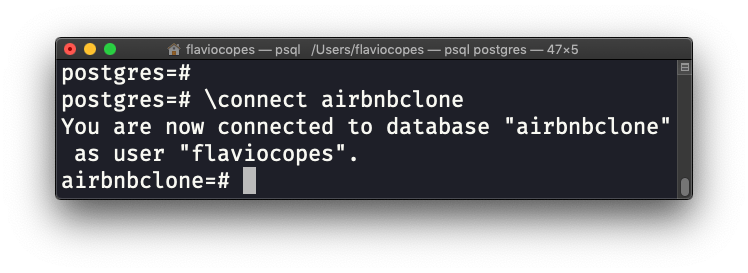
PostgreSQL will close the connection to the previous database you were connected to, and will connect to the new one you specified.
You can also switch role at the same time, by passing it as the second argument:
\connect notes_app notes_appThat is handy for testing what a restricted application role can actually see, without leaving your admin session behind.
It is a new connection
The reconnect detail matters more than it looks. Session state does not survive \connect: anything you configured with SET, any open transaction, any temporary table is gone, because the session it belonged to is gone. If you rely on a custom search_path, set it again after switching.
Run \conninfo after every switch to confirm where you landed.
When the switch fails
In an interactive session, if you name a database that does not exist, psql tells you and keeps your old connection:
connection to server ... failed: FATAL:  database "notes_ap" does not exist
Previous connection kept
Read that last line. You are still connected to the previous database, so the next statements you type run there. Missing this is a classic way to run queries against the wrong database.
You can also be refused for permission reasons:
FATAL:  permission denied for database "notes_app"
DETAIL:  User does not have CONNECT privilege.
The database exists, but your role lacks CONNECT on it. Connect as a role that holds that privilege, or grant it first.
In a non-interactive script, a failed \connect closes the old connection. The connection-verification exercise lets you test successful and failed reconnections in an interactive session.
Want me to talk about your product? You can sponsor this site.
Related posts about database: