How to list tables in the current database using PostgreSQL
By Flavio Copes
Learn how to list the tables in the current PostgreSQL database using the dt command in psql, or a SQL query against the information_schema.tables view.
To list the tables in the current database, run the \dt command in psql:
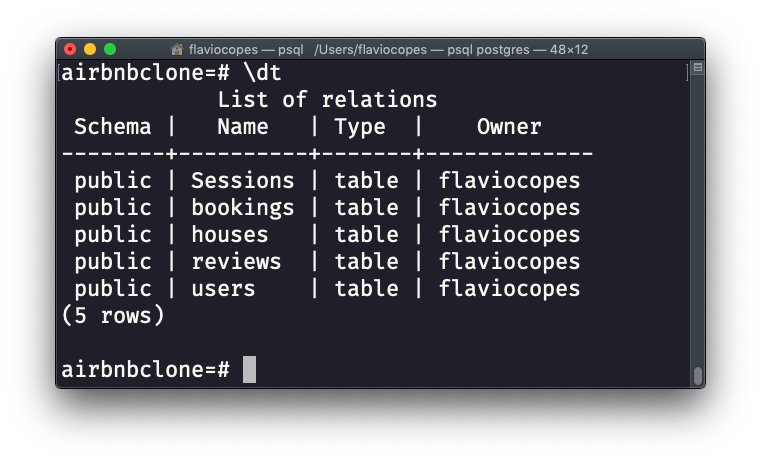
\dt is a psql meta command, not SQL. It only works inside the psql terminal client. It prints one row per table, with the schema, name, type and owner.
If you want more detail, \dt+ adds the size on disk and a description column for each table:
\dt+You can also filter by pattern. This lists only the tables whose name starts with users:
\dt users*What if you’re not in psql?
Meta commands don’t exist outside psql. If you’re connected through a GUI client, or you’re running a query from application code, you need actual SQL. Query the information_schema.tables view:
SELECT table_name
FROM information_schema.tables
WHERE table_schema = 'public'
ORDER BY table_name;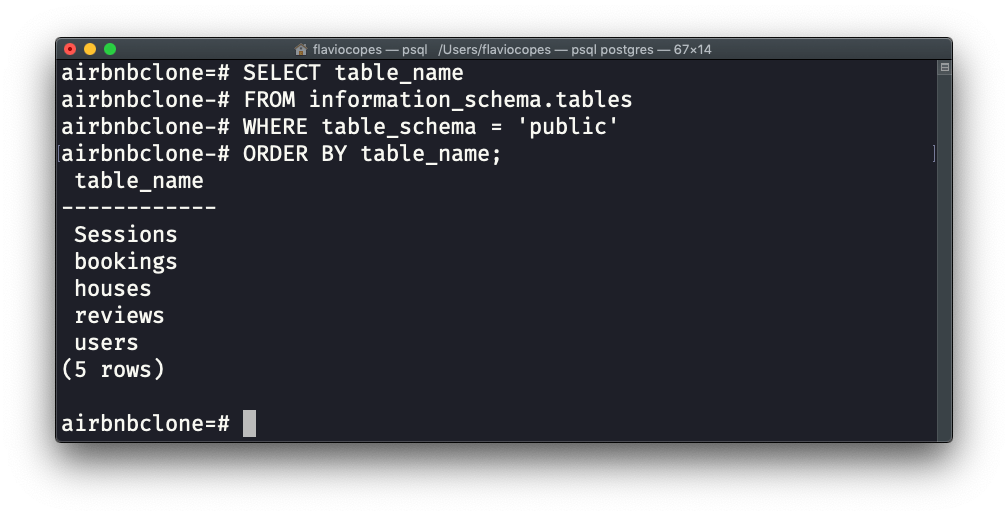
The table_schema = 'public' filter matters. Without it, the query also returns dozens of internal tables from the pg_catalog and information_schema schemas, and your own tables get lost in the noise. public is the default schema where your tables live, unless you created them somewhere else.
Alternatively, you can use the Postgres-specific pg_tables catalog view:
SELECT tablename
FROM pg_catalog.pg_tables
WHERE schemaname = 'public';
Same result, different system view. information_schema is defined by the SQL standard, so that query also works on other databases. pg_catalog is Postgres-only.
Watch out for views
There’s a detail that can trip you up. information_schema.tables doesn’t just list tables. It lists views too.
If your database has views in the public schema, they show up in the results and look exactly like tables. To get only real tables, filter on the table_type column:
SELECT table_name
FROM information_schema.tables
WHERE table_schema = 'public'
AND table_type = 'BASE TABLE'
ORDER BY table_name;
BASE TABLE means an actual table. Views have the type VIEW, so this filter excludes them.
Want me to talk about your product? You can sponsor this site.
Related posts about database: