Linux commands: top
By Flavio Copes
Learn how the Linux top command shows running processes in real time, with live CPU, memory, and system load, and how top -o mem sorts them by memory use.
A quick guide to the top command, used to list the processes running in real time
The top command is used to display dynamic real-time information about running processes in the system.
It’s really handy to understand what is going on.
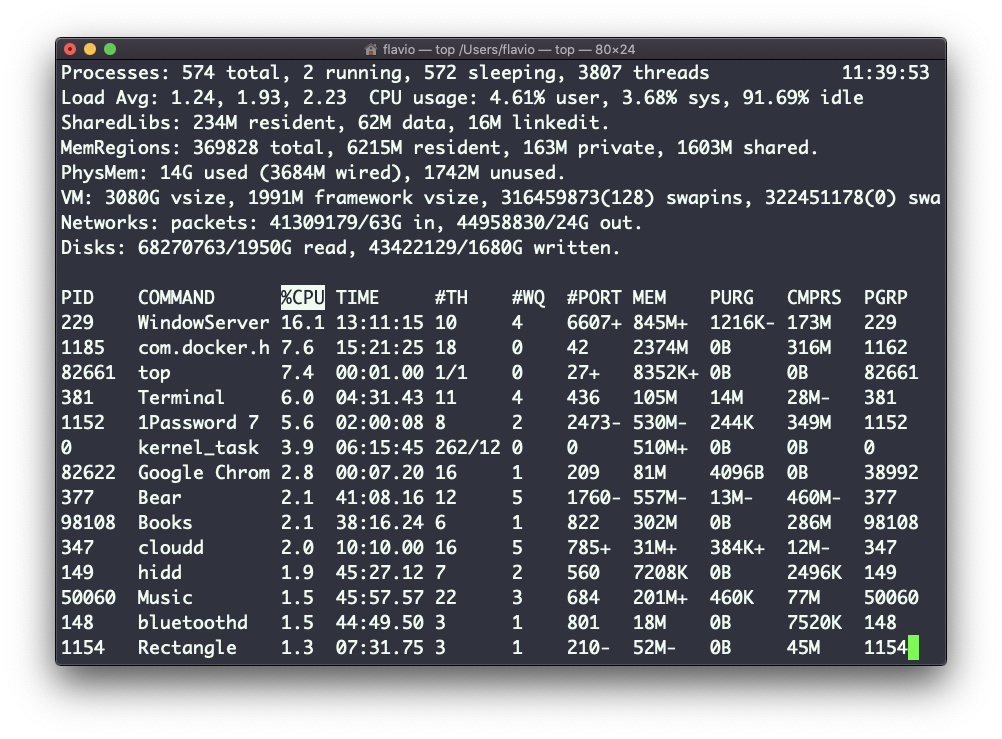
Its usage is simple, you just type top, and the terminal will be fully immersed in this new view:
The process is long-running. To quit, you can type the q letter or ctrl-C.
There’s a lot of information being given to us: the number of processes, how many are running or sleeping, the system load, the CPU usage, and a lot more.
Below, the list of processes taking the most memory and CPU is constantly updated.
By default, as you can see from the %CPU column highlighted, they are sorted by the CPU used.
You can add a flag to sort processes by memory utilized:
top -o memThis command works on Linux, macOS, WSL, and anywhere you have a UNIX environment
Want me to talk about your product? You can sponsor this site.
Related posts about cli: