A short guide to emacs
By Flavio Copes
A short guide to the emacs editor on UNIX systems: open a file, move around, save, quit, cancel a command, and open the built-in tutorial.
emacs is an awesome editor and it’s historically regarded as the editor for UNIX systems. Famously vi vs emacs flame wars and heated discussions caused many unproductive hours for developers around the world.
emacs is very powerful. Some people use it all day long as a kind of operating system (https://news.ycombinator.com/item?id=19127258). We’ll just talk about the basics here.
You can open a new emacs session by invoking emacs:
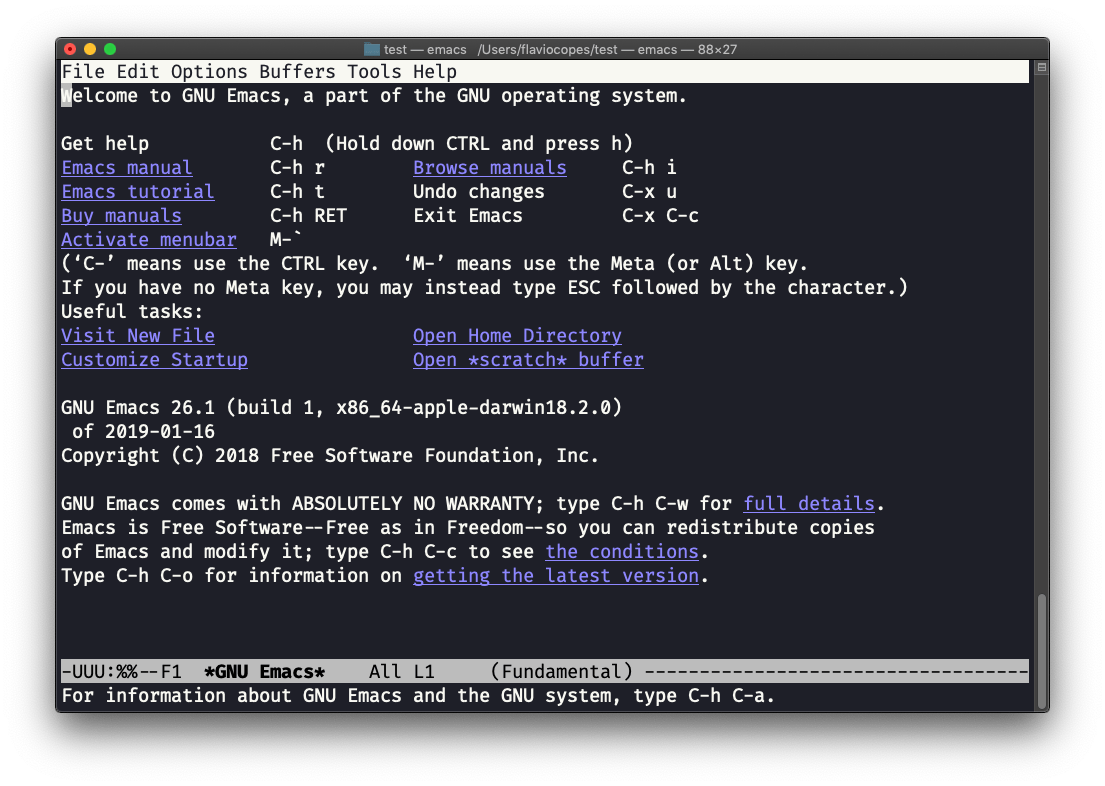
macOS users, stop a second now. If you are on Linux there are no problems, but macOS does not ship applications using GPLv3, and every built-in UNIX command that has been updated to GPLv3 has not been updated. For years the Mac shipped an Emacs from 2007, and since macOS Catalina Apple removed it entirely, so typing
emacsgives you “command not found”. This is not a problem with Vim, which is up to date. To fix this, runbrew install emacsand runningemacswill use the current version from Homebrew (make sure you have Homebrew installed).
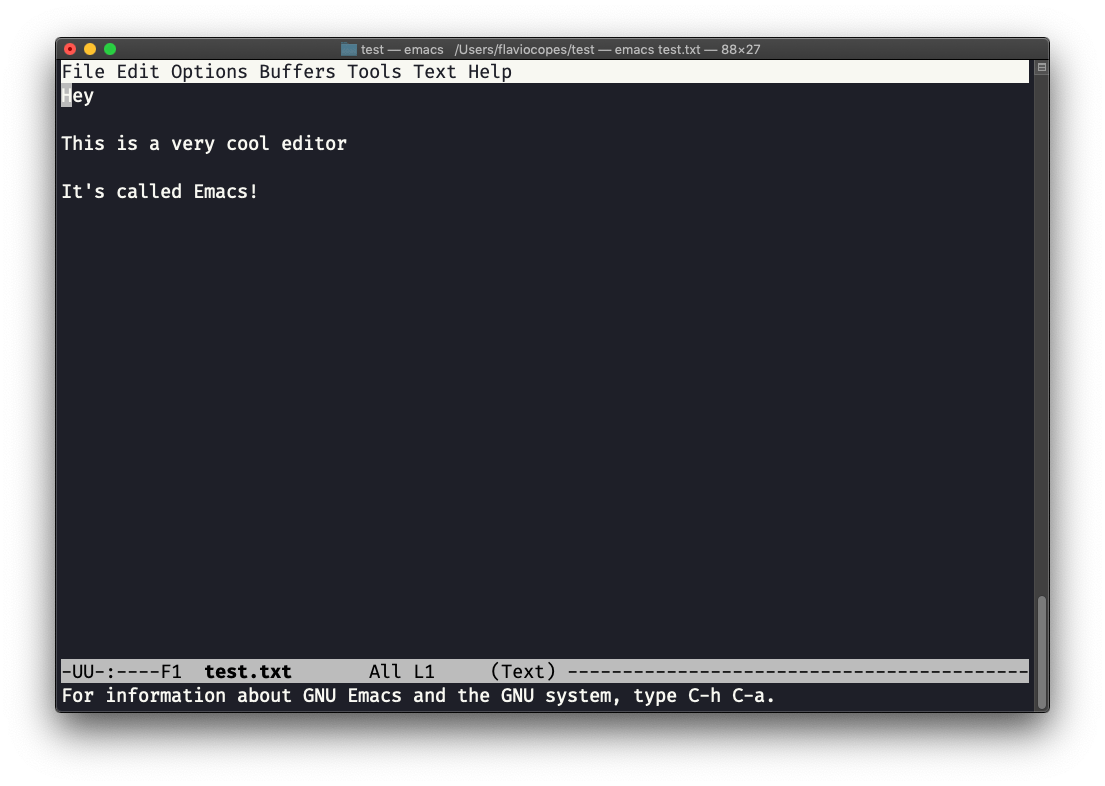
You can also edit an existing file calling emacs <filename>:
Move around
The arrow keys work, but Emacs also has its own movement keys, and you’ll see them everywhere in Emacs documentation:
ctrl-f/ctrl-bmove forward and backward by one characterctrl-n/ctrl-pmove to the next and previous linectrl-a/ctrl-ejump to the start and end of the line
If you started a command by mistake, press ctrl-g to cancel it. It clears the prompt at the bottom (the minibuffer) or the key sequence you typed so far.
Save and quit
To save the file you are editing, press ctrl-x followed by ctrl-s.
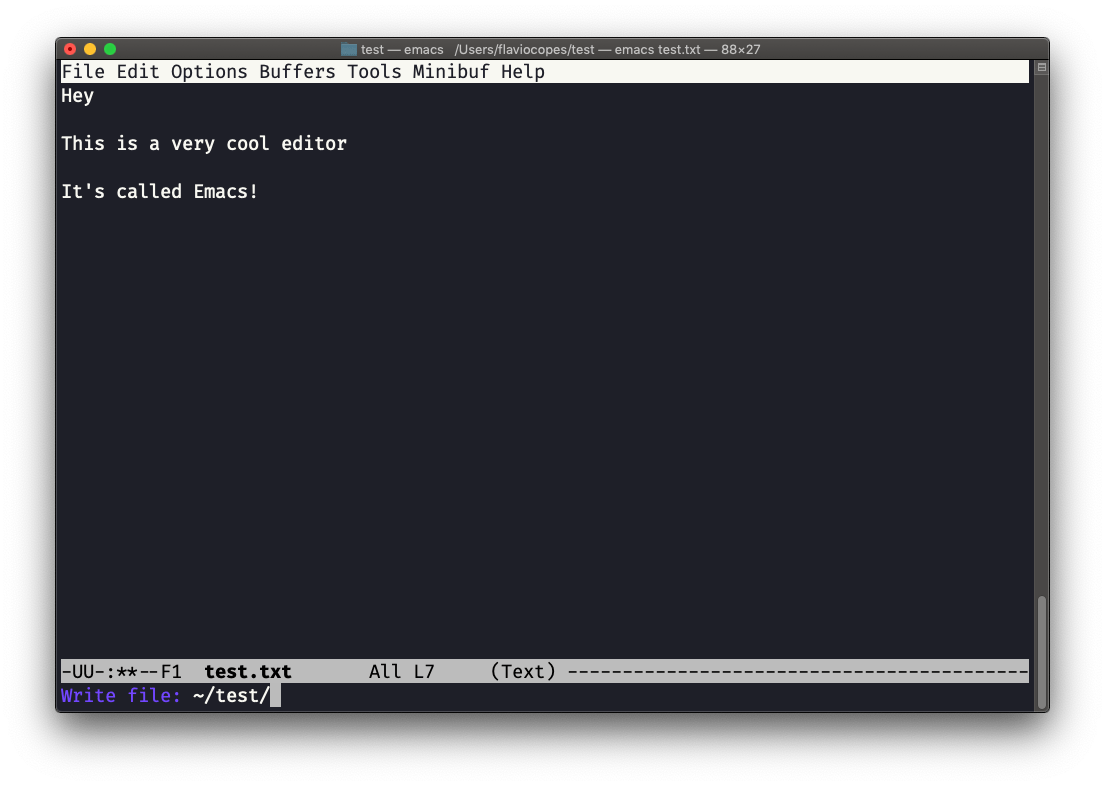
To save it under a different name (Emacs calls this “write file”), press ctrl-x followed by ctrl-w. You confirm the path:
and Emacs tell you the file exists, asking you if it should overwrite it:
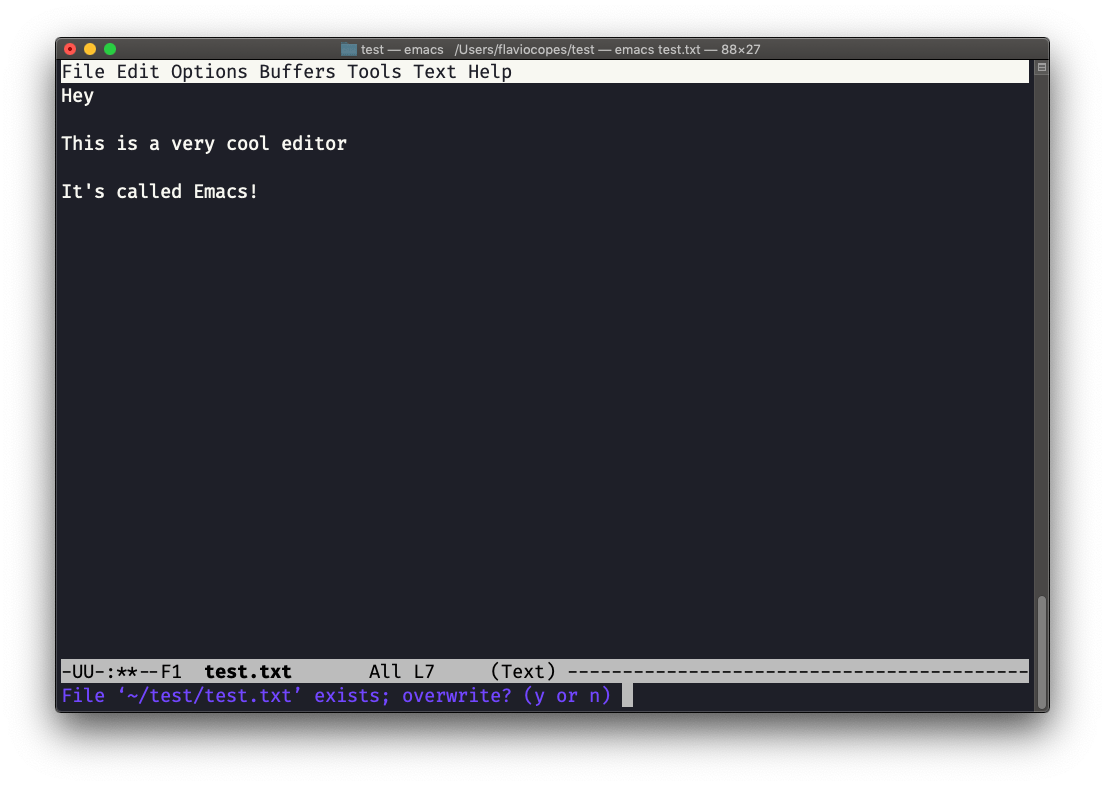
Answer y, and you get a confirmation of success:
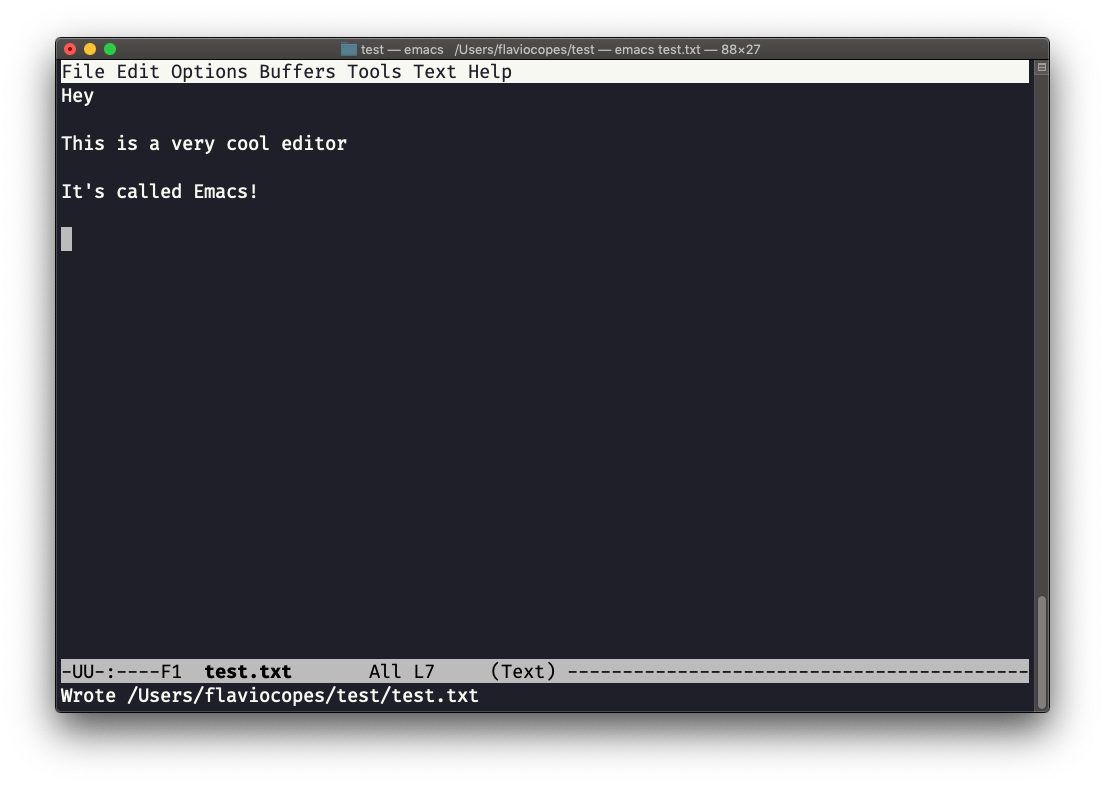
You can exit Emacs pressing ctrl-x followed by ctrl-c.
Or ctrl-x followed by c (keep ctrl pressed).
Learn more inside Emacs
There is a lot to know about Emacs. More than I am able to write in this little introduction. Open Emacs and press ctrl-h t for the official tutorial, or ctrl-h r for the built-in manual.
Want me to talk about your product? You can sponsor this site.