Hiding classes in VS Code
By Flavio Copes
Learn how the Tailwind Fold VS Code extension hides long class lists in your JSX and HTML files for a cleaner look, then reveals them again when you click.
You can hide long class lists in VS Code with an extension I’ve been using lately, called Tailwind Fold. It collapses the content of class attributes, so you look at the structure of your markup instead of the styling.
If you use Tailwind, you know the problem. Utility classes pile up, and a single element can carry ten or fifteen of them. The actual structure of the HTML gets buried under lines of class names. I like Tailwind a lot, so this is not a complaint about the approach. But reading a component file with long class lists takes effort.
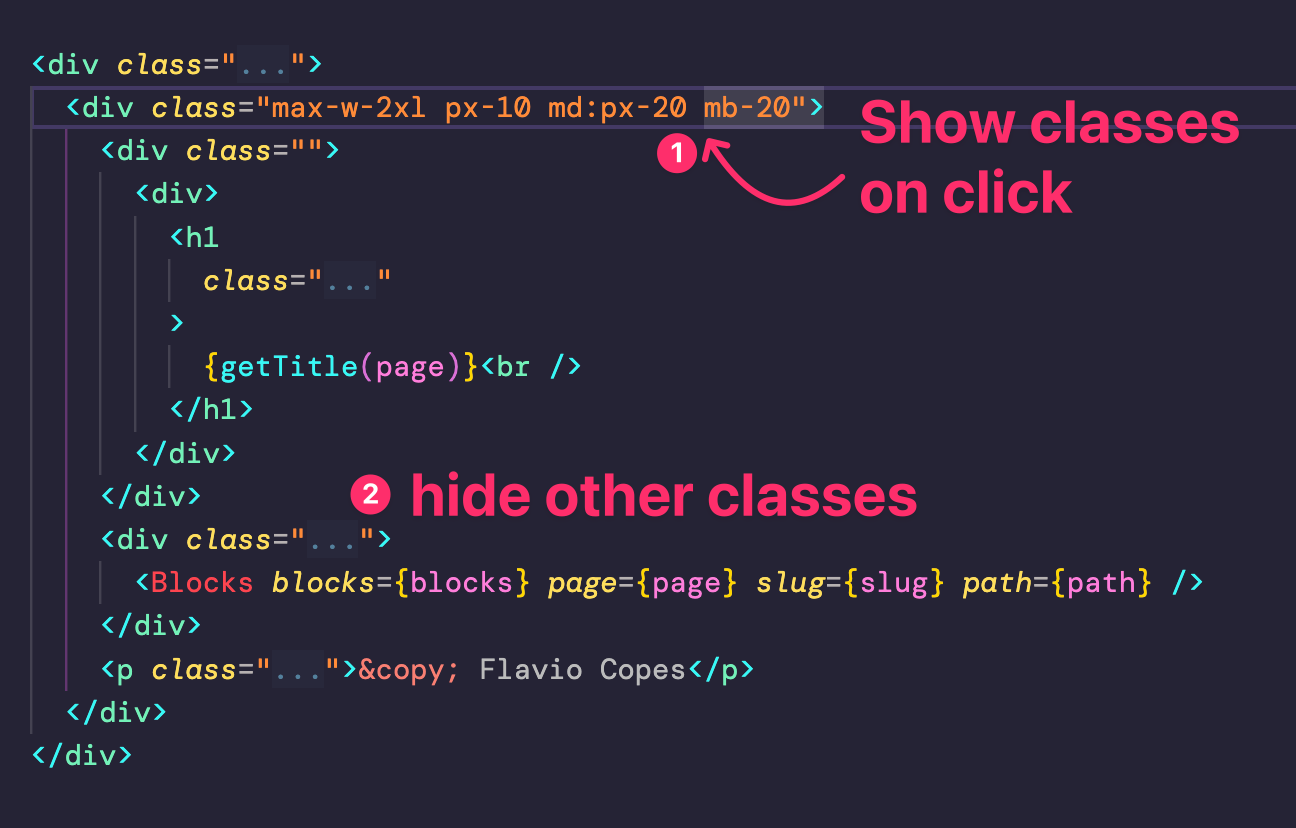
Using this extension you can decide to hide all classes by default in your JSX and HTML files, and only show the classes when you click on them:
This was the original file:
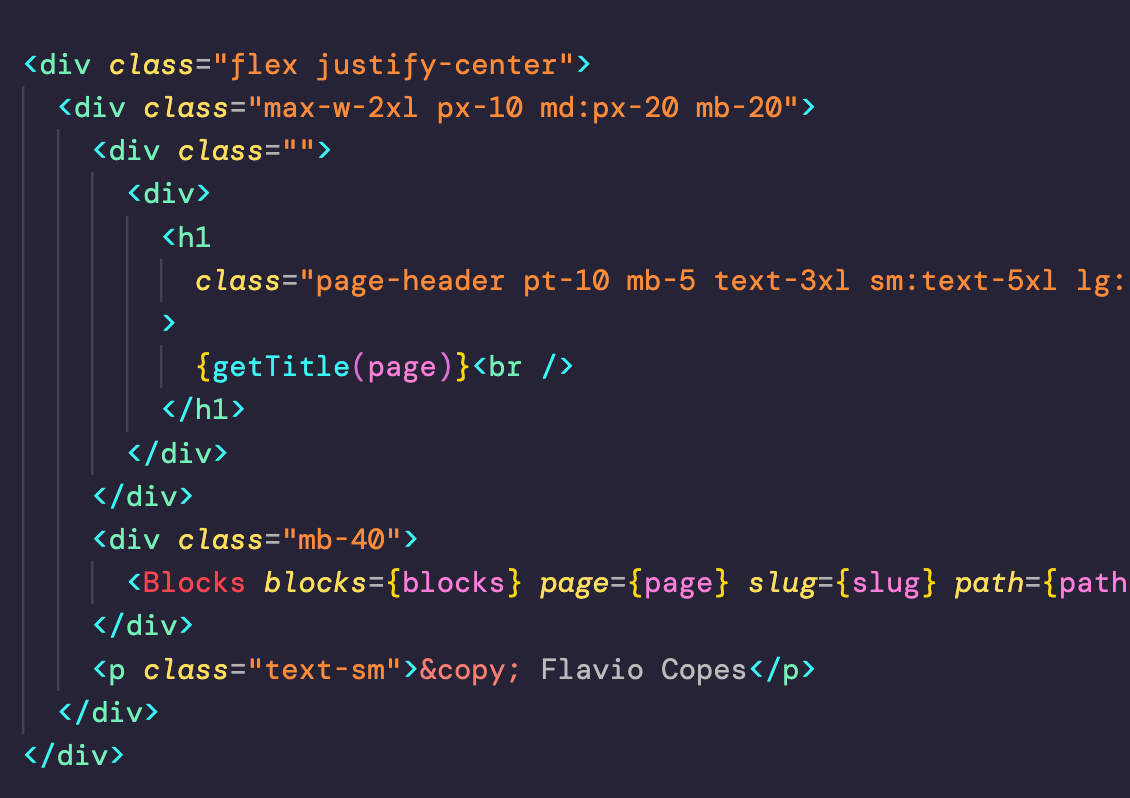
As you can see it looks cleaner. The elements, the hierarchy and the content jump out. When you need to work on the styling, you click the line and the classes appear again.
Despite the name, the extension doesn’t check whether the classes are Tailwind utilities. It folds the whole class (or className) attribute, so any project with long class lists benefits.
How I use it
I keep this extension inactive by default, so I can see all classes. When I want to have a “clean look”, I have a shortcut that hides all classes. The extension ships a toggle command, and you can bind it to any key combination from the Keyboard Shortcuts settings in VS Code.
Pretty handy.
One warning. When classes are hidden, it’s easy to miss a typo or a duplicated class sitting inside a folded attribute. If some styling doesn’t behave as you expect, unfold everything first and check what’s actually written there, before you go hunting for the problem elsewhere.
Want me to talk about your product? You can sponsor this site.
Related posts about tools: