
An app by Flavio
Firewall Manager
Open DigitalOcean SSH access only for your current IP, with a countdown and close-now controls. A native Mac app, CLI and full source code.
Buy Firewall Manager · $20One-time purchase. Tax included. Full source code.
macOS 14 or later · Apple silicon and Intel
Firewall Manager is a small Mac app for opening SSH access on your DigitalOcean servers when you need it.
Choose a firewall, pick a time limit, and open TCP port 22 for your current public IP address. The window shows the countdown and a Close now button. A companion CLI lets you do the same from Terminal or a coding agent.
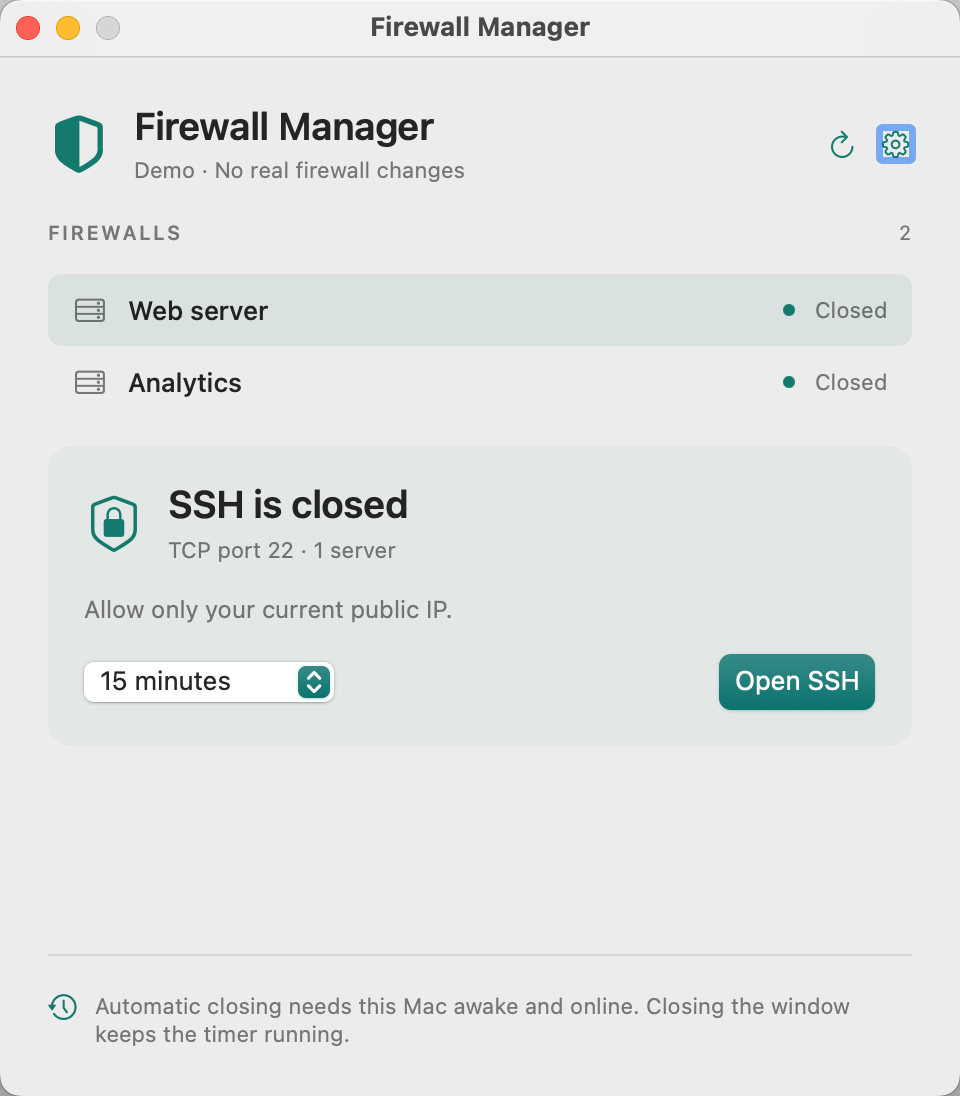
Shown with sample firewalls.
Open access for a task
You can choose 5, 15 or 30 minutes, or an hour. Firewall Manager creates a rule for your current public IPv4 address rather than allowing SSH from the whole internet.
Close the rule from the app whenever you finish. For command-line work, the CLI can open access, run your SSH or SCP command, and close the rule when the command exits.
Your SSH key is still required. Firewall Manager manages the cloud firewall; it does not replace your SSH client or change your server’s login settings.
Use it from Terminal or a coding agent
Install the firewall-manager command from the app’s settings. The app and CLI share the same token and access records, so temporary access opened from the terminal also appears in the app.
The CLI can list firewalls, inspect actual SSH access, open a timed rule, close tracked access, and wrap a local command. Its capabilities command describes the available operations for coding agents.
DigitalOcean is the only supported provider. The app talks to its API directly; you do not need to install doctl.
How automatic closing works
A background agent on your Mac checks for expired access, including when the app’s window is closed. It keeps recovery records if DigitalOcean cannot confirm a change, so cleanup can retry.
Your Mac must be awake and online for automatic cleanup to work. If it sleeps, shuts down or loses its connection, the firewall rule can remain open until cleanup runs again. This version has no server-side expiry.
Removing a rule blocks new connections. An SSH session that is already established may stay connected.
Keep the rest of your firewall intact
Temporary access requires a firewall attached directly to one server, without tag attachments or additional firewalls on that server. The app checks this before opening access.
It refuses to add a temporary rule over existing SSH access. You can explicitly close existing rules for port 22 first. Rules that cover a wider port range need review in DigitalOcean.
HTTP, HTTPS and outbound rules are kept. Automatic cleanup removes the exact IP rule created for the task.
Your token stays on your Mac
Create a DigitalOcean API token with read access to your account, Droplets and firewalls, plus permission to update firewalls. The app stores it in macOS Keychain. It does not send the token to me or use a separate hosted service.
The app needs internet access to contact DigitalOcean and determine your public IP address. DigitalOcean hosting and other third-party service costs are separate.
What you get
The $20 one-time purchase includes the signed and Apple-notarized Mac app, the companion CLI, and the full MIT-licensed source code. It runs on macOS 14 or later, on Apple silicon and Intel Macs.
After paying through Polar, connect your GitHub account and accept the invitation to the private repository. You can download the ready-to-run app from its Releases page, or inspect, modify and build the source yourself. A GitHub account is required for delivery.
Updates are downloaded manually from that repository. There is no subscription.