Permissions and users
Linux commands: passwd
Learn how the Linux passwd command changes your password through an interactive prompt, and how root can set another user's password without the old one.
Users in Linux have a password, and you change it with passwd:
passwdThe command is interactive. It asks for your current password first, then for the new one, twice:
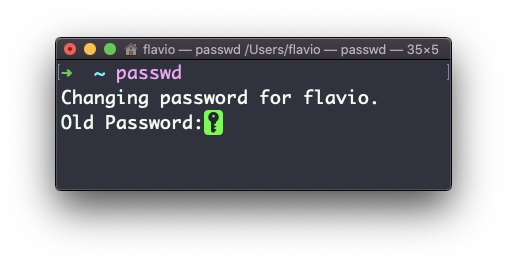
Nothing appears while you type, not even dots. That’s on purpose, so nobody looking at your screen can count the characters. Type the password and press enter.
On a Linux box the full exchange looks like this:
Changing password for flavio.
Current password:
New password:
Retype new password:
passwd: password updated successfully
The last line is the confirmation you want. If the two new passwords don’t match, you get Sorry, passwords do not match. and nothing changes. Just run passwd again.
If you type the current password wrong, Linux answers with a message that confuses everyone the first time:
passwd: Authentication token manipulation error
passwd: password unchanged
It sounds like a system problem. It just means the current password was wrong.
An administrator can change another user’s password without knowing the old one:
sudo passwd annaThis skips the “current password” question and goes straight to the new one. It’s how you reset a password for a colleague who forgot it.
Never put the password on the command line. Something like passwd anna secret123 doesn’t work anyway, because passwd doesn’t accept a password as an argument, but people try it with other tools too. Anything you type as an argument ends up in your shell history and in the process list, where other users can read it. Let the program prompt you.
If a new password is rejected, read the exact message. Systems can enforce a minimum length, refuse passwords you used before, require a mix of characters, or defer to a company directory. Trying five small variations in a row won’t tell you which rule you hit. The message will.
One thing that catches people on modern systems: changing your local UNIX password doesn’t change everything. Your SSH key still works as before. Your cloud account, your Apple ID, or your company’s single sign-on are separate systems with their own passwords. Before you run passwd, ask which system the login you’re trying to fix actually uses.
On a server, be careful with accounts other than your own. Locking or expiring the wrong user, or changing the password of the account you’re logged in with over SSH, can leave you locked out. My rule: keep a second terminal connected until I’ve confirmed the new password works.
Try this on a test machine or a throwaway user. Run passwd, confirm it prompts for each value, and then run history | tail to see that no password ended up in the log.
The
passwdcommand works on Linux, macOS, WSL, and anywhere you have a UNIX environment
Lesson completed