Archives and disk tools
Linux commands: dirname
Learn how the Linux dirname command returns the directory portion of a path, so dirname /Users/flavio/test.txt gives you back the /Users/flavio folder.
dirname is the other half of basename. It removes the final component of a path and prints the directory portion.
Running
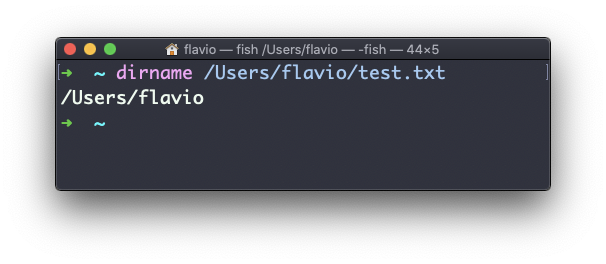
dirname /Users/flavio/test.txtprints /Users/flavio:
Like basename, it only manipulates the string. It never checks whether the file or directory exists:
dirname /a/path/that/does/not/exist.txt
# /a/path/that/does/not
This is what makes it useful in scripts. The classic use is finding the folder a script lives in, so the script can find its own files no matter where you call it from. $0 holds the path the script was started with:
script_dir=$(dirname "$0")
printf 'started from %s\n' "$script_dir"
Save that as where.sh, make it executable, and call it from a different folder:
chmod u+x where.sh
cd /tmp
/Users/flavio/scripts/where.sh
# started from /Users/flavio/scripts
Always quote path variables, "$0" included, so a space doesn’t split one path into several arguments. Also remember that $0 can be relative, and it can point through a symbolic link. Script-location code that needs to be bulletproof has to resolve those details, but this simple version covers most everyday scripts.
Two edge cases are worth remembering. dirname file.txt prints ., meaning the parent is the current directory. And a trailing slash is ignored, so dirname /srv/app/ returns /srv, not /srv/app.
The companion command basename /Users/flavio/test.txt returns test.txt. Together they split a path into its directory and its final name.
You can apply dirname more than once when you need to walk up a path:
dirname "$(dirname /Users/flavio/projects/blog)"
# /Users/flavio
The one way to make dirname fail is to give it nothing. Run it with no argument and it prints a usage message, usage: dirname string on macOS and dirname: missing operand on Linux, then exits with an error. In a script this usually means the variable you passed was empty, so check that first.
Try it with an absolute path, a relative path, a filename with spaces, and a path ending in /. Predict each result before running it. The predictions are where you find out what you really understood.
Lesson completed