Values and types
Swift optionals and nil
Learn how optionals and nil work in Swift, how to declare an optional with a question mark, and how to safely unwrap its value using an if let statement.
This tutorial belongs to the Swift series
Optionals are one of the key features of Swift.
Sometimes you don’t know if a value will be there. A user might not have entered a nickname. A string might not convert to a number. In Swift you express that doubt with an optional.
An optional is a box that either contains a value of some type, or contains nothing. We declare one by adding a question mark after the type:
var value: Int? = 10Now value is not an Int. It’s an optional that wraps an Int.
Unwrapping
To use the value inside, you have to unwrap the optional. The quickest way is an exclamation mark:
var value: Int? = 10
print(value!) // 10
This is called force unwrapping, and it’s dangerous. If the box is empty, the program crashes.
Swift methods return optionals all the time. The Int initializer that accepts a string is a good example:
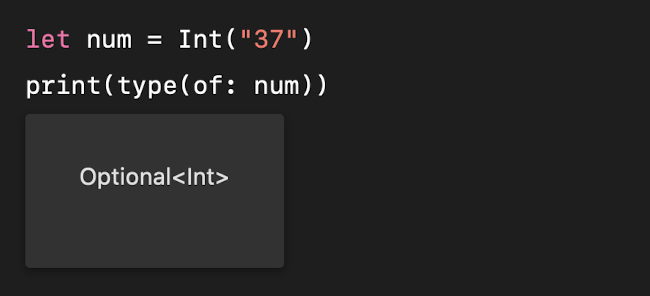
It returns Int?, because Swift can’t know in advance if the string holds a number. Int("37") gives you Optional(37). Int("test") gives you nothing.
nil
nil means “no value”. An empty optional evaluates to nil, and force unwrapping it crashes:
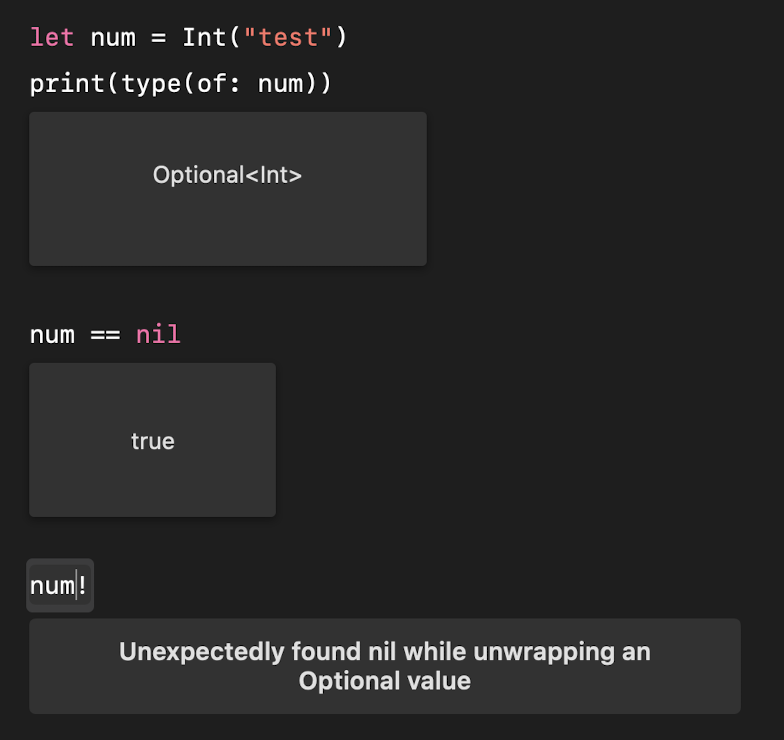
The error is Fatal error: Unexpectedly found nil while unwrapping an Optional value. If you ever see it in a crash log, someone used ! on an empty optional.
You can only assign nil to an optional. A plain Int can never be nil:
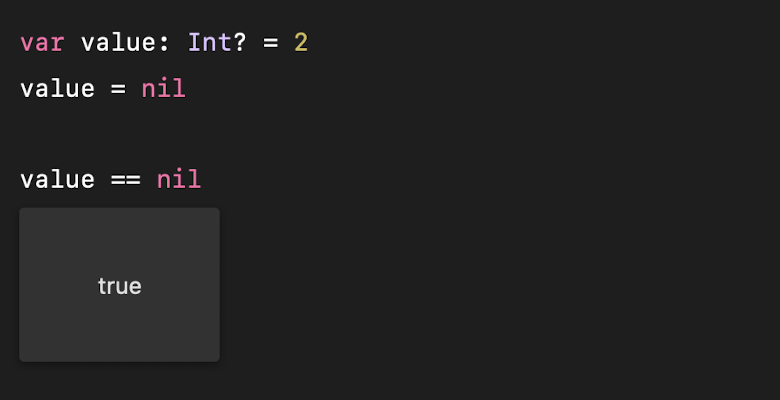
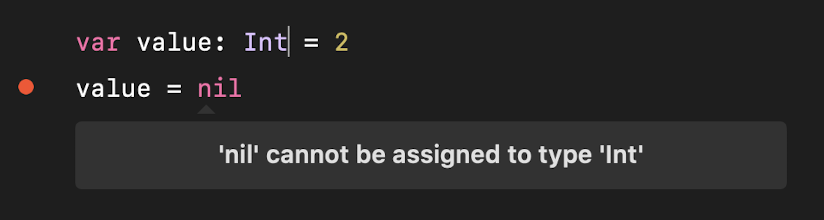
That’s the whole point. A non-optional type is a promise that the value is always there. You never have to check it.
Unwrapping safely with if let
Instead of !, the normal way to unwrap is an if let statement:
var value: Int? = 2

if let age = value {
    print(age)
}
If value contains something, Swift puts it in the new constant age and runs the block. If it’s nil, the block is skipped. No crash possible.
Since Swift 5.7 you can shorten this when the new constant keeps the same name:
if let value {
    print(value)
}
My advice: treat ! as a warning sign. Every time you’re tempted to write it, ask what should happen when the value is missing, and write an if let instead. If a default value makes sense, the ?? operator gives it to you in one line:
let age = Int("test") ?? 0 // 0?? is the nil-coalescing operator: it returns the value inside the optional if there is one, or the fallback on the right if there isn’t.
Lesson completed