Start with Swift
Numbers in Swift
Learn how numbers work in Swift, from the main Int and Double types to sized integers like Int8 and UInt, and how to convert one numeric type to another.
This tutorial belongs to the Swift series
Swift has two main number types: Int and Double.
An Int is a whole number, without a decimal point: 8, -3, 2020.
A Double is a number with a decimal point: 3.14, 0.5, -9.99.
Int follows the platform. On a 64-bit computer, which is every modern Mac and iPhone, it uses 64 bits. On a 32-bit platform it uses 32 bits. Double always uses 64 bits.
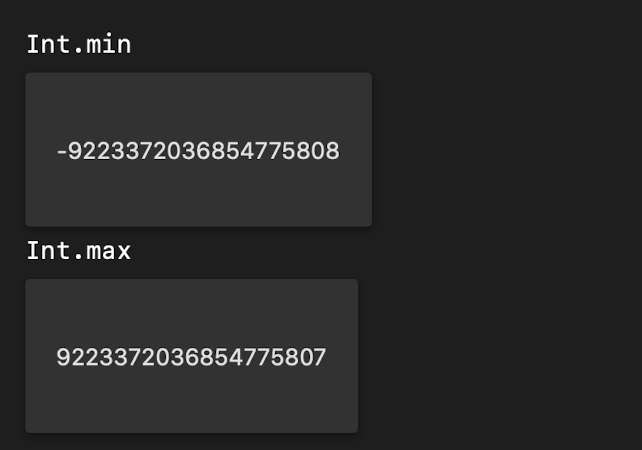
The range of values an Int can hold depends on the platform. You can check it with the min and max properties of the type:
Int.min
Int.max
On a 64-bit platform you get -9223372036854775808 and 9223372036854775807:
The other numeric types
Besides Int and Double, Swift has many more numeric types. Most of them exist to talk to older APIs written in C or Objective-C, and you should know they’re there:
-
Int8is an integer with 8 bits -
Int16is an integer with 16 bits -
Int32is an integer with 32 bits -
Int64is an integer with 64 bits -
UInt8is an unsigned integer with 8 bits -
UInt16is an unsigned integer with 16 bits -
UInt32is an unsigned integer with 32 bits -
UInt64is an unsigned integer with 64 bits
UInt is like Int, but unsigned: it can’t be negative. It goes from 0 to UInt.max, which on 64-bit platforms is 18446744073709551615, a bit more than twice Int.max.
Float is a decimal number with 32 bits. It takes half the memory of a Double, and it’s also far less precise.
When you use Cocoa APIs you’ll also meet types like CLong and CGFloat.
My advice: use Int and Double in your own code, and reach for the specific types only when an API asks for them.
Converting between types
Swift never mixes number types for you. Multiply a Double by an Int and the code doesn’t compile:
let price = 9.99
let count = 3
let total = price * count
// error: binary operator '*' cannot be applied to operands of type 'Double' and 'Int'
To convert, you create a new number by passing the value to Int() or Double():
let age: UInt8 = 3
let intAge = Int(age)
The same works from Double to Int, and the other way around:
let age = Double(3)   // 3.0
let count = Int(3.14) // 3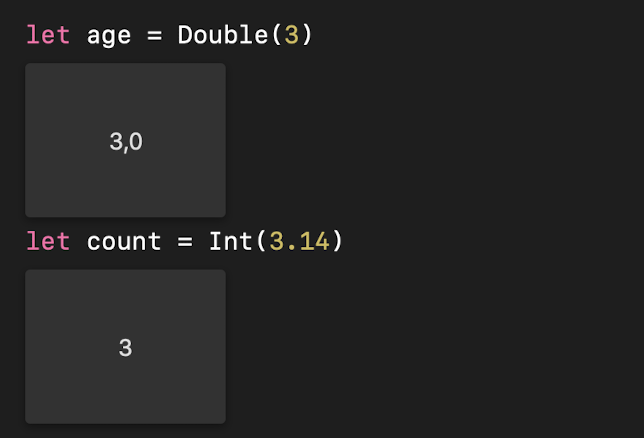
Notice that Int(3.14) gives 3. The conversion drops the decimal part, it doesn’t round. If you want real rounding, call .rounded() on the Double first, then convert.
So the fix for the failing example is to convert count before multiplying:
let total = price * Double(count) // 29.97Lesson completed