I launched CLI Tools Cabinet
By Flavio Copes
CLI Tools Cabinet is a free, open source macOS app that catalogs every command-line tool you installed with Homebrew, npm, and Cargo, with examples, shell history, and a JSON CLI for coding agents.
I launched CLI Tools Cabinet, a small macOS app that keeps one catalog of every command-line tool installed on your Mac.
Here’s the app in 30 seconds:
I install a lot of tools. Some with Homebrew, some with npm, some with Cargo, plus scripts I dropped into ~/.local/bin months ago and never thought about again.
After a while I lose track. I know I installed something for that one job, but I can’t remember its name, let alone how to call it.
That’s what CLI Tools Cabinet is for. It catalogs everything you have installed. Its sibling Skill Cabinet does the same for the agent skills your coding agents load, and Tranquillity Maker is another free Mac app of mine. If you want the short list I actually reach for, I wrote The CLI tools I use every day.
What it finds
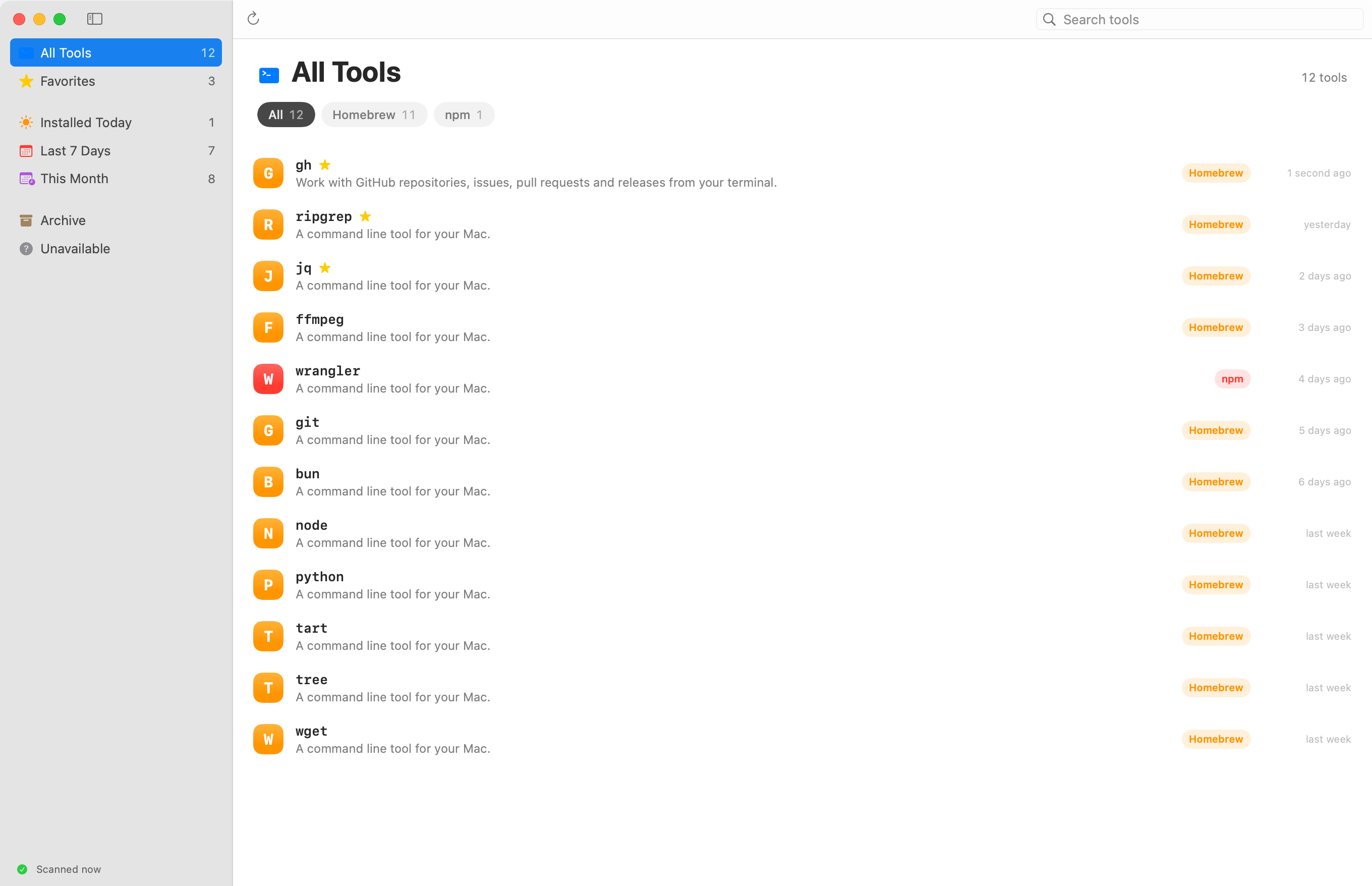
The app scans the packages you explicitly installed with Homebrew, npm, and Cargo. It also looks in ~/bin, ~/.local/bin, and every folder your shell adds to your PATH, like ~/.bun/bin and ~/.deno/bin, so the scripts you dropped there by hand show up too.
Package commands stay grouped, so an npm package that ships five helper executables shows up as one entry, not five.
Each tool gets a row with its source, its path, and when you installed it. From the sidebar you can filter to what you installed today, in the last 7 days, or this month. You can mark favorites, and archive the tools you no longer care about.
Examples and your own history
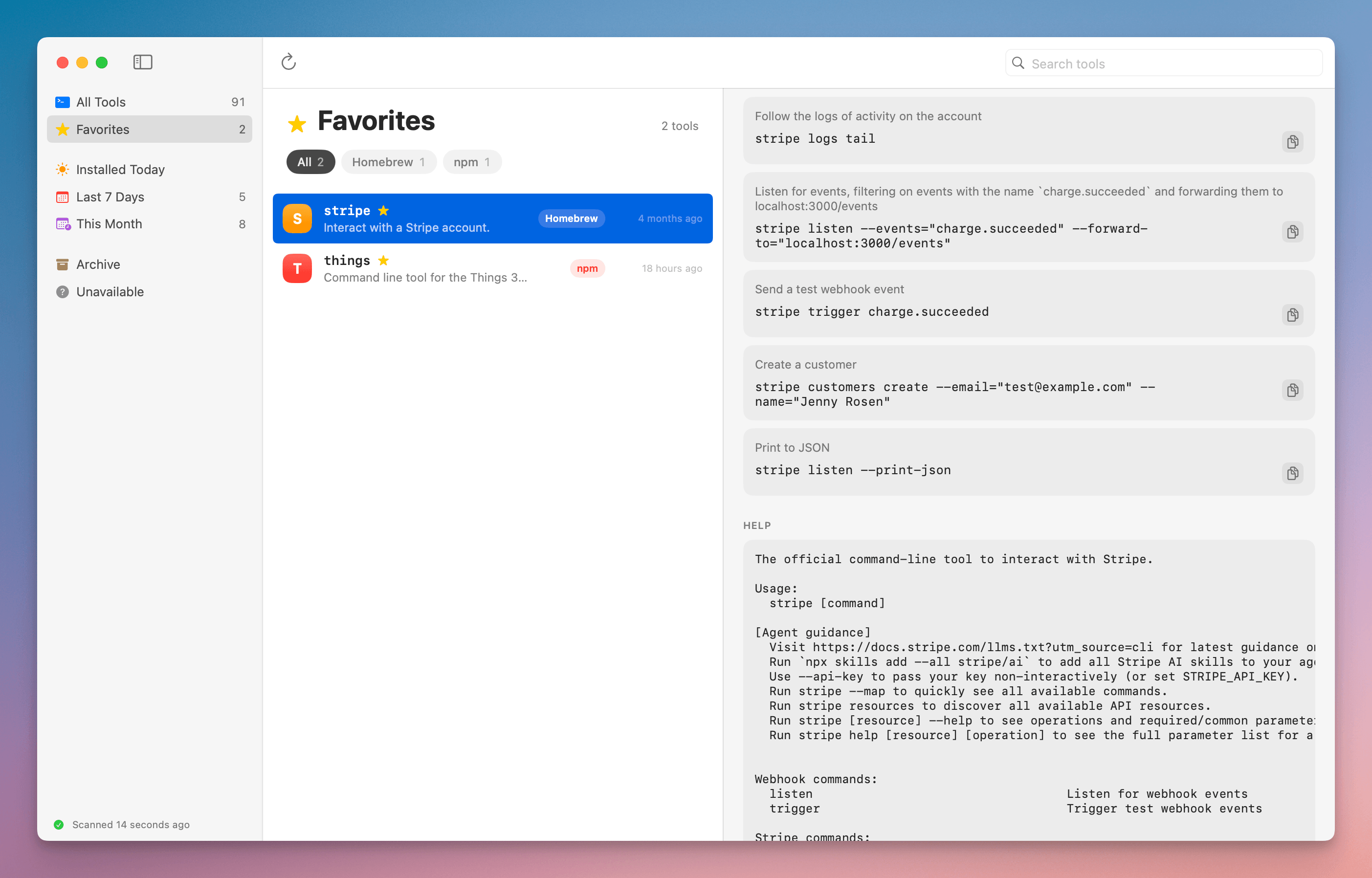
Select a tool and the detail pane shows its version and its help output. For Homebrew packages you also get the description and the homepage.
Then come the ready-made examples. When the tool has a tldr page, the app downloads it. It also pulls the examples section out of the tool’s own --help output. Every example has a copy button.
Below that is your own history. The app reads your shell history (zsh, bash, and fish) and groups the commands that ran that tool, with how many times you ran each one and when you last ran it.
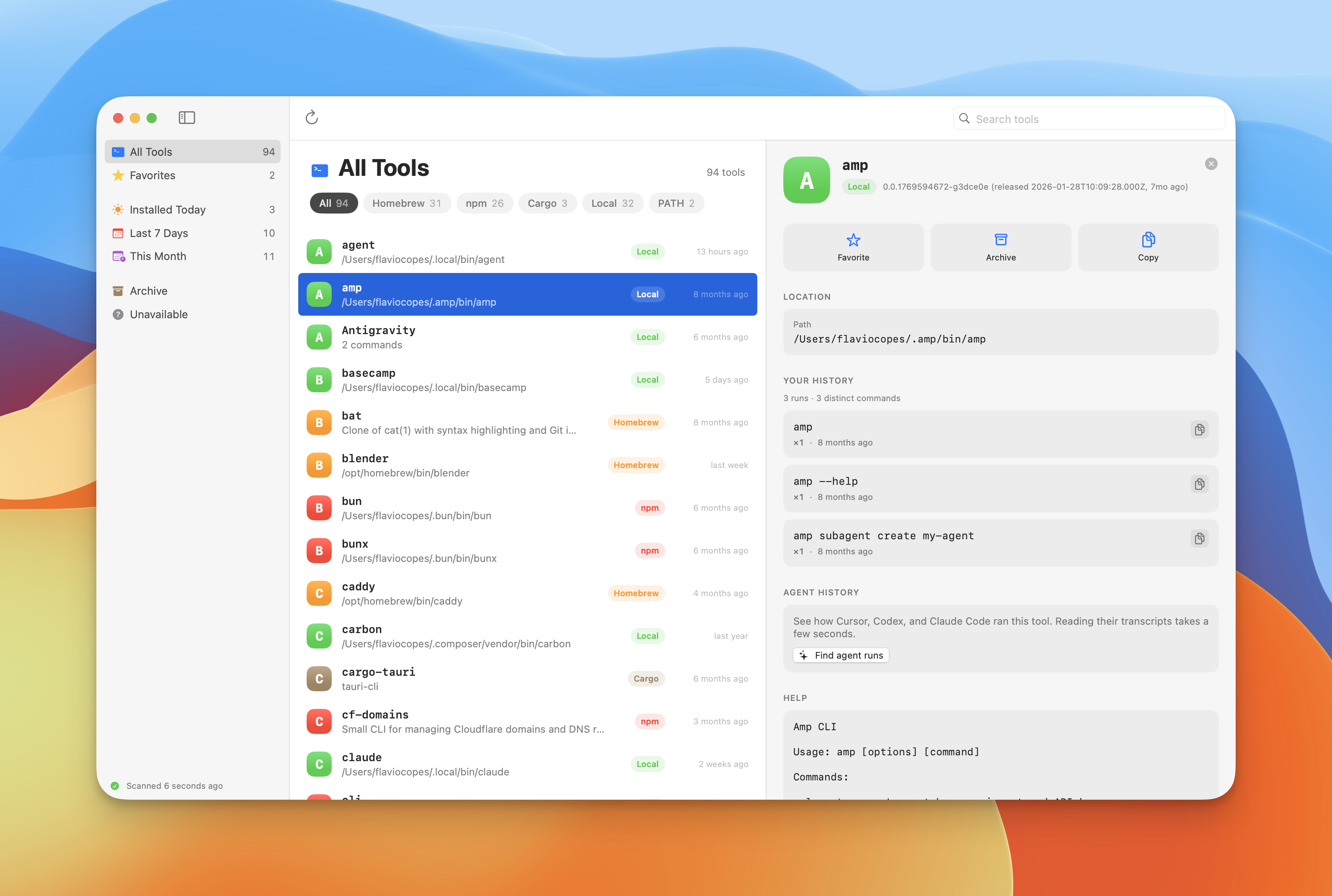
This is the part I wanted most. The command I already typed once is usually the best example of how I use a tool.
Nothing from your history is written to the catalog. The app reads the history files and keeps the result in memory.
The CLI
There is also a companion CLI that reads the same catalog:
clitools scan
clitools list --json
clitools inspect gh
clitools history gh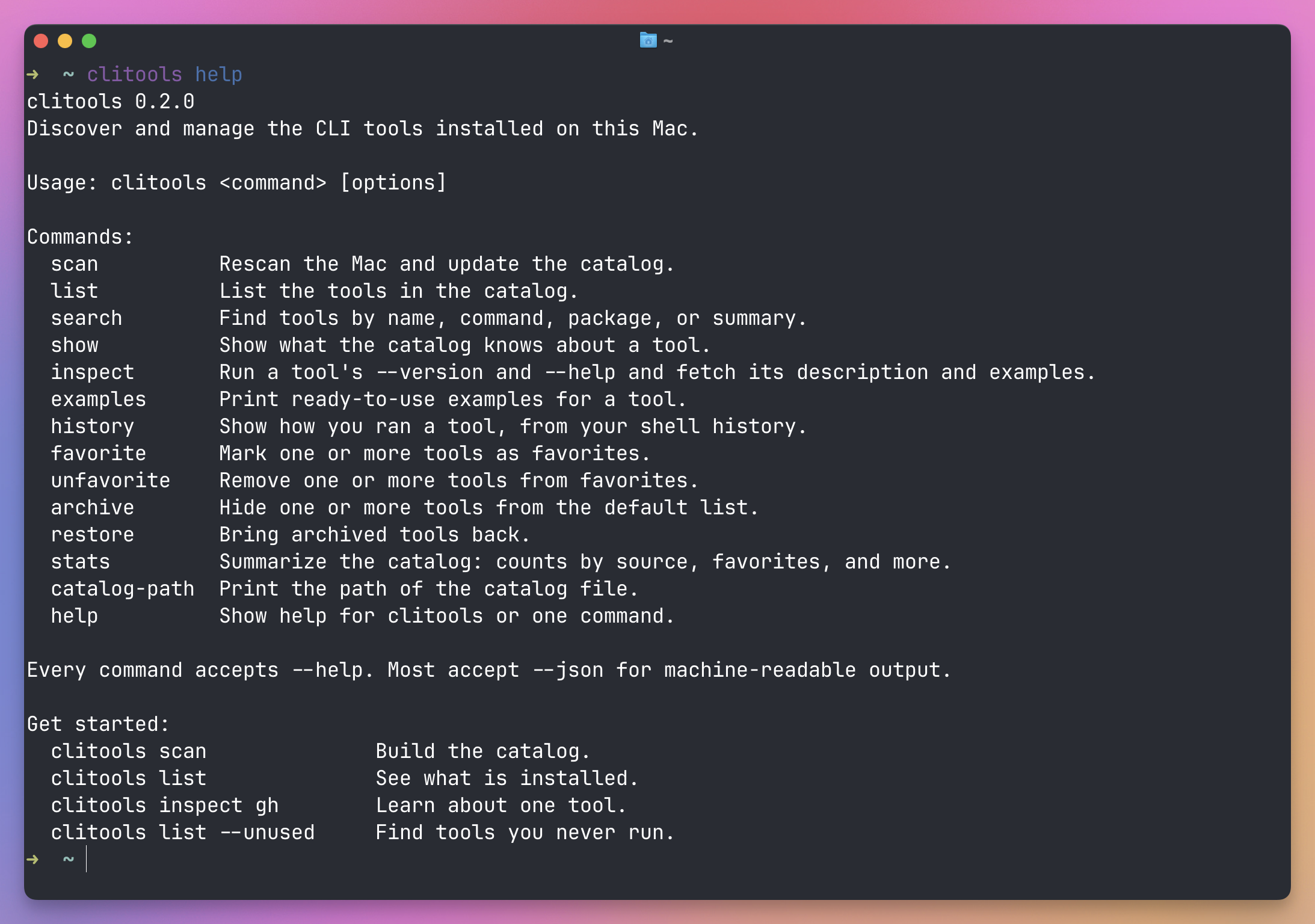
The CLI exists for the JSON output. A coding agent working on my machine can ask which tools are installed and how to call them, instead of guessing or installing something I already have.
The app and the CLI share one file:
~/Library/Application Support/CliTools/catalog.jsonAsk your tools what they can do
Since version 1.2, clitools can also ask a tool what it can do.
I build a lot of small CLIs for my own apps, like noterepo for my daily notes, postdeck for slideshows and blueprint for architecture maps. Each of them now answers a capabilities command with a short summary, the tasks it can do with a command for each, and what changed in every version.
clitools collects those answers, so an agent gets all of them in one call:
clitools capabilities --all --jsonMy AGENTS.md tells agents to run it before they write a script or ask me. If a tool on my Mac already does the job, they find it there.
Here’s part of what postdeck answers:
{
  "name": "postdeck",
  "version": "1.0.0",
  "summary": "Builds slideshows in the Post Slide Deck app from posts on X, text slides and images.",
  "capabilities": [
    { "description": "Add a post from X as a slide", "command": "postdeck add-post \"This week's apps\" post.json" }
  ],
  "changelog": [
    { "version": "1.0.0", "date": "2026-10-03", "changes": ["First release: Post Slide Deck app and Chrome extension turn X posts into slideshow slides."] }
  ]
}
clitools only asks the tools whose --help lists a capabilities command, because running it on any tool isn’t safe. claude capabilities would start an agent session with that word as the prompt.
If you write your own CLIs, add the command and they show up too. clitools search also matches what tools say they can do, so clitools search slideshow finds postdeck.
Get it
CLI Tools Cabinet is free and open source, MIT licensed.
Download the zip from the latest release, unzip it, and drag CLI Tools Cabinet to your Applications folder. It runs on Apple silicon and Intel Macs with macOS 14 or later.
Since version 1.1, the app is signed with my Apple Developer ID and notarized by Apple, so it opens like any other app you download. After that, it updates itself from GitHub.
The clitools command isn’t in the zip. You build it from the repository, with Xcode 26 or a Swift 6.2 toolchain:
git clone https://github.com/flaviocopes/cli-tools.git
cd cli-tools
./Scripts/install-cli.sh
install-cli.sh builds clitools and links it into ~/.local/bin. In the same folder, ./Scripts/build-app.sh builds the app into dist/CLI Tools Cabinet.app, and swift run CliToolsApp runs the development build.
The repository has an AGENTS.md with the build commands, the project layout, and the rules to follow. If you want to change something, hand that file to your coding agent.
Everything is in the repository.
Want me to talk about your product? You can sponsor this site.
Related posts about news: