Test secure cookies and OAuth callbacks on localhost over HTTPS
By Flavio
Updated
Register one https://name.localhost OAuth callback and set Secure cookies on that origin, using the HTTPS URL Local Hoster already serves.
http://localhost:4321 moves, and a cookie marked Secure is an HTTPS cookie. OAuth providers compare your callback URL to the string you registered. A new port, or http where you registered https, fails that comparison.
You already have a stable https://name.localhost address from Local Hoster. Installing Caddy and running caddy trust is HTTPS on localhost with Caddy. How the name becomes a port is Give every project a stable .localhost URL. This page starts from https://shop.localhost and covers the cookie and the callback. How OAuth works is the protocol. TLS and certificates is the certificate background. The manual React certificate setup is configure HTTPS on localhost in React, which you don’t need once Caddy is serving the name.
Local Hoster only puts Caddy in front of your dev server. You register the OAuth app at the provider. There is no Local Hoster flag for cookies or for OAuth.
What you need
Node.js 18 or later, Caddy with its admin API on http://localhost:2019, and caddy trust already done. The project package.json already has a localhost name, and the dev script already starts with localhoster. The dev command has to accept --port, which Astro and Vite do. Local Hoster appends --port and a number between 10000 and 59999. The same hostname maps to the same port. It does not reserve it.
For the shop example in the stable-URL tutorial, npm run dev printed both routes pointed at port 15515:
http://shop.localhost  -> localhost:15515
https://shop.localhost -> localhost:15515
In the terminal, for an Astro project whose package.json sets "localhost": "shop":
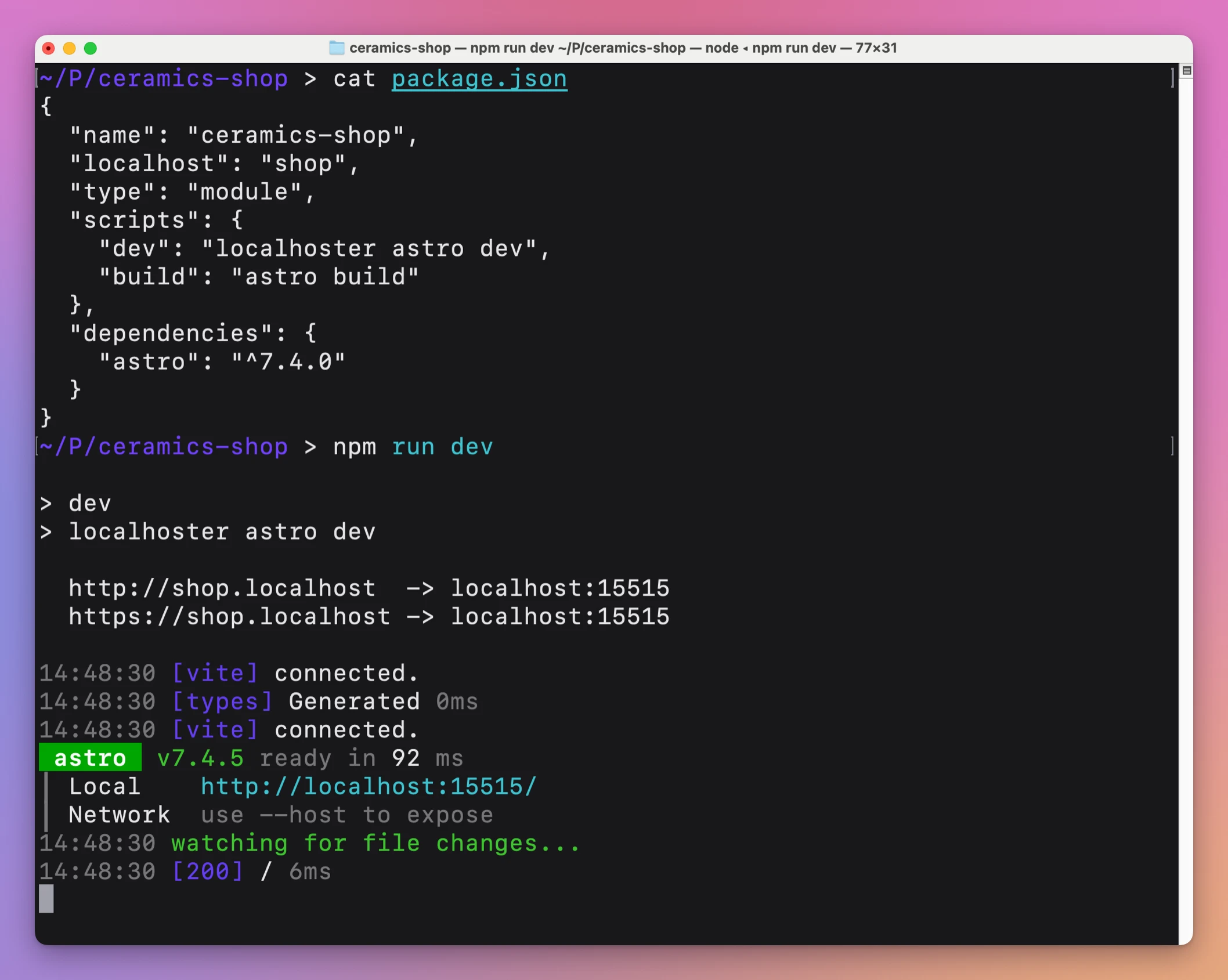
Open the https one. Both schemes serve the page. There is no redirect from HTTP to HTTPS, unlike a Caddyfile you write by hand. Use https://shop.localhost for cookies and for the callback. The provider never sees the port, because the URL you register has no port in it.
Safari’s handling of .localhost isn’t something this app’s docs state, so this page doesn’t claim it. The certificate is Caddy’s local authority, trusted on your machine after caddy trust. The HTTPS tutorial notes that a phone on the same Wi-Fi resolves the name to itself, not to your Mac, and does not trust that authority. Register the callback on the machine where you run the dev server.
npm run devConfirm the admin API before you blame the callback. The HTTPS tutorial’s check was:
curl http://localhost:2019/config/{"admin":{"listen":"localhost:2019"}}The preflight is that https URL loading without a certificate warning. If Caddy isn’t running, Local Hoster stops before your server starts and prints Caddy is not running. Start it first: followed by brew services start caddy. That setup lives in the other tutorial.
Set the cookie on the https origin
MDN’s Set-Cookie page defines Secure. The cookie is sent only when the request uses the https: scheme, except on localhost, where that https requirement is ignored. An insecure http: site cannot set a Secure cookie. shop.localhost is not the host localhost. Don’t lean on the exception. Send the cookie from https://shop.localhost, which is the same shape you will use in production.
Skip Secure and the cookie will ride along on http://shop.localhost as well. Anyone who can see that plain request can see the cookie. The OAuth guide’s session advice is an HttpOnly, Secure and appropriate SameSite cookie. HttpOnly keeps page scripts from reading it. A missing cookie after a correct token exchange looks like a failed login, which that guide also points out.
Example 1: a session cookie for the shop callback
This header is an example, built from those attributes. The value is made up:
Set-Cookie: session=8f3c1a; HttpOnly; Secure; SameSite=Lax; Path=/Your server sends it on an https://shop.localhost response. SameSite=Lax is the value that still shows up when the provider’s site sends the browser back. MDN says Lax is sent on same-site requests and on cross-site top-level navigations that use a safe method, which a GET callback is. Strict is only same-site, so the cookie you set before the redirect is not included on the way back from the provider. SameSite=None requires Secure. Some browsers default to Lax when you omit SameSite. Set it, so the dev cookie matches the one you will set in production.
http://shop.localhost serves the same app, and an http: response cannot set this cookie. If the session appears when you use https and disappears when you use http, the attribute is doing what MDN says. Local Hoster did not add a cookie helper. The header is yours.
Path=/ sends the cookie on every path of that host, including the callback. Leave Domain off. A Domain=localhost attribute would not cover shop.localhost, and a Domain=.localhost attribute is not something this page is claiming browsers accept. Host-only is the match for one project. The admin host in the next example then needs its own cookie, which is what you want when the two apps should not share a login.
The routes retry for up to 10 seconds while the dev server comes up. That wait is Caddy trying the port, not the OAuth provider. If the first request in that window fails and the next one loads, the callback URL has not changed. Don’t register a fallback http://localhost URL because the first click was early.
Register the callback as one exact string
The provider stores the callback URLs you give it and compares the redirect_uri on each request to that list. How OAuth works says current guidance is exact string matching, with a limited localhost exception for native apps. A website on .localhost is not that exception. Register the full https URL. A prefix, a wildcard, or “any localhost port” is the loose match that guide tells you not to use.
The production example in that post is https://app.flaviocopes.com/auth/github/callback. The local one keeps the path and changes the origin.
Register this as an example callback for the shop project. It is not a GitHub app of mine:
https://shop.localhost/auth/github/callbackPaste that string into the provider’s callback list. Local Hoster has no screen for it. The second run of npm run dev prints the same https://shop.localhost and the same port 15515, because the port comes from the name. You do not edit the provider when the dev server restarts. A callback you saved as http://localhost:15515/auth/github/callback does change whenever something else takes 15515, or when you wanted https. That is the URL to stop using.
Register the other project on its own host
A second project is a second origin. The shop’s cookie is host-only unless you set Domain, and the example header above does not set Domain. shop.localhost and admin.localhost are different hosts, so the browser will not send the shop session to the admin. On plain localhost the two apps would share cookies, because a cookie does not care about the port. That is the bug a shared http://localhost:PORT hides, and it shows up when the two apps disagree about who is logged in.
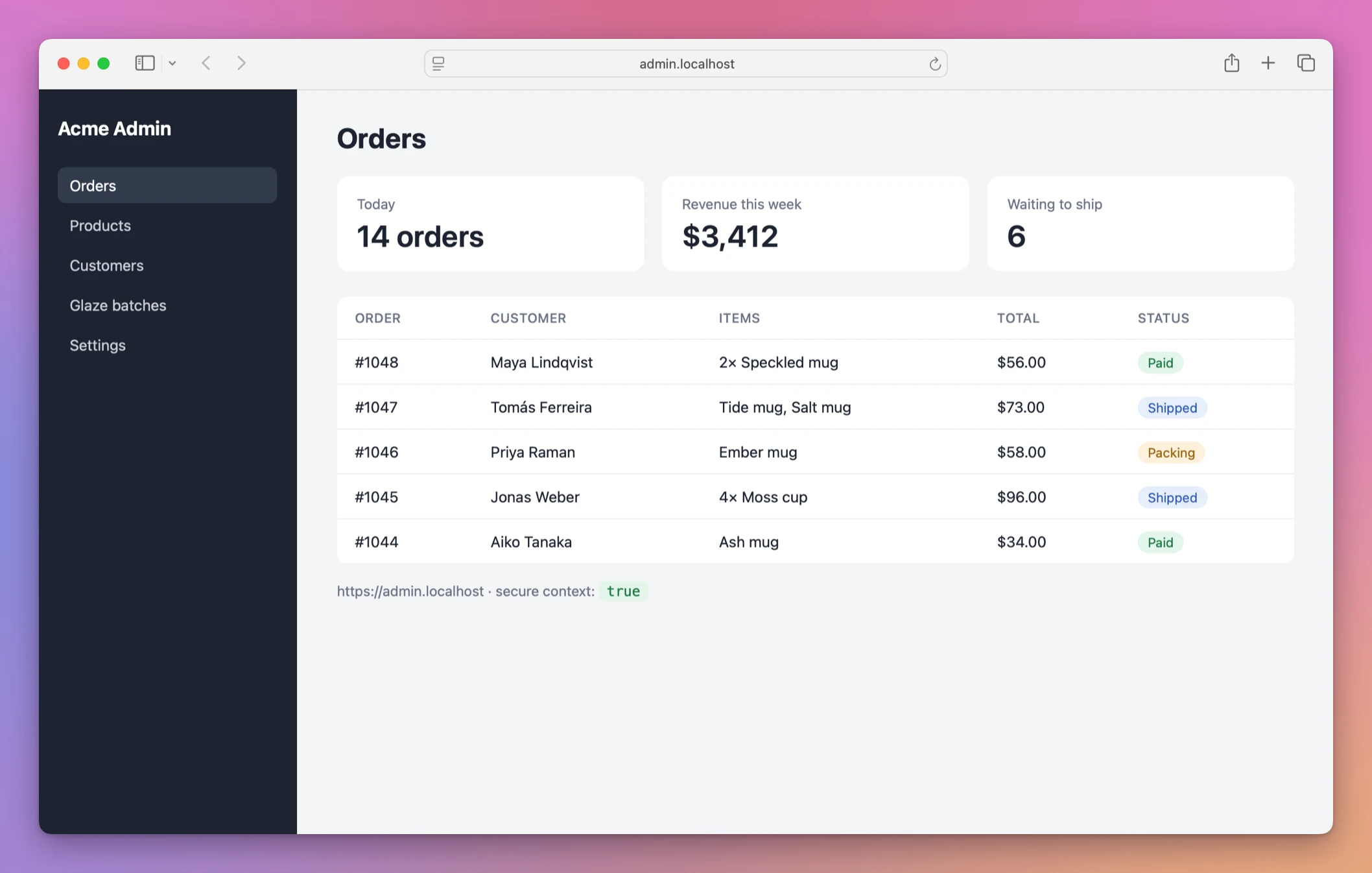
The stable-URL tutorial uses admin for a Vite app, at https://admin.localhost, on port 48220. That port is from the name, the same way 15515 is for shop. You already picked the name in that project’s package.json. This section only registers the callback.
Example 2: admin, with a different path
Register the admin callback on its own. The path is /auth/callback, not the shop’s /auth/github/callback, so the two registrations are not copies:
https://admin.localhost/auth/callbackshop.localhost will not send the shop’s session cookie to admin.localhost. Each app sets Secure on its own https origin. Starting the admin project is another npm run dev in that folder, after its package.json already has "localhost": "admin". The name picking is the other tutorial.
This is the admin app at https://admin.localhost. The line under the table says the page runs in a secure context:
GitHub documents the mismatch. If the redirect_uri doesn’t match a registered callback, GitHub redirects to the registered callback with error=redirect_uri_mismatch and error_description=The redirect_uri MUST match the registered callback URL for this application. The page is Troubleshooting authorization request errors. The error arrives on the URL you saved, not on the bad one, so a page that never loads is a different bug from this message. How OAuth works uses error=access_denied for a person who refuses the grant. That is not a string mismatch. Other providers reject a string that doesn’t match too. I’m not quoting their text, because this page only has GitHub’s.
The docs say Local Hoster does not upload the project or provide a public tunnel. The browser on your computer is what follows the provider’s redirect to https://shop.localhost. That request is the one that needs the local certificate. A laptop that hasn’t run caddy trust fails in the browser, while the provider’s dashboard can still list the callback as saved.
Read the mismatch from GitHub
Example 3: http, or a trailing slash, against the https callback
You registered https://shop.localhost/auth/github/callback. The app sends http://shop.localhost/auth/github/callback, or the same https URL with a trailing slash, or https://shop.localhost:15515/auth/github/callback. Those are different strings. GitHub’s error above is the one you read. Fix the string the app sends so it is character for character the registered one, including https and the path. Adding the port is a different registration, and you would have to change it if the port ever moved. The name URL has no port.
While the server is running you can read the TLS policy Local Hoster added. The HTTPS tutorial curled Caddy’s admin API and got the shop policy:
curl http://localhost:2019/config/apps/tls/{"automation":{"policies":[{"@id":"localhoster-shop-localhost-tls","issuers":[{"module":"internal"}],"subjects":["shop.localhost"]}]}}That @id is present only while this project is running. The routes are localhoster-shop-localhost-http and localhoster-shop-localhost-https, both forwarding to localhost:15515. A second npm run dev after a clean stop adds them again. It does not pick a new public URL.
Stop the server, and don’t follow a sliding port
Undo the local routes by stopping the dev server. Press Ctrl-C. Local Hoster removes the HTTP route, the HTTPS route and the TLS policy when the child exits or it handles a stop signal. Run the same read again:
curl http://localhost:2019/config/apps/tls/{"automation":{"policies":[]}}Caddy keeps running. The callback you registered at the provider stays until you delete it there. Stopping the dev server does not edit the provider. There is no public tunnel. The docs say the addresses are for development on your computer.
The name stays right even when the port under it is wrong. The stable-URL tutorial started another server on localhost:15515, then ran a Vite project named shop:
localhoster vitehttp://shop.localhost -> localhost:15515
https://shop.localhost -> localhost:15515
Port 15515 is in use, trying another one...
VITE v7.3.1 ready in 101 ms
➜ Local: http://localhost:15516/Caddy still sent shop.localhost to 15515, so the HTTPS origin showed the other server. A Secure cookie from that page belongs to whatever answered, which may not be the OAuth app you think you are testing. The callback string is still correct. The process behind it isn’t.
--strictPort makes Vite refuse to move. The same tutorial ran:
localhoster vite --strictPorthttp://shop.localhost -> localhost:15515
https://shop.localhost -> localhost:15515
error when starting dev server:
Error: Port 15515 is already in useVite exits, Local Hoster removes the routes it just added, and the command exits with status 1. That is the failure you want. The provider still has https://shop.localhost/auth/github/callback. You fix the listener on 15515, then start the shop again. You don’t register http://localhost:15516.
If something looks wrong
If GitHub sends error=redirect_uri_mismatch and The redirect_uri MUST match the registered callback URL for this application., the string in the request is not the string you saved. Check https, the host, the path and any trailing slash. The registered callback is where GitHub delivers that error.
If the login succeeds and the next request has no session, the Set-Cookie was dropped. A common cause is sending it on http://shop.localhost. MDN says an insecure site cannot set Secure. Repeat the response on https://shop.localhost.
If the cookie exists on the shop and is missing when the provider redirects back, and you set SameSite=Strict, that attribute does not ride along on the cross-site navigation. Use SameSite=Lax for that cookie, which is the example header above.
If the browser warns about the certificate, caddy trust has not been done for this Caddy, or the browser was not restarted after it. The HTTPS tutorial’s curl failure for that case is SSL certificate problem: unable to get local issuer certificate.
If Local Hoster prints Caddy is not running. Start it first:, the admin API on localhost:2019 is down. The other tutorial starts the service. This page has nothing to register until https://shop.localhost answers.
If https://shop.localhost shows a different project, something else is listening on the port Caddy forwards to. The stable-URL tutorial’s shop port is 15515. ports can name the listener. The callback host does not need a new registration while the name stays shop.
If you registered http://localhost:15515/... and it worked once, the next dev server that cannot keep 15515 is a different callback. Register https://shop.localhost/auth/github/callback and leave the port out of the provider.
If you expected Local Hoster to set the cookie or to open the provider’s dashboard, it doesn’t. It adds and removes Caddy routes. The header and the OAuth app are yours.
Get Local Hoster
Give your development projects memorable .localhost URLs with local HTTPS through Caddy. Includes the localhoster CLI and full MIT source.
See Local Hoster → · Read the docs · $20. See the app page for tax details, with full source code.
Want me to talk about your product? You can sponsor this site.