HTTPS on localhost with Caddy and memorable .localhost names
By Flavio
Updated
Serve a dev server at https://myapp.localhost through Caddy's local certificate authority, first with a two-line Caddyfile, then per project with Local Hoster.
In development you open http://localhost:4321, and most of the time that’s fine. Then you work on secure cookies, a service worker, WebAuthn or an OAuth callback, and the browser wants a secure origin.
Caddy can give you https://myapp.localhost with a certificate from its own local certificate authority, and forward every request to your dev server. We’ll do it by hand with a Caddyfile first, so you see what’s going on, then let Local Hoster do it for every project.
Why .localhost works without setup
Names ending in .localhost are reserved for your own machine. Browsers send myapp.localhost to 127.0.0.1 or ::1, so there’s nothing to add to /etc/hosts. Recent versions of curl do the same.
Caddy knows those names can’t get a public certificate. It issues one itself from a local authority it creates on first use, with a root called “Caddy Local Authority - 2026 ECC Root” (the year is when it was created). Your browser trusts those certificates once that root is in your system’s trust store.
Install Caddy with Homebrew:
brew install caddyBy hand: a Caddyfile
Start your dev server as usual, so it answers on http://localhost:4321. Then, in an empty folder, create a file called Caddyfile:
myapp.localhost {
	reverse_proxy localhost:4321
}
The first line is the address you’ll open. reverse_proxy forwards every request to the dev server. Run Caddy in that folder:
caddy runCaddy logs “using adjacent Caddyfile”, creates the local authority, gets a certificate for myapp.localhost and listens on ports 80 and 443. The first time, it also tries to install its root certificate in the system trust store, which asks for your password.
Open https://myapp.localhost. Plain HTTP redirects to HTTPS:
curl -I http://myapp.localhostHTTP/1.1 308 Permanent Redirect
Connection: close
Location: https://myapp.localhost/
Server: CaddyPress Ctrl+C to stop Caddy. Only one program can listen on ports 80 and 443, so if you already run Caddy as a service, stop it first or skip this part. The Caddy course lesson proxy a local application goes deeper into reverse_proxy.
This setup has two problems. The port is fixed in the file, and when 4321 is busy Astro moves to 4322 and Caddy keeps sending requests to 4321. And every new project is another block to add and another reload.
Here’s how the two setups in this tutorial compare:
| Caddyfile by hand | Local Hoster | |
|---|---|---|
| How Caddy runs | caddy run in the project folder | Homebrew service, always on |
| How routes get there | You write a block per project | Added through the admin API on localhost:2019 |
| Dev server port | Fixed in the file | Picked from the name, passed to the dev command |
http:// | 308 redirect to https:// | Serves the page too |
| When the dev server stops | Route stays, requests fail | Routes and TLS policy removed |
| While the dev server starts | 502 | Waits up to 10 seconds |
Per project: Local Hoster
Local Hoster doesn’t write a Caddyfile. It talks to the Caddy admin API on localhost:2019, adds routes when your dev server starts and removes them when it stops. So Caddy needs to run all the time, with the admin API on.
The Homebrew service reads /opt/homebrew/etc/Caddyfile, and it can’t be empty. Put a global options block in it that turns on the admin API and nothing else:
printf '{\n\tadmin localhost:2019\n}\n' > "$(brew --prefix)/etc/Caddyfile"
brew services start caddy
caddy trust
An empty Caddyfile doesn’t work. caddy adapt on an empty file fails with EOF, and the service fails to start with adapting config: EOF. If you already have a Caddyfile with your own sites, keep it and skip the printf line.
caddy trust installs the root certificate in the system trust store and asks for your password. Check that the admin API answers:
curl http://localhost:2019/config/{"admin":{"listen":"localhost:2019"}}Install Local Hoster from the source zip on your Polar receipt: unzip it and run npm link in the folder. It needs Node.js 18 or newer and has no npm dependencies.
Wrap the dev command
In your project’s package.json, add a localhost field with the name and put localhoster in front of the dev command:
{
  "localhost": "myapp",
  "scripts": {
    "dev": "localhoster astro dev"
  }
}
Run npm run dev as usual. Local Hoster prints the two routes it added, then your dev server’s usual output:
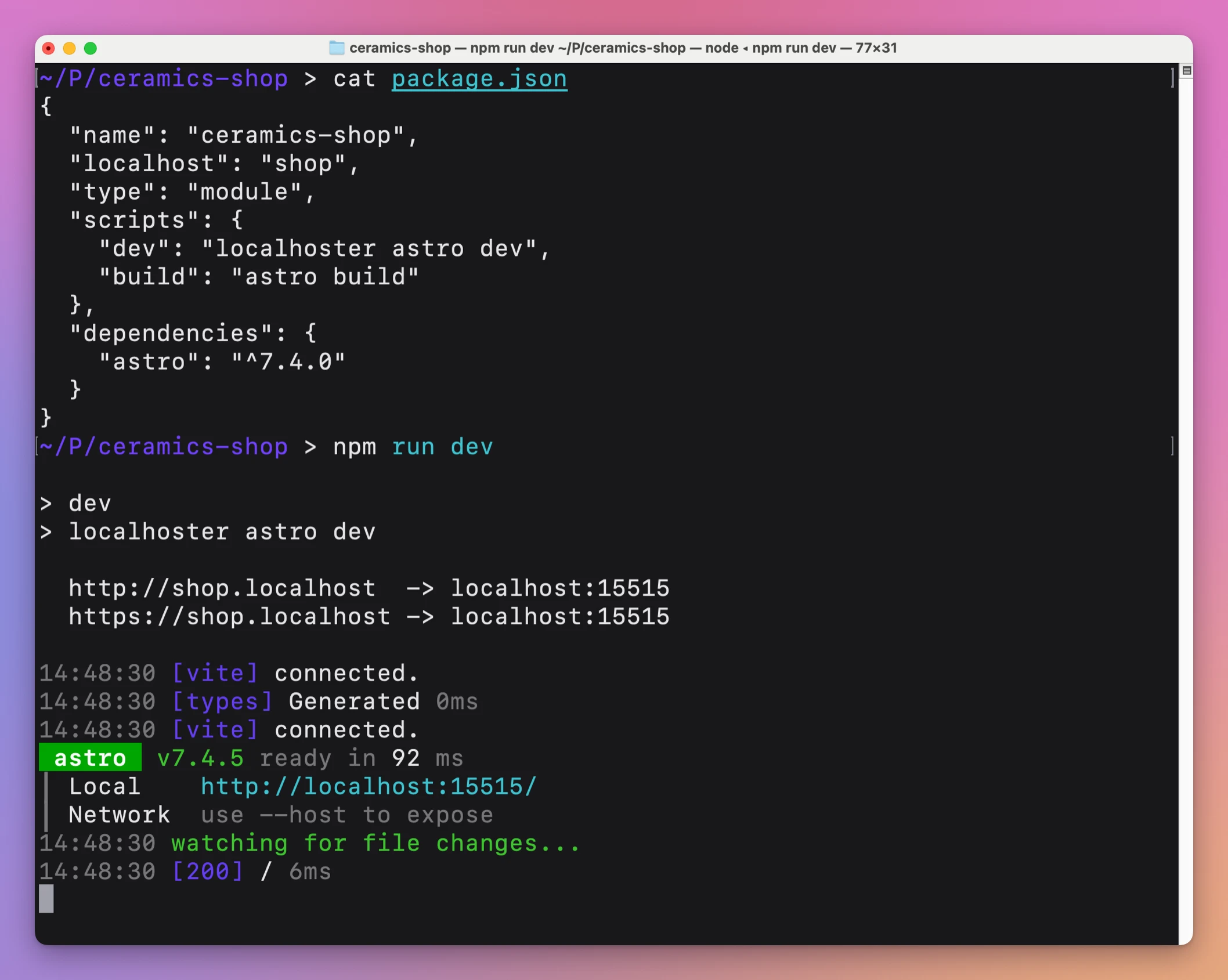
It picked port 15515 for shop.localhost and started astro dev --port 15515. That number comes from the name, so it’s the same every time. Give every project a stable .localhost URL covers how names become ports and how to run several projects.
Open https://shop.localhost. This is a fictional admin from the same demo, at https://admin.localhost, with the page reporting that it runs in a secure context:
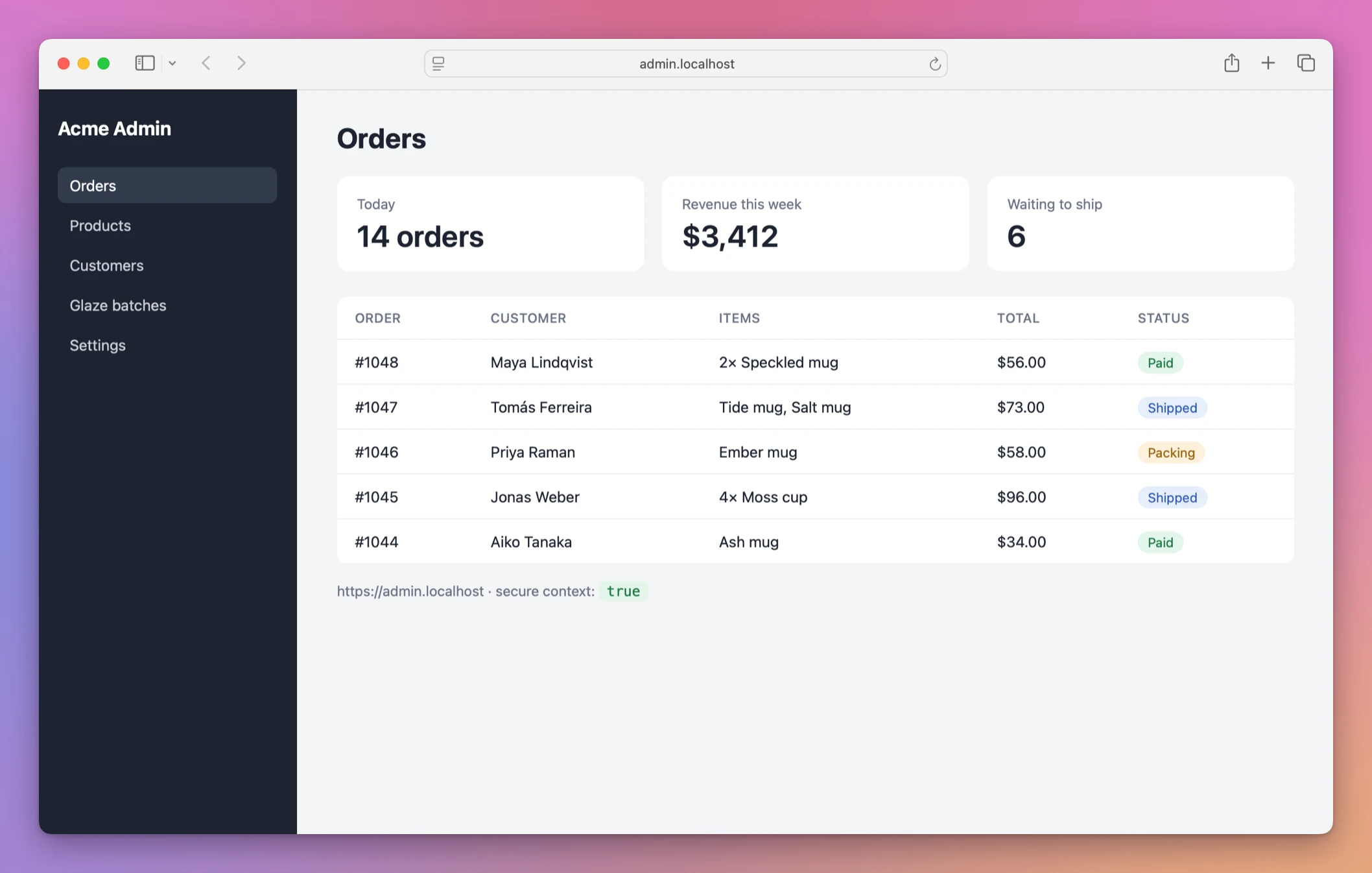
The page prints whether the browser treats it as a secure context, and it does, so the APIs that need HTTPS are available.
What it adds to Caddy
Each project gets three objects in the Caddy config, tagged with its name: an HTTP route on the :80 server, an HTTPS route on the :443 server, and a TLS policy that tells Caddy to use its internal authority for that name. You can read them from the admin API while the project runs:
curl http://localhost:2019/config/apps/tls/{"automation":{"policies":[{"@id":"localhoster-shop-localhost-tls","issuers":[{"module":"internal"}],"subjects":["shop.localhost"]}]}}The routes are localhoster-shop-localhost-http and localhoster-shop-localhost-https. Both forward to localhost:15515, and both keep retrying for up to 10 seconds while the dev server isn’t listening yet. A page you open while Astro starts waits for it, instead of showing an empty 502.
Unlike the Caddyfile above, there’s no redirect. http://shop.localhost and https://shop.localhost both serve the page. Use the HTTPS one when you test cookies or OAuth, and register that exact origin in the provider’s settings.
Stop the dev server
Press Ctrl+C. Local Hoster removes both routes and the TLS policy, then exits. Reading the config again shows nothing left:
curl http://localhost:2019/config/apps/tls/{"automation":{"policies":[]}}Caddy keeps running for the next project. It removes the routes when the dev server exits on its own too, for example when it crashes on startup.
When it doesn’t work
If Caddy isn’t running, or the admin API is off, Local Hoster stops before starting your server:
Caddy is not running. Start it first:

  brew services start caddy

If it still does not start, check that its Caddyfile is not empty (see the README).
Check brew services list and the curl http://localhost:2019/config/ command above.
If the browser warns about the certificate, the root isn’t trusted yet. Run caddy trust while Caddy is running, then restart the browser. Without it, curl fails with SSL certificate problem: unable to get local issuer certificate.
Only your Mac trusts this authority. A phone on the same Wi-Fi resolves myapp.localhost to itself, not to your Mac, and wouldn’t trust the certificate anyway. The Caddy course lesson use local HTTPS covers trusting the root and testing clients that don’t trust it.
Get Local Hoster
Give your development projects memorable .localhost URLs with local HTTPS through Caddy. Includes the localhoster CLI and full MIT source.
See Local Hoster → · Read the docs · $20. See the app page for tax details, with full source code.
Want me to talk about your product? You can sponsor this site.