How to put an EPUB on a Kindle from a Mac with a USB cable
By Flavio
Copying an EPUB to a Kindle with the Finder works, but the Kindle doesn't open it. Here's what Amazon says about EPUB, what happens when you copy one by hand, and how to send it as a book the Kindle opens.
You downloaded a free EPUB, from Project Gutenberg for example, and you want it on your Kindle without emailing it to Amazon. The Kindle shows up on your Mac as a disk, so you drag the EPUB into it. The copy works fine, and the book never shows up on the Kindle.
That’s because a Kindle doesn’t read EPUB files copied over the cable. Amazon’s Kindle Paperwhite page lists what the Kindle reads natively: Kindle Format 8 (AZW3), Kindle (AZW), TXT, PDF, unprotected MOBI and PRC. EPUB isn’t in that list. On the newer Paperwhite listing, EPUB is among the formats it reads “through conversion”, the conversion Amazon does when you send a file with Send to Kindle.
So an EPUB has two ways onto a Kindle: through Amazon, which converts it, or turned into a Kindle format first and then copied by cable.
This is about a Kindle that shows up in the Finder as a disk. The tutorial about a Kindle that doesn’t show up explains which ones do.
Copy it by hand
I tried this on a stand-in Kindle: an 8 GB disk image formatted FAT32 like a Kindle that shows up as a disk, named Kindle, with a documents folder and a My Clippings.txt in it. On the Mac it behaves like an older Kindle plugged in by cable. What it can’t do is open a book: there’s no Kindle screen. The books are public-domain EPUBs from Project Gutenberg, renamed with their titles:
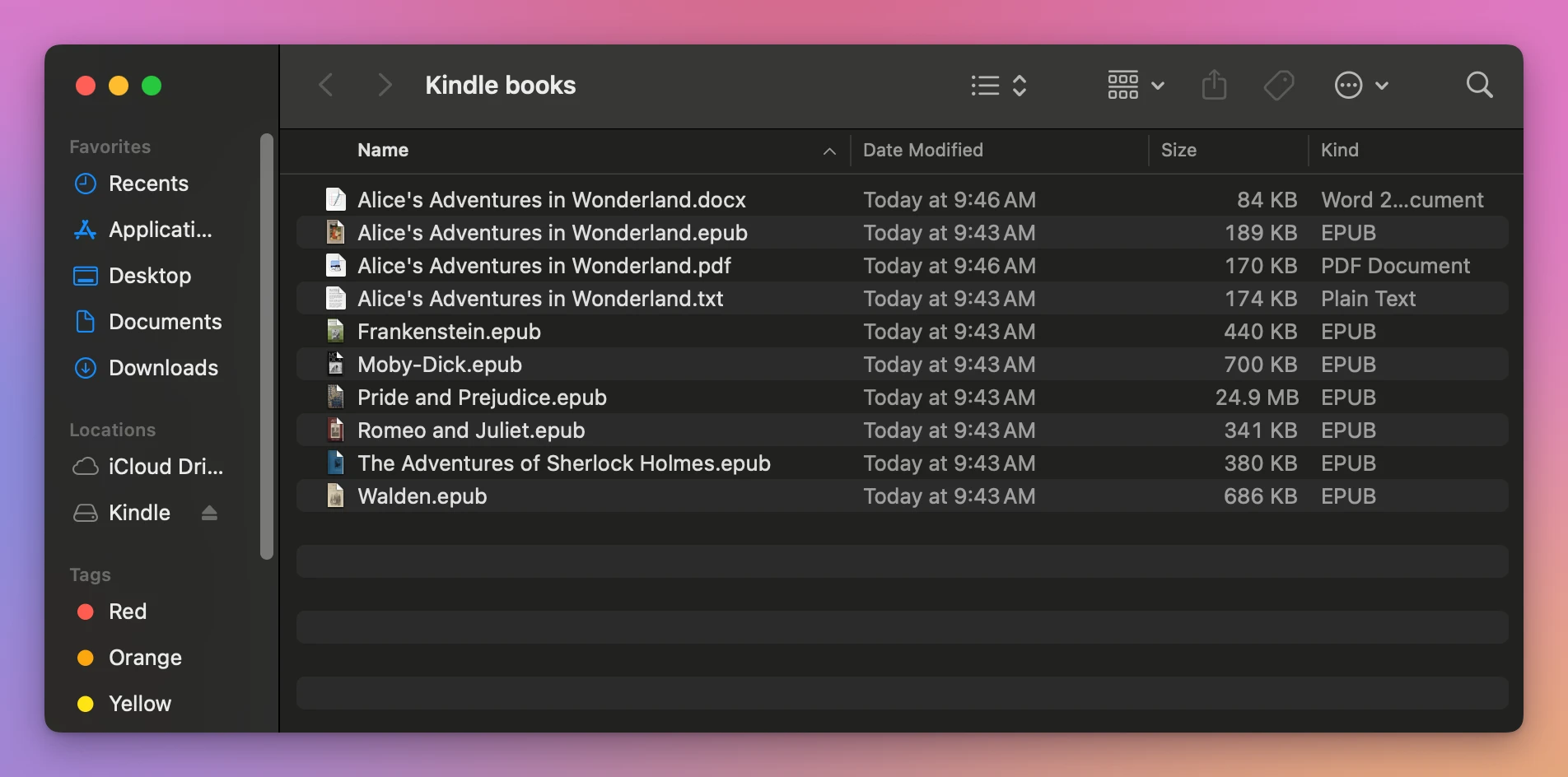
- Select the EPUB in the Finder and choose Edit > Copy, or drag it.
- Click Kindle in the sidebar and open the
documentsfolder. - Choose Edit > Paste Item, or drop it there.
Frankenstein.epub landed next to My Clippings.txt, the same 440 KB:
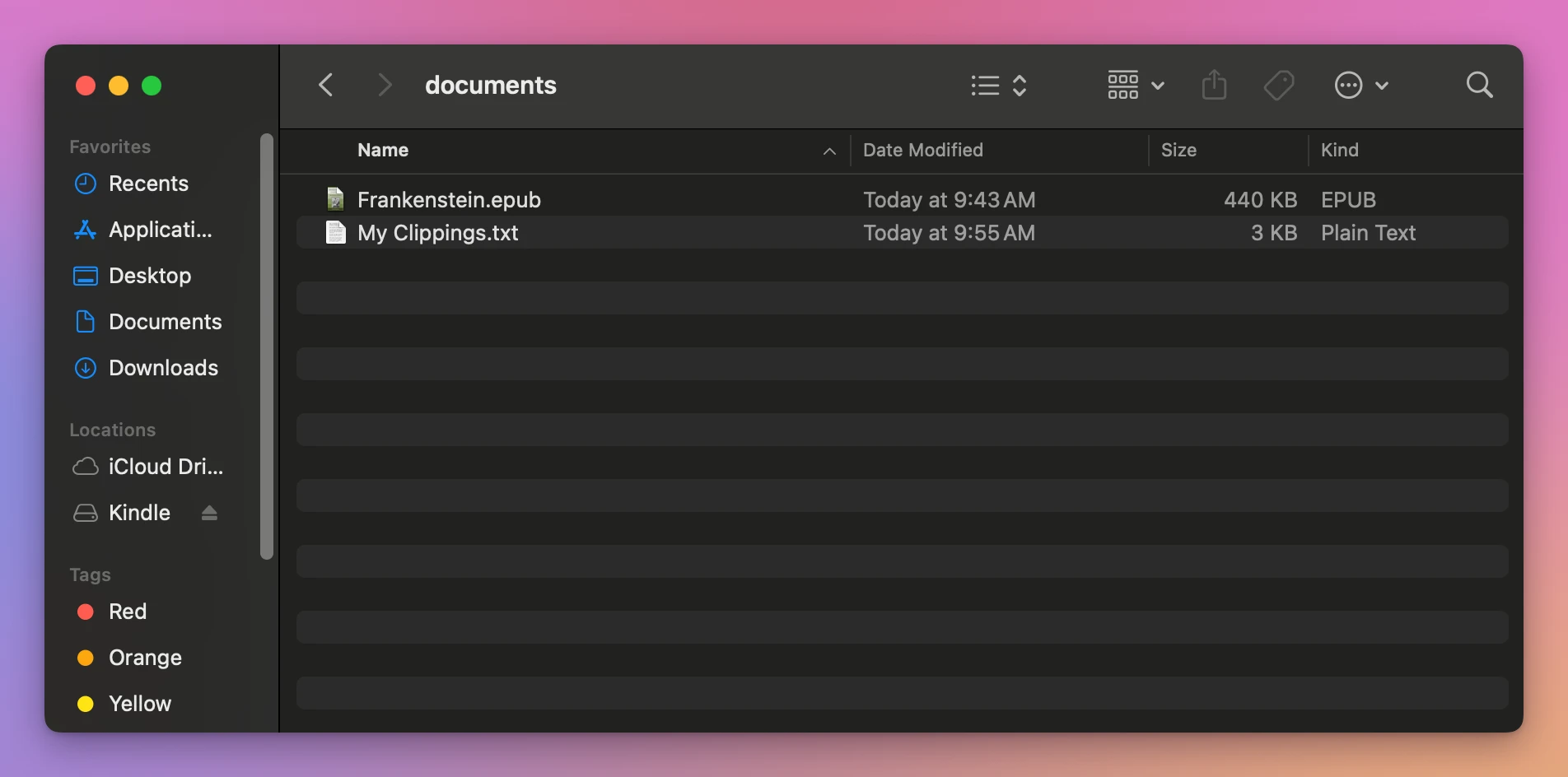
Nothing in the Finder tells you the Kindle won’t open it. It’s a file on a disk, and the Finder copies any file.
Turn it into a Kindle book first
The way around it by hand is to convert the EPUB to a format from Amazon’s native list, like MOBI or AZW3, before you copy it. The Mac has no app that does that: Books opens an EPUB to read it, and that’s all.
The other way is Amazon’s Send to Kindle, which takes EPUB files and converts them. Its help page lists EPUB with PDF, TXT, RTF, HTML and pictures, up to 200 MB a file with Send to Kindle for Web. The book then arrives over Wi-Fi through your Amazon account, not over the cable.
| Copy the EPUB with the Finder | Send to Kindle | Transfer for Kindle | |
|---|---|---|---|
| How it travels | USB cable | Your Amazon account, over Wi-Fi | USB cable |
| What the Kindle gets | The EPUB, as it is | A converted book | A .mobi made on the Mac |
| Does the Kindle open it | No, EPUB isn’t in Amazon’s list of formats it reads natively | Yes | Yes, on my own Kindle |
| Uploaded anywhere | No | Yes | No |
Send it as a Kindle book
Transfer for Kindle is a Mac app I made that sends books to a Kindle over the cable. It turns an EPUB into a MOBI on your Mac, then copies it to the Kindle’s documents folder. It’s my own app, not made by, affiliated with or endorsed by Amazon. It costs $20, paid once.
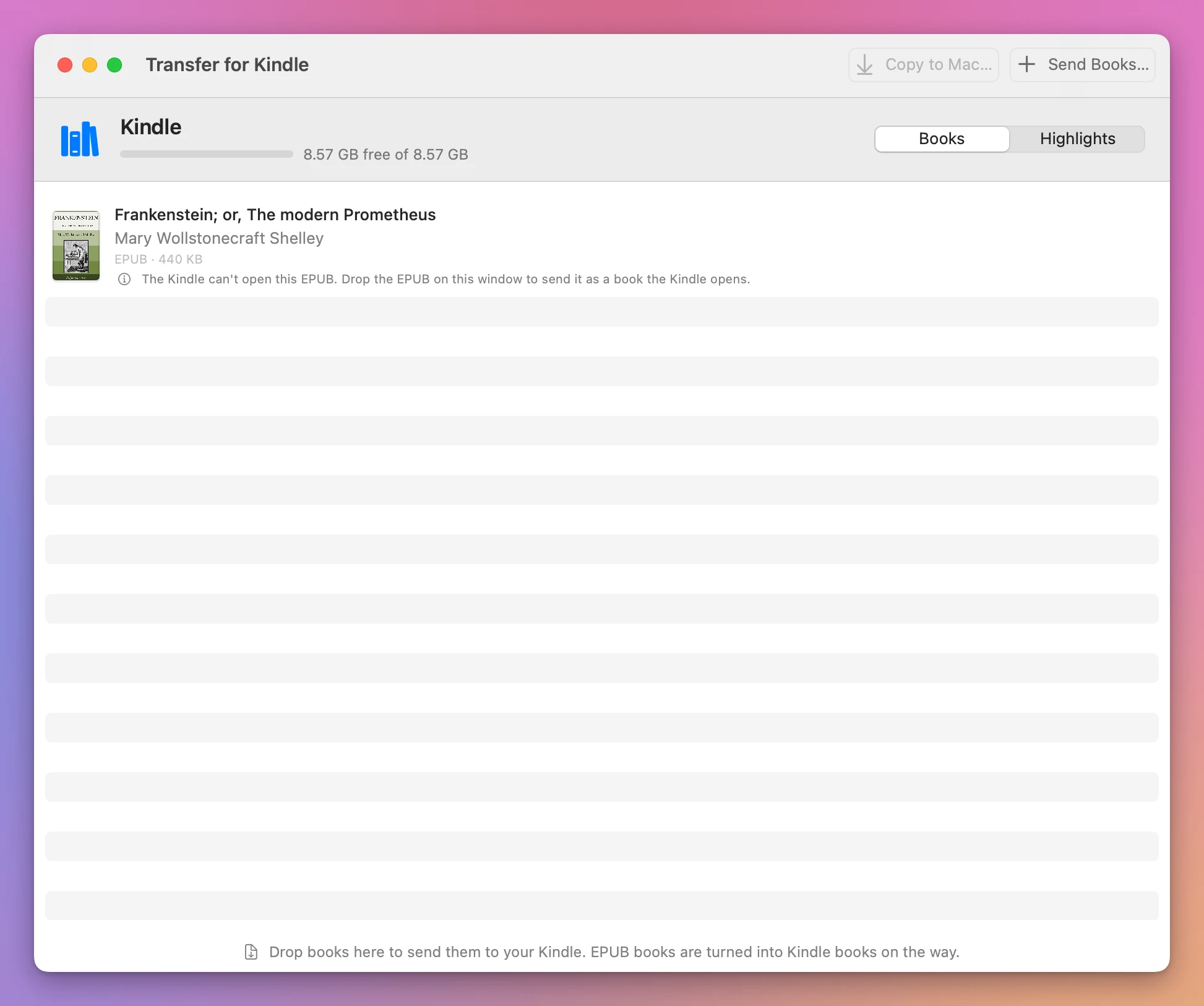
It also catches the EPUB you already copied by hand. I copied Frankenstein.epub into documents without the app while it was open, and when I switched back to its window the book was in the list with a note under it:
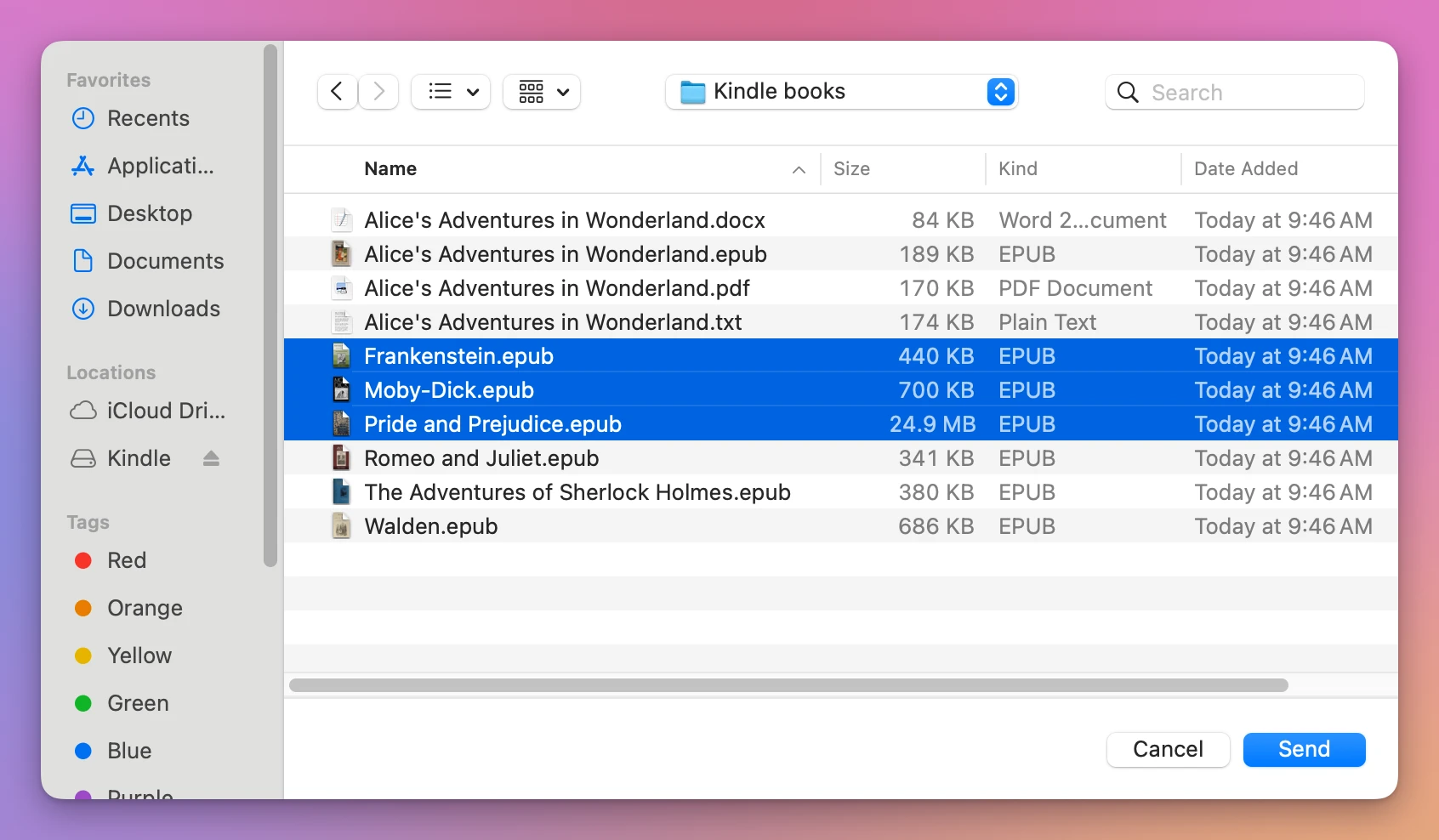
So I did that. I clicked Send Books… and picked three EPUBs from my Mac, Frankenstein included. Dragging them onto the window does the same:
Each book gets a line. Two were already on the Kindle when I caught Pride and Prejudice being converted:
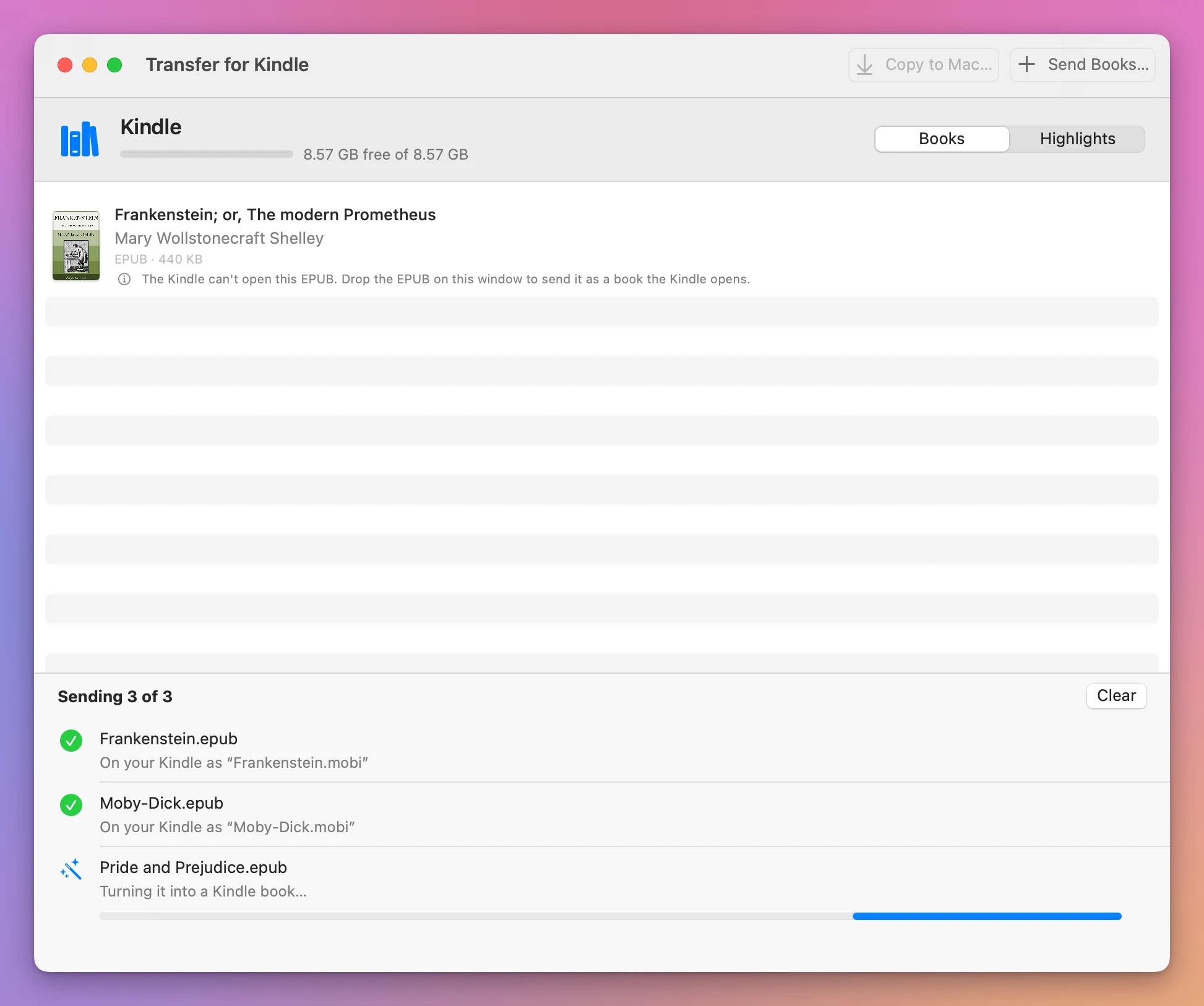
Pride and Prejudice is the illustrated Gutenberg edition, with a 24.9 MB EPUB, and it took about ten seconds in the test Mac. Then the list showed the three new books with their covers, and the free space went from 8.57 GB to 8.56 GB. The note under the EPUB I’d copied by hand changed too: the Kindle now has a MOBI of the same book, so the EPUB can go:
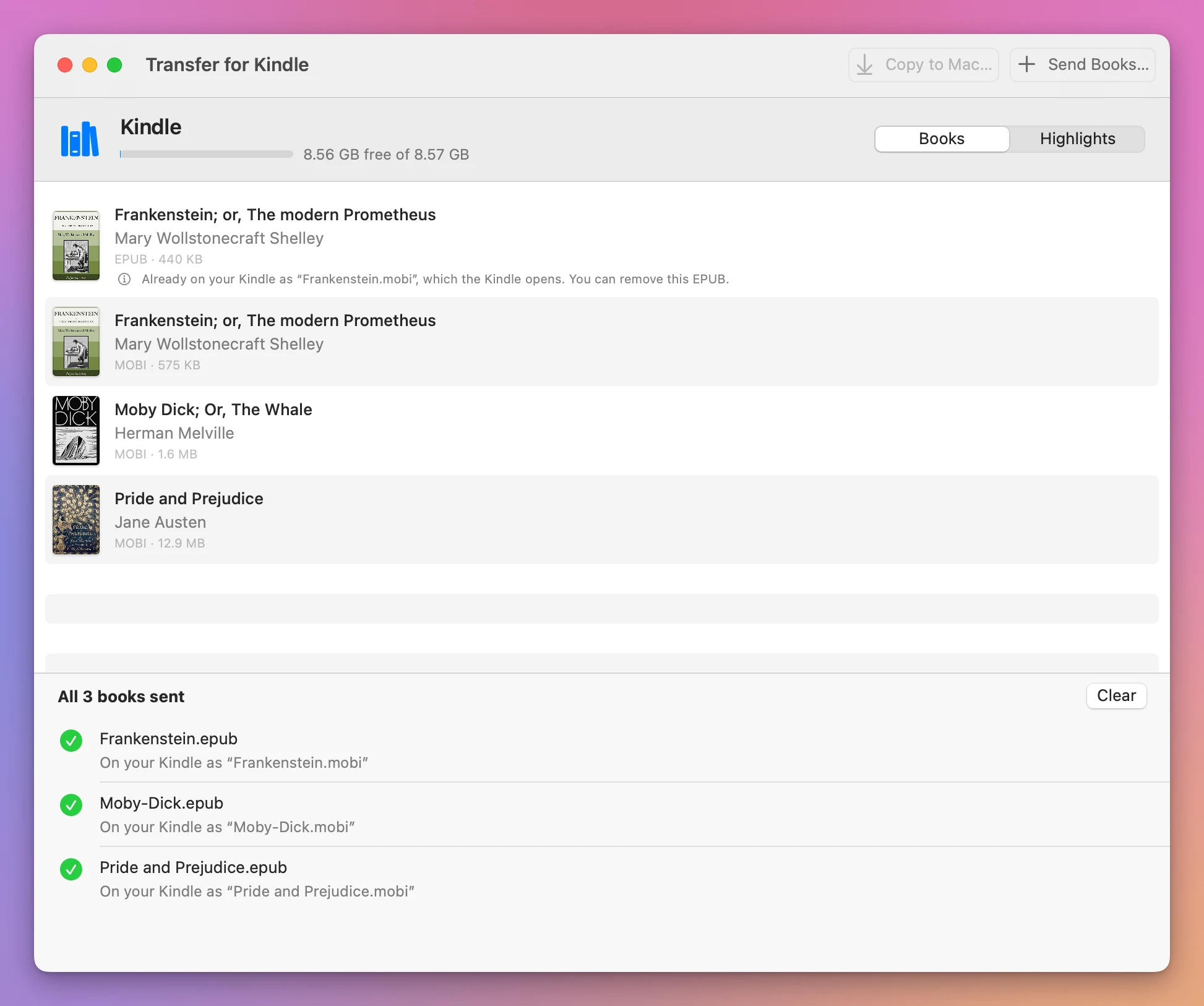
| Book | EPUB | MOBI on the Kindle |
|---|---|---|
| Frankenstein | 440 KB | 575 KB |
| Moby-Dick | 700 KB | 1.6 MB |
| Pride and Prejudice | 24.9 MB | 12.9 MB |
A MOBI can come out bigger than its EPUB. The illustrated Pride and Prejudice came out smaller, because its pictures are made smaller for the Kindle.
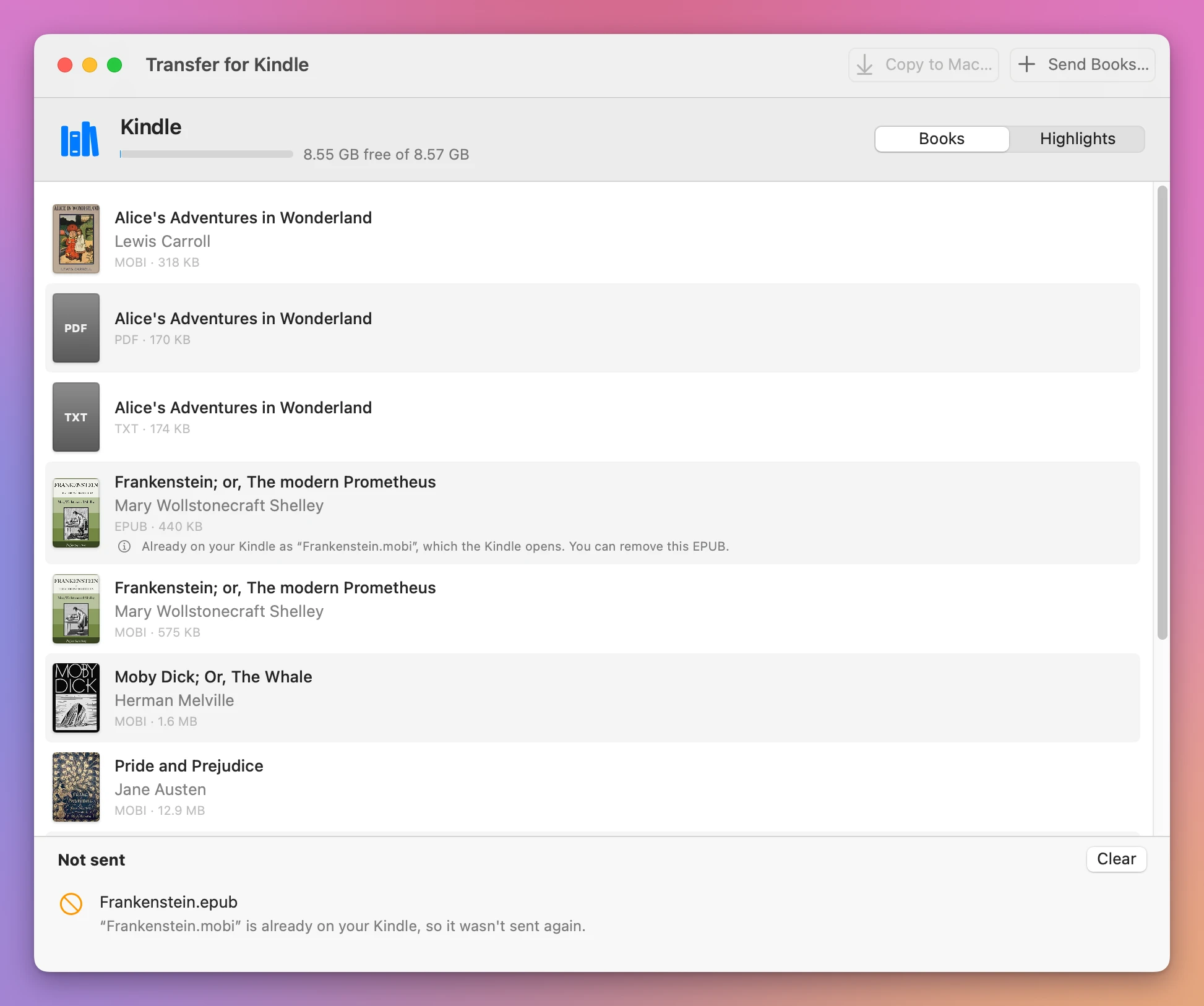
The app never replaces a file on the Kindle. When I sent Frankenstein.epub a second time, it said so and sent nothing:
The stand-in can’t tell me how the books look on a Kindle. My own Kindle can: it’s an older one that shows up as a disk, and a DRM-free EPUB I sent with the app opened on it.
The Frankenstein.epub copied by hand is still on the Kindle, taking 440 KB for nothing, as its note says. Select it in the app and press Delete to remove it.
Get Transfer for Kindle
Plug your Kindle into your Mac and see its books, send your own EPUB, PDF and other books to it by cable, copy books back, and save your highlights. An EPUB is turned into a book the Kindle opens, on your Mac, with nothing uploaded.
See Transfer for Kindle → · Read the docs · $20. See the app page for tax details.
Want me to talk about your product? You can sponsor this site.