What are the ._ files on a USB drive, and how do I get rid of them on a Mac?
By Flavio
Copy songs or photos to a USB stick on a Mac and some of them get a twin whose name starts with ._ . Here's what those files are, which files get one, why the Finder never shows them, and how to remove them.
You copied a folder of songs to a USB stick on your Mac. Next to some of them, the stick now has a second file with the same name and ._ in front: ._03 Coastal Drive.mp3 next to 03 Coastal Drive.mp3. If your car stereo lists songs whose names start with ._, those are the ones, and the Mac made them.
They’re called AppleDouble files. Each one holds the extra details the Mac keeps about a file, which a stick formatted FAT32 or exFAT has no place for. They’re 4 KB each, they’re not songs or photos, and you can delete them. The song itself is a separate file and stays as it is.
Which files get one?
Not every file. I tried it on a stand-in USB stick: a disk image formatted FAT32 like most sticks, named CAR USB, on macOS Sequoia. It works like a real stick on the Mac, except that plugging it in and taking it out is opening and closing a file. I copied a folder of six made-up songs to it with the Finder, plus a folder of eight made-up photos to an exFAT stand-in named TV PHOTOS.
Before copying, I’d opened two songs in QuickTime Player and one photo in Preview. Those three, and only those, got a ._ twin on the stick:
| File | What I’d done with it on the Mac | ._ file on the stick |
|---|---|---|
01 Morning Highway.mp3 | Nothing | None |
03 Coastal Drive.mp3 | Opened in QuickTime Player | ._03 Coastal Drive.mp3, 4 KB |
05 Long Way Home.mp3 | Opened in QuickTime Player | ._05 Long Way Home.mp3, 4 KB |
| The other three songs | Nothing | None |
IMG_2041.JPG | Opened in Preview | ._IMG_2041.JPG, 4 KB |
| The other seven photos | Nothing | None |
Opening a file is enough to give it extra details: the ones I looked at held when the file was last opened and which app opened it. The songs nobody had opened had no extra details, so there was nothing to write.
It also happens on the stick itself. I opened 01 Morning Highway.mp3 straight from the stick in QuickTime Player, and ._01 Morning Highway.mp3 showed up next to it right away.
Apple’s engineers describe the format in Apple’s developer forums: for a file named foo the AppleDouble file is ._foo, and it starts with the same four bytes every time.
Can I see and delete them in the Finder?
No. The Finder never lists them. Command-Shift-Period, which shows the hidden files, didn’t show them either: the folder on the stick still showed six songs. The tutorial about hidden files on a USB drive has the screenshots.
So there’s nothing to select and delete. What you can do by hand:
- Copy files you haven’t opened on the Mac. The songs I’d never opened came across alone.
- Delete the
._files on the device that shows them, if it lets you delete files.
Neither helps much once the stick is full of them, and the second one isn’t a Mac thing anymore.
Remove them with Clean Eject
Clean Eject is a Mac app I made for this. It costs $20, paid once. Click Clean & Eject next to a stick and it shows what the Mac left before it removes anything. It only removes a ._ file that starts with those four bytes the Mac writes, so a file of your own whose name happens to start with ._ stays.
After I’d opened the first song from the stick, it found 3 ._ files on CAR USB:
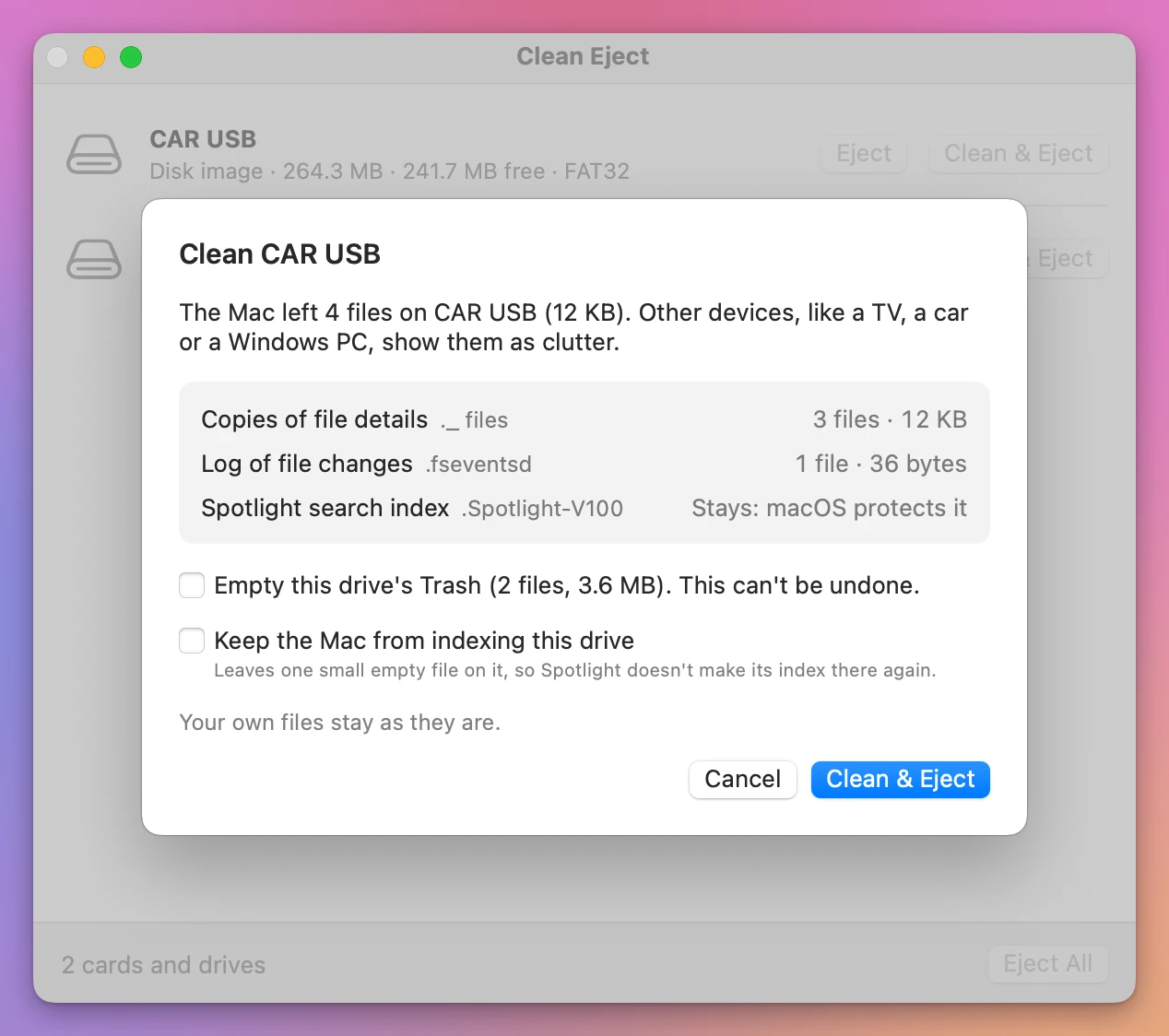
“Copies of file details” is the app’s name for the ._ files. I clicked Clean & Eject:
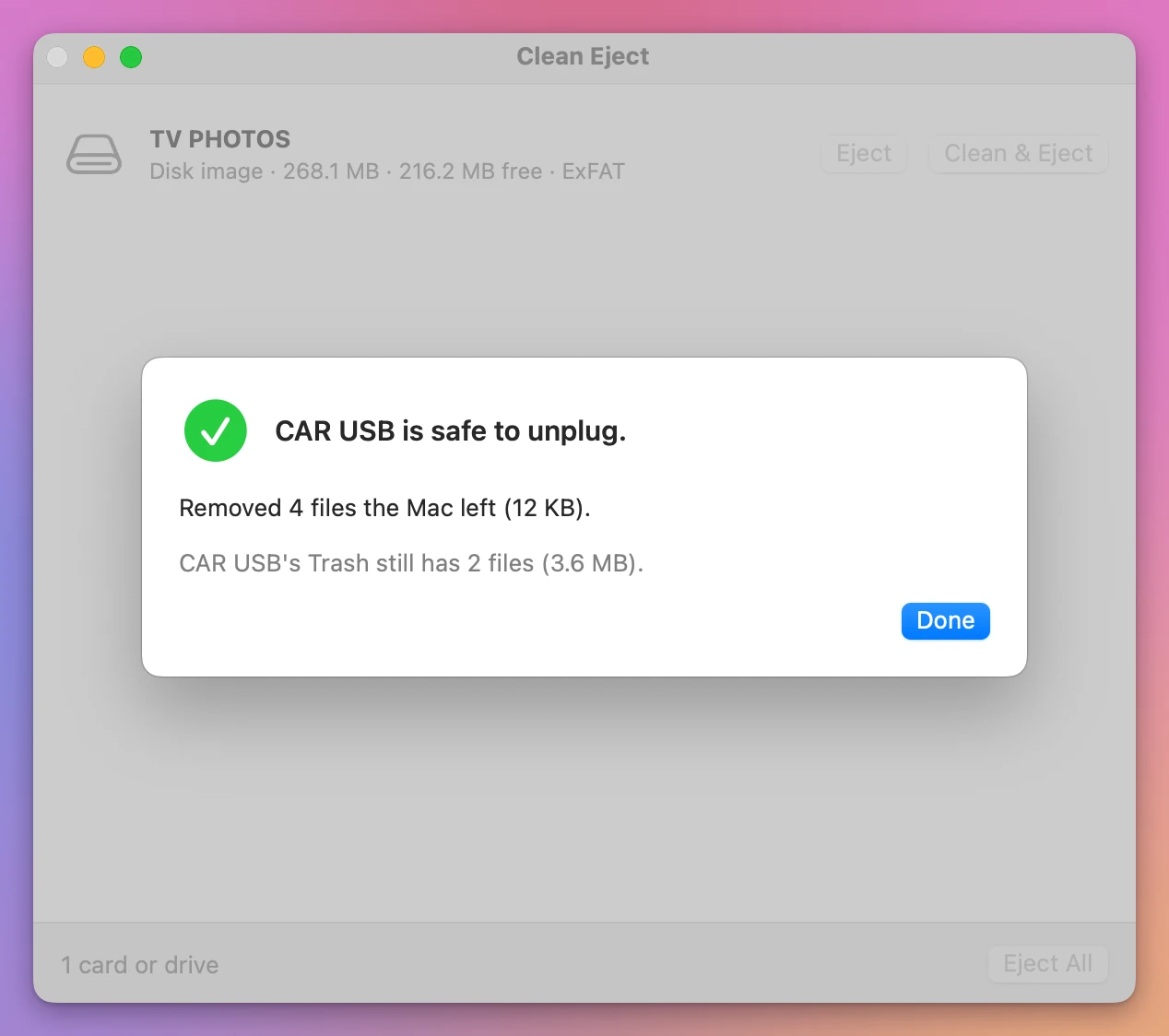
The 4 files are the 3 ._ files and the log in .fseventsd. The stick’s Trash stayed, since I hadn’t ticked its box.
When I plugged the stand-in back in, the six songs were there and the three ._ files were gone. .fseventsd was back, because macOS makes it every time the stick is plugged in, so it’s there until the next clean. They come back when you open a song from the stick or copy more opened files to it, which is why the app cleans right before it ejects.
Get Clean Eject
Remove the hidden files your Mac leaves on memory cards and USB drives, the ._ and .DS_Store files a TV, a car or a Windows PC shows, then eject. When a drive won't eject, see which apps are using it and quit them.
See Clean Eject → · Read the docs · $20. See the app page for tax details.
Want me to talk about your product? You can sponsor this site.