
How to use Copy Verification Report
Copy Verification Report
Compare two folders by relative path and SHA-256, then export a CSV of matching, missing, extra and different files.
Free to read. You can explore the guide before buying the app.
On this page
Install
Download the ZIP from the purchase page or your Creem receipt. Unzip it and move Copy Verification Report to Applications. The app is signed and notarized, and runs on macOS 14 Sonoma or later on Apple silicon and Intel.
The app checks for updates once a day. When a new version is ready, click Install and Relaunch. To check anytime, choose Copy Verification Report → Check for Updates….
If your copy still asks for a key, download the latest version from your purchase page and replace the old app in Applications.
Pick the two sides
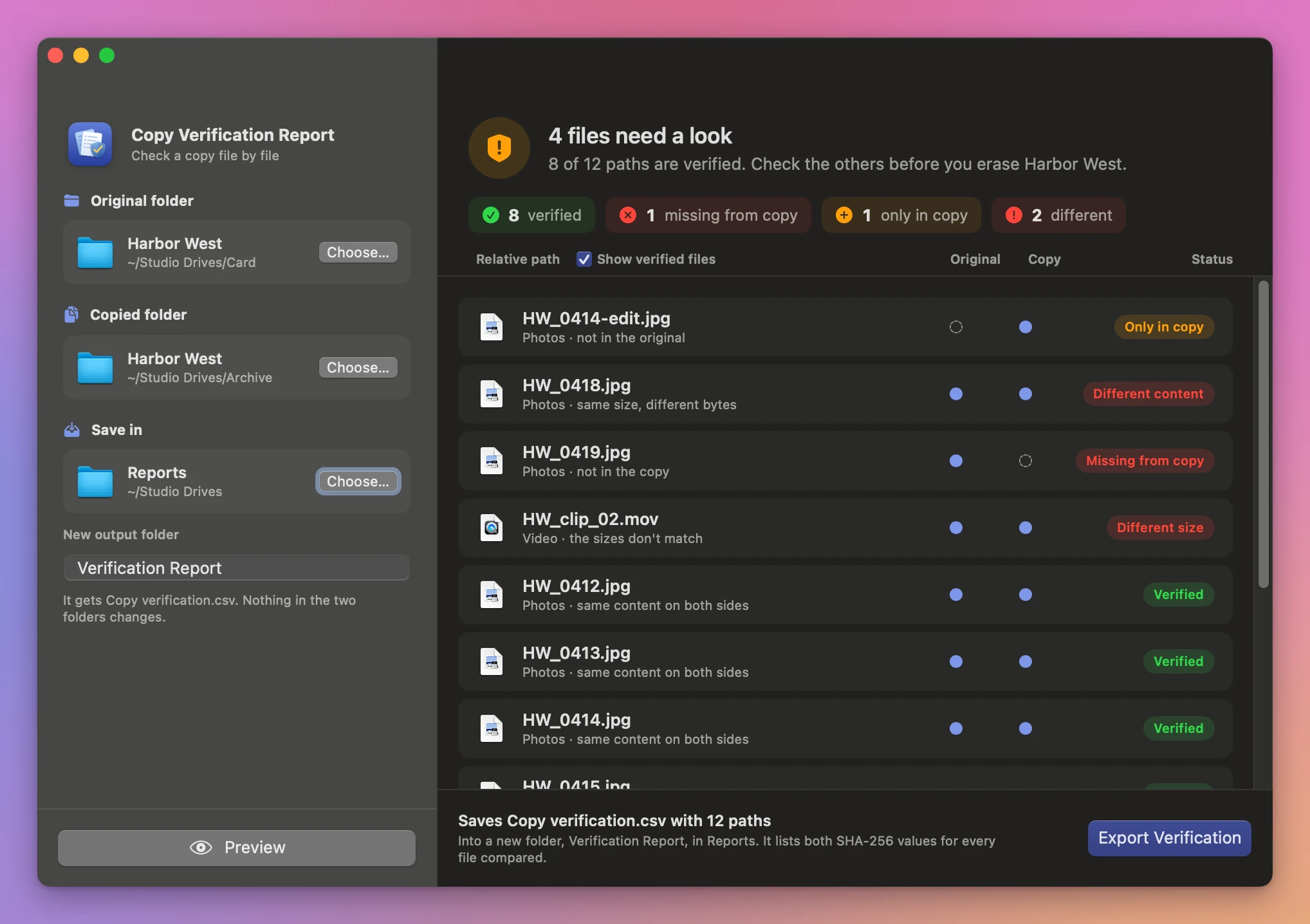
Choose an Original folder and Copied folder. Select an output location outside both folders under Save in and give the report folder a name.
Click Preview. The app checks relative paths first, so two files named Cover.txt in different subfolders are compared with their own counterparts.
The preview starts with a verdict: either the copy matches the original, or how many files need a look. Those files come first in the list. Each path has two dots, one for the original and one for the copy: a filled dot means the file is there, a dashed one means it isn’t. Untick Show verified files to see only the problems.
Read the statuses
| Status | Meaning |
|---|---|
| Verified | The two regular files had the same size and SHA-256 content. |
| Different size | The byte counts differ. |
| Different content | The sizes match and the SHA-256 values differ. |
| Missing from copy | This path appeared only in the original folder. |
| Only in copy | This path appeared only in the copied folder. |
| Could not verify | One of the files could not be read consistently. |
The comparison covers regular file contents. Links, packages and special files are reported separately. Metadata such as permissions is outside the comparison.
Save the CSV
Click Export Verification. The window then lists the saved CSV and the files to fix before you erase the original. Copy verification.csv records each relative path, its status and both hashes when computed. Review any missing, different or unreadable files before clearing the card or drive that held the originals.
If an output folder already exists, choose a different name or location and preview again. Changes to the inputs also require a new preview. Cancel stops the work before delivery.
See Copy Verification Report → · $20 including tax.