
An app by Flavio
Contact Sheet Studio
Make a Letter or A4 contact sheet on your Mac and keep the original filenames visible beside the pictures.
Buy Contact Sheet Studio · $20One-time purchase. Plus tax where it applies.
macOS 15 or later · Apple silicon and Intel
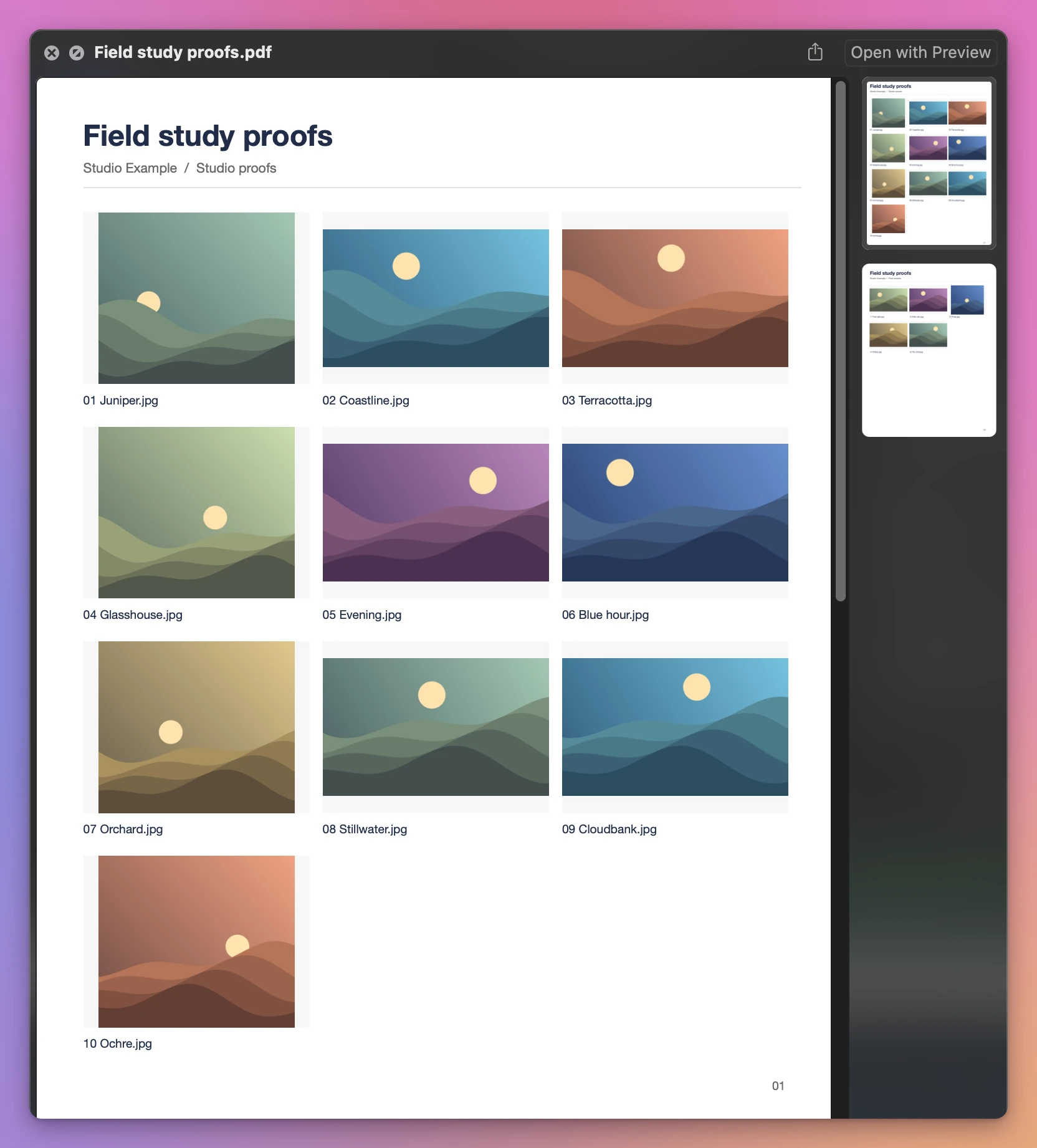
You send a client a folder of proofs. They reply with “the picture of the hillside,” and there are five versions of it. Put the pictures in a contact sheet with the filenames underneath and they can tell you exactly which one they want.
Contact Sheet Studio turns a folder into a PDF. Each subfolder starts on a new page, so separate shoots stay easy to find.
Who it’s for
- Wedding, event and portrait photographers. Send the couple or the client a proof sheet so they can pick their favorites by filename, then collect the picks with Client File Collector.
- School and sports photographers. Make one page per class or team. Each subfolder starts on a new page, so parents and coaches find their group fast.
- Designers and art directors. Print a sheet of the concepts or the stock images for a meeting, and talk about them by name.
- Archivists and families scanning old photos. Keep a printed index of what’s in each scanned box or album, with the filename that tells you where to find it.
- Product and ecommerce teams. Review a photo shoot on paper and mark which shots go on the store.
Why the filenames matter
A grid of pictures without names only helps until someone wants to talk about one of them. “The third one on the second row” stops working once the client has printed the page, scribbled on it, and sent you a photo of it.
With the filename under each picture, the client writes down the names and you know exactly which files they mean.
Use it on a batch
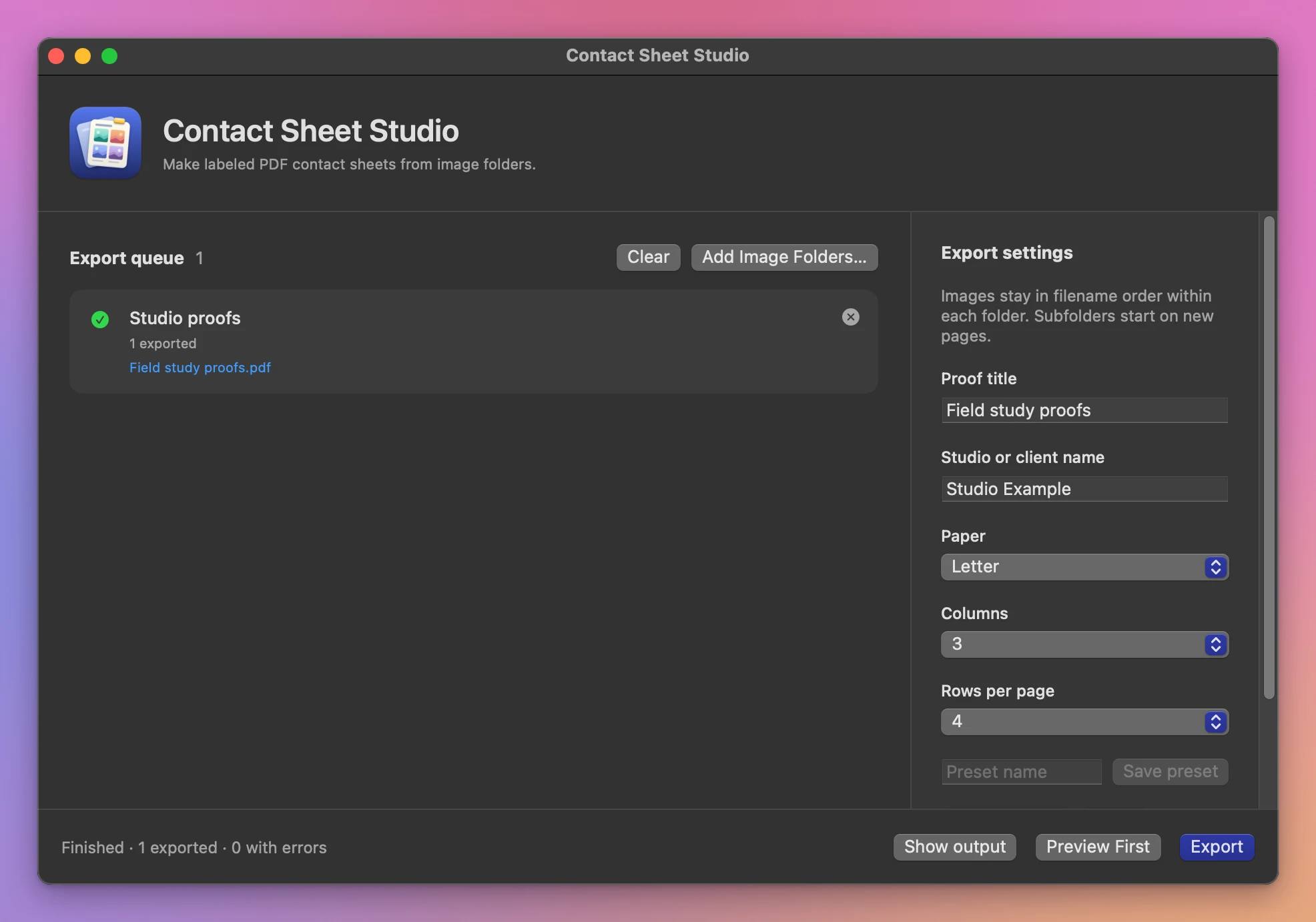
Add a folder from Finder or drop it into the export queue. Give the sheet a proof title and optionally add the studio or client name. Choose Letter or A4, then set the columns and rows.
Click Preview First to see the first folder’s contact sheet. You can adjust the grid before exporting.
Choose an output folder and click Export. The originals stay where they are. If a filename is already in use, the app adds a number to the new file. The queue shows what was saved and any problems with individual items.
What it needs
Contact Sheet Studio runs on macOS 15 Sequoia or later, on Apple silicon and Intel Macs. Files are processed locally.
The app uses macOS image decoding. Very long filenames are shortened in the PDF, so use fewer columns when names run long.
Buy Contact Sheet Studio
$20 plus tax where it applies, paid once.
Download the app from the order page or your Creem receipt, unzip it and move it to Applications. I sign the app with my Apple Developer ID, and Apple notarizes the download.
The app checks for updates once a day. When a new version is ready, click Install and Relaunch. To check anytime, choose Contact Sheet Studio → Check for Updates….