Using Astro locals
By Flavio
Tagged: Astro
Learn how to use Astro locals to share data between middleware and pages via context.locals, and how to type them in env.d.ts to fix the TypeScript error.
Astro locals are a great way to share variables between middleware and page components (note: not layouts, as discussed in another post).
Every request gets its own fresh locals object. The middleware runs first, so anything you put in there is available while Astro renders the page. When the response goes out the object is gone, so nothing leaks from one request to the next.
This makes locals perfect for per-request data. The logged-in user is the classic example, but a feature flag or a value read from a cookie works the same way.
Setting a value in the middleware
You can add a property in the src/middleware.ts file:
import type { MiddlewareHandler } from 'astro'

export const onRequest: MiddlewareHandler = async (context, next) => {
  context.locals.test = 'test'
  return await next()
}
and access it in the page component:
---
console.log(Astro.locals.test)
---

....
…this unlocks a few useful scenarios.
The typical flow goes from the middleware to the page. The middleware checks a session cookie, loads the user, and stores it in context.locals.user. Every page can then read Astro.locals.user without repeating the auth logic.
It also works in the other direction: setting some property in a page, and using it in the middleware. The middleware gets control back after await next() returns, so at that point it can read whatever the page stored in locals during rendering.
Fixing the TypeScript error
Note that if you add a property in the middleware you’ll see this TS issue:
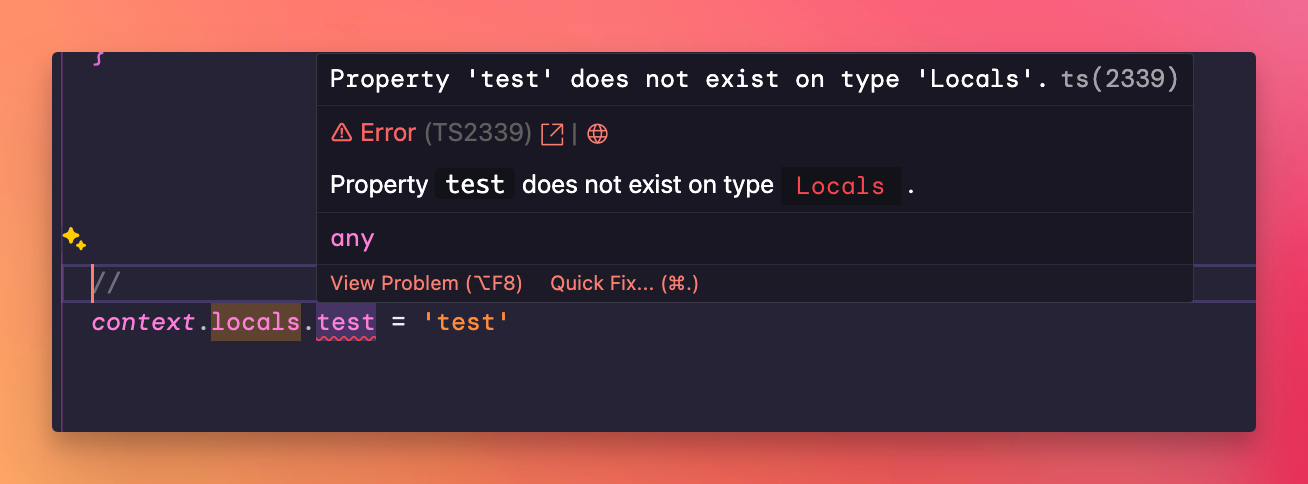
TypeScript doesn’t know anything about the custom properties you add, so you have to declare them.
To fix this problem, add to src/env.d.ts the type of the new property.
The first line of the code below points at .astro/types.d.ts, the generated file where the project types live since Astro 5. The old /// <reference types="astro/client" /> line still works too. And if your tsconfig.json extends one of the astro/tsconfigs/* presets, you can leave the reference out, because the preset already includes .astro/types.d.ts.
/// <reference path="../.astro/types.d.ts" />

declare namespace App {
  interface Locals {
    test: string
  }
}
and define your middleware in this way:
import { defineMiddleware } from 'astro:middleware'

export const onRequest = defineMiddleware(async (context, next) => {
  context.locals.test = 'test'

  return await next()
})
defineMiddleware() gives you the correct types for context and next without writing them by hand.
UPDATE: somehow this didn’t work for me recently, I used this instead (src https://github.com/withastro/astro/issues/7394#issuecomment-2212516410):
/// <reference path="../.astro/types.d.ts" />

declare global {
  namespace App {
    interface Locals extends Record<string, any> {
      test: string
    }
  }
}

export {}
Notice the export {} at the end. TypeScript only accepts declare global inside a module, and that empty export turns the file into one. Without it you get a TS2669 error, and App.Locals doesn’t pick up test. Astro’s default skipLibCheck setting hides that error, which makes it easy to miss.
The declare global wrapper then augments the App namespace at the global scope, and extends Record<string, any> keeps TypeScript quiet about any extra properties set elsewhere. If the first version doesn’t remove the error in your project, try this one.
If you also need to import a type into env.d.ts, I wrote how I fixed that.
Want me to talk about your product? You can sponsor this site.
Related posts about astro: