SwiftUI forms: Stepper
By Flavio Copes
Learn how to use the Stepper control in SwiftUI to adjust a number with minus and plus buttons, set a range and step, and format the bound value.
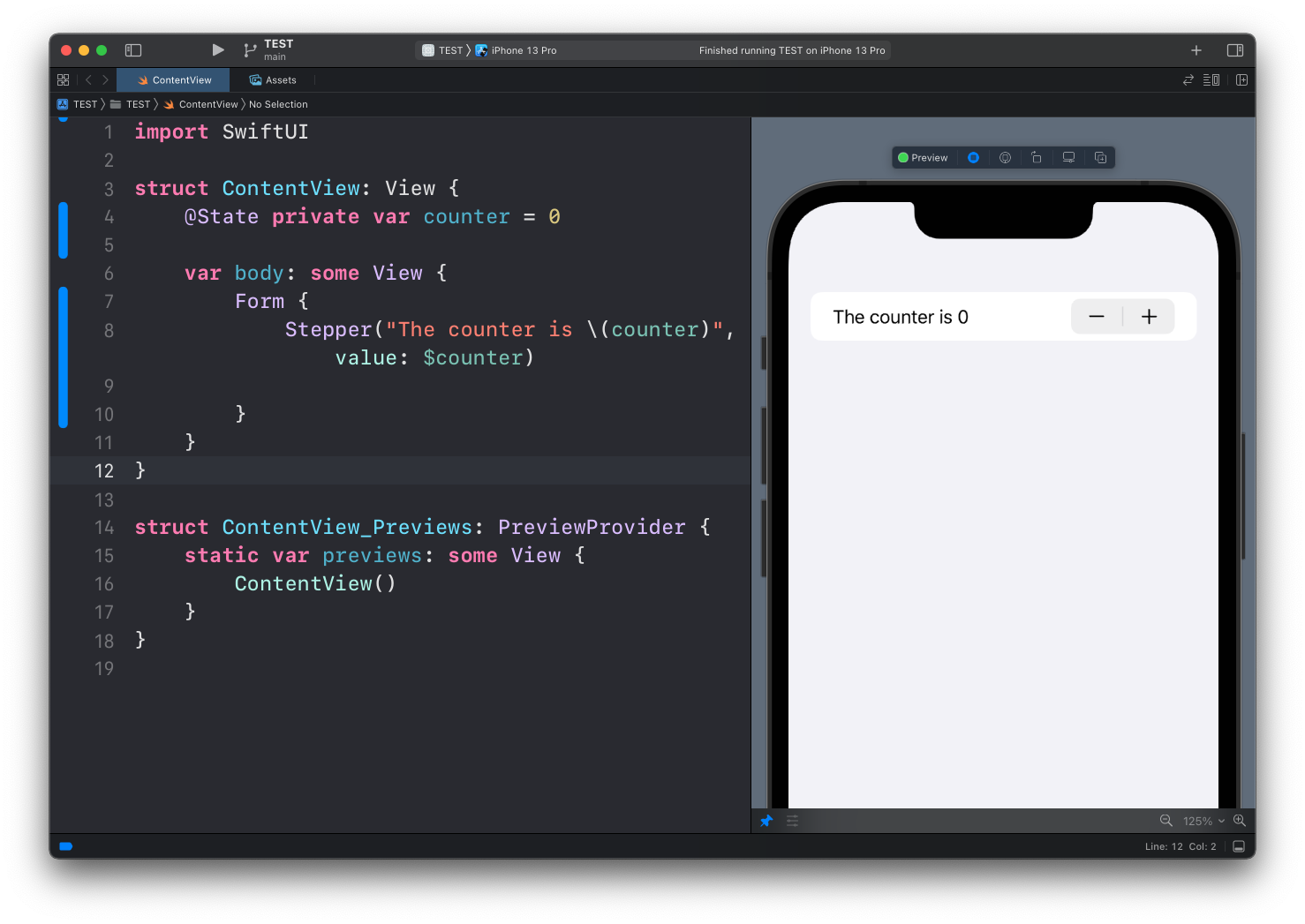
Another useful control we can use in forms is the Stepper view, which lets us select a number and gives a - and + button to decrease or increase it.
We link it to the value of a property with a @State property wrapper, in this case counter:
struct ContentView: View {
    @State private var counter = 0

    var body: some View {
        Form {
            Stepper("The counter is \(counter)", value: $counter)
        }
    }
}
Note how the label interpolates the current value. The stepper itself never displays the number, so showing it in the label is the usual pattern.
Limiting the range
You can use the in parameter of Stepper to limit the range of values it can accept:
Stepper("The counter is \(counter)", value: $counter, in: 0...10)When you reach a limit, the button to increase or decrease turns gray and stops responding.
My advice is to always set a range. An unbounded stepper rarely makes sense. Nobody orders minus three coffees.
Stepping by more than 1
By default each tap changes the value by 1. The step parameter changes that:
Stepper("Font size: \(fontSize)", value: $fontSize, in: 8...72, step: 2)Now each tap moves the value by 2, staying inside the range.
Formatting the value
The bound value can be any numeric type, including Double. Interpolating a Double directly prints something like 20.500000, so format it in the label:
@State private var temperature = 20.5

Stepper("Target: \(temperature, specifier: "%.1f")°", value: $temperature, in: 15...30, step: 0.5)
The specifier keeps the display at one decimal place while the underlying value stays precise.
Reacting while the user edits
Stepper accepts an onEditingChanged closure. It receives true when an editing session starts and false when it ends, which also covers press-and-hold, where the value auto-repeats:
Stepper("Quantity: \(quantity)", value: $quantity, in: 1...10) { editing in
    print(editing ? "editing started" : "editing ended")
}
You rarely need it, but it’s handy to defer expensive work, like saving, until the user is done tapping.
Stepper or Slider?
Use a stepper when the value is a small integer and precision matters: number of guests, item quantity, font size. One tap, one exact increment.
Use a slider for continuous ranges where roughly right is fine, like volume or brightness. A slider covering 1 to 5 feels clumsy, and a stepper covering 0 to 100 means a lot of tapping. Pick the control that matches the size and precision of the range.
Want me to talk about your product? You can sponsor this site.
Related posts about swift: