Swift Objects
By Flavio Copes
In Swift everything is an object that can receive messages. Learn how values get methods and properties, and meet the class, struct, and enum object types.
This tutorial belongs to the Swift series
In Swift, everything is an object. Even the 8 value we assigned to the age variable is an object.
In some languages, objects are a special type, and primitive values like numbers are something else. But in Swift, everything is an object and this leads to one particular feature: every value can receive messages.
Each type can have multiple functions associated to it, which we call methods.
For example, talking about the 8 number value, we can call its isMultiple method, to check if the number is a multiple of another number:
var age = 8
age.isMultiple(of: 5) //false
age.isMultiple(of: 4) //true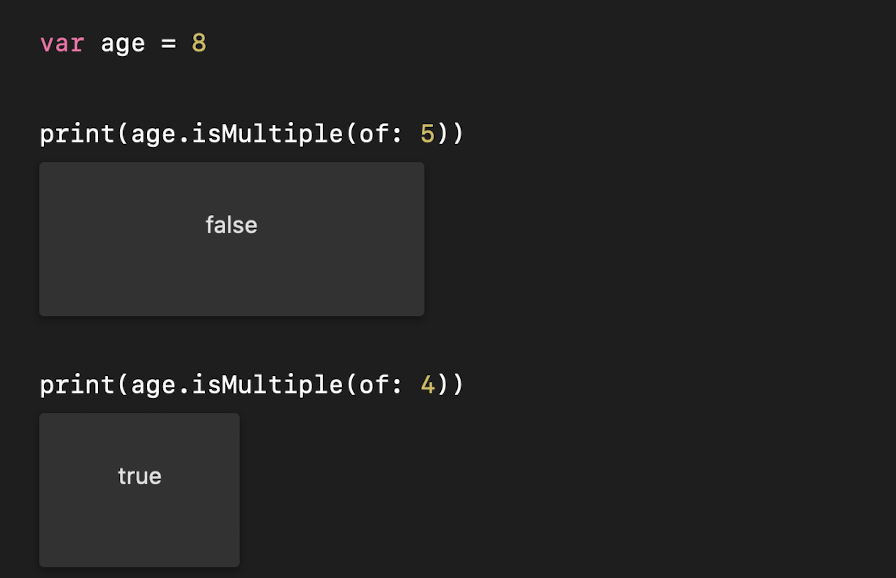
A String value has another set of methods. hasPrefix() for example tells you if a string starts with certain characters:
var name = "Roger"
name.hasPrefix("Ro") //true
A type also has instance variables, which Swift calls properties. For example the String type has the count property, which gives you the number of characters in a string:
var name = "Roger"
print(name.count) //5
The difference between the two: a method is something the value can do, a property is something the value has. You call a method with parentheses, you read a property without them.
The 3 object types
Swift has 3 different object types, which we’ll see more in details later on: classes, structs and enums.
Those are very different, but they have one thing in common: to any object type we can add methods, and to any value, of any object type, we can send messages.
There is one difference worth knowing right away, because it trips up people coming from other languages: structs and enums are value types, classes are reference types.
When you assign a struct to a new variable, Swift copies it:
struct Dog {
  var name: String
}

var first = Dog(name: "Roger")
var second = first
second.name = "Syd"

print(first.name) //Roger
second is an independent copy, so changing it does not touch first.
Do the same with a class, and both variables point to the same object in memory. Changing second.name would change first.name too, and the last print would show Syd.
If you ever modify an object and a change appears somewhere unexpected, check whether you’re using a class. That shared reference is usually the cause. Switching to a struct, when it fits the problem, removes it entirely.
Most of the types Swift itself gives us, like Int, String, Bool and arrays, are structs.
Want me to talk about your product? You can sponsor this site.
Related posts about swift: