Unidirectional Data Flow in React
By Flavio Copes
Understand unidirectional data flow in React: state flows down to child components through props, actions update state, and data never flows back upward.
Unidirectional Data Flow is not a concept unique to React, but as a JavaScript developer this might be the first time you hear it.
In general this concept means that data has one, and only one, way to be transferred to other parts of the application.
In React this means that:
- state is passed to the view and to child components
- actions are triggered by the view
- actions can update the state
- the state change is passed to the view and to child components
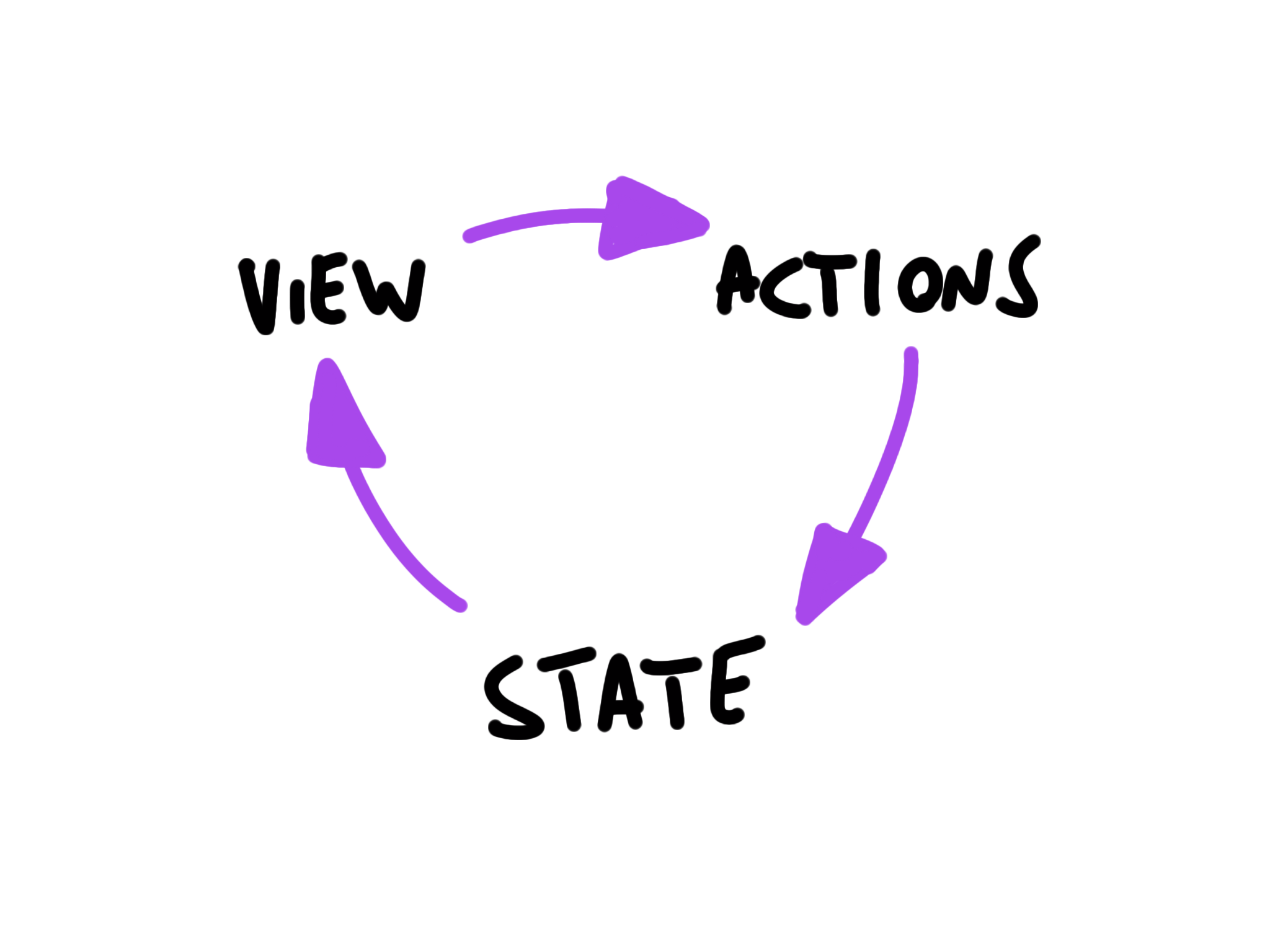
The view is a result of the application state. State can only change when actions happen. When actions happen, the state is updated.
Here is the cycle in code. State flows down through props, and events travel back up as callback calls:
function TaskPage() {
  const [tasks, setTasks] = useState(initialTasks)

  function handleToggle(id) {
    setTasks(tasks => tasks.map(task =>
      task.id === id
        ? { ...task, done: !task.done }
        : task
    ))
  }

  return <TaskList tasks={tasks} onToggle={handleToggle} />
}
Follow one interaction through this component:
TaskPageowns the task state.- It passes task snapshots down as props.
- A child reports intent by calling
onToggle(id). - The owner updates state.
- React renders new props down the tree.
The child never mutates the task object it received, and it never reaches into the DOM to change another component. It only reports what happened. The owner remains the one source of truth.
Thanks to one-way bindings, data cannot flow in the opposite way (as would happen with two-way bindings, for example), and this has some key advantages:
- it’s less error prone, as you have more control over your data
- it’s easier to debug, as you know what is coming from where
- it’s more efficient, as the library already knows what the boundaries are of each part of the system
A state is always owned by one Component. Any data that’s affected by this state can only affect Components below it: its children.
Changing state on a Component will never affect its parent, or its siblings, or any other Component in the application: just its children.
This is the reason that the state is often moved up in the Component tree, so that it can be shared between components that need to access it.
This model also gives you a debugging procedure. When a value on screen is surprising, find the component that owns it. Follow the prop downward to where it renders and the callback upward to where it changes. React DevTools shows both points, so the search is short.
Want me to talk about your product? You can sponsor this site.