How to analyze the Next.js app bundles
By Flavio Copes
Learn how to analyze your Next.js app bundles using @next/bundle-analyzer and cross-env scripts, so you can see exactly what code ends up in each bundle.
To analyze the JavaScript bundles of a Next.js app, use the official @next/bundle-analyzer package. It wraps your build and generates an interactive map of everything that ends up in your bundles.
Why would you do this? Because bundle size is one of the main things that makes a site feel slow. Every dependency you import gets shipped to the browser. The analyzer shows you exactly which packages take the most space, so you know where to cut.
Set up the analyzer
First install the 2 packages we need:
npm install -D cross-env @next/bundle-analyzerThe analyzer follows the Next.js version numbers, so on Next.js 16 you get a 16.x release. cross-env lets us set an environment variable in the npm script in a way that also works on Windows.
Open the package.json file of the app and in the scripts section add this new command:
"analyze": "cross-env ANALYZE=true next build --webpack"The --webpack flag matters on Next.js 16. next build uses Turbopack by default, and @next/bundle-analyzer is a webpack plugin. Without the flag it prints a warning and generates no report.
Like this:
{
  "name": "firstproject",
  "version": "1.0.0",
  "description": "",
  "main": "index.js",
  "scripts": {
    "dev": "next dev",
    "build": "next build",
    "start": "next start",
    "analyze": "cross-env ANALYZE=true next build --webpack"
  },
  "keywords": [],
  "author": "",
  "license": "ISC",
  "dependencies": {
    "next": "^16",
    "react": "^19",
    "react-dom": "^19"
  },
  "devDependencies": {
    "@next/bundle-analyzer": "^16",
    "cross-env": "^10"
  }
}
Then create a next.config.js file in the project root, with this content:
const withBundleAnalyzer = require('@next/bundle-analyzer')({
  enabled: process.env.ANALYZE === 'true'
})

module.exports = withBundleAnalyzer({})
Notice the enabled check. The analyzer only runs when ANALYZE is set to true. Without that check it would open its report on every single build, including the ones on your deployment server, where a build that tries to open a browser just hangs.
Run the analysis
Now run the command
npm run analyze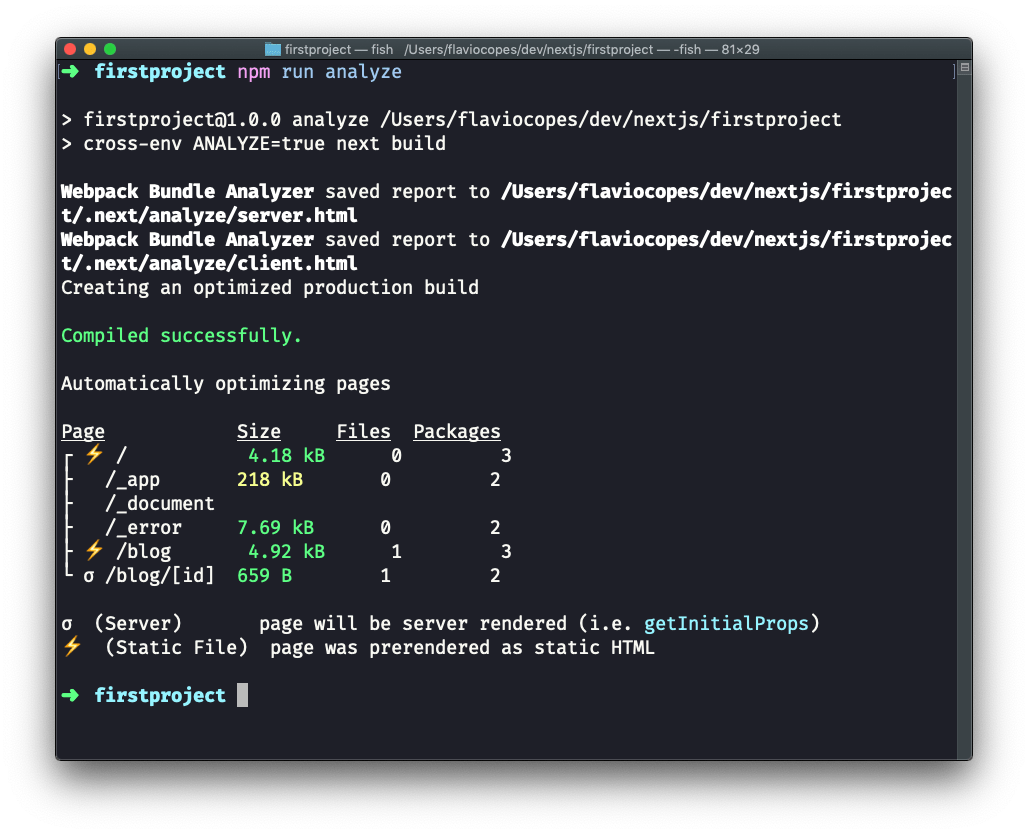
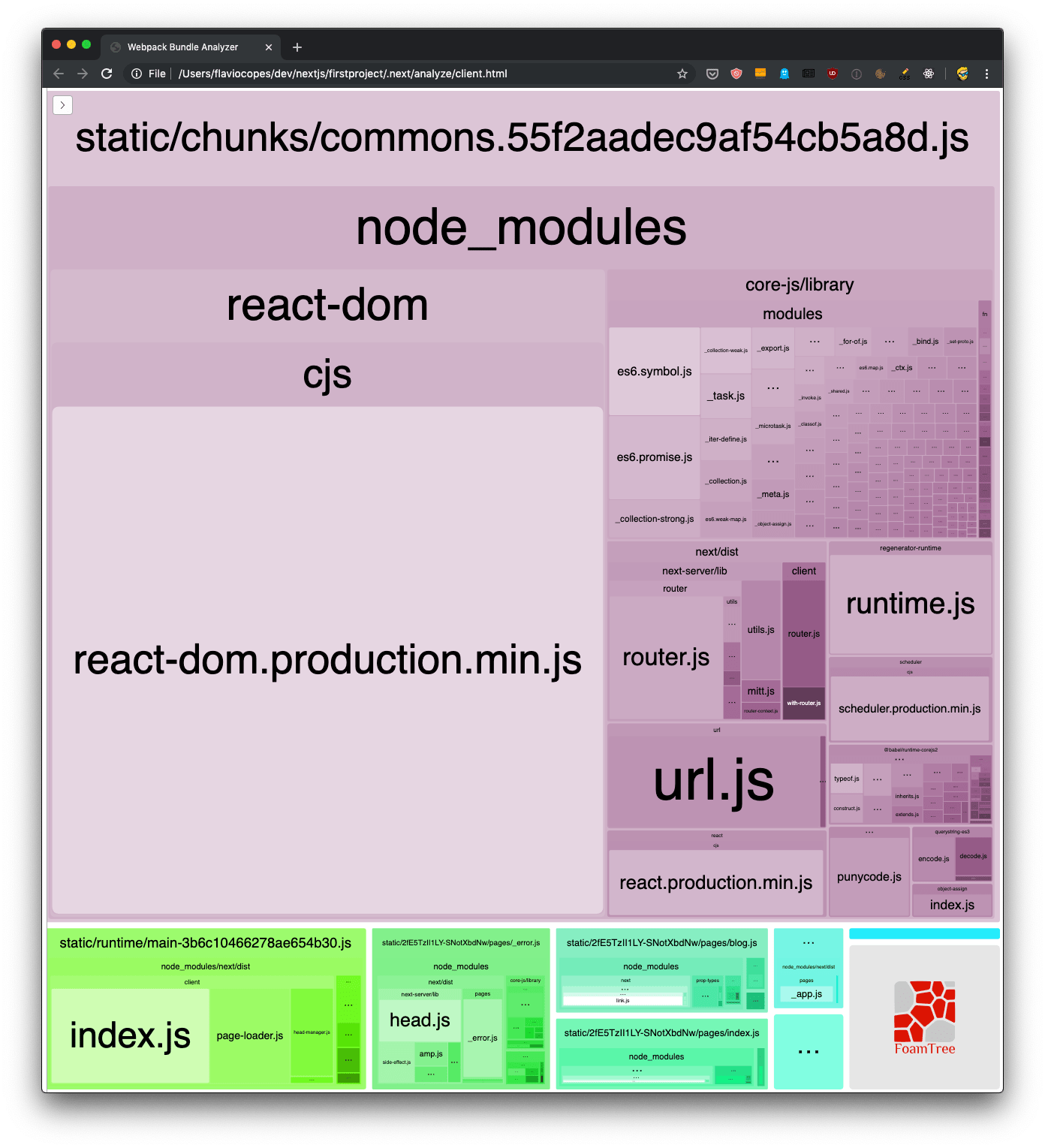
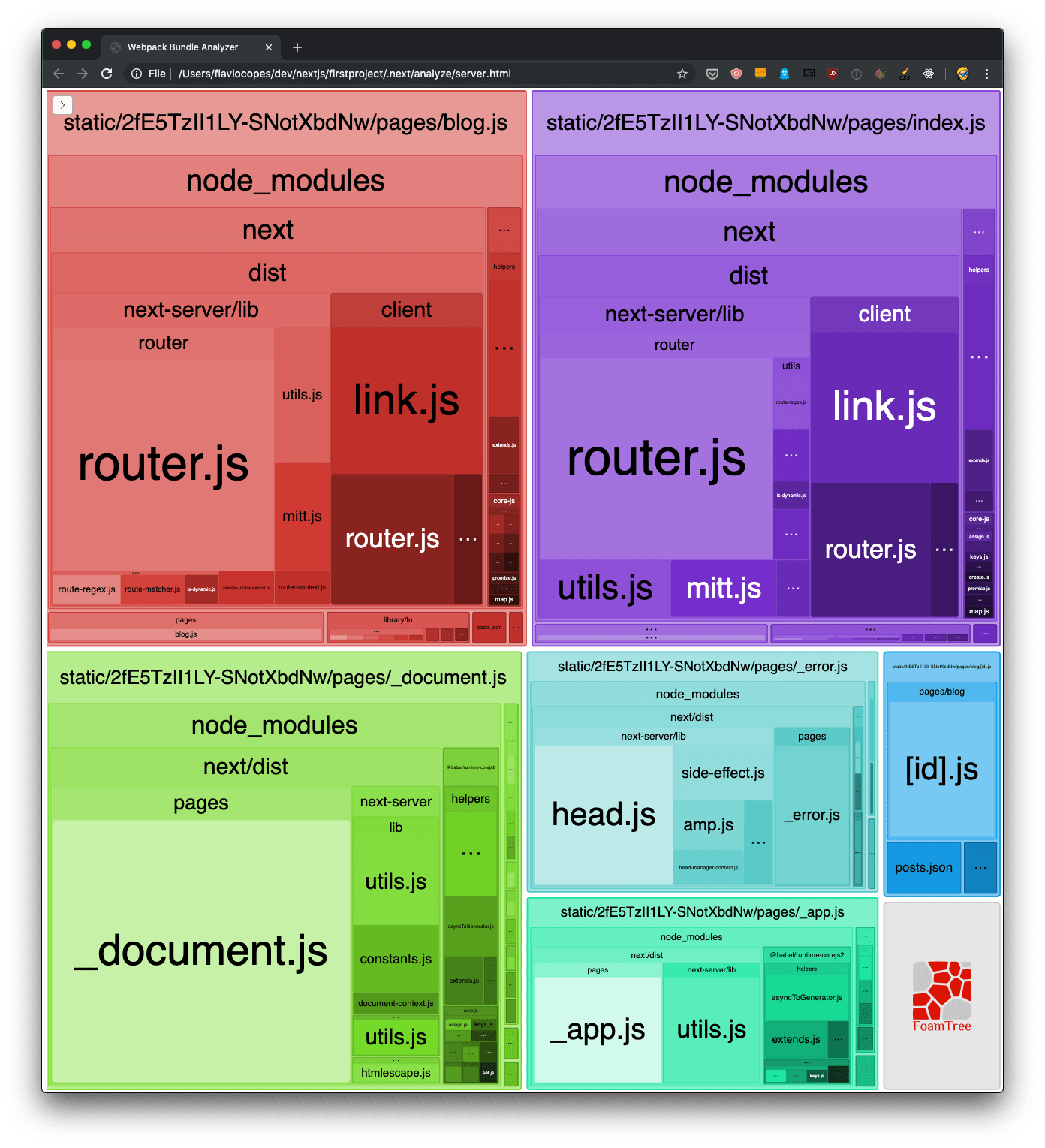
This opens three reports in the browser: the client bundles, the Node.js server bundles, and the edge runtime bundles. Here are the client and server ones:
How do you read the treemap?
Each rectangle is a module, and its area is proportional to its size. The bigger the box, the more that module weighs in your bundle.
The client report is the one to watch. That’s the code your visitors download. The server report matters less for performance, since that code never leaves the server.
You can inspect what’s taking the most space in the bundles, and you can also use the sidebar to exclude bundles, for an easier visualization of the smaller ones:
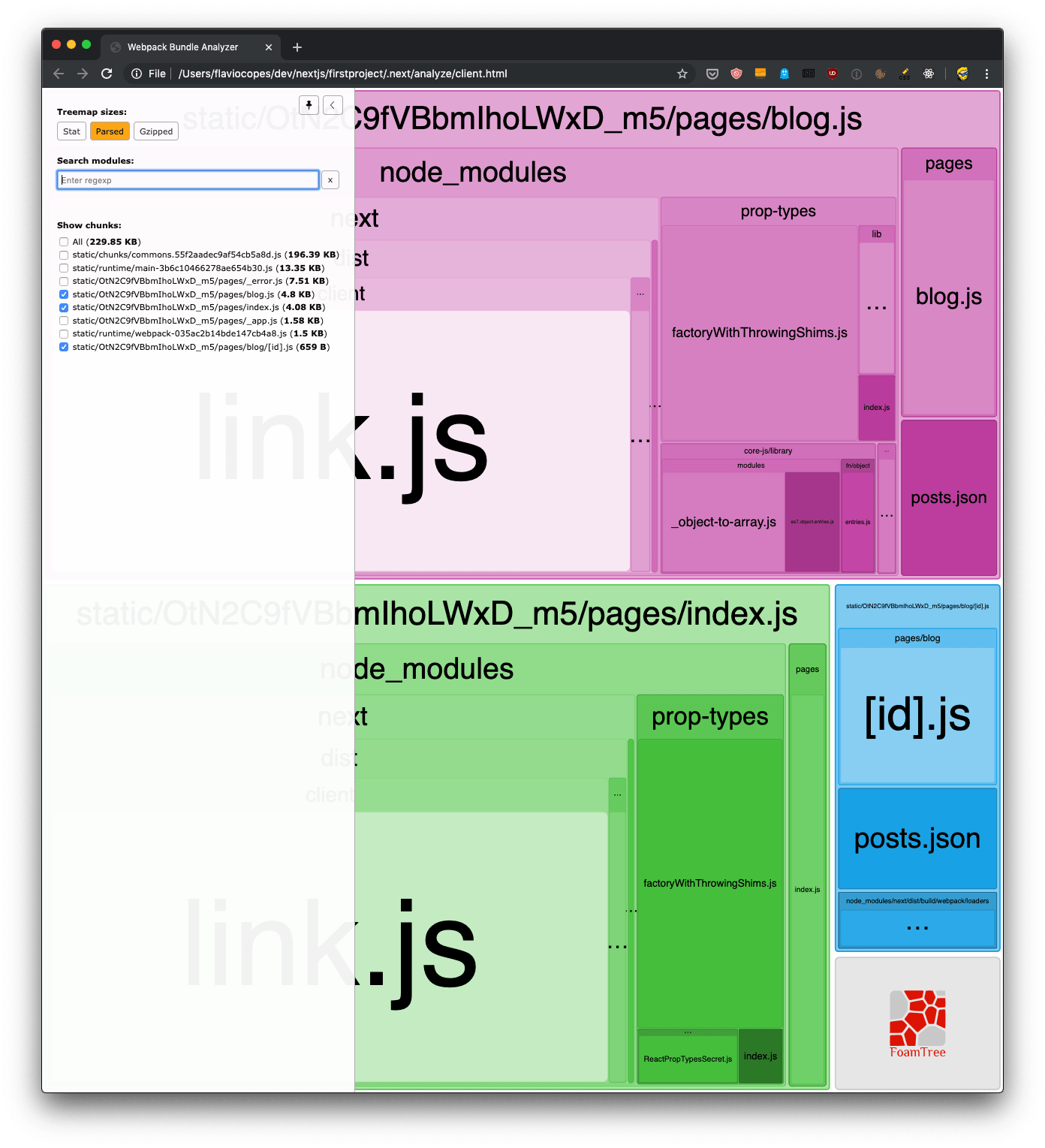
When you find a big dependency you only use in one place, that’s your cue. Load it with a dynamic import() so it gets split out of the main bundle, or swap it for a lighter alternative.
The Turbopack alternative
Since Next.js 16.1 there’s also a built-in analyzer for Turbopack builds. Run it with npx next experimental-analyze and it opens a similar treemap, with the import chain that pulled each module in. It’s marked experimental, so this post sticks with the webpack plugin.
Want me to talk about your product? You can sponsor this site.
Related posts about next: