How to use Netlify Edge Functions
By Flavio
Tagged: Services
Learn how to use Netlify Edge Functions to run code on the CDN edge for geolocation, A/B testing, and redirects, configured through a netlify.toml file.
Netlify Edge Functions are a very interesting feature offered by Netlify, the popular hosting platform.
It’s interesting because while Netlify is famous as a static hosting, Edge Functions allow you do do things that are …not so static.
Allowing us to do things like:
- geolocation
- localization
- A/B testing
- redirects
- …and much more
They are similar to Netlify Serverless Functions, except they run on the Netlify Edge which means they are closer to the user and run on multiple CDN locations, and they are counted differently (3m calls/month instead of 125k calls per site/month).
To enable Edge Functions you create a netlify.toml file in your website repository (if you don’t have one already) with this content:
[[edge_functions]]
  function = "hello"
  path = "/hello"
function is the file name in netlify/edge-functions/ without the .js extension.
path is the URL path this function will be available on
Then you can write a function in a file netlify/edge-functions/hello.js:
export default () => new Response("Hello world")Response is an object we have available to send the response back to the client.
and once you deploy the repository, you can access its result using the URL
https://<YOURSITEDOMAIN>/helloTry it!
During the deploy you will see this in the logs:
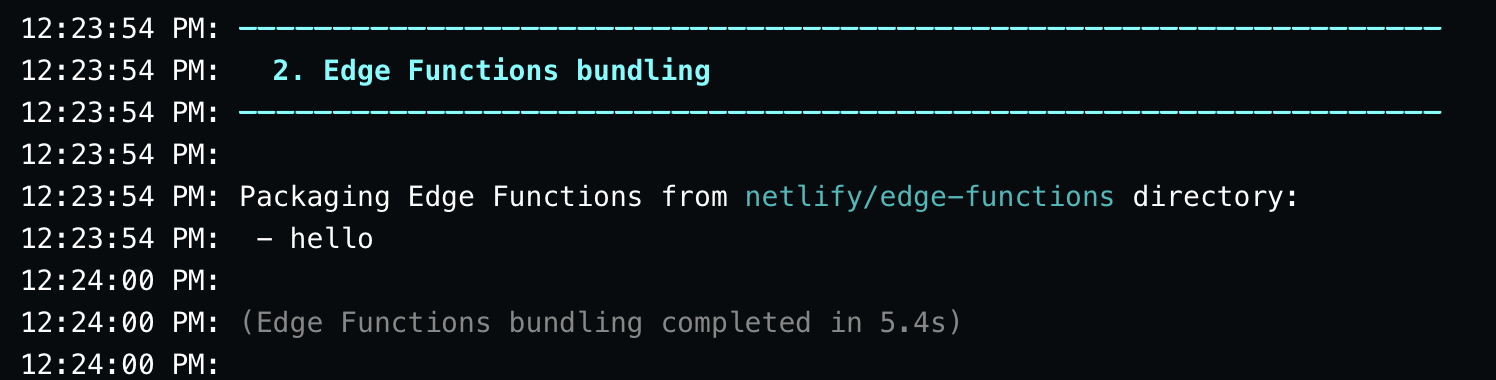
And once the deploy is done, you’ll see a page dynamically generated with the content Hello, World!.
But I recommend first to test them locally with netlify dev. You don’t need a global install. From the project folder:
npx netlify-cli devOr install the CLI as a dev dependency and run netlify dev. Either way, keep it up to date. An old CLI may not run Edge Functions the way production does.
You can set the response headers, like the content type for example, passing a second parameter to new Response():
export default () =>
  new Response('Hello world', {
    headers: { 'content-type': 'text/html' },
  })
The edge function receives two arguments: request and context:
export default (request, context) => {
  //...
}
Those two objects provide interesting features.
request allows you to access all the request data, and it’s the same request object you get when using the Fetch API.
context gives you cookies, geolocation data, next() for middleware-style chains, site/deploy metadata, and more. See the Edge Functions API docs for the full list.
You can write to the logs with console.log():
export default (request, context) => {
  console.log('test')
}
You can see the logs in the Edge Functions menu of your website:
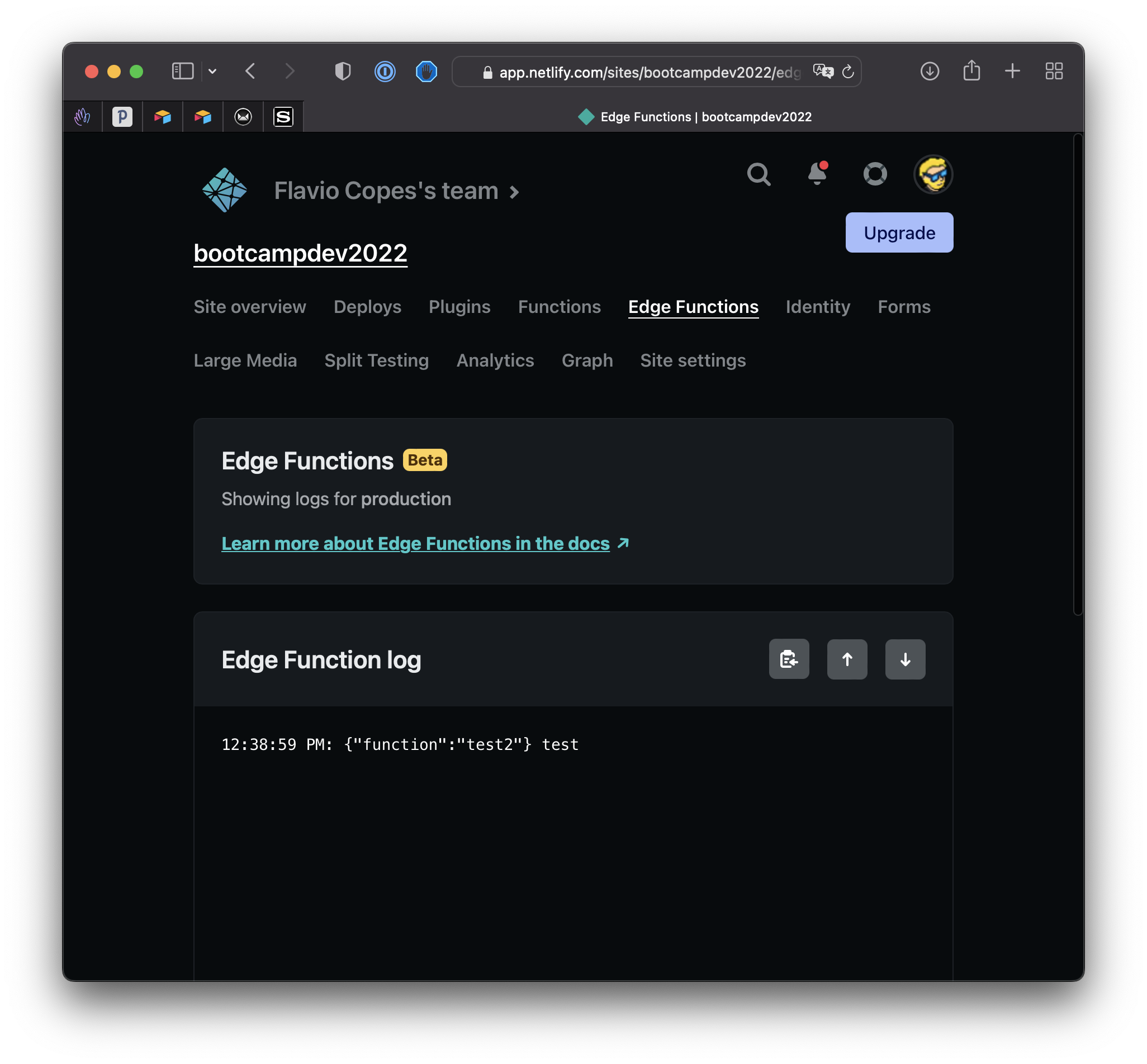
You can return JSON with the standard Response.json() helper:
export default (request, context) => {
  return Response.json({ hello: 'world' })
}
If you want to write more than one function, you add other entries in netlify.toml:
[[edge_functions]]
  function = "hello"
  path = "/hello"

[[edge_functions]]
  function = "second"
  path = "/second"
The function can be async if you plan to use promise-based APIs like the Fetch API to get some JSON from a remote server:
export default async () => await fetch('https://dog.ceo/api/breeds/image/random')or even an image directly:
export default async () => await fetch('https://images.dog.ceo/breeds/hound-afghan/n02088094_1003.jpg')You can get the user’s location:
export default async (request, context) =>
  new Response(`
    Country code: ${context.geo?.country?.code}
    Country name: ${context.geo?.country?.name}
    City: ${context.geo?.city}
    Subdivision: ${context.geo?.subdivision?.code} - ${context.geo?.subdivision?.name}
  `)
Tip: does only work on the edge, not locally
There’s an example on the Netlify docs on how to use this to block access to your website from a country, for example.
Working with cookies you can set a cookie in this way:
export default (request, context) => {
  context.cookies.set({
    name: "alreadyvisited",
    value: "yes"
  })
}
You can use context.cookies.get() to read the value of a cookie, or context.cookies.delete() to delete a cookie.
You can access environment variables with Netlify.env.get():
Netlify.env.get('YOUR_VARIABLE')Example:
export default () => new Response(Netlify.env.get('YOUR_VARIABLE'))If you set scopes on your environment variables, the scope must include Functions, or edge functions won’t see them.
Netlify Edge Functions run on Deno. You get the standard Web APIs, and you can import Node.js built-in modules with the node: prefix.
Learn more about Deno in my Deno tutorial!
That’s it for this overview, hopefully it gave you some ideas on how to use them for your use case.
I think they are pretty cool, and you might use them without realizing it. When you deploy a Next.js, Remix or SvelteKit app on Netlify, the framework adapter can use Edge Functions under the hood.
I recommend you check out the full examples library on https://edge-functions-examples.netlify.app and read the API reference at https://docs.netlify.com/build/edge-functions/api/
Want me to talk about your product? You can sponsor this site.
Related posts about services: