Linux commands: uniq
By Flavio Copes
Learn how the Linux uniq command finds and removes duplicate lines in text, why you pair it with sort, and how -d, -u, and -c change what it reports.
uniq is a command useful to find and remove duplicate lines of text.
You can get those lines from a file, or using pipes from the output of another command:
uniq dogs.txt

ls | uniq
You need to consider this key thing: uniq will only detect adjacent duplicate lines.
This implies that you will most likely use it along with sort:
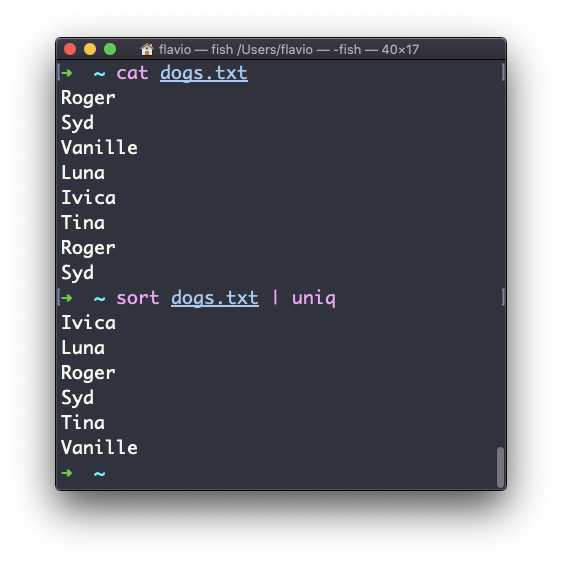
sort dogs.txt | uniqThe sort command has its own way to remove duplicates with the -u (unique) option. But uniq has more power.
By default it removes duplicate lines:
You can tell it to only display duplicate lines, for example, with the -d option:
sort dogs.txt | uniq -d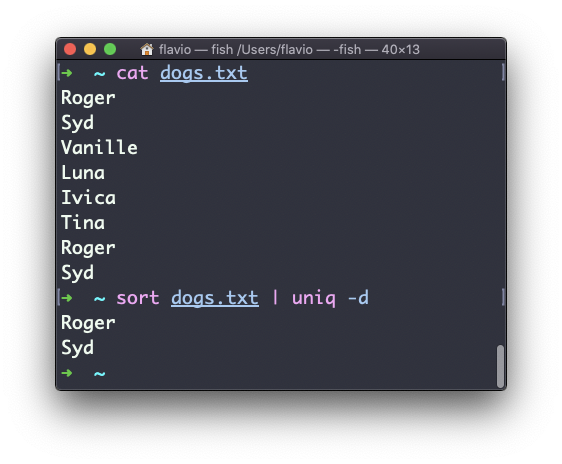
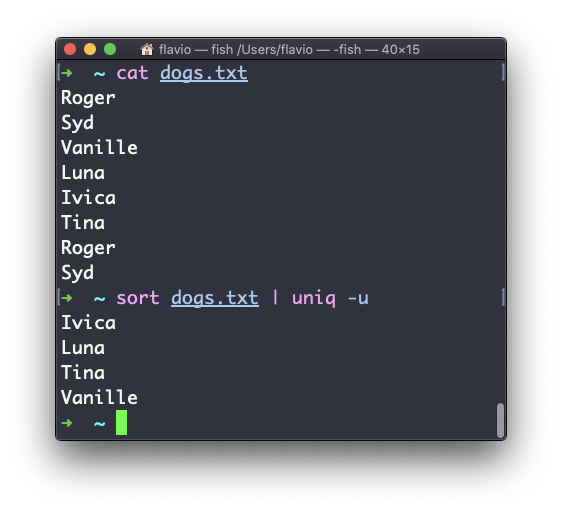
You can use the -u option to only display non-duplicate lines:
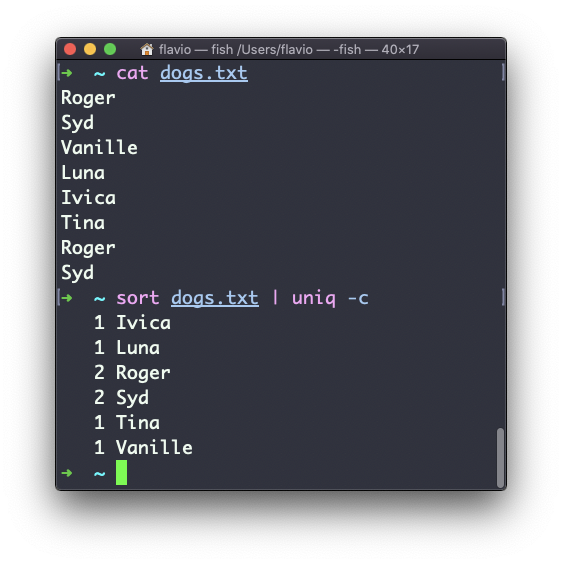
You can count the occurrences of each line with the -c option:
Use the special combination:
sort dogs.txt | uniq -c | sort -nrto then sort those lines by most frequent:
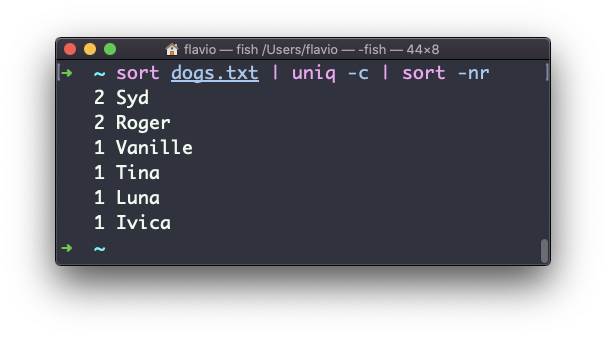
The uniq command works on Linux, macOS, WSL, and anywhere you have a UNIX environment
For a quick paste-and-clean pass over a block of text, I built a free line sorter that sorts lines and removes duplicates.
Want me to talk about your product? You can sponsor this site.