Ladybird: why a brand-new browser engine matters
By Flavio
Tagged: Tools
Ladybird reached alpha on November 23, 2026 with an independent rendering engine written from scratch. Here is why a fourth engine matters in a Chromium-dominated web.
On November 23, 2026, Ladybird shipped its first public alpha for macOS and Linux. For the first time in years, you can download a desktop browser built on a brand-new rendering engine instead of wrapping Chrome in a different coat of paint.
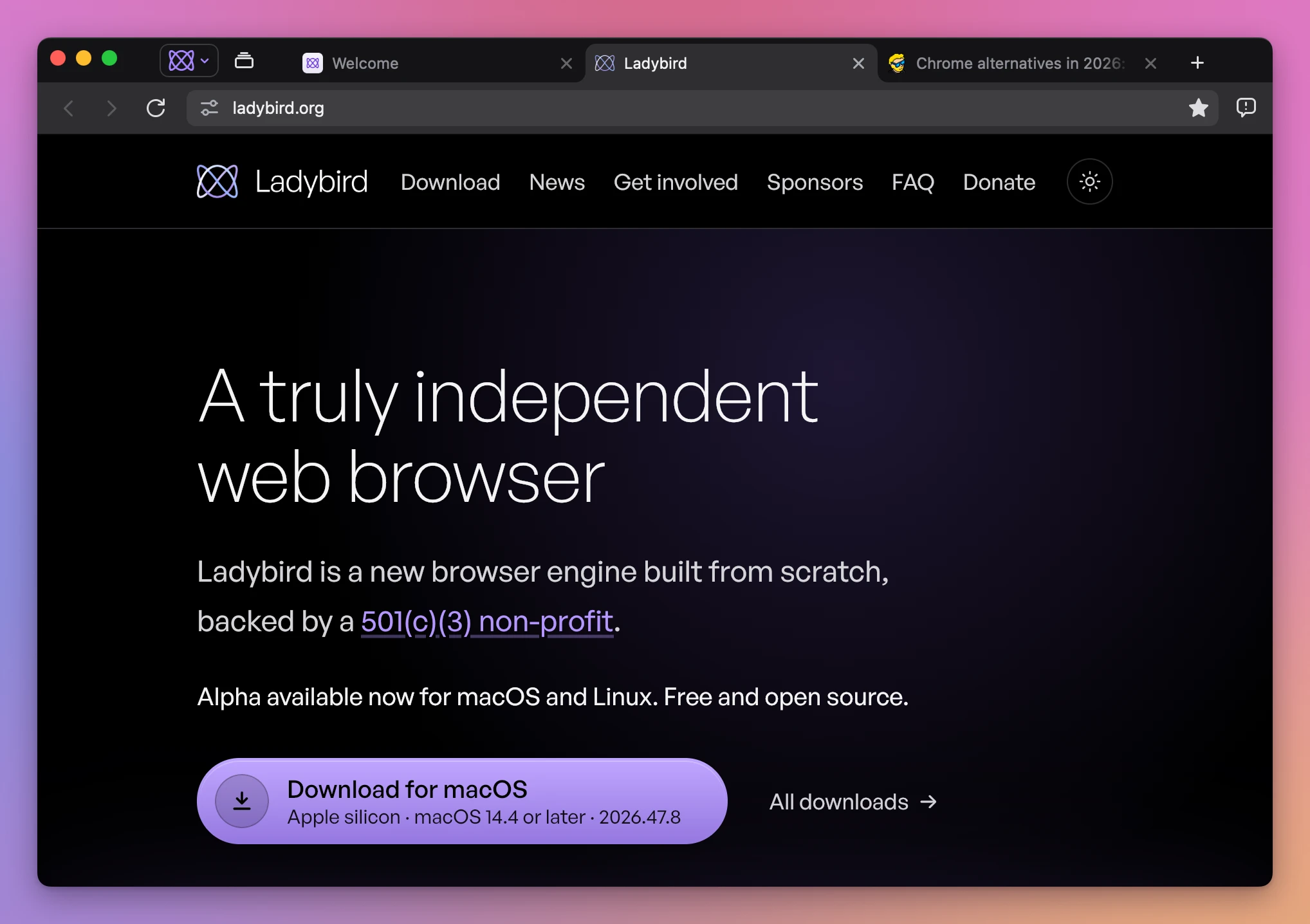
That single detail separates Ladybird from almost every browser launched in the past decade. Arc, Dia, Brave, Edge, Vivaldi, Opera, Helium, Ardia, Comet, and BrowserOS all look different on the surface, yet underneath they all run Chromium and Google’s Blink rendering engine.
When I put together my comparison of 50 Chrome alternatives, the engine column told the whole story. Almost everything pointed back to Blink, with a smaller group on Apple’s WebKit and another on Mozilla’s Gecko. Ladybird sits outside all three.
Why the browser landscape has an engine problem
A web browser has two layers that people often mix up. The browser shell handles tabs, bookmarks, profiles, sidebars, and extensions. The browser engine parses HTML, lays out CSS, executes JavaScript, decodes images, and talks to the network.
Building a new browser shell around Chromium is hard, though a small startup can pull it off. Building a new browser engine from scratch is a different order of magnitude. Modern web standards cover thousands of specifications, decades of backwards-compatibility quirks, WebGL, WebAudio, WebRTC, media codecs, and relentless security pressure.
Because of that barrier, desktop browsers converged on three engines. According to StatCounter’s worldwide desktop figures in late 2026, Chrome holds roughly 67% of desktop traffic and Edge adds another 13%. Add Brave, Opera, Vivaldi, and the newer Chromium browsers, and Blink renders over 80% of the desktop web.
That monoculture creates two risks that affect every developer and every person using the web.
The first is standards control. When one engine has overwhelming market share, whatever ships in Blink becomes the de facto web standard, whether other vendors agree or not. Web developers test in Chrome, rely on Chrome-specific behavior, and other engines have to play catch-up just to keep sites from breaking.
The second is business alignment. Google’s core business is advertising. Apple controls WebKit tightly around Safari and its own platforms. Mozilla still depends heavily on search-engine royalties from Google to fund Firefox. None of the three major engines is structurally independent of big tech money.
Where Ladybird fits among the four engines
Ladybird is built by the Ladybird Browser Initiative, a US 501(c)(3) non-profit organization. Andreas Kling originally started it as an HTML viewer inside SerenityOS, spun it out into a cross-platform browser in 2022, and forked it away from SerenityOS in 2024 to focus on it full time alongside GitHub co-founder Chris Wanstrath.
Here is how the four desktop engine families compare today:
| Engine | Flagship browser | Notable derivatives | Governance | Primary funding | Core languages |
|---|---|---|---|---|---|
| Blink | Chrome | Edge, Brave, Opera, Vivaldi, Dia, Helium | Google / Chromium project | Advertising & cloud business | C++, Rust |
| WebKit | Safari | Orion, Yab, SigmaOS, GNOME Web | Apple (open source) | Hardware & platform ecosystem | C++, Swift |
| Gecko | Firefox | Zen, Floorp, LibreWolf, Tor Browser | Mozilla | Search deals & services | C++, Rust |
| LibWeb + LibJS | Ladybird | None yet | Ladybird Browser Initiative (501(c)(3)) | Unrestricted sponsorships & donations | Rust, C++ |
Ladybird’s funding rule is unusually blunt: no default search deals, no ad-tech partnerships, no crypto tokens, and no monetization of user data. Platinum sponsors like FUTO, Shopify, and Cloudflare, alongside Gold and Silver backers such as Proton VPN, the Human Rights Foundation, 37signals, and individual developers, fund the non-profit through unrestricted donations with no board seats or roadmap control.
You see that choice the moment you open Ladybird for the first time. On about:welcome, picking a search engine is marked Optional, with ten choices listed alphabetically from Bing to Yandex. None of them is pre-selected.
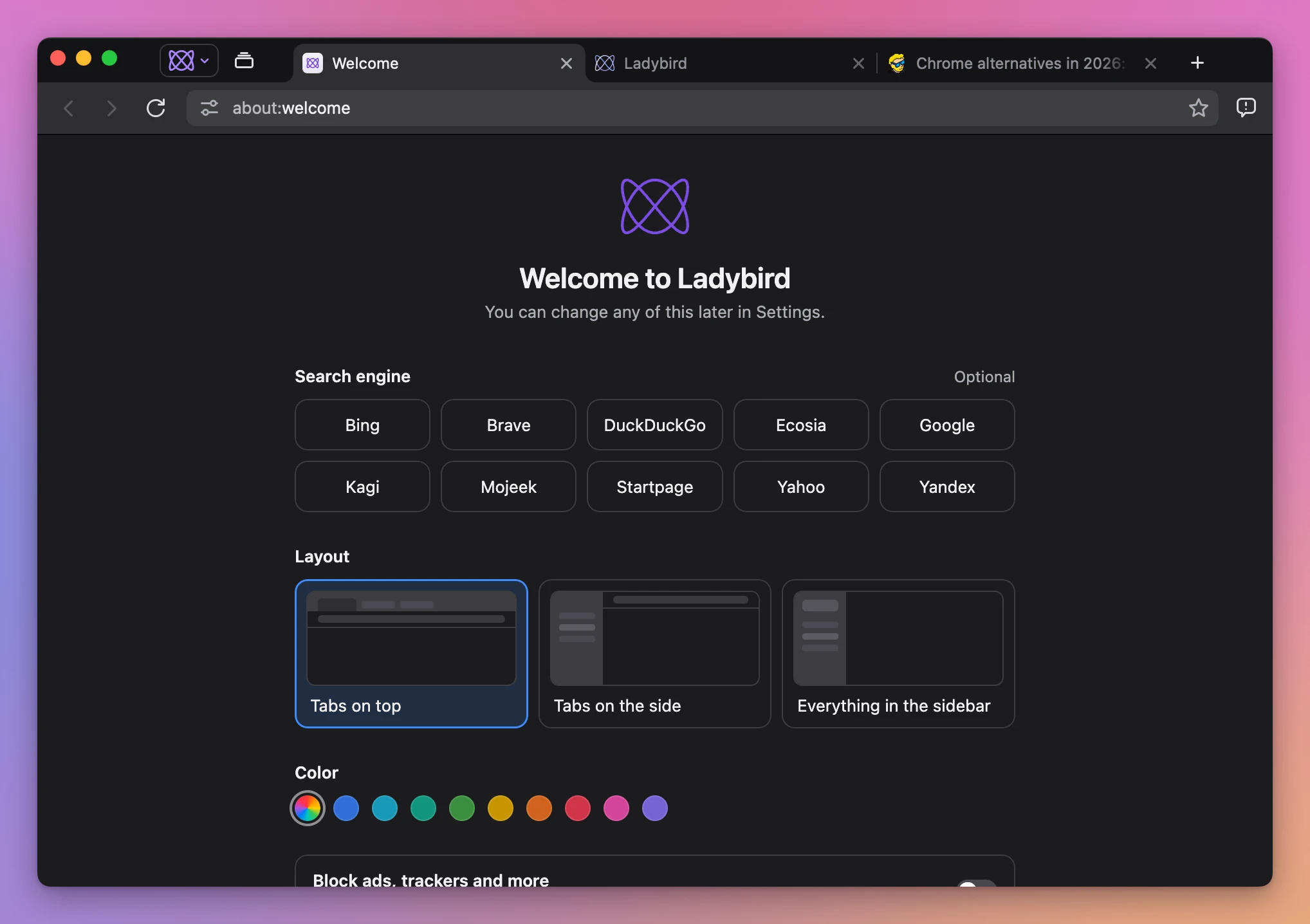
You also get a layout switcher right on that screen (tabs on top, tabs on the side, or everything in the sidebar) and a built-in toggle to block ads and trackers.
What “built from scratch” means in practice
Ladybird does not share code with Blink, WebKit, or Gecko. Its web platform components are written for the project:
- LibWeb handles HTML parsing, CSS styling, layout, DOM, and painting.
- LibJS is its JavaScript engine, with a bytecode interpreter and a speculative optimizing JIT compiler added in October 2026 for both x86-64 and ARM64.
- LibWasm runs WebAssembly with its own interpreter and JIT, built after the team replaced their earlier C++ and Cranelift backend.
At the same time, Ladybird stopped trying to reinvent every low-level library once it separated from SerenityOS. It uses battle-tested third-party libraries for foundational plumbing: Skia for 2D graphics, HarfBuzz for text shaping, FFmpeg for audio and video, curl for HTTP, and OpenSSL for TLS. That is a pragmatic split. Writing an HTML layout engine from scratch gives the web real engine diversity; writing your own H.264 decoder or TLS stack from scratch mostly creates security bugs.
A real multi-process architecture
Modern browsers isolate untrusted websites across separate OS processes so a bug in one page cannot read cookies from another tab or take over your machine. Ladybird ships with a full multi-process architecture already in place.
I downloaded the macOS Apple Silicon alpha (2026.47.8, a 69 MB .dmg that expands to 217 MB on disk) and inspected the bundle inside Ladybird.app/Contents/MacOS/. Every process in that diagram is a separate executable: Ladybird, Hub, Compositor, WebContent (69.9 MB, the largest binary), RequestServer, ImageDecoder, MediaServer, AudioServer, VideoDecoderServer, WebRTCClient, WebDriver, and a small ProcessReaper helper for macOS cleanup.
Running Ladybird with ladybird.org open produces the exact process split you would expect from a mature browser architecture:
ps -eo pid,rss,comm | grep Ladybird.app 4905 118192 /Users/admin/Apps/Ladybird.app/Contents/MacOS/Ladybird
4907 38864 /Users/admin/Apps/Ladybird.app/Contents/MacOS/Hub
4908 20576 /Users/admin/Apps/Ladybird.app/Contents/MacOS/RequestServer
4909 1120 /Users/admin/Apps/Ladybird.app/Contents/MacOS/ProcessReaper
4911 45952 /Users/admin/Apps/Ladybird.app/Contents/MacOS/Compositor
4913 116960 /Users/admin/Apps/Ladybird.app/Contents/MacOS/WebContent
4914 56336 /Users/admin/Apps/Ladybird.app/Contents/MacOS/WebContent
4915 83792 /Users/admin/Apps/Ladybird.app/Contents/MacOS/WebContent
4917 15840 /Users/admin/Apps/Ladybird.app/Contents/MacOS/ImageDecoder
4918 26384 /Users/admin/Apps/Ladybird.app/Contents/MacOS/RequestServer
4919 16848 /Users/admin/Apps/Ladybird.app/Contents/MacOS/ImageDecoderOne architectural choice stands out in Ladybird’s October 2026 update: its out-of-process compositor can handle CSS animations and even :hover style updates while JavaScript is blocking the main thread. Most browsers freeze :hover and layout-driven animations during long JS tasks, so starting with a clean slate let Ladybird explore designs that older engines struggle to retrofit.
Running Ladybird Alpha on real websites
Testing a brand-new engine against real pages is the fastest way to tell whether it is a toy or a real browser. I opened my own site in Ladybird Alpha 2026.47.8 to see how LibWeb handles custom web fonts, sticky sidebars, CSS Grid, dark mode, and inline SVG diagrams.
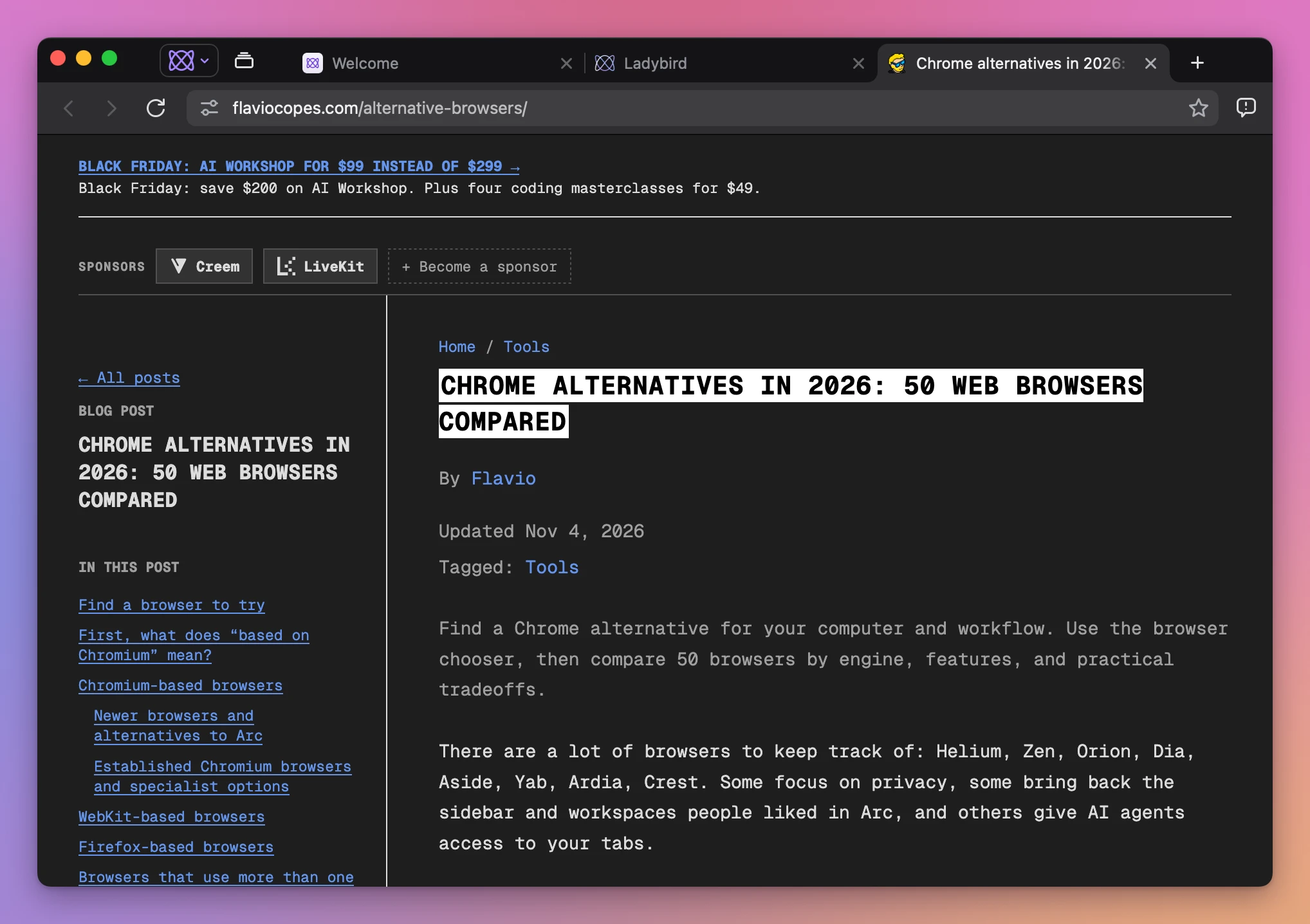
It rendered cleanly on the first load: Geist Mono web fonts, dark theme styling, link colors, the sticky table of contents, and layout spacing all matched what Chrome and Safari show.
Ladybird also ships with a built-in headless CLI (--headless=screenshot, --headless=layout-tree, --headless=text, and --headless=terminal), plus --devtools for the Firefox DevTools protocol and a WebDriver binary for automated testing. I used --headless=text to check what navigator.userAgent Ladybird sends to websites:
Ladybird.app/Contents/MacOS/Ladybird --headless=text --temporary-profile \
  "data:text/html,<script>document.write(navigator.userAgent)</script>"
Mozilla/5.0 (Macintosh; Intel Mac OS X 10_15_7) Ladybird/2026.47.8 AppleWebKit/537.36 (KHTML, like Gecko) Chrome/153.0.0.0 Safari/537.36Look closely at that string. Even a browser written completely from scratch has to include AppleWebKit/537.36 (KHTML, like Gecko) Chrome/153.0.0.0 Safari/537.36 alongside Ladybird/2026.47.8. If it only identified itself as Ladybird, dozens of sites and bot-protection scripts would reject it or serve broken fallback pages. That single line is a neat summary of how entrenched the current browser monoculture is.
Why Ladybird has a real shot this time
New browser engines have a rough history. Servo, originally started by Mozilla Research in Rust, produced pieces that landed in Firefox (like Stylo) and still lives on as an embeddable engine under the Linux Foundation, yet it never became an everyday desktop browser. EdgeHTML and Presto both gave up and migrated to Chromium because keeping up with the modern web platform was too expensive even for Microsoft and Opera.
Four things give Ladybird a better chance of breaking through than earlier attempts:
- Real standards progress, measured in public. On October 26, 2026, Ladybird passed Safari Technology Preview in total Web Platform Tests (WPT) subtests, finishing October at 2,184,722 passing subtests. Its JavaScript engine already clears around 98% of
test262. Reaching that baseline before shipping an alpha means complex web apps like YouTube, Twitch, GitHub, Gmail, Google Slides, and ChatGPT already work in recognizable form rather than rendering blank pages. - A pragmatic switch to Rust (with help from AI). Ladybird started in C++, explored Swift in 2024, dropped Swift when non-Apple support and C++ interop fell short, and adopted Rust in February 2026. Using Claude Code and Codex under strict human direction, Andreas Kling ported LibJS’s lexer, parser, AST, and bytecode compiler (around 25,000 lines of Rust) in about two weeks with zero regressions across 52,898
test262tests and 12,461 Ladybird regression tests. By November 2026, Rust had overtaken C++ as the largest language in the Ladybird GitHub repository, which sits at over 69,000 stars under a 2-clause BSD license. - AI-assisted closing of the long tail. The hardest part of building a fourth engine is not implementing
flexboxorfetch(). It is implementing thousands of obscure edge cases in CSS, HTML editing, and legacy DOM APIs so random websites stop breaking. Ladybird’s team pointed coding agents at WPT failures and closed over 60,000 subtests in five days. That changes the economics of maintaining an independent engine with a small full-time team. - Tighter maintenance and security discipline. In June 2026, Ladybird closed public pull requests and restricted code commits to project maintainers because AI-generated drive-by patches made reviewing untrusted contributions risky for a browser. In September 2026, the team also began security hardening work with Trail of Bits. Treating security and review bandwidth seriously before beta is rare for an open-source browser.
What Ladybird is not ready for yet
Andreas Kling’s alpha announcement is refreshingly honest about where things stand. Ladybird is an alpha, and it comes with clear limits right now:
- No security promises yet. The team explicitly asks security researchers to hack it and report vulnerabilities. Do not log into your bank, password vault, or critical production dashboards in Ladybird today.
- Desktop macOS (Apple Silicon) and Linux only. Intel Macs, Windows, iOS, and Android are not supported yet. Windows builds exist in CI for LibJS, with full browser support planned later, and mobile comes after desktop stabilizes.
- No extension ecosystem yet. If your workflow relies on 1Password, Raycast browser hooks, or custom Chrome extensions, Ladybird cannot replace your daily driver.
- Rough edges and crashes. Some sites break, tabs occasionally crash, and features like screen-reader support (VoiceOver on macOS and Orca on Linux) are still in their early days.
How I would use Ladybird right now
After trying the alpha build, I would not switch my main browser to Ladybird yet. My day-to-day work lives in logged-in dashboards, Stripe and Creem portals, and sites where security guarantees and password-manager extensions are non-negotiable.
Where I would use Ladybird right now is as a fourth testing target alongside Chrome, Safari, and Firefox.
If you build websites or web apps, grab the rolling alpha from ladybird.org/download and open your own projects in it. Ladybird ships automatic rolling updates, supports WebDriver, and exposes the Firefox DevTools protocol (--devtools), so you can inspect elements and debug layout or JavaScript issues without building from source. If you already automate Chrome with the Chrome DevTools Protocol or test across modern browser APIs, adding Ladybird to your occasional sanity checks is a good way to spot places where you accidentally depended on a Blink quirk.
When something breaks on your site, Ladybird has a built-in button right next to the address bar to report the broken page. Filing clean bug reports and minimal reproductions is the most helpful thing outside developers can contribute now that pull requests are maintainer-only.
And if you want to understand the web platform layers that Ladybird’s engine implements from scratch, my free HTML Handbook, CSS Handbook, and JavaScript Handbook cover how documents, styles, and scripts work in the browser.
For the first time in a long time, the browser engine list might stop shrinking and start growing again. Ladybird still has years of security hardening, performance work, and Windows and mobile ports ahead of it, though having a downloadable, auto-updating fourth engine on real machines is already a milestone the web badly needed.
Want me to talk about your product? You can sponsor this site.
Related posts about tools: