How to get the scroll position of an element in JavaScript
By Flavio Copes
Learn how to get the scroll position of an element in JavaScript by reading its scrollTop and scrollLeft properties, which you can also set to scroll it.
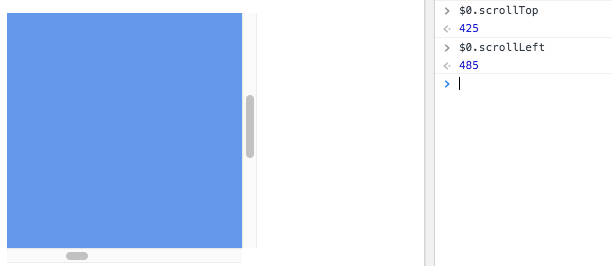
To get the scroll position of an element, read its scrollTop and scrollLeft properties.
scrollTop tells you how many pixels the element’s content is scrolled vertically. scrollLeft does the same for horizontal scrolling.
The 0, 0 position is always found in the top left corner, so any scrolling is relative to that.
Example:
const container = document.querySelector('.container')
container.scrollTop
container.scrollLeft
If the element has not been scrolled yet (or can’t scroll at all), both values are 0.
Setting the scroll position
Those properties are read/write, so you can also set the scroll position:
const container = document.querySelector('.container')
container.scrollTop = 1000
container.scrollLeft = 1000
The browser clamps the value for you. If you assign a number bigger than the maximum scroll, the element scrolls to the end and stops there.
The maximum vertical scroll is the height of the content minus the height of the visible area:
const maxScroll = container.scrollHeight - container.clientHeightThis is useful to know if the user is at the bottom. Think of a chat window: you want to auto-scroll to a new message only when the user was already at the end, not while they’re reading old messages.
Watch out: it must be the scroll container
Here’s a common pitfall. You read scrollTop on an element and it’s always 0, even though you clearly scrolled.
That happens when the element you picked is not the one doing the scrolling. scrollTop only reports scrolling that happens inside the element, which requires it to have overflow: auto or overflow: scroll, plus content taller than the element itself.
Often what actually scrolls is the whole page. In that case, read the window scroll position instead:
window.scrollY //vertical page scroll in pixels
window.scrollX //horizontal
So when a scroll value looks stuck at zero, inspect the element in the DevTools and check which ancestor has the scrollbar. Read the position from that one.
Want me to talk about your product? You can sponsor this site.
Related posts about platform: