Styling HTML Tables with CSS
By Flavio Copes
Learn how to style HTML tables with CSS now that Grid and Flexbox handle layout, adding borders, spacing, and striped rows with the nth-child selector.
You style an HTML table with regular CSS: borders on table, th and td, padding on the cells, and the :nth-child() selector for striped rows. Let’s go through each part.
Tables in the past were greatly overused in CSS, as they were one of the only ways we could create a fancy page layout.
Today with Grid and Flexbox we can move tables back to the job they were intended to do: displaying tabular data.
The HTML
Let’s start from the HTML. This is a basic table:
<table>
  <thead>
    <tr>
      <th scope="col">Name</th>
      <th scope="col">Age</th>
    </tr>
  </thead>
  <tbody>
    <tr>
      <th scope="row">Flavio</th>
      <td>36</td>
    </tr>
    <tr>
      <th scope="row">Roger</th>
      <td>7</td>
    </tr>
  </tbody>
</table>
By default it’s not very attractive. The browser provides some standard styles, and that’s it:
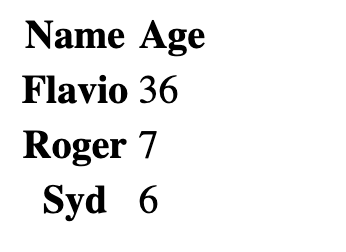
We can use CSS to style all the elements of the table, of course.
Adding borders
Let’s start with the border. A nice border can go a long way.
We can apply it on the table element, and on the inner elements too, like th and td:
table, th, td {
  border: 1px solid #333;
}
If we pair it with some margin, we get a nice result:
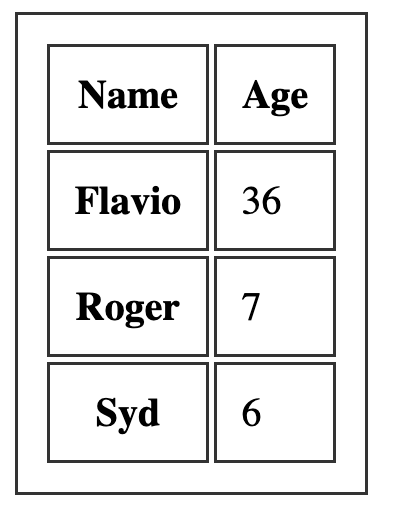
Notice how each cell gets its own border, with a small gap between them. That’s the default border-collapse: separate behavior. Each element draws its own border.
If you add border-collapse: collapse; to the table element, adjacent borders merge into one:
table {
  border-collapse: collapse;
}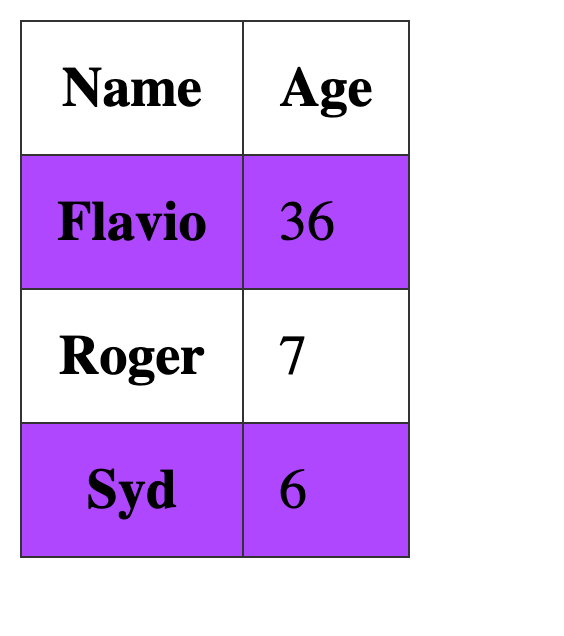
This is what you want in most cases. Nearly every table I style starts with this rule.
Spacing the cells
Borders alone leave the content cramped against the edges. Some padding on the cells fixes that:
th, td {
  padding: 10px;
  text-align: left;
}
text-align: left is there because th elements are centered by default, while td elements are left-aligned. Setting both to the same alignment makes columns look consistent.
Striped rows
One common thing with tables is the ability to add a color to one row, and a different color to another row. This is possible using the :nth-child(odd) or :nth-child(even) selector:
tbody tr:nth-child(odd) {
  background-color: #af47ff;
}
This gives us:
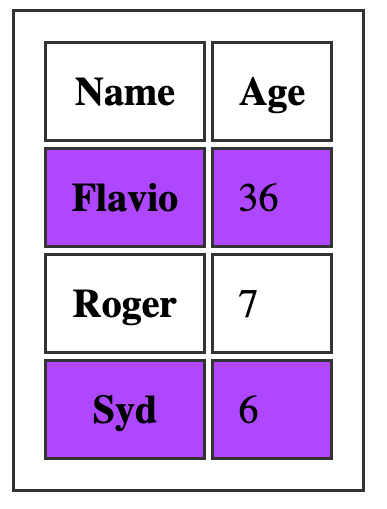
Be careful with the tbody part of that selector. If you write tr:nth-child(odd) without scoping it, the selector also matches the header row inside thead, and rows in different table sections are counted separately from what you might expect. Scoping to tbody tr keeps the stripes on the data rows, where you want them.
Want me to talk about your product? You can sponsor this site.